

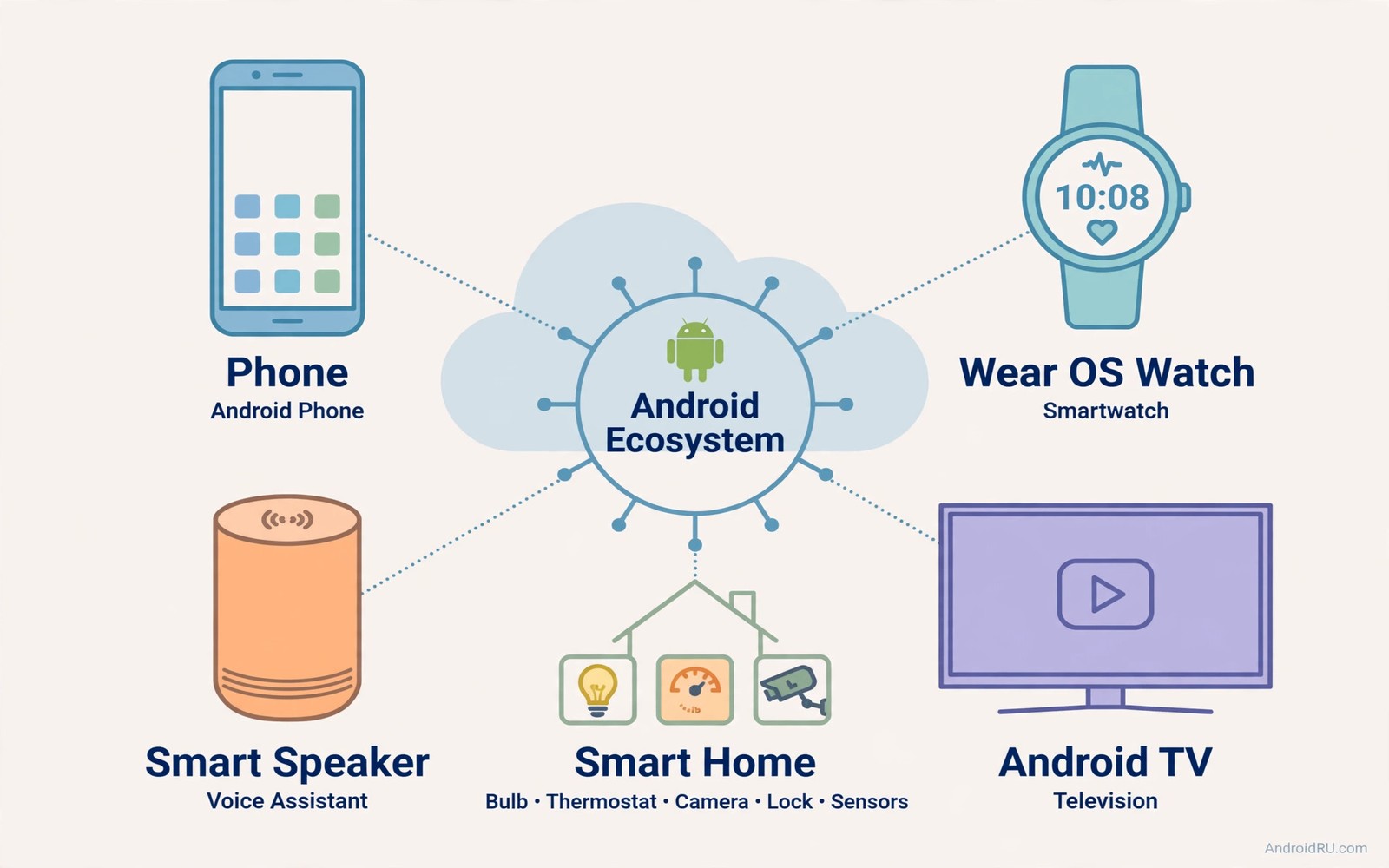
An Android ecosystem feels magical when devices work together without constant setup. A phone unlocks a watch and a watch controls a television. A television shows a doorbell camera and a speaker announces a calendar event. Those moments happen when devices share accounts and standards and a common home network. They fail when each device lives in its own isolated app.
Interoperability means devices from different makers can still cooperate through shared standards. A smart home standard lets a light from one maker respond to a hub from another maker. A phone account lets a tablet and a watch share notifications and media. A home network lets a television and a speaker discover each other. Standards turn a collection of gadgets into a system.
This master guide brings together the ideas from across the television and ecosystem topics. It shows how to plan accounts and networks and rooms as one design. It also shows how to keep that design maintainable as you add devices. For a starting point on a single room see tablet as a portable smart home display which can become the control point for the whole system. Plan the system before you buy the next device.
Ecosystem design also helps a renter who cannot drill holes or rewire rooms. A renter can build a strong system with plugs and bulbs and a tablet panel that move at the end of a lease. No permanent installation is needed for a capable smart home. A portable system also suits a student flat that changes each year. Interoperability matters most when the home itself changes often.
Design Accounts Networks And Rooms Together
Start with one main account for the household smart home and add family members as managed users. A single main account avoids the confusion of devices split across personal accounts. Keep a separate account for work devices so work notifications do not flood the home system. Document which account owns each device in a simple note. That note saves hours when you replace a phone or a hub.
Design the home network with device groups in mind. Put household devices on the main network and visitors on an isolated guest network. Place access points so every room with a smart device has a strong signal. Name rooms consistently across apps so a living room light has the same name everywhere. Consistent naming makes voice commands and routines far more reliable.
Connect Phones Watches TVs And Speakers
A phone acts as the setup tool and the portable remote for the ecosystem. A watch acts as a quick controller for lights and media when the phone is charging. A television acts as a large display for cameras and calendars in a shared room. A speaker acts as a voice controller and a music point in each room. Each device has a natural role and the system works best when roles stay clear.
# Ecosystem master checklist
household_account = one_main_account
network = main_for_devices_guest_isolated
room_names = consistent_everywhere
routines = one_at_a_time_tested
monthly_review = permissions_and_updates
The snippet above is an original example written for this guide. It shows generic settings that you can adapt to your own device. It does not copy code from any outside source.
Link devices through the home app first and then add specialised apps for advanced routines. The home app shows device state in one place and it handles basic voice control. A routine tool such as Tasker adds phone context that the home app lacks. A tablet panel gives guests a simple control surface without full account access. Together those layers cover setup and daily use and guest use.
Build Routines That Span The Whole Home
A morning routine can start with a watch alarm and then brighten bedroom lights gradually. It can read the calendar on a speaker while the television shows weather for the day. A single trigger should start a chain that feels natural rather than robotic. Keep each step simple and test the chain on a weekend. A routine that works on a calm weekend will usually work on a busy weekday.
An evening routine can dim lights and set the television to a film scene and lock doors at a set hour. A leaving routine can turn off media and set the thermostat to away mode. A night routine can arm sensors and silence non urgent notifications. Build one routine at a time and live with it for a week before adding the next. Slow building creates a system people trust.
Maintain Security And Growth Over Time
Review device permissions and linked accounts once a month. Remove old phones and old household members from the home app. Update firmware on hubs and televisions and speakers on a schedule. An updated ecosystem stays compatible with new standards and it closes security gaps. Keep a list of device models and firmware versions for support conversations.
Add new devices only when they support a standard your hub already uses. A device that needs a separate app for basic control adds friction to the whole system. Test a new device in one room before you buy several for the whole home. Retire devices that lose support rather than keeping them as weak links. A smaller compatible system beats a larger fragmented collection every time.
Build An Ecosystem On A Budget
A budget ecosystem starts with one hub and one room rather than a whole house at once. Choose a living room with the most daily use and automate lights and media there first. That room proves the value of the system before further spending. A proven room justifies the next room far better than a theoretical plan. Budget building is patient building.
Buy devices during sales only when they match your chosen standard and your room plan. A sale device that needs a separate app adds hidden cost in complexity. Wait for a compatible device sale instead of grabbing an incompatible bargain. That patience keeps the system coherent. A coherent budget system beats a cheap fragmented one.
Reuse old phones and tablets as panels and remotes before buying new control devices. An old tablet panel costs nothing and it serves a room well. An old phone remote covers a second room without a new purchase. Reuse extends device life and it reduces electronic waste. A sustainable ecosystem is also a budget ecosystem.
Plan For Guests And Future Owners
A smart home should welcome guests without handing them full account access. A tablet panel with limited tiles gives guests control without account risk. A guest Wi-Fi network gives internet without device discovery. Those two guest tools cover most visitor needs. A guest friendly system feels generous rather than locked down.
Smart home devices that work with a common hub make a future move easier. The devices in smart home devices compatible with Android hubs illustrate a compatible starter set. Choose devices that a future owner or a new tenant can adopt easily. Portable standards make a system transferable. Transferability protects your investment when you move.
Document the ecosystem for a future owner with a simple room by room list. List each device and its hub and its account owner. That document turns a complex system into a handover that a new owner can follow. A documented system retains value after you leave. Documentation is the final step of good ecosystem design.
Common Mistakes
The most common mistake is buying devices on sale without checking whether they support your home standard. Those bargains become isolated gadgets that need separate apps. Another mistake is splitting devices across several personal accounts which breaks routines and sharing. A third mistake is building many routines at once which makes failures hard to trace. Build slowly and document each step. The ecosystem vision becomes concrete through automated smart home scenes from a phone that link rooms together.
People also neglect monthly reviews so old devices and old members keep access long after they should lose it. Remove access promptly when a household changes. Do not ignore firmware updates for hubs because an outdated hub can block new devices. Keep the network strong in every smart room because weak signal causes the most mysterious failures. A maintained ecosystem stays magical while a neglected one feels broken.
Owners also build an ecosystem around a single maker and then discover that maker changes its terms. A single maker system can lose features or raise prices with little warning. A standards based system lets you swap one device without rebuilding the whole home. Diversity of makers within one standard is a form of insurance. Choose standards over brands for long term freedom.
Frequently Asked Questions
What is the best standard for a new smart home?
Choose a widely supported standard that your hub and your planned devices share. A common standard lets devices from different makers work together. Check hub support before you buy lights or locks. A shared standard future proofs the home better than a single maker ecosystem alone.
Can old Android devices still join a modern ecosystem?
Old devices can join as panels or remotes when they run a current home app and a stable network link. A tablet panel is a good role for an older device. Retire a device with a failing battery or an unsupported system version. Safety and reliability matter more than keeping every old gadget in service.
How do I stop my smart home from becoming too complex?
Keep one home app as the main control surface and limit advanced routines to a few that truly help daily life. Document rooms and accounts and routines in a simple note. Remove devices and routines that no one uses. A system with fewer well chosen automations feels calmer than a system with dozens of half working ones.
Conclusion
Audit your current devices today and list them by room and account and standard. Move visitors to a guest network and rename rooms consistently across apps. Then build one morning routine that links watch and lights and speaker. If that routine runs cleanly for a week then your Android ecosystem is ready to grow one thoughtful device at a time.
After a month with your ecosystem audit rooms and accounts and routines in one short session. Remove devices you no longer own and routines nobody uses. Update firmware on the hub and on every speaker and television in the system. A monthly audit keeps a growing system coherent. Coherence is what turns a collection of gadgets into a home that works as one.

