

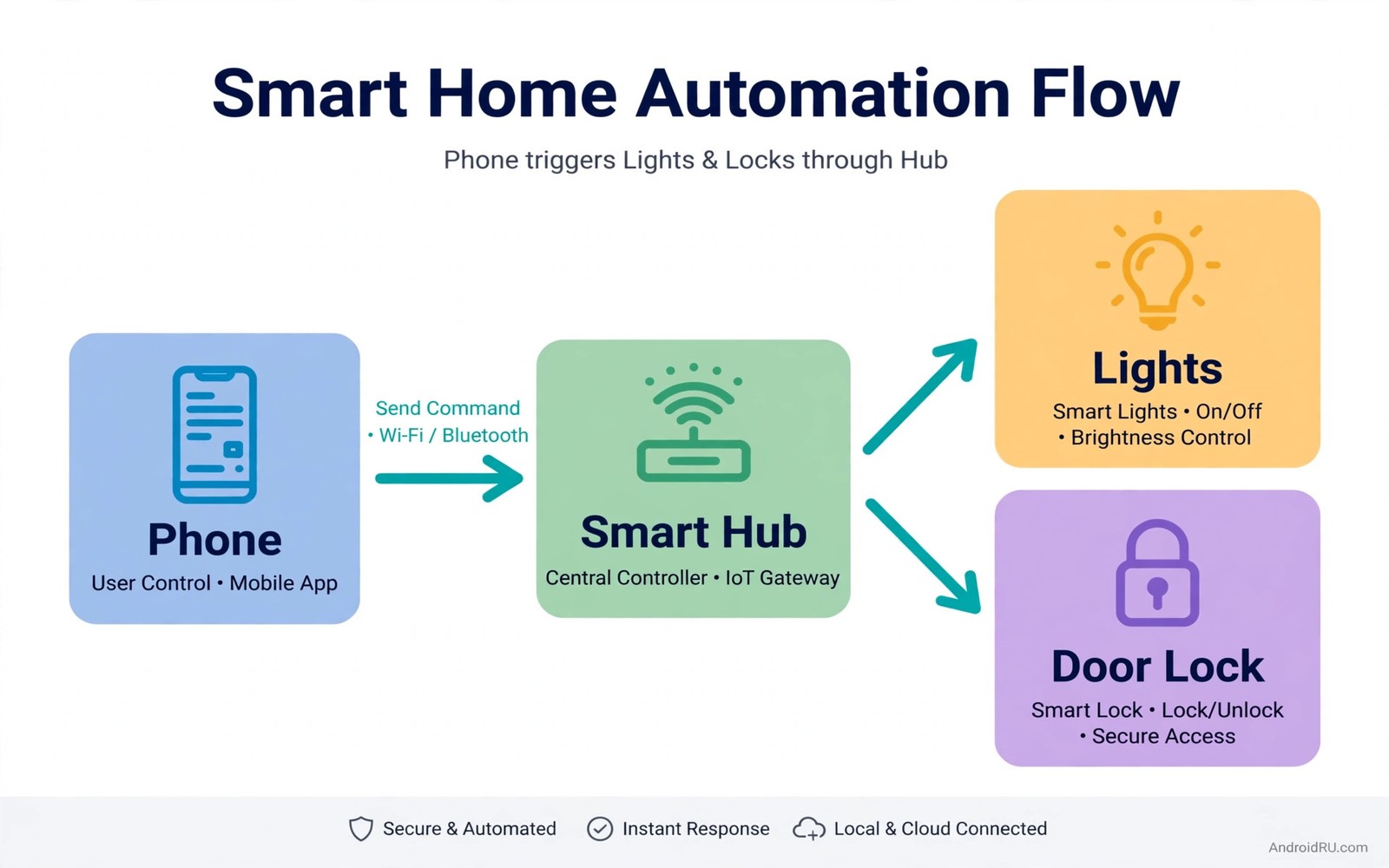
A smart home should reduce daily chores rather than add new apps to check. Tasker and SmartThings together can turn a phone into a quiet automation brain. Tasker watches for triggers such as time and location and battery state. SmartThings controls lights and plugs and locks through a hub. When a trigger fires the phone tells the hub to act without a manual tap.
The power of this pair lies in combining phone context with home devices. A phone knows when you arrive home and when you plug in to charge at night. A hub knows the state of every light and lock in the house. Linking those two kinds of knowledge creates routines that feel natural. Lights turn on as you arrive and the house settles itself as you sleep.
This guide covers seven hacks that use that link in practical ways. Each hack starts with a simple trigger and a single action. You can expand a hack later once the basic version works reliably. For a tablet control view of the same home see tablet as a portable smart home display which pairs well with the automations below. Start with the arrival hack because it shows the value fastest.
Automation also helps a household with a pet that needs a regular feeding and lighting routine. A plug routine can turn on a pet camera light at feeding time. A speaker routine can play calm sounds during a storm. Those small automations reduce worry for pet owners who work away from home. A thoughtful routine can care for a pet as well as for people.
Link Tasker To SmartThings Safely
Connect Tasker to SmartThings through a supported plugin or a web request method that SmartThings allows. Grant only the device permissions that your routines actually need. If a routine controls lights only then it does not need lock access. That least privilege habit limits damage if a routine misfires. Test the link with one light before you add locks or cameras to any routine.
Name devices clearly in SmartThings before you build Tasker tasks. A name such as Kitchen Ceiling beats a model number when you read a task months later. Group devices by room so a routine can target a room with one command. Keep a backup of Tasker profiles by exporting them after each successful change. A backup lets you restore a working routine after a phone reset.
Arrival And Good Night Routines
An arrival routine triggers when the phone connects to home Wi-Fi or enters a home location zone. The task then turns on hallway and living room lights at a comfortable level. Add a delay for the bedroom light if you arrive late so you do not wake others. Test the arrival zone size carefully because a zone that is too large triggers while you are still driving nearby. A tight zone around the home gives the most reliable result.
# Tasker SmartThings arrival routine
trigger = home_wifi_connected
condition = after_sunset
lights_on = hallway_and_living_room
bedroom_light = delayed_5_minutes
confirmation = spoken_message
The snippet above is an original example written for this guide. It shows generic settings that you can adapt to your own device. It does not copy code from any outside source.
A good night routine triggers when the phone starts charging after a set evening hour. The task turns off living room lights and locks the front door and lowers the thermostat. Add a spoken confirmation so you know the routine ran without checking the phone. If a device fails to respond then the routine should log the failure rather than retry endlessly. A single retry plus a notification is enough for most homes.
Energy And Safety Automations
An energy routine turns off a plug when a device finishes charging or when a room stays empty. Tasker can watch for a charger disconnect or a time limit and then tell SmartThings to cut the plug. That routine saves standby power for televisions and chargers. Set a minimum on time so the plug does not cycle during a brief pause. A stable routine saves power without annoying anyone.
A safety routine watches for a smoke or leak sensor alert in SmartThings and then acts on the phone. The phone can turn on all lights and send a message to household members. Keep safety routines simple and test them monthly with a sensor test button. A safety routine that depends on five conditions may fail when one condition changes. Simplicity is a safety feature in itself.
Presence And Media Scene Hacks
A presence routine can set a media scene when the house becomes occupied in the evening. Tasker detects the first phone arrival after sunset and SmartThings dims lights for film viewing. The television can stay off until you choose to watch because the scene only prepares lighting. That restraint keeps automation helpful rather than intrusive. Add a manual override button on the tablet panel for evenings when you want bright light.
A leaving routine runs when the last household phone leaves the home zone. It turns off lights and sets the thermostat to an away level. Require two phones to leave when a household has two adults so one person staying home does not trigger an away scene. That two person rule prevents the most common presence mistake. Readers who control media from a phone can also use PC media control from a smartphone to extend scene control to a workstation. Test leaving routines on a weekend when a failure is easy to fix.
Automate Lighting For Seasons And Moods
Lighting routines should change with seasons because sunset time shifts across the year. A fixed evening time that works in winter triggers too early in summer. Use sunset as a trigger rather than a fixed clock time when the system allows it. Sunset triggers adapt automatically and they keep lighting natural all year. That adaptation removes seasonal manual edits.
Create mood scenes for reading and for dining and for film nights. A reading scene brightens one chair area while dimming the rest of the room. A dining scene warms the table area and dims kitchen work lights. A film scene dims all lights except a soft bias glow. Named moods make lighting feel intentional rather than random.
Test mood scenes with the people who live in each room. A scene that suits one person may annoy another who shares the room. Adjust brightness per room based on that feedback. A shared home needs shared lighting decisions. Compromise on brightness keeps automation welcome for everyone.
Link Routines To A Tablet Control Point
A tablet panel gives every routine a visible manual override. When automation misfires a person can tap a tile to correct it at once. That override matters because no routine is perfect. A panel without override forces people to open several apps to fix a simple error. A single tap correction keeps trust in automation high.
A phone dashboard can serve as that control point in a small home. The method for turning a phone into a smart home dashboard shows how a spare phone becomes a panel. Place that panel where routines are most often overridden. A well placed override point gets used and a hidden one does not.
Log routine overrides for a month to learn which routines need tuning. A routine overridden daily is a routine that needs a new trigger or a new action. A routine never overridden is a routine that earns its place. That log turns complaints into design data. Data driven tuning keeps automation improving rather than stagnating.
Common Mistakes
The most common mistake is building a complex routine with many conditions before the simple version works. Start with one trigger and one action and expand only after a week of success. Another mistake is granting a routine access to locks when it only needs lights. That broad access turns a lighting bug into a security risk. A third mistake is using a large location zone that triggers routines while you are still far from home. New routines become easier with smart home devices compatible with Android hubs chosen before purchase.
People also forget to export Tasker profiles after a change and then lose everything on a phone reset. Export after each working change and store the export in a safe place. Do not let a routine retry a failed device endlessly because that loop can drain the phone battery. Limit retries to one and send a notification instead. A routine that reports failure is more useful than one that loops silently.
Owners also automate a lock routine without a manual key backup for power failures. A smart lock that depends entirely on automation can fail during an outage. Keep a physical key accessible for every automated lock. Test the key once a year so it still works when needed. A backup key is a safety requirement not an optional extra.
Frequently Asked Questions
Do I need a SmartThings hub for Tasker automation?
You need a hub or a compatible SmartThings setup for devices that use hub protocols. Some Wi-Fi devices connect directly through a cloud link without a hub. Check each device in SmartThings before you plan a routine. A hub gives the most reliable local control for a mixed home.
Will Tasker drain my phone battery with automation?
Tasker itself uses little power when profiles use efficient triggers such as Wi-Fi connection. Location triggers with frequent GPS checks can drain more power. Use Wi-Fi or time triggers where possible. Monitor battery usage after adding a profile and adjust the trigger if drain appears.
What happens if my phone is off when a routine should run?
A phone based routine cannot run while the phone is off or out of power. Time based routines that must run regardless of phone state belong in SmartThings itself. Use Tasker for phone context routines and SmartThings for pure home schedules. Splitting duties that way keeps critical routines running.
Conclusion
Link Tasker to SmartThings today and build one arrival routine with a single light. Test it by leaving and returning home once and check that the light turns on. If it works then add a good night routine next weekend. Those two routines prove the system and they make the home feel responsive without adding daily chores.
After a month of automation review which routines were overridden most often. A routine overridden daily needs a new trigger or a new action rather than more patience. Change one routine at a time and live with the change for a week. That slow tuning builds a system that household members trust. A trusted system gets used while a fussy system gets switched off.

