

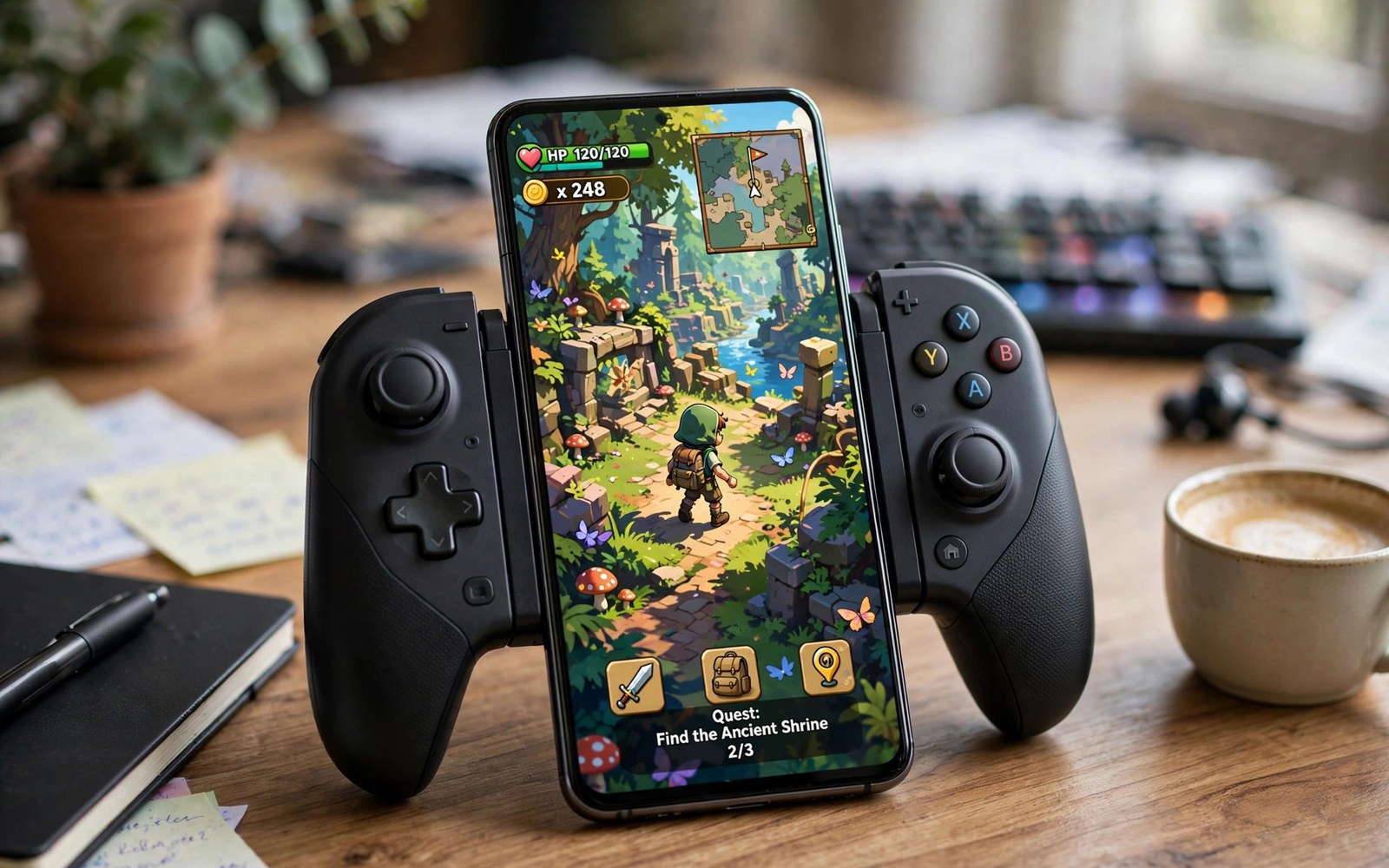
Switch games on a phone once sounded impossible. Modern flagship chips changed that story. High end Android devices now run many Switch titles at playable speeds with crisp visuals. The setup is more involved than retro emulation but the reward is a portable library of modern classics.
High end does not mean any expensive phone works perfectly. Switch emulation stresses the processor and graphics drivers and cooling together. Some flagships excel while others stumble on driver quirks. This guide sets honest expectations and then walks through the setup that gives demanding games their best chance.
You will learn the legal setup with keys and firmware from your own console. You will learn performance settings tuned for flagship hardware. You will learn controller mapping and storage habits that keep a large library healthy. By the end you will know which games suit your phone and how to make them shine.
Know what high-end really means here
Switch emulation needs a recent flagship processor with strong graphics drivers. Older flagships may run light 2D titles but struggle with 3D adventures. The newest generation chips handle far more titles at higher resolutions. Check community compatibility reports for your exact chip and game before you invest hours.
RAM matters more than many users expect. Eight gigabytes is a practical minimum for smooth Switch play. Twelve or sixteen gigabytes gives headroom for shaders and background tasks. A phone that reloads shaders constantly stutters no matter how fast its chip is. Memory headroom keeps play steady.
Storage speed and size both matter for Switch titles. Modern games exceed ten gigabytes each and shader caches add more. Keep games on fast internal storage and reserve generous free space. A library of five games can exceed one hundred gigabytes quickly. Plan storage before you build the shelf.
Cooling separates sustained play from brief demos. A flagship that throttles after twenty minutes drops frames in long adventures. A vapour chamber and a cool room help enormously. Test a demanding game for an hour before judging your phone. Sustained performance is the real metric.
Set up keys firmware and games legally
You need prod keys dumped from a Switch console you own. Keys decrypt game files and the emulator cannot include them. Dumping requires a modifiable console and homebrew tools. Only use keys from hardware you own and never share them. Shared keys create legal and security risks.
You also need firmware files dumped from the same console. Firmware provides system modules that games expect. Mismatched firmware versions can cause crashes or missing features. Use firmware close to the version your games target. Keep a note of the firmware version you installed for troubleshooting.
Game files must come from cartridges or digital copies you own. Dump your own cartridges with console tools where possible. A dumped game you own is a personal backup. A downloaded game you do not own is piracy even when the title is old. Keep the library clean and honest.
Organise dumps into folders by title with clear names. A folder per game keeps updates and DLC separate and manageable. The emulator scans the root folder and builds a library view with artwork. Tidiness prevents the classic problem of a game that the emulator cannot find.
Tune performance for flagship hardware
Start with the Vulkan renderer on most modern flagships. Vulkan uses drivers efficiently and handles Switch graphics well. OpenGL suits a few titles with specific quirks. Test both renderers on your main game and keep the steadier one. Renderer choice is per game as much as per phone.
Set resolution to one times native first and raise it only when frames hold. Flagship phones tempt you toward two times resolution immediately. Many games stutter at higher resolution in busy scenes. A sharp stable image at native resolution beats a stuttering upscale every time.
Enable shader cache building options that suit your patience. Building shaders ahead of time causes brief stutters on first play. Allowing the cache to grow during play spreads stutters across early sessions. Either path converges to smooth play after the cache matures. Do not judge a game in its first ten minutes.
Use accuracy settings at the emulator recommended defaults unless a game guide says otherwise. Higher accuracy costs frames for little visible gain in most titles. Lower accuracy can break effects in sensitive games. Defaults represent a tested balance that community guides refine per title.
Map controls for a console feel
A telescopic controller gives the closest Switch handheld feel on a phone. Buttons map naturally to the Switch layout. Joycon style controllers even mimic the original ergonomics. A good controller turns emulation from a tech demo into a real gaming session.
Map buttons to match the Switch layout exactly where possible. Muscle memory from the original console returns fast. Keep the same mapping across games so your fingers learn once. Consistency matters more than clever per game layouts for most players.
Touch controls work for slow games but frustrate in action titles. On screen sticks lack the precision of physical sticks. Use touch only for menus and turn based games. A controller is not optional for demanding action play.
Test motion controls early if a game needs them. Some games use gyro aiming or motion puzzles. Phone gyro can substitute but sensitivity differs from original hardware. Tune gyro sensitivity in a calm area before a real challenge. A few minutes of tuning prevents mid game frustration.
Manage shaders updates and saves
Shader caches grow large and deserve backup alongside saves. A mature cache represents hours of play that smoothed stutter away. Back up the emulator data folder monthly to cloud storage. A phone change without that backup restarts the stutter journey.
Game updates and DLC install through the emulator file menu. Keep updates matched to your game version and firmware. A mismatched update can break a working game. Install one update at a time and test before adding the next.
Save files live in the emulator user folder separate from game files. Back them up separately from game dumps. A save backup is small and priceless after hundreds of hours. Treat saves as the most valuable files in the whole setup.
Expand your emulation knowledge across systems for a fuller library. A guide on how to play PS2 games on Android at 60FPS smoothly covers another demanding classic system. Retro and modern emulation together make a phone console complete.
adb shell dumpsys meminfo com.example.switchemu | head -20
adb shell ls /sdcard/switch-games/ | head -40
The code block above is an original example written for this article. It shows diagnostic commands that report emulator memory use and list a Switch games folder from a computer with developer tools. Replace the example package name with the real package of your emulator. It is a learning aid for users who manage a large library.
Controller latency testing completes a serious Switch setup. Compare wired and wireless controller response in a timing sensitive game. A controller with noticeable delay ruins platforming precision even when frames look perfect. Keep the lowest latency option for action games and reserve slower controllers for turn based titles. Input feel matters as much as frame rate for the final experience.
Docked style play on a television changes the performance picture for Switch emulation. Outputting to a large screen through a cable keeps the phone screen off and can reduce heat slightly. A Bluetooth controller plus a cable turns the phone into a living room console. Test television sessions separately because resolution and latency differ from handheld play.
Mod support for Switch titles varies widely and most mods demand careful version matching. A mod built for one game update can crash another update completely. Apply mods only after backing up saves and noting exact versions. Test modded games in a separate profile when the emulator allows it. Modding rewards patience and punishes haste in equal measure.
Common mistakes
The first mistake is setting resolution to maximum on day one. High resolution stutters in busy scenes and ruins first impressions. Start at native resolution and raise it only when frames hold. Stability first and beauty second.
The second mistake is judging a game before shaders build. Early stutter is normal while the cache grows. Play past the first hour before deciding a game runs poorly. Patience reveals the true performance.
The third mistake is using keys or firmware from untrusted sources. Bad files cause crashes that look like emulator bugs. Dump from your own console and verify versions. Clean inputs prevent phantom problems.
The fourth mistake is never backing up saves and shader caches. A phone reset can erase hundreds of hours. Back up the emulator data folder monthly. Progress protection costs minutes and saves weeks.
Frequently asked questions
Can a midrange phone run Switch emulation?
Light 2D titles may run on strong midrange chips with tuned settings. Demanding 3D games need flagship hardware for playable speeds. Start with a light title and test honestly. Hardware limits are real and no setting removes them.
Do I need my own Switch console for legal setup?
Yes. Keys and firmware must come from a console you own. The emulator cannot include them for legal reasons. Game dumps must also come from copies you own. That rule keeps the setup legal.
Why does my game stutter only at first?
Shader compilation causes early stutter as the emulator builds its cache. The stutter fades as the cache matures across sessions. Backing up the cache preserves that smoothness. Judge performance after several hours of play.
Conclusion
Switch emulation on high-end Android rewards careful setup. Legal keys and firmware from your own console plus tuned Vulkan settings plus a real controller create a portable modern library. Respect shader warm up time and back up saves religiously. Your flagship becomes a console that travels anywhere.
Your concrete next step is to verify your chip and RAM against community reports for one game you own. Set up keys and firmware from your console and load that game at native resolution. Play past the first hour and note sustained frames. For more classic power read 7 Android emulators that bring retro PC classics to mobile and how to map physical controllers to touchscreen games easily as companion guides.

