

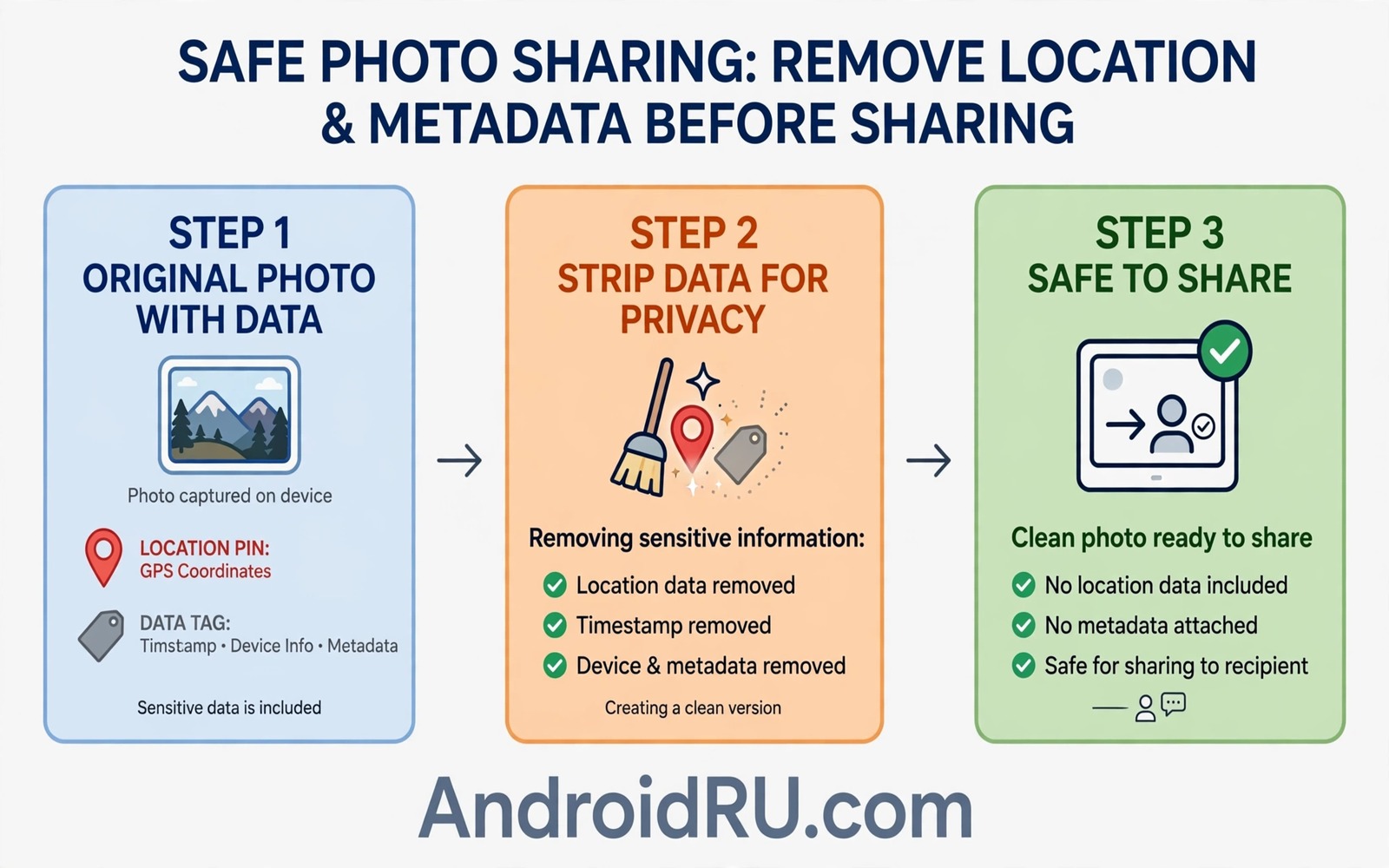
A photo shows a sunset and a beach and a smiling face. Hidden inside the same file are coordinates that point to the exact spot where it was taken. Anyone who downloads the original file can read those coordinates. A casual share can therefore reveal a home address or a school or a workplace without any visible clue.
Location metadata lives in the EXIF data attached to most phone photos. The phone writes GPS coordinates and time and device model into the file at capture. Social apps sometimes strip that data on upload yet many sharing routes preserve it. Email and messaging and cloud links often deliver the original file intact.
This guide explains where location data hides and how to remove it before sharing. It shows camera settings that stop future photos from recording location. It also shows how to check a photo before you send it. A ten second check protects privacy that a caption cannot restore.
What location metadata actually contains
EXIF location data includes latitude and longitude with enough precision to identify a house. It may also include altitude and direction and timestamp. Combined with a photo of a child or a car plate the data becomes a detailed personal record. A stranger needs only the file to build that record.
Metadata also includes device model and software version. That detail helps an attacker target known flaws for your exact phone. Time data reveals routines when many photos share a pattern. A set of photos across weeks can map daily movements with surprising accuracy.
Even photos without people carry risk. A photo of a new car in a driveway reveals a home location. A photo of a workplace desk reveals an office floor. Location data turns an innocent image into a map pin for private places.
Check a photo before you share it
Open the photo details in your gallery app and look for a location entry. Many gallery apps show a map pin or coordinates in the details panel. When a location appears the file carries GPS data. Treat any photo with a location entry as private until you strip it.
On a computer you can inspect file properties for GPS fields. A properties panel lists coordinates plainly when they exist. When you cannot inspect a file assume it carries location data. Caution costs seconds and a leak costs far more.
Test your usual sharing route with a harmless photo. Send a test photo to yourself through the same app or email route. Download the received file and check its details. That test reveals whether the route strips metadata or preserves it. Routes differ and testing beats guessing.
Turn off location tagging in the camera
Open camera settings and find location tags or save location. Turn that option off to stop future photos from recording GPS data. The camera still captures images normally without coordinates. You lose automatic photo maps yet you gain privacy by default.
Note that turning off camera tagging does not remove data from old photos. Old files keep the coordinates written at capture. You must strip old photos separately before sharing them. A settings change protects the future only.
Review location permission for the camera app as well. A camera app with location permission can tag photos even when the in app toggle looks off on some models. Set camera location permission to deny for the strongest guarantee. The camera needs no location to take a good photo.
Strip metadata before sharing
The safest method is to share a screenshot of the photo rather than the original file. A screenshot creates a new image without EXIF location data. Quality drops slightly yet privacy rises sharply. Use screenshots for public posts where original quality matters little.
Metadata removal apps can strip EXIF data while preserving image quality. Choose a reputable app with clear privacy wording and no cloud upload requirement. A local stripper that works offline is ideal because it never sends your photo to a server. Test the stripped file details before trusting the app.
Some gallery apps offer a share without location option in the share sheet. Use that option whenever it appears. It creates a clean copy for that share only and leaves the original untouched. A clean copy for sharing and an original for private archives is the ideal split.
Be extra careful with children and home photos
Photos of children deserve the strictest metadata rule. A school photo with coordinates reveals where a child spends weekdays. A playground photo reveals a regular play location. Strip metadata from every child photo before any share outside trusted family.
Home photos deserve the same care. A renovation photo or a garden photo can reveal a home address through coordinates. A house exterior photo plus coordinates removes all doubt for a stranger. Share home images only after stripping and only with trusted recipients.
Travel photos shared in real time reveal that you are away from home. A live post with coordinates tells a stranger both where you are and where you are not. Delay travel posts until you return home. Delayed posts keep the memory without advertising an empty house.
A quick pre-share checklist
A short checklist before each public share prevents most leaks. Run it in seconds and make it a habit for every post. The habit matters more than any single tool because tools vary by app.
Pre-share check: location entry in details
Pre-share check: stripped copy or screenshot used
Pre-share check: no home or school clue in image
The checklist sample above was written for this guide and it follows standard photo privacy practice. Each line catches one leak path before the photo leaves your phone. A photo that fails any line stays private until fixed.
Teach the checklist to family members who share photos of you. A friend post can leak your location even when your own posts are clean. Shared privacy needs shared habits across the people in your photos.
Handle metadata in screenshots and shared albums
Screenshots usually carry no GPS data yet they can still reveal location through visible clues. A screenshot of a map or a street sign shows location plainly. A screenshot of a photo app may show album names tied to places. Review the image itself as well as its hidden data before sharing.
Shared albums add a second leak path because originals may be downloadable by album members. An album member who downloads the original receives the full metadata. Share stripped copies in albums meant for wide audiences. Keep originals in private albums with trusted members only.
Cloud links deserve the same caution as direct files. A link to an original photo delivers the original metadata to anyone with the link. A link to a stripped copy limits exposure even when the link spreads. Choose the copy deliberately before generating any link.
Teach children to check photos before posting as well. A teenager who posts daily photos builds a location history without realising it. A family rule about stripped sharing protects everyone in the photos. Privacy habits learned young last for years.
Check metadata on photos received from others
Photos sent to you may carry the sender location data as well. A forwarded original can reveal where a friend took a photo. Avoid reposting received originals without stripping them first. A stripped repost protects the original photographer from unintended exposure.
Group albums amplify this risk because many members can download originals. Ask album owners whether originals or stripped copies are shared. A clear album policy prevents accidental location leaks across a whole group. Shared awareness is part of shared albums.
Use location free camera apps for sensitive shoots
Some camera apps never record location regardless of system settings. A location free camera gives extra assurance for sensitive photography. Use such an app for photos near home or school or work. Keep the main camera for general use and the clean camera for private places. Two cameras with different rules fit different privacy needs.
Common mistakes
The biggest mistake is trusting a social app to strip metadata always. Apps change upload handling without notice. A route that stripped data last year may preserve it today. Verify the current behaviour with a test file rather than trusting memory.
Another mistake is cropping a photo to remove location clues while keeping EXIF data. Cropping changes pixels yet it leaves metadata intact. A cropped photo with coordinates still reveals the original location. Strip the file and not just the frame.
Users also forget that videos carry location data too. Video metadata can include GPS tracks for the whole recording. A video of a commute reveals a route rather than a single point. Strip video metadata with the same care as photo metadata.
Finally do not share original files in group chats for convenience. A group member can forward the original file beyond the group. A stripped copy limits the spread of location data even when forwarding happens. Convenience is a poor trade for location privacy.
Frequently asked questions
Does stripping metadata reduce photo quality
No. Stripping removes hidden data fields while keeping image pixels unchanged. A dedicated stripper preserves quality fully. A screenshot reduces quality slightly yet it also guarantees clean metadata.
Can location data be recovered after stripping
No when stripping is done correctly on a copy. The stripped file contains no coordinates to recover. Keep the original private and share only the stripped copy. Recovery needs the original file.
Should I disable location for all apps
Not for all apps. Maps and ride apps need location to function. Deny location for camera and social apps that do not need it. Grant location only while using apps that truly require it.
Conclusion
Photos carry invisible maps that can expose private places. Location metadata turns a simple share into a precise address for strangers. Stripping data and disabling camera tagging close that leak with little effort. Privacy habits protect more than any caption warning can.
Your concrete next step is to turn off camera location tagging today and strip metadata from the next photo you share. Test the stripped file details before posting. Readers who want related privacy guides can explore a guide to why passwords never belong in screenshots and a guide to permissions never to grant unknown apps plus a guide to mistakes to avoid after losing a phone for safer sharing.

