

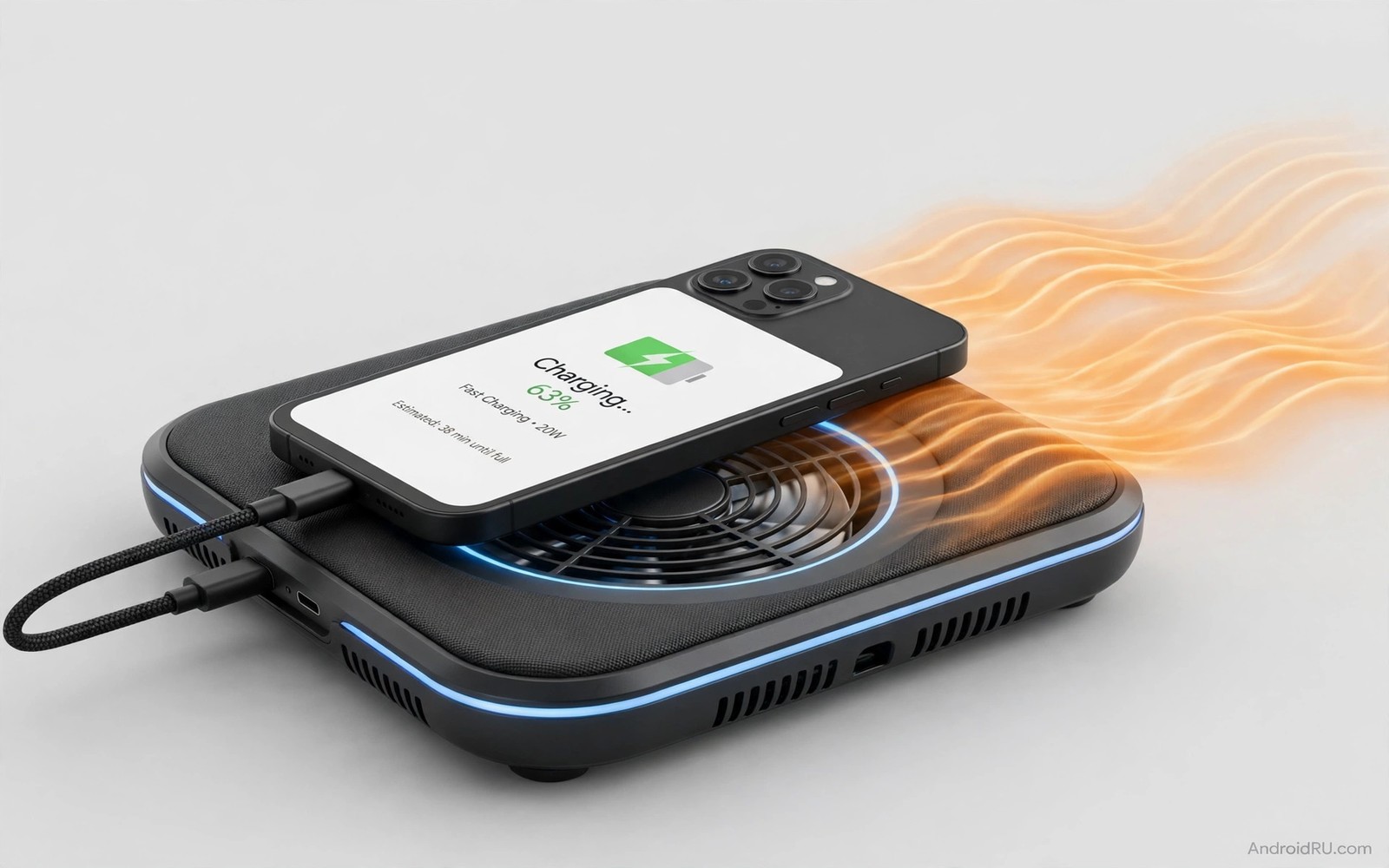
Fast charging pushes a lot of power into a phone in a short time. That power creates heat in the battery and the charging circuit. Excess heat slows charging and ages the battery faster. It can also make the phone uncomfortable to hold. Cooling accessories help manage that heat during fast charging. Understanding heat sources helps you choose accessories that actually keep charging safe.
Heat during fast charging comes from the battery chemistry and from power conversion. A charger converts wall power to phone power and loses some energy as heat. The phone also loses energy as heat during charging. A case can trap that heat against the phone. A hot environment makes the problem worse. Cooling accessories work by improving heat removal from the phone surface. They do not change battery chemistry but they reduce peak temperature.
Start by checking charging temperature in your usual setup. Note whether the phone becomes hot to touch during fast charging. A phone that is warm is normal. A phone that is hot enough to be uncomfortable needs attention. That distinction guides accessory choice. A ventilated stand may suffice for warm charging. A cooling pad may be needed for hot charging. For wireless heat issues see wireless charging pads heat and prevention for pad specific tips.
Ventilated stands and cooling pads
A ventilated stand lifts the phone off a surface and allows air to flow around it. That airflow removes heat during charging. A stand with an open back design works better than a solid stand. Test charging temperature with and without the stand. A stand that lowers peak temperature is a useful charging accessory. A stand also keeps the phone visible for notifications during charging.
A cooling pad with a fan actively blows air across the phone back during charging. That active airflow can lower temperature significantly. A cooling pad needs power from a USB port or a wall adapter. That extra power use is small compared with fast charging power. Test fan noise if you charge near a bed at night. A quiet fan is essential for overnight charging comfort. A loud fan may disturb sleep even if it cools well.
A metal stand can act as a heat sink by conducting heat away from the phone. Metal conducts heat better than plastic. A metal stand in a cool room can lower phone temperature passively. That passive cooling needs no power or noise. Choose a metal stand with a stable base for charging use. A metal stand that tips easily is a poor charging accessory despite its cooling benefit.
Cable and charger choices that reduce heat
A quality cable with thick wires wastes less energy as heat during fast charging. A thin cheap cable can heat up at the connector. Check cable temperature during charging. A hot connector signals a poor cable. Replace a cable that becomes hot during normal fast charging. A quality cable stays only mildly warm even at high power. Cable quality is a direct heat factor.
A charger that matches the phone fast charging standard gives efficient power delivery. A mismatched charger may use a less efficient charging mode. That inefficiency creates extra heat. Use a charger recommended for your phone standard. A matched charger and cable pair gives the coolest fast charging result. That matching matters more than a high wattage claim alone.
Charging speed settings can also reduce heat if your phone allows a slower mode. Some phones offer a standard charging option alongside fast charging. Use standard charging overnight when time is not critical. That slower mode generates less heat and protects battery health. Use fast charging only when you need a quick top up. That timing choice balances speed and battery longevity. For fake charger risks see fake fast chargers and real output wattage for testing.
Charging habits that keep phones cool
Remove a thick insulating case during fast charging if the phone becomes hot. A thick case traps heat against the battery. A thin case or no case during charging allows better heat removal. That habit is especially important in warm rooms. A case that is good for drop protection may be poor for charging cooling. Balance protection and cooling by removing the case only during charging at a safe desk.
Avoid charging a phone in direct sunlight or in a hot car. Sunlight adds external heat to charging heat. That combined heat can trigger thermal throttling. Charge in shade or in a cool room when possible. A cool charging location improves speed and battery health. That location choice is free and effective for every phone.
Avoid using the phone heavily while fast charging. Gaming or video streaming during charging adds processor heat to charging heat. That combined heat is the worst case for battery aging. Let the phone charge undisturbed for a fast top up. Use the phone lightly only if necessary during charging. A short undisturbed charge is cooler and faster than a long heavy use charge.
charging_heat_log.txt
Charger: matched fast charger
Cable: quality thick cable
Stand: ventilated metal stand
Peak temp: warm not hot
Charge time: normal for fast mode
The log above is an original example written for this guide. It shows a simple record for a cool fast charging setup. Use the format to compare charging accessories. A setup that stays warm rather than hot is a good result.
Review charging habits monthly and adjust accessories as seasons change. Summer heat requires more cooling attention than winter. A setup that works in winter may overheat in summer. Seasonal review keeps charging safe year round. That review is especially important for users in hot climates. Small seasonal adjustments protect battery health over years.
Use a timer for overnight charging
Overnight charging does not need fast charging speed. Use a slower charging mode overnight to reduce heat and protect battery health. A timer or a smart plug can stop charging after a set period if your phone lacks a charge limit. That control prevents a phone sitting at full charge in a warm room all night. Cooler overnight charging extends battery life over years.
Place the phone on a ventilated stand overnight rather than under a pillow. A stand allows air to flow and keeps the phone visible for alarms. A pillow traps heat and slows charging through thermal throttling. That throttling can leave a phone less charged in the morning despite a long charge time. A cool open charging spot gives a better morning result.
Common mistakes
The most common mistake is fast charging inside a thick case in a hot room. That combination traps heat and slows charging. Another mistake is using a cheap cable that heats up at the connector. That cable wastes energy and risks connector damage. A third mistake is charging a phone under a pillow or blanket. That covering traps heat dangerously. Never charge under bedding or inside a closed bag.
People also ignore charger matching and use any high wattage charger. A mismatched charger can use an inefficient mode that creates extra heat. Use a charger matched to the phone standard. That matching gives efficient and cooler charging. A matched charger is worth more than a generic high wattage claim.
A final mistake is expecting a cooling accessory to fix a faulty battery. A battery that overheats rapidly in light use may have a fault. Seek service if a phone becomes hot during slow charging. A cooler cannot fix a hardware fault. Professional diagnosis protects the phone and the user from battery risks and for power bank safety see power bank features to check before buying for bank choices.
FAQ
Is it normal for a phone to get warm during fast charging?
Yes mild warmth is normal during fast charging. Power conversion and battery chemistry both generate heat. A phone that is warm to touch is usually within safe limits. A phone that is hot enough to be uncomfortable needs attention. Check case and cable and charging location if heat is high. A warm phone is normal and a hot phone is a warning.
Thermal throttling may slow charging if temperature rises too high. That slowing is a safety feature. It protects the battery from damage. A cooler charging setup reduces throttling and maintains speed. Aim for warm rather than hot during fast charging. That target gives good speed and battery health.
Should I remove my case while fast charging?
Remove a thick insulating case if the phone becomes hot during charging. A thin case usually allows enough airflow. Test temperature with and without the case. If removal lowers temperature significantly then remove the case for fast charging. Charge at a safe desk where a drop is unlikely without a case. That balance gives cooling without risk.
A ventilated case can stay on during charging because it allows airflow. Choose a ventilated case for daily use if you fast charge often. That case type supports both protection and cooling. A solid thick case is better for outdoor protection than for desk charging. Match case choice to the activity.
Can a cooling pad damage my phone?
A cooling pad with a fan is safe because it only blows air. A semiconductor cooling pad can cause condensation in humid conditions. Avoid maximum cold settings in humidity. Wipe moisture from the phone after use. A fan pad has no condensation risk and is safest for daily charging. Choose a fan pad for humid climates.
Check that the cooling pad does not block the charging port or cable. A blocked cable can strain the connector. Position the pad so the cable routes freely. A free cable route protects the port. A well positioned pad cools without interfering with charging. That positioning matters for long term port health.
Conclusion
Fast charging overheating can be managed with ventilated stands and cooling pads and quality cables. Matched chargers give efficient power with less heat. Good habits like removing thick cases and avoiding sun and heavy use during charging also help. Together accessories and habits keep charging warm rather than hot. That temperature control protects battery health and maintains charging speed.
Your concrete next step is to test your current fast charging temperature tonight. Note whether the phone feels warm or hot after thirty minutes. If it feels hot then remove the case and try a ventilated stand tomorrow. If it still feels hot then check your cable and charger match before buying a cooling pad.

