

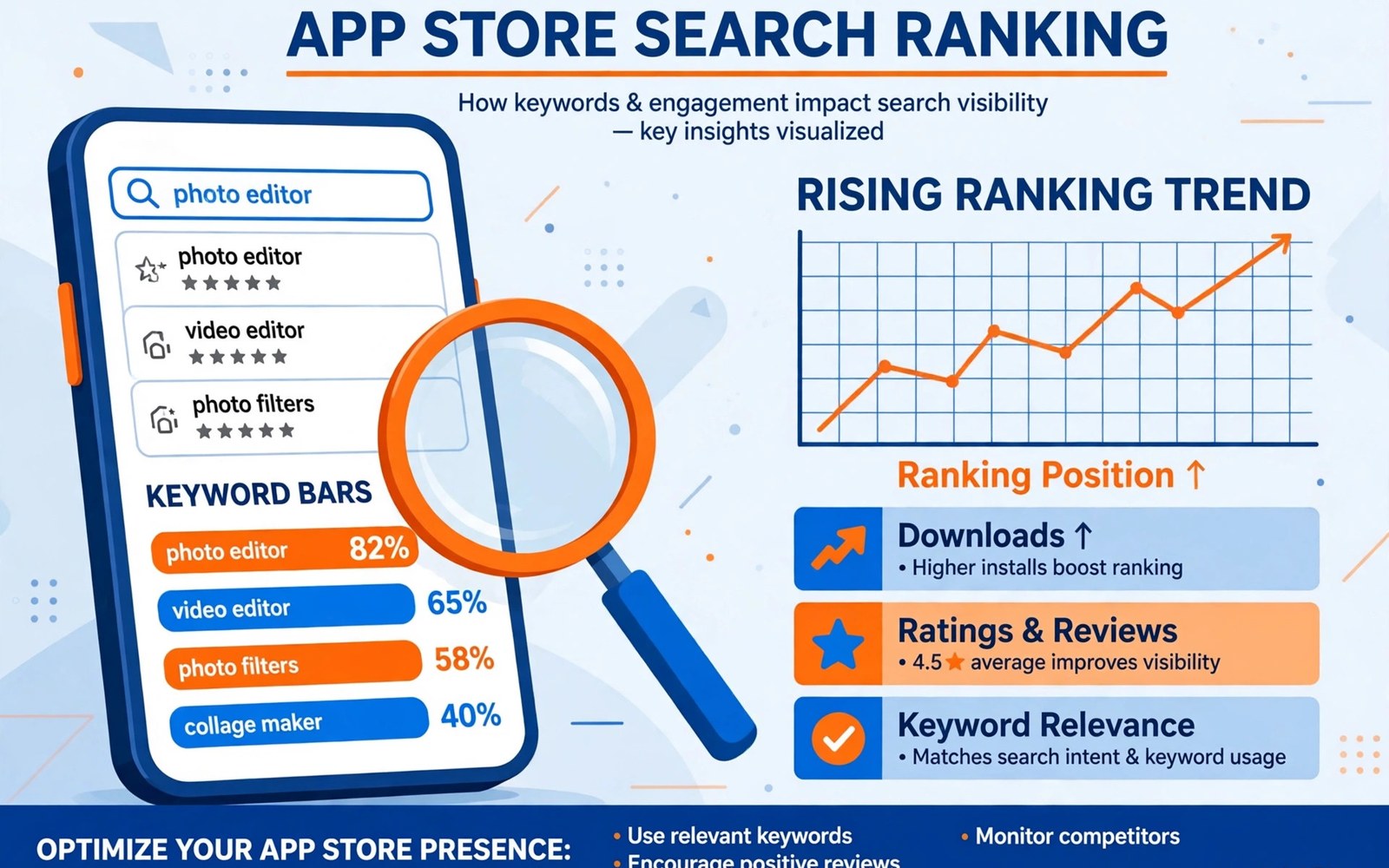
App store optimization helps users find your app when they search with words that describe a need. Ranking depends on relevance and on install behavior and on ratings. A listing that matches the search intent will attract users who stay. Those users in turn support stronger rankings over time.
ASO is not a trick for stuffing keywords into a title. It is a disciplined process of research and writing and testing. You learn which words real users type. You write a listing that answers those searches honestly. You measure the result and you adjust one element at a time.
Start with the user rather than with the keyword tool. Imagine the problem that leads a person to search. Write down the words that person would use in plain language. Those words form the core of your research. Tools can expand the list but they cannot replace that first step of empathy.
Research Keywords That Match Intent
Group keywords by intent rather than by volume alone. Some searches seek a tool for a task. Some searches seek entertainment for a short break. Some searches compare options before a choice. A keyword that brings the wrong intent will drive installs that uninstall quickly.
Check competitors for the words they rank for and for the words they ignore. A smaller app can win on a specific phrase that a large app treats as minor. Record search volume and relevance and competition for each candidate. Choose a short list that you can support with real features.
Write Titles And Descriptions Well
Put the most important keyword near the start of the title when it reads naturally. Keep the title short enough to display fully on a phone screen. A title that truncates in search loses the words that matter most. Test the title on several screen widths before you publish it.
Use the short description to state the main benefit in one clear sentence. Use the full description to explain features and limits and ideal users. Repeat the core keyword only where it fits the sentence. Forced repetition reads poorly and it can reduce trust with human readers.
Use Visuals To Support Ranking
Visuals do not rank directly but they decide whether a search visitor installs. A strong icon stands out in a crowded result list. Screenshots should show the core task in the first two images. A visitor who understands the app in seconds is far more likely to install.
Test screenshots with users who have never seen the app. Ask them what the app does after five seconds of viewing. If they cannot answer then the visuals need a simpler message. Clear visuals raise install rates and install rates support ranking over time.
Localize With Care
Translate the listing for markets where you truly support the language. A translated listing that leads to an English only app disappoints users. Localize screenshots and keywords together rather than translating text alone. Search words differ across languages even when the feature is the same.
Research local search habits before you translate a keyword list word for word. A literal translation can miss the phrase that local users actually type. Ask a native speaker to review the result. A small localization effort in a focused market often beats a rushed effort across many markets.
Measure One Change At A Time
Change one element per test so you can attribute the result. Test the title for a few weeks and then test the icon. Test screenshots after the title test ends. Overlapping changes create noise that hides which change helped or hurt.
Track impressions and store visits and installs for each test period. Compare similar days and account for weekends and holidays. A short test during a holiday can mislead you. Longer tests give steadier data even when they feel slow.
Respond To Ratings And Reviews
Ratings affect ranking and they affect the choice of a visitor who already found you. Respond to reviews with specific answers that show you read the report. Fix the faults that many reviewers mention. A rising rating after a fix is a strong signal that the app improved.
Do not ask for ratings with a reward or with pressure. A prompt at a natural moment after a success works better than a prompt at startup. Respect a user who declines the prompt. A respectful prompt preserves goodwill and it still collects ratings from happy users over time.
- Research keywords by user intent before checking volume
- Place the core keyword early in the title when it reads naturally
- Show the core task in the first two screenshots
- Localize keywords and visuals together for each market
- Test one listing element at a time for clear results
- Track impressions and visits and installs across each test period
Avoid Common ASO Mistakes
Avoid keyword stuffing in the title and in the description. Stuffing makes the listing hard to read and it rarely helps ranking for long. Avoid copying a competitor title with a small change. Users notice the copy and the competitor still holds the stronger brand.
Avoid promising a feature that the app does not deliver. A misleading listing may raise installs for a week and then raise uninstalls and poor ratings. Poor ratings then drag ranking down for months. Honest ASO grows slower at first but it holds its gains far longer.
Build A Steady ASO Routine
Review keyword performance once a month rather than every day. Daily noise can push you toward changes that have no real basis. A monthly review shows trends that daily data hides. Update the listing only when the trend supports the change.
Keep a log of every listing change with the date and the reason. Note the result after a full test period. A log prevents repeating a test that already failed. It also helps a new team member understand why the current listing looks the way it does.
Choosing A Niche Keyword Strategy
A niche strategy targets specific phrases with lower competition. A small app can rank well for a phrase that describes one task precisely. A broad phrase may bring more searches but it also brings stronger competitors. A niche win brings users who want exactly what your app offers.
Test niche phrases by checking the top results for relevance. If the top apps solve a different problem then your app can stand out. If the top apps solve the same problem well then the phrase may still be worth targeting with a stronger listing. Judge each phrase by intent first and by volume second.
Writing For Search And For Humans
A listing must satisfy a search algorithm and a human reader at the same time. Keywords help the algorithm find the app. Clear writing helps the human choose it. A listing that only serves the algorithm reads like a list of words and it loses the human at the install decision.
Read the description aloud before publishing. If a sentence sounds unnatural then rewrite it without worrying about keyword density. A natural sentence that contains the keyword once is stronger than a forced sentence that contains it three times. Human trust drives installs and installs drive ranking.
Using Ratings As An ASO Signal
Ratings influence both ranking and conversion. A visitor who finds your app in search will check the rating before installing. A strong rating confirms the promise of the listing. A weak rating makes even a top ranking less useful.
Improve ratings by fixing the faults that reviewers mention most. Each fix that raises the rating also improves the app for future visitors. A cycle of fixes and rating gains supports steady ranking growth. Chasing keywords while ignoring ratings wastes the traffic that ranking brings.
Seasonal And Trend Keywords
Some keywords rise during holidays or during school terms or during major events. Plan seasonal updates in advance so the listing is ready when interest peaks. A seasonal keyword that you add after the peak has passed brings little value. Timing matters as much as relevance for trend phrases.
Track seasonal patterns in your own analytics over a full year. Note which phrases rose and when they rose. Use that history to plan next year. A seasonal plan built on your own data beats a guess based on a single month of traffic.
Testing Icons And Feature Graphics
The icon is the first visual that a search visitor sees. Test icons with users who do not know your app. Ask what the icon suggests about the app purpose. An icon that confuses users will reduce installs even when ranking is strong.
Test the feature graphic on both phone and tablet layouts. A graphic that works on a wide banner can look cramped on a phone card. Keep the main message in the center where cropping is least likely to cut it. Simple graphics with one idea outperform busy graphics with many details.
Keeping ASO Honest Over Time
Honest ASO means that every keyword maps to a real feature. Remove a keyword when you remove its feature. Add a keyword only when the feature is live and stable. A listing that drifts from the app will lose trust and will lose ranking as uninstalls rise.
Review the keyword list each quarter alongside the feature roadmap. Retire phrases that no longer fit the app direction. Invest in phrases that match the features you plan to improve. A keyword list that follows the roadmap stays honest and stays effective for years.
A Monthly ASO Review
Review ASO performance once a month with a steady routine. Compare impressions and installs with the previous month. Look for trends rather than single day spikes. A trend that lasts four weeks is more reliable than a jump on one day.
Decide on at most one listing change per month. Test that change for a full cycle before judging it. Record the change and the result in your ASO log. A disciplined monthly cycle builds ranking gains that last.
- Compare impressions and installs with the previous month
- Identify keywords that gained or lost ranking
- Check ratings for new complaints about the listing
- Choose one listing element to test next
- Record the test and the result in the ASO log
Learning From Competitor Listings
Study competitor listings for ideas rather than for copying. Note how top apps describe their core benefit in the first line. Note which screenshots they place first and why those images work. Use those observations to improve your own message in your own words.
Avoid copying competitor wording or images even with small changes. Users notice imitation and it weakens your brand. A distinct listing that states your unique benefit will attract users who value that benefit. Distinct positioning also protects you from disputes over copied material.
For reference the snippet below shows a tiny keyword record that a team can use to compare intent and volume.
data class Keyword(val term: String, val intent: String, val volume: Int)
val keywords = listOf(
    Keyword("task timer", "productivity", 8200),
    Keyword("focus timer", "productivity", 5400)
)
fun bestKeyword(list: List) = list.maxByOrNull { it.volume }
For more context read Android app subscriptions refunds and billing APIs and Google Play target API level requirements. You may also find app releases with alpha beta and internal testing tracks helpful for your next release.
The steps above follow the approach described in the official developer documentation for this platform. That guidance explains the same sequence in general terms. This article adapts those ideas into a practical workflow for independent developers and small teams.

