

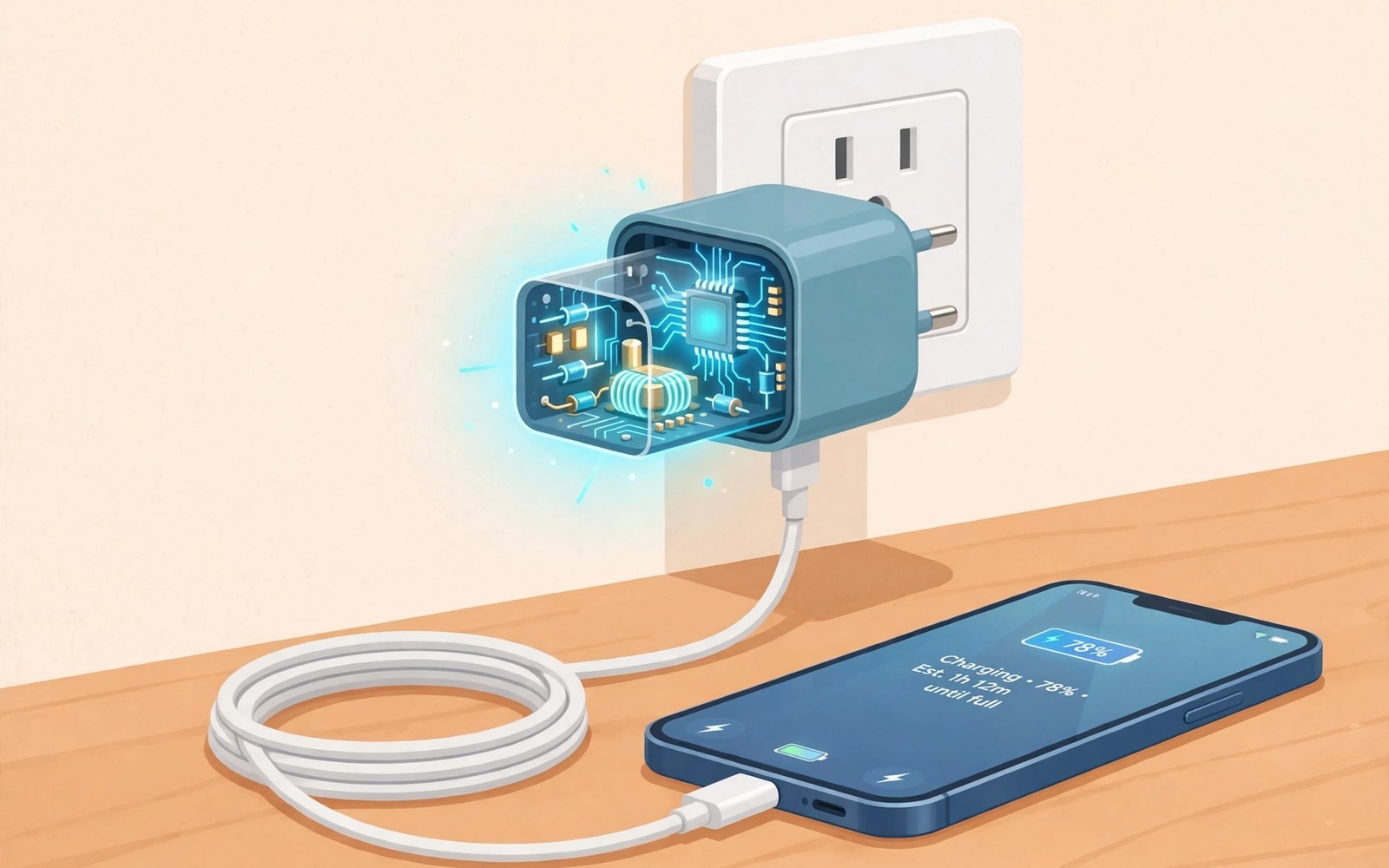
A GaN charger can be half the size of an old charger with the same power. That size gain comes from a different material inside the charger. GaN stands for gallium nitride. It handles high power with less heat than the silicon in old chargers. Less heat means smaller parts and a smaller case.
Old silicon chargers waste more power as heat when they switch current on and off. That heat forces larger heat sinks and larger cases. GaN switches faster and wastes less power as heat. A GaN charger can therefore pack more power into a travel friendly size. The result is a charger that fits a pocket and still powers a laptop.
This guide explains GaN in plain language without engineering jargon. It covers size and heat and multi device charging. It also covers when an upgrade makes sense and when an old charger is fine. Use the guide to choose a GaN charger that matches your phone and laptop. A matched charger gives the full gain without waste.
What Gallium Nitride Changes Inside A Charger
A charger converts wall power into a safe voltage for a phone. That conversion uses switching parts that turn current on and off many times per second. Silicon parts switch at a limited speed and they lose energy as heat. GaN parts switch faster and they lose less energy as heat. Faster switching allows smaller coils and capacitors inside the case.
Smaller internal parts mean a smaller charger case. A smaller case still needs safe insulation and spacing. Good GaN chargers keep safety spacing even in a compact case. Check safety marks on any compact charger before you buy. A tiny charger with no safety marks is not a bargain.
Why GaN Runs Cooler And Smaller
Heat is the main limit for charger size. A hot charger needs room for heat to escape. A cooler GaN charger needs less room for cooling. That saving lets makers shrink the case or add more ports in the same case. A dual port GaN charger can charge a phone and earbuds from one small brick.
Cooler operation also helps efficiency. A charger that wastes less power as heat delivers more power to the device. That efficiency gain is modest for one phone charge. It grows over many charges and many devices. Cooler parts also tend to last longer because heat ages electronics faster.
Multi Device Charging With GaN
A GaN charger with two or three ports suits travel well. One brick can charge a phone and a laptop and earbuds overnight. Check the total power rating and the per port power rating. A charger that claims high total power may split power across ports. A laptop needs a high power port even when other ports are in use.
Test a GaN charger with your largest device first. Plug the laptop alone and check the charging speed. Add a phone and check whether laptop speed drops a lot. A good multi port charger keeps the laptop port strong. A weak multi port charger slows every device when all ports run. The watt rating lesson in how USB-C ratings 60W versus 100W versus 240W work helps you match cable and charger power.
When An Upgrade Makes Sense
An upgrade makes sense when you travel often or carry several devices. A single compact GaN brick can replace two old bricks in a bag. An upgrade makes sense when your old charger runs hot or charges slowly. A new GaN charger can fix both problems at once. An upgrade also makes sense when you buy a new laptop that needs higher power.
An upgrade makes less sense if you charge one phone slowly overnight at home. An old charger that works well for that task needs no replacement. Keep the old charger as a spare for a second room. Buy GaN when size or multi device power actually helps your routine. A need based upgrade beats a trend based purchase.
How To Choose A Safe GaN Charger
Check the total power and the per port power before you buy. Check protocol support for your phone fast charging standard. Check safety marks from a recognised testing body. Read reviews for heat and port sharing behaviour. A charger with clear specs and strong reviews is a safer choice than a vague cheap brick.
Pair the GaN charger with a cable rated for its power. A weak cable limits a strong GaN charger. Test the new charger with your phone and laptop in the first week. Note charging times and heat during the test. Return a charger that runs very hot or fails to deliver its rated power.
material = gallium_nitride
benefit = less_heat_smaller_parts
check = total_and_per_port_power
pair_with = rated_cable
The snippet above is an original example written for this guide. It shows generic settings that you can adapt to your own device. It does not copy code from any outside source.
Use the example above as a GaN buying checklist. It is not code to install. Tick each line against the product page before you pay. Keep the checklist for your next charger purchase.
Compare GaN With Older Charger Types
Older silicon chargers served phones well for many years. They were larger and hotter at high power. GaN improves on silicon mainly at higher power levels. A low power phone charger gains less from GaN than a laptop charger gains. Power level sets the GaN advantage size.
A GaN charger for a laptop can be dramatically smaller than a silicon laptop brick. A GaN charger for a phone can be modestly smaller than a silicon phone brick. Both gains are real but the laptop gain is more visible. Compare GaN and silicon at the same power level for a fair judgement. Same power comparison reveals the true size saving.
Heat comparison also favours GaN at high power. A silicon charger at 100 watts needs large cooling space. A GaN charger at 100 watts needs less cooling space. That heat saving enables multi port designs in a small case. Multi port GaN bricks are the clearest GaN success story. Single port low power GaN bricks offer a smaller gain.
Price comparison should include lifespan and travel value. A GaN brick may cost more upfront than a silicon brick. A GaN brick that replaces two bricks saves bag space and weight. Travel value can justify a higher price for frequent travellers. Home only users may gain less from the premium. Value depends on use and not on technology alone.
Travel Light With One GaN Brick
A travel kit with one GaN brick simplifies packing. One brick with two ports can charge a phone overnight and a laptop during work. A single brick also means a single cable set to pack. Fewer items mean fewer forgotten items. Simplicity is a travel advantage.
Pack cables that match the GaN brick power for each device. A laptop cable needs a high power rating. A phone cable can use a lower rating if it only charges the phone. Label travel cables by device to avoid confusion. Labelled cables speed up hotel setup after a long flight.
Test the travel GaN brick at home with all devices connected. A home test reveals port sharing behaviour before travel. A travel test failure is far more annoying than a home test failure. Note which port gives full laptop power. Use that port for the laptop every time. Watt clarity helps travel and how USB-C ratings 60W versus 100W versus 240W work explains power matching.
Keep the old silicon brick as a home spare after upgrading. A home spare covers a forgotten travel brick. A spare also serves a second room without moving the travel brick. An upgrade does not require throwing away a working charger. Spare use extends the value of old gear.
Size A GaN Charger For A Laptop Plus Phone
A laptop plus phone setup needs a GaN charger with enough total power. Add laptop power and phone power for a rough total. A laptop that needs 65 watts plus a phone that needs 25 watts needs at least 90 watts total. A total below that sum will slow one device. Sum maths prevents a disappointing multi port purchase.
Check per port power for the laptop port specifically. A charger with 100 watts total may give only 45 watts to the laptop port when both ports run. A laptop that needs 65 watts will charge slowly on 45 watts. Per port power matters more than total power for laptops. Read the per port table carefully.
Test the laptop plus phone combination at home before travel. Plug both devices and note laptop charging speed. A laptop that charges slowly with both devices needs a stronger charger. A home test prevents a travel disappointment. Travel tests are harder to fix than home tests.
Use a high power cable for the laptop port. A low power cable caps laptop charging regardless of charger power. A high power cable unlocks the full laptop port. Cable and charger must match for the laptop to benefit. Matching is a system choice. Charging stations offer another option and best 3 in 1 wireless charging stations rated covers desk charging hubs.
Keep a single device charger as a backup for critical laptop work. A backup charger guarantees full laptop power when the multi port charger shares power. A backup removes sharing uncertainty for important work. Backup planning is a professional habit for laptop users.
If wireless charging heat worries you then how wireless charging pads heat up phones and how to prevent it covers heat prevention for pads.
Common Mistakes
The first mistake is buying a GaN charger with no per port power rating. Total power alone hides port sharing limits. The second mistake is pairing a strong GaN charger with a weak cable. A weak cable cancels the charger gain. The third mistake is assuming that every small charger uses GaN. Some small chargers are simply low power silicon bricks.
Another mistake is replacing a working home charger for no gain. A spare old charger still has value. A further mistake is ignoring safety marks on a tiny cheap charger. Compact size must not come at the cost of safety.
Frequently Asked Questions
Is GaN safe for my phone battery?
Yes a GaN charger with correct protocol support is safe for phones. The phone controls charging speed and stops at full charge. Use a charger with safety marks and a rated cable. Retire any charger that runs very hot.
Will GaN charge my phone faster than silicon?
GaN can charge faster only if it delivers more power that your phone accepts. A phone with a 25 watt limit will not charge faster on a 100 watt GaN charger. Buy GaN for size and multi device power as well as speed. Match charger power to phone limits.
Do I need a special cable for GaN?
You need a cable rated for the charger power you use. A low power cable limits a high power GaN charger. Use a rated USB-C cable for laptop charging. A basic cable is fine for slow phone charging only.
Conclusion
Check your travel bag today and count how many charger bricks you carry. If two bricks can become one compact GaN brick then buy a GaN charger with matching per port power and safety marks. Pair it with a rated cable and test it with your laptop and phone in the first week. If it charges both well without excess heat then keep it as your travel charger. That single brick swap is your concrete next step toward smaller and cooler charging.

