

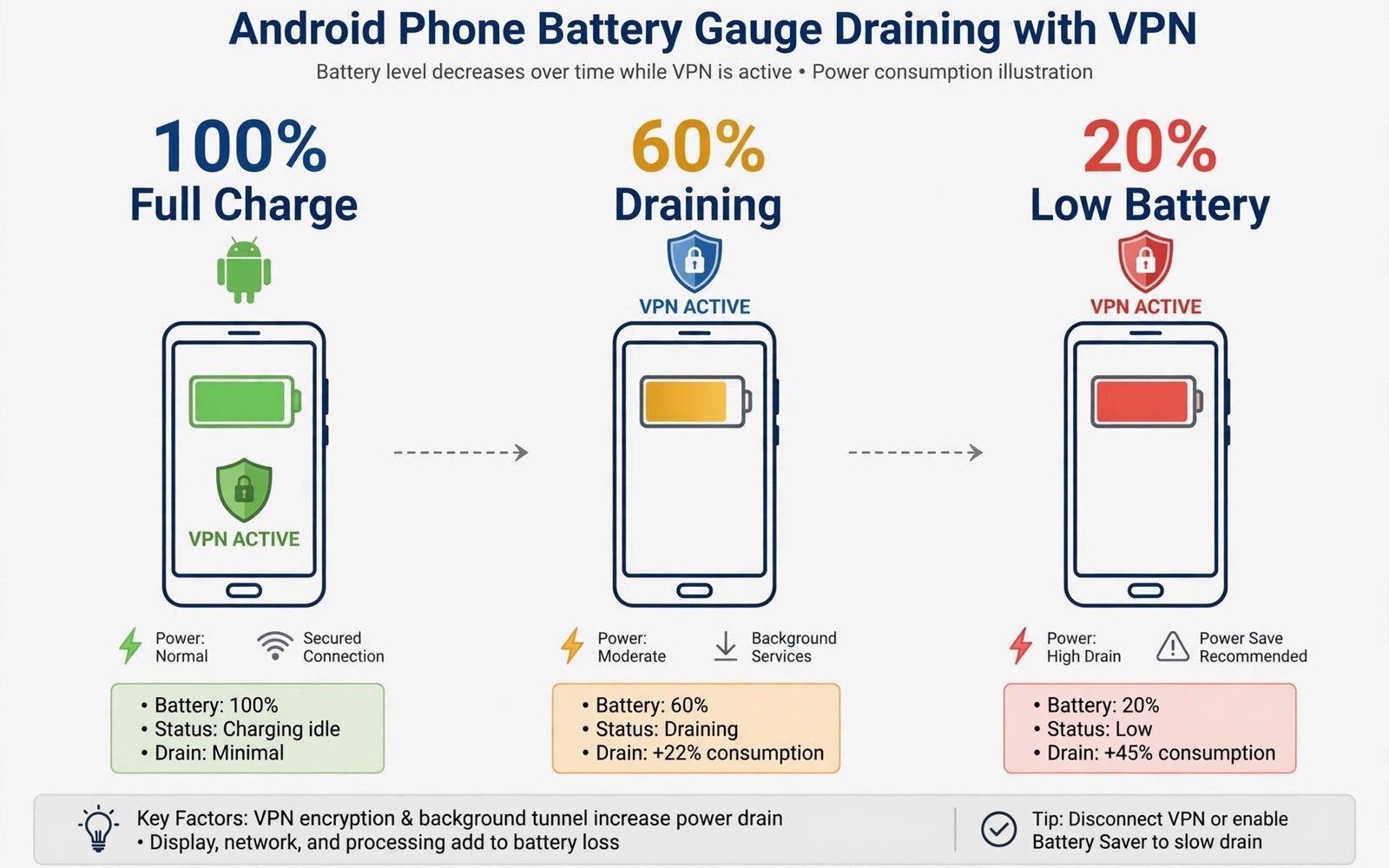
VPN battery consumption worries many Android users who want protection without charging twice a day. A VPN does use extra power because it encrypts and decrypts every packet leaving your phone. It also keeps a network tunnel alive during idle periods and reconnects after network changes. The real question is how large that extra cost is in normal daily use.
Most tests show a modest increase rather than a dramatic drain for a well configured VPN on a modern phone. The extra cost often falls within a few percent of total daily battery use for typical browsing. Heavy video streaming and poor signal strength affect battery far more than VPN encryption alone. Understanding WireGuard versus OpenVPN performance on mobile helps you choose a protocol that keeps overhead low.
Battery impact varies with protocol choice and server distance and signal quality on your phone. A distant server forces longer network paths and more retransmissions during weak coverage. An efficient protocol with fast reconnection wastes less energy during network switches. Measuring your own usage beats trusting generic claims from any provider.
Why a VPN Uses Extra Power
Encryption work adds processor load to every packet your phone sends and receives through the tunnel. Modern phone processors handle standard VPN cryptography efficiently with hardware acceleration. The added load is small for browsing and messaging but grows with large downloads and video streams. Processor efficiency keeps the cost manageable on recent Android hardware.
Keeping the tunnel alive also prevents the radio from sleeping as deeply during idle periods. The VPN app sends periodic keep alive packets to maintain the server session. Network switching forces renegotiation which costs extra energy during travel. These background costs accumulate over a full day even when you are not actively browsing.
Protocol and Server Effects on Battery
WireGuard usually consumes less battery than older protocols because its handshake is fast and its code is lean. Fast reconnection after network changes avoids long retry loops that waste radio energy. OpenVPN can consume more power during roaming because renegotiation takes longer and uses more packets. Protocol choice is one of the easiest battery levers available to users.
Server distance affects battery because distant servers increase latency and retransmission risk. A nearby server with low latency keeps the radio active for shorter bursts per request. Choosing the fastest nearby server in the app usually improves both speed and battery life. Automatic server selection often picks a nearby option without manual testing.
Measuring VPN Battery Use Yourself
Android battery settings show per-app usage over the last day on most phones. Open Settings and battery usage and look for your VPN app in the list. Compare usage on a day with the VPN on against a similar day with it off. Keep usage patterns similar or the comparison will mislead you badly.
Control for signal strength because weak coverage drains battery with or without a VPN active. Test on Wi-Fi first where signal is stable and results are easier to compare. Then test on mobile data during a normal commute if you want travel figures. Reading how much speed drop to expect from a VPN adds speed context to the same measurement habit.
- Choose WireGuard for lower battery overhead on mobile
- Pick the nearest fast server for daily use
- Compare battery usage with VPN on and off fairly
- Disable double hop routing when battery matters
- Update the VPN app to fix known battery bugs
- Investigate constant reconnection loops promptly
Settings That Reduce Battery Drain
Enable split tunneling only for apps that truly need it because bypassed apps avoid encryption overhead. That saving is small but it helps on phones with older processors. Disable unnecessary VPN features such as double hop routing when battery matters more than extra anonymity. Double hop doubles encryption and server hops for a marginal privacy gain.
Turn on auto-connect for untrusted networks only if your app supports that distinction well. Always-on VPN on every network including trusted home Wi-Fi adds cost without much benefit at home. Some users keep VPN off at home and on elsewhere to balance protection and battery. That compromise suits users with a trusted home network and strong router security.
When Battery Drain Signals a Problem
A VPN app consuming a large share of battery usually signals a bug or a bad server choice. Constant reconnection loops drain power quickly and indicate network or server trouble. Switching servers or protocols often fixes the loop within minutes. Updating the app can fix known battery bugs in older versions as well.
Check whether the VPN app holds wake locks excessively in battery optimisation details. Restricting background activity too aggressively can break the tunnel and cause reconnect loops. A balanced battery setting keeps the VPN stable without letting it run wild. If drain persists after server and protocol changes then try another provider before blaming the phone.
You can also explore protection on unsecured airport Wi-Fi for more context on neighbouring topics in this series.
Putting Battery Measurement Into Practice
Open battery usage settings on your Android phone and note the VPN app percentage for today. Use the phone normally for one full day with the VPN connected from morning to evening. Record the percentage at bedtime along with total screen time for that day. Repeat the same measurement the next day with the VPN disconnected for comparison. Similar screen time on both days makes the comparison meaningful rather than misleading.
Control for signal conditions by testing mostly on Wi-Fi during the first comparison week. Wi-Fi testing removes mobile signal variation that can swamp VPN battery effects completely. After Wi-Fi results look stable then test on mobile data during a normal commute. Commute results show travel costs that Wi-Fi testing cannot reveal on its own. Together both tests give a complete battery picture for your routine.
Troubleshooting Battery Drain Problems
A sudden battery jump after a VPN update usually signals a reconnection loop or a bug. Switch servers to rule out a server side problem that forces constant retries. Reinstalling the app can clear corrupted configuration that causes repeated connection attempts. If drain persists across servers then try a different protocol for a comparison day. Protocol changes reveal whether the drain comes from protocol overhead or app behaviour.
Background restrictions can paradoxically increase battery use by killing and restarting the VPN repeatedly. Exempt the VPN app from aggressive battery optimisation when loops appear in usage data. A stable tunnel uses less energy than a tunnel that restarts every few minutes. Check battery settings after system updates because updates sometimes reset optimisation exemptions silently. Stable operation beats aggressive restriction for VPN apps specifically.
Building a Habit That Lasts
Review VPN battery usage monthly rather than obsessing over daily fluctuations on the phone. Daily figures swing with signal and usage patterns that have little to do with the VPN. Monthly trends reveal genuine problems while daily noise distracts from real issues. A monthly glance takes seconds and keeps battery awareness proportionate to the actual risk.
Pair battery awareness with server choice habits that already improve speed on the phone. Nearby servers reduce both latency and radio active time for each request. Fast servers therefore help battery and speed at the same time without any trade. Choosing nearby servers is the simplest battery habit with no privacy downside attached.
Share battery findings with friends who fear VPN drain without ever measuring it themselves. Show them your measured percentages rather than repeating generic claims about VPN cost. Measured evidence changes minds more effectively than provider marketing or forum anecdotes. Honest measurement also reveals when a specific provider truly drains more than competitors.
Advanced Tips and Next Steps
Use battery saver mode alongside a VPN on long travel days when charging opportunities are scarce. Battery saver reduces background activity across the phone which also reduces VPN tunnel workload. Combined savings extend usable time more than either feature alone during travel. Test the combination before a critical trip because battery saver can delay notifications. Delayed notifications may matter for travel alerts that need timely delivery during a journey.
Consider a VPN server with lower latency even when it offers slightly lower raw download speed. Lower latency reduces radio active time for interactive tasks such as messaging and browsing. Radio active time drives battery consumption more than peak download speed for typical phone use. A fast but distant server can waste more battery than a slower nearby server in practice. Latency awareness improves both speed feel and battery life together for mobile users.
Monitor VPN battery use after changing phones because processor efficiency varies sharply between models. A VPN that drained an old phone noticeably may cost almost nothing on a newer efficient device. Device upgrades change the battery equation without any change in VPN configuration at all. Re-measure after each phone upgrade rather than carrying old battery assumptions forward. Fresh measurements prevent outdated fears from shaping new device habits unnecessarily.
Disable VPN features you never use such as multi-hop routing and dedicated IP extras during battery critical periods. Extra features add encryption and server hops that consume power without benefit for ordinary tasks. Feature minimalism suits battery saving better than enabling every premium option available. Re-enable advanced features only for tasks that genuinely require their extra protection. Minimalism is a practical battery strategy rather than a compromise on core protection.
Share battery measurement methods with online communities when you publish VPN comparisons for others. Clear methods let readers judge whether your results apply to their own phones and networks. Vague battery claims without methods mislead readers more than no claims at all. Method transparency raises the quality of public VPN discussion for everyone involved. Good methods matter more than impressive battery figures in isolation.
battery:
  protocol: wireguard
  server: nearest
  background: restricted
  reconnect: automatic
The guidance above follows the approach described in the official developer documentation for Android networking and battery optimisation. The advice reflects standard behaviour for VPN apps and power management on Android devices.

