

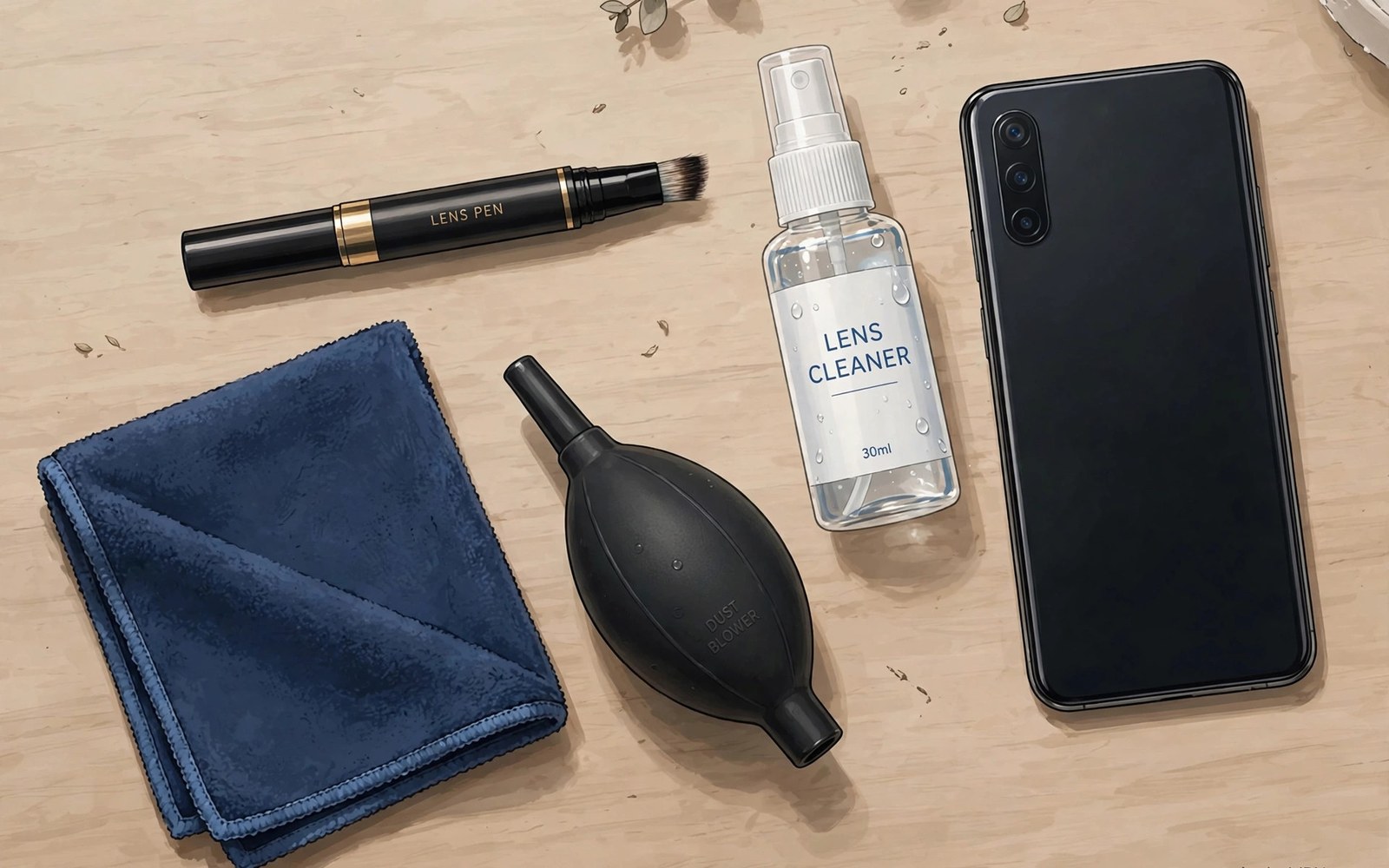
A smudged camera lens ruins photos silently. Fingerprints scatter light and soften detail and add flare. The phone owner rarely notices the smudge until reviewing photos later. Cleaning takes seconds and restores full image quality instantly.
Phone camera glass faces constant contact with pockets and hands and bags. Dust and lint and skin oils collect on the lens daily. A maintenance kit keeps the right tools together for quick cleaning anywhere. The kit costs little and protects every photo you take.
This guide explains kit contents and safe cleaning technique. It covers what to avoid and how to prevent scratches. It also covers cleaning schedules for different shooting habits. Clean glass is the simplest upgrade in all of mobile photography.
What a Good Kit Contains
A microfibre cloth is the core tool of any lens kit. It lifts oils and dust without scratching coated glass. Keep the cloth clean and dry and stored in a pouch. A dirty cloth grinds grit into glass instead of removing it.
A blower removes loose dust before wiping. Squeezing the blower puffs air across the lens and lifts particles without contact. Blowing before wiping prevents scratches from trapped grit. A blower is the safest first step for dusty lenses.
A lens pen combines a brush and a carbon cleaning tip. The brush sweeps dust away gently. The carbon tip absorbs oils with a dabbing motion. Lens pens suit field use because they pack small and need no liquid.
Lens cleaning fluid helps with stubborn smudges that dry wiping cannot remove. Use fluid made for coated optics and apply it to the cloth rather than the lens. A single drop on the cloth is enough for a phone lens. Excess fluid can seep into lens edges and cause damage.
Safe Wiping Technique
Blow dust off the lens before any cloth touches glass. Hold the phone lens down so dust falls away. Use short puffs from the blower rather than mouth breath. Mouth breath adds moisture and can carry particles onto the glass.
Wipe with light pressure in a circular motion from the centre outward. Centre-outward motion moves debris away from the lens centre. Light pressure avoids pressing grit into coatings. Let the cloth do the work rather than forcing it.
Fold the cloth to a fresh section when one section grows dirty. A dirty section redistributes oils across the glass. Frequent refolding keeps cleaning effective. Wash microfibre cloths regularly without fabric softener.
Inspect the lens against a bright light after cleaning. Tilt the phone so reflections reveal remaining smudges. Repeat gentle wiping when streaks remain. A clean lens shows even reflections without cloudy patches.
What to Avoid
Avoid shirt sleeves and tissues and paper towels for lens cleaning. These materials feel soft but contain fibres that scratch coatings over time. Scratches accumulate slowly and degrade flare resistance permanently. A proper cloth costs almost nothing by comparison.
Avoid household glass cleaners and alcohol-heavy sprays on coated phone lenses. Strong solvents can damage lens coatings and seals. Use only fluids made for camera optics. When in doubt clean dry rather than risking a solvent.
Avoid compressed air cans held at an angle near the lens. Liquid propellant can spray onto glass and leave residue. A hand blower avoids this risk entirely. Compressed air also blows dust deeper into phone crevices.
Avoid cleaning in dusty wind when possible. Wiping in blowing sand grinds particles into glass. Shield the phone with your body or wait for calm air. A quick clean in bad conditions can do more harm than good.
- Blow loose dust off before any cloth touches the glass surface.
- Wipe lightly from the centre outward and refold the cloth often.
- Use only microfibre cloths and optics-safe fluid on coated lenses.
- Never use shirt sleeves or tissues or household cleaners on camera glass.
- Inspect against bright light after cleaning to confirm streaks are gone.
Scratch Prevention Habits
A case with a raised lip around the camera protects glass from table contact. The lip keeps the lens off flat surfaces when the phone lies down. Check that the lip clears the lens area without blocking the view. Raised lips prevent most everyday scratches.
Pocket habits matter as much as cases. Keep the phone in a pocket without keys and coins. A dedicated pocket or a pouch prevents contact with hard objects. Small habit changes protect glass for years.
Lens protectors add a sacrificial glass layer over the camera. They absorb scratches that would otherwise hit the lens. Quality protectors preserve image quality well. Cheap protectors add flare so test any protector in bright light.
Replace a scratched protector promptly rather than shooting through damage. A scratched protector flares badly in sunlight. Replacement costs little and restores clean results. Inspect protectors monthly for new scratches.
Cleaning Schedules for Shooters
Daily phone users should wipe the lens at least once a day. A quick wipe before the first photo of the day catches overnight pocket lint. The habit takes five seconds and prevents most smudge surprises. Pair it with checking battery and storage.
Active photographers should clean before every shoot and between locations. Beach and trail shoots deposit dust and spray quickly. A field kit in the bag makes frequent cleaning easy. Clean lenses at every location change on outdoor days.
Studio shooters can clean less often because the environment stays controlled. A wipe at the start of each session suffices in clean rooms. Still inspect before critical product shots. Studio dust settles slowly but steadily.
After rain or beach exposure clean promptly and thoroughly. Salt spray and sand demand a blower-first routine. Never wipe a sandy lens dry. Rinse the routine with blowing and gentle wiping until the glass is clear.
LENS CLEANING ROUTINE
1 Blow loose dust off with hand blower
2 Wipe lightly centre outward with microfibre
3 Refold cloth to fresh section often
4 Inspect against bright light for streaks
5 Fluid on cloth only for stubborn smudges
6 Store cloth clean in a pouch
Cleaning Filters and Add-on Lenses
Filters and add-on lenses need the same care as phone camera glass. Their larger surfaces collect more dust and fingerprints. Clean them with a blower first and a microfibre cloth second. Never wipe a dusty filter dry.
Coated filters scratch more easily than bare phone glass. Their coatings improve light transmission but soften under abrasion. Use only clean microfibre and optics fluid. Replace cloths that feel gritty or stiff.
Store filters in separate slots or cases to prevent glass-on-glass contact. Stacked filters scratch each other in a bag. Individual cases or a divided pouch solve the problem cheaply. Separation is the simplest protection.
Dealing with Condensation
Condensation forms when a cold phone enters warm humid air. Lens fog ruins the first photos after the temperature change. Wait for the phone to warm gradually before shooting. Wiping fog repeatedly spreads moisture without clearing it fully.
Seal the phone in a plastic bag before entering warm air from cold. Condensation forms on the bag instead of the lens. Remove the phone after temperatures equalise. The bag trick saves many winter shoots.
Desert nights and air-conditioned rooms create the same problem in reverse. Any large temperature change can fog optics. Allow transition time whenever moving between extremes. Patience beats wiping for condensation.
Kit Storage and Travel
A dedicated pouch keeps the whole cleaning kit together and findable. A pouch with pockets for cloth and blower and pen organises tools. A loose kit in a bag bottom wastes time on every shoot. Organisation makes cleaning a habit rather than a chore.
Travel with cleaning fluid in a sealed small bottle to prevent leaks. A leaking bottle soaks the whole camera bag. Double-bag fluid bottles on flights. Small bottles also satisfy travel liquid rules more easily.
Replace microfibre cloths every few months of heavy use. Old cloths lose softness and trap grit permanently. Fresh cloths clean better and scratch less. Cloths are cheap enough to replace often.
Cleaning Microfibre Cloths
Microfibre cloths trap grit that scratches lenses when reused dirty. Wash cloths regularly in warm water without fabric softener. Softener coats fibres and reduces cleaning effectiveness. Air dry cloths rather than tumble drying them hot. Clean cloths clean lenses safely while dirty cloths damage them.
Store clean cloths in sealed pouches to keep them dust-free between uses. A loose cloth in a bag collects grit from other items. Pouched cloths stay clean for weeks. A pouch costs little and protects every lens the cloth touches. Clean storage is part of lens care.
Replace cloths that feel rough or stiff after washing. Worn fibres lose softness and scratch more easily. A fresh cloth costs less than a scratched lens coating. Replace heavy-use cloths every few months. Fresh cloths are cheap insurance for expensive optics.
Cleaning the Phone Body Around the Lens
Dirt around the lens area migrates onto glass during handling. Wipe the camera bump and surrounding body regularly. A clean bump area keeps the lens cleaner between full cleanings. Body cleaning takes seconds with the same microfibre cloth. Include the bump in every cleaning routine.
Cases trap dust against the lens area over time. Remove the case monthly and clean both case and phone thoroughly. Dust trapped under case edges scratches the bump area. A clean case protects better than a dirty one. Monthly case cleaning prevents gradual damage.
Avoid liquid cleaners pooling around lens seals during body cleaning. Excess liquid can seep into seals and damage internal components. Use a barely damp cloth for body cleaning. Dry the area immediately after wiping. Minimal moisture protects seals and coatings alike.
For reflection control, see lens hoods and polarizer filters that eliminate reflections which also need clean glass to work well.
For close-up work, see macro photography lighting and auxiliary lens configurations where dust shows up most in tiny subjects.
For creative front glass, see clip-on lenses for macro and wide-angle and anamorphic looks which demand spotless surfaces on both sides.
The steps above follow the approach described in the official developer documentation and standard manufacturer guidance for optical care and mobile devices. The cleaning routine and prevention habits reflect common practice for phone camera glass. Use them as a baseline and adapt the schedule to your shooting habits and environments.

