

Acer Iconia Tab A511 Specifications, Review and Verdict: Is It Worth It?
The Acer Iconia Tab A511 is a 10.1 inch tablet from Acer that arrived in the early Android tablet era, and this A511 review looks at it as a piece of 2012 hardware rather than as a rival to a modern slate. This Acer Iconia Tab A511 specifications and full review covers the Acer Iconia Tab A511 release date and price history in context, the hardware that defined it, and the practical limits a buyer or collector faces today. The Iconia Tab A511 was announced in February 2012 and released in August 2012, a gap that was common for tablets of that period, when announcement, certification and retail availability often took months. As an Acer tablet 2012 model, it belonged to a generation that was still working out what a large Android tablet should be: a media viewer, a light work companion, a reading device, or all three at once.
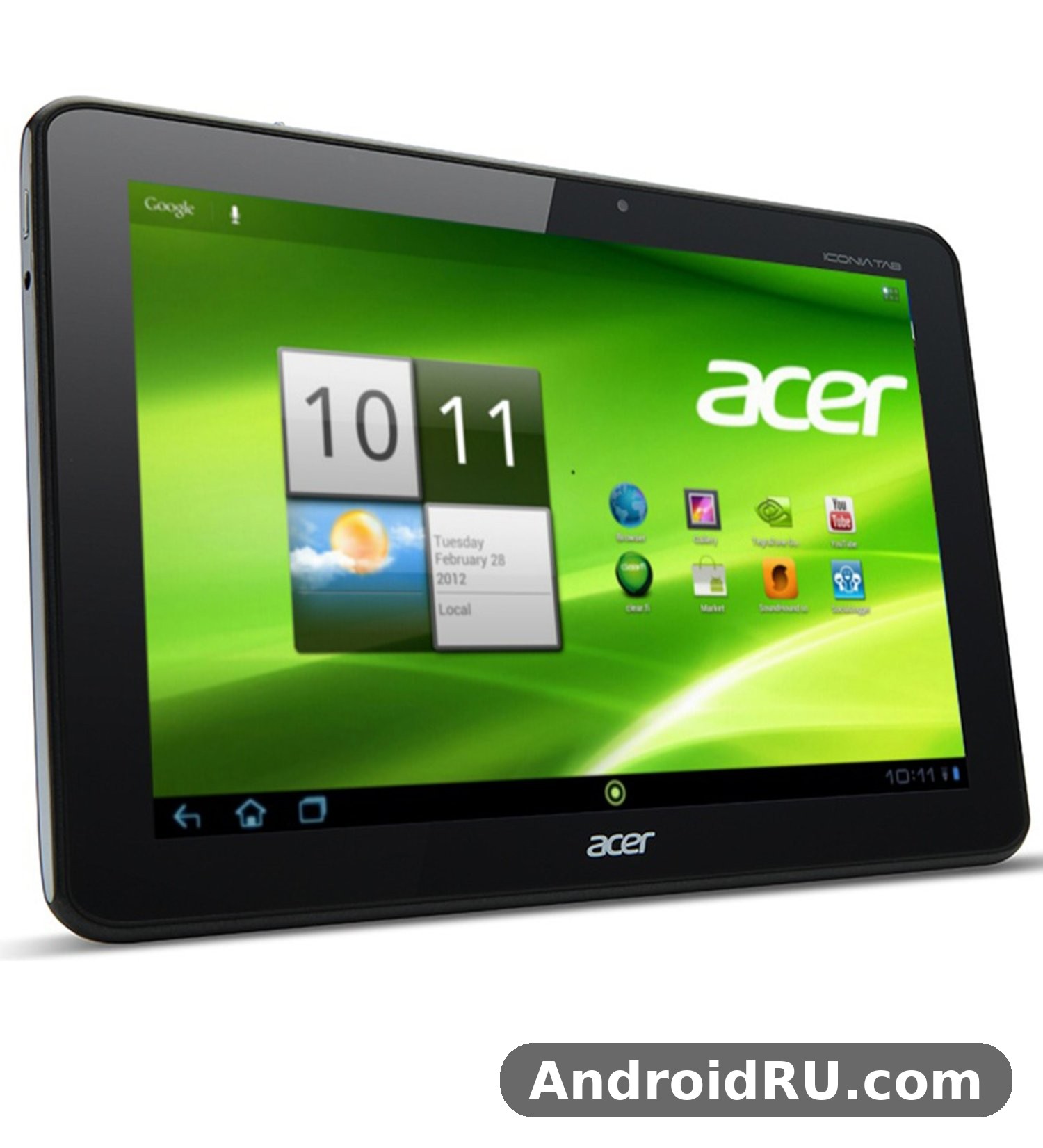
One fact shapes every judgement in this review. The A511 tablet is the 3G version of the Acer Iconia Tab A510, which was Wi-Fi only. Apart from mobile data, the two tablets share the same core platform, the same screen size and resolution, the same battery, and the same cameras. That shared base makes the comparison simple, and it also makes the buying decision simple: if you needed mobile data away from Wi-Fi in 2012, the A511 was the model to choose, and if you did not, the A510 offered the same experience for less. The rest of this article keeps that distinction in view, because confusing the two models is the most common mistake in listings and second-hand adverts for this tablet.
Overview and Position in 2012
In 2012 the Android tablet market was crowded and fast-moving. Apple had set the pace with the iPad, Samsung was pushing its Galaxy Tab range, and Asus had shown what a quad-core tablet could do with the Transformer Prime. Acer answered with the Iconia Tab A510 and A511, a pair of 10.1 inch tablets built around the Nvidia Tegra 3 platform and Android 4.0 Ice Cream Sandwich. The A511 tablet sat in the upper middle of the Android tablet range: more powerful than the dual-core tablets of 2011, more affordable than the highest-resolution tablets of 2012, and aimed at buyers who wanted a large screen, long battery life and mobile data in one device.
What the A511 Was Built For
The A511 tablet was built for media, reading and light work on a large screen. Its 10.1-inch display was large enough for films, magazines, comics and web pages, while its battery was large enough to last through a long journey without a charger nearby. The Acer Iconia Tab A511 tablet for reading books and browsing the web was a natural fit: the screen was wide, the device could sit on a stand or rest on a lap, and the 3G connection meant that browsing did not stop when Wi-Fi ran out. It was also a plausible device for students and basic office work, and the Acer Iconia Tab A511 for students and basic office document viewing made sense in 2012, when a tablet with a document viewer, email and a browser could cover many everyday tasks.
At the same time, the A511 was never a laptop replacement. It had no keyboard dock in the box, its office tools were basic by modern measures, and its 1 GB of RAM limited how many apps could stay open at once. Judged on its own terms, though, it was a coherent tablet: a large screen, a quad-core chip, a very large battery, and mobile data, all in a metal-bodied slate that felt more substantial than many plastic rivals.
A511 Versus A510 at a Glance
The quickest way to understand the A511 is to place it beside its sibling. The Acer Iconia Tab A511 vs Acer Iconia Tab A510 differences come down to connectivity: the A511 adds GSM and HSPA mobile data with a Mini-SIM slot, while the A510 is Wi-Fi only. Everything else that mattered day to day was the same, from the Tegra 3 chip to the 1280 x 800 screen and the 9800 mAh battery. A buyer who mainly used the tablet at home or in the office could choose the A510, while a buyer who travelled, commuted or worked away from Wi-Fi had a clear reason to pay more for the A511. The Acer Iconia Tab A510 Overview: Review, Audio and Complete Specifications gives the full picture of the Wi-Fi-only sibling, and it is the best companion read for anyone comparing the two.
Design and Display
The A511 is a large, heavy tablet by modern measures, and its design reflects the priorities of 2012. It uses a metal rear casing, a wide bezel around the screen, and a thickness of 11 mm. At 777 grams it is not a tablet you hold in one hand for long, and it is best used resting on a table, a stand, a lap, or a bag. The A511 weight of 777 grams and the A511 dimensions of 260 x 175 x 11 mm explain why it feels like a serious piece of hardware rather than a light reader, and the Acer Iconia Tab A511 weight dimensions and portability for travel are worth weighing before buying a used example: it travels well in a bag, but it is not a pocket device and it is not a light one-handed reader.
The A511 colors were Black and Silver, and the Acer Iconia Tab A511 black and silver colour options explained in plain terms are simply two finishes of the same metal body: black for a plain, business-like look, and silver for a lighter, more metallic look. Neither finish changes the hardware inside, and both show wear in the same places, around the edges and the rear panel, on a used tablet.
10.1-Inch TFT Screen
The A511 display is a 10.1-inch TFT capacitive touchscreen with a resolution of 1280 x 800 pixels, about 149 pixels per inch, and support for 10-point multitouch. The Acer Iconia Tab A511 10.1 inch display quality and resolution were respectable for 2012, when many tablets still used 1024 x 600 or 1024 x 768 panels, and the wide 16:10 shape suited films and web pages. Viewing angles and colour richness were typical of TFT panels of the period: good enough for reading and video indoors, less striking than the IPS and AMOLED screens that followed, and weaker in bright sunlight. The Acer Iconia Tab A511 vs Acer Iconia Tab A700 screen comparison makes the trade-off clear, because the A700 used a much sharper 1920 x 1200 panel while the A511 kept the more modest 1280 x 800 panel, and the Acer Iconia Tab A700 Detailed Overview: Screen Quality, Performance and What to Expect shows what the extra resolution bought.
For reading, the screen is large and clear enough for books, magazines and PDF documents, and for video the 1280 x 800 resolution is adequate for the streaming and local files of its era. The A511 display is not a modern high-density panel, and text is visibly less crisp than on a current tablet, but it remains usable for its intended jobs. Anyone expecting a modern tablet screen will be disappointed, while anyone judging it as a 2012 panel will find it solid and practical.
Body, Weight and Ports
Around the edges, the A511 carries the ports of its generation: a microUSB 2.0 port, a micro HDMI port, a 3.5 mm headphone jack, a microSD card slot, and a Mini-SIM slot for mobile data. The Acer Iconia Tab A511 micro HDMI port for external display connection was a useful feature in 2012, letting the tablet send video to a television or monitor, and the A511 HDMI output is one of the details that still interests collectors today. The A511 charger situation is simple: charging runs through the microUSB port, and the Acer Iconia Tab A511 charging time and microUSB port details matter because the huge battery takes a long time to fill from a standard charger of the period, so overnight charging was the normal routine.
Ports and Physical Controls
Physical controls are plain and functional: a power button, volume controls, and the ports listed above, with no fingerprint reader, no USB-C port, and no modern fast-charging hardware. That is normal for 2012, and it is part of the honest picture of this tablet. The A511 accessories that owners commonly used were a case or cover, a screen protector, a microSD card, and a stand, and those accessories still make sense for a used example today, because they protect the screen and make the heavy body easier to use on a table.
Performance and Hardware
Performance is where the A511 made its name in 2012. The tablet runs on the Nvidia Tegra 3 platform, a quad-core chip that was among the most powerful mobile platforms of its year, and the A511 review of its speed has to be read in that context. It was fast for its time, and it is slow by modern measures, and both statements are true at once. This part of the Acer Iconia Tab A511 Nvidia Tegra 3 performance review focuses on what the chip could do when the tablet was new, and on what its limits mean now.
Nvidia Tegra 3 Quad-Core Platform
The chipset is the Nvidia Tegra 3, built on a 40 nm process, with a quad-core 1.3 GHz Cortex-A9 CPU and a ULP GeForce GPU. As a Tegra 3 tablet, the A511 could handle the games and apps of 2012 with ease, and the quad-core tablet design gave it headroom for multitasking and for the more demanding 3D games of the period. The A511 Android experience on this chip was smooth for browsing, email, video and reading, and the chip also handled 720p video recording and playback without strain. Modern apps and modern web pages are a different matter: they expect far more memory and far more processing power, so the same chip that felt fast in 2012 now feels slow when asked to run current software.
The A511 price at launch reflected this positioning. In India the tablet was listed around Rs. 32,500 for the 16 GB version when it reached the market in August 2012, and prices varied by region and by memory size. The A511 price history since then follows the usual path of a discontinued tablet: the new price fell as newer models arrived, and today only used prices matter, which depend on condition, battery health, and whether the box and accessories are included.
Memory and Everyday Multitasking
The A511 RAM is 1 GB of RAM, paired with 16 GB or 32 GB of internal memory, and the Acer Iconia Tab A511 16GB and 32GB internal memory options gave buyers a choice between a lower-priced base model and a roomier one. The A511 microSD slot accepts cards up to 32 GB, and the Acer Iconia Tab A511 microSD card expansion up to 32GB was the practical way to add room for films, music and documents without paying for the larger model. The Acer Iconia Tab A511 1GB RAM multitasking limits today are easy to state: one or two light apps at a time is realistic, heavy multitasking is not, and modern browsers with many tabs will struggle.
Where 1GB RAM Shows Its Limits
The limit shows most clearly in the browser, in large documents, and in apps that were updated long after the tablet was current. Apps reload more often, pages take longer to render, and background apps are closed sooner than on a modern device. That does not make the tablet useless, but it does set the right expectation: this is a single-task device now, best used for one job at a time, such as reading, watching a local video, or viewing a document.
Battery Life and Charging
Battery life was one of the strongest points of the A511 when it was new, and it remains the most interesting part of its specification today. The A511 battery is a non-removable Li-Po unit rated at 9800 mAh, or 36 Wh, and the Acer Iconia Tab A511 9800 mAh battery life expectations should be read with care: Acer quoted up to 15 hours of multimedia use and up to 12 hours of video playback for the closely related A510, which used the same battery, and real use depended on screen brightness, Wi-Fi, 3G use and video type. The 9800 mAh battery was one of the largest tablet batteries of 2012, and it gave the A511 a genuine advantage over thinner tablets with smaller cells.
9800 mAh Capacity in Context
A large battery matters most when a tablet is used away from a socket, and the A511 was designed for exactly that use: long journeys, long reading sessions, and long video playback without hunting for a charger. The A511 battery life in practice was long enough for a full day of mixed use in 2012, which was not true of every tablet of the period. Today, any used example will have a battery that has aged, and the Acer Iconia Tab A511 replacement battery and repair options today are limited: the battery is built in, spares are scarce, and a repair needs a technician who is comfortable opening a 2012 tablet. A buyer should test battery life before paying, and should treat a weak battery as a real cost, not a small detail.
Camera and Audio
Cameras were never the main reason to buy a large tablet, and the A511 follows that pattern. Its cameras are serviceable for their time and modest by any later measure, while its audio is better than the cameras suggest, with stereo speakers and Dolby Mobile tuning. This section covers both, because the A511 camera and the A511 speakers tell different stories about the same device.
Rear and Front Cameras
The rear camera is a 5 MP unit with autofocus and geo-tagging, recording video at 720p, and the Acer Iconia Tab A511 5 megapixel rear camera specifications are plain: it takes usable daylight photos and short clips, and it struggles in low light, as every tablet camera of 2012 did. The front camera is a 1 MP unit for video calls, which was adequate for the video calling apps of the period and is very basic now. The A511 camera is best thought of as a convenience feature for occasional photos and calls, not as a replacement for a phone camera, and anyone buying the tablet for photography will be disappointed.
Speakers and Headphone Output
Audio is a stronger point. The tablet has stereo speakers with Dolby Mobile, a 3.5 mm headphone jack, and support for common audio formats including MP3, WAV, WMA and eAAC+. The Acer Iconia Tab A511 Dolby Mobile stereo speakers sound quality was good for a 2012 tablet, with clear dialogue for films and enough volume for a quiet room, and the A511 speakers still work well for reading aloud, for audiobooks, and for video on a table. The Acer Iconia Tab A511 video playback MP4 H.264 support explained in short is that the tablet plays MP4 and H.264 video, which covered most video files of its era, and that support remains useful for local files today.
Connectivity and the 3G Difference
Connectivity is the reason the A511 exists as a separate model, and it is the section that matters most for anyone choosing between the A511 and the A510. The A511 3G connection uses GSM and HSPA, with HSDPA speeds of up to 7.2 Mbps down and 5.76 Mbps up, and the A511 WiFi connection covers 802.11 b/g/n with hotspot support, so the tablet could also share its connection with other devices. The Acer Iconia Tab A511 3G connectivity and SIM card support is the heart of the model: a Mini-SIM slot, GSM 850, 900, 1800 and 1900, and HSDPA 850, 900, 1900 and 2100, which covered the 3G networks of its time in most regions.
3G, Wi-Fi and Bluetooth
Beyond mobile data, the tablet offers Wi-Fi 802.11 b/g/n with hotspot, Bluetooth 2.1 with A2DP and EDR, GPS with A-GPS, and a microUSB 2.0 port. The Acer Iconia Tab A511 WiFi hotspot and Bluetooth connection guide in brief is simple: Wi-Fi handles fast local connections, Bluetooth 2.1 handles headphones and file transfer of the period, and the hotspot lets the tablet share its 3G connection. The A511 GPS works with assisted GPS for location and navigation, and the Acer Iconia Tab A511 GPS navigation with assisted GPS support was useful for maps and for location-aware apps in 2012, even though a 10.1-inch tablet is not a natural car navigator. The Acer Iconia Tab A511 accelerometer gyroscope compass sensor list is also worth noting: accelerometer, gyro, proximity sensor and compass, which covered screen rotation, games and basic navigation.
The A511 update story is short. The tablet shipped with Android 4.0 Ice Cream Sandwich and later received Android 4.1 Jelly Bean in some regions, and the A511 update path stopped there. The A511 Android version today is therefore old, and the Acer Iconia Tab A511 Android 4.0 Ice Cream Sandwich features that mattered at launch, such as the redesigned interface, better multitasking, and improved browsing, are now historical features rather than current ones. Modern apps that need a recent Android version will not run, and that limit shapes the verdict more than any single hardware detail.
A511 Compared With the Wi-Fi-Only A510
The comparison is short because the tablets are so close. The A511 adds 3G and a SIM slot, and the A510 does not have them, and everything else is shared. The Acer Iconia Tab A701 Review: Features in Everyday Use and the Full Specs is a useful next read for the sharper-screened sibling in the same family, while the Acer Iconia Tab A200 Detailed Review and Specifications: Performance in Focus covers an earlier, more affordable Acer tablet for readers tracing the range. For a buyer today, the choice is practical: choose the A511 only if the 3G connection still has a use, such as a data SIM in a region where 3G remains active, and choose the A510 if the tablet will live on Wi-Fi.
Full Specifications
The A511 specifications below are drawn from the GSMArena listing for this model, with the release date, chipset, memory, display, battery and cameras checked against that listing. The table gives the complete picture in one place, and the sections above explain what each figure meant in 2012 and what it means now.
| Feature | Acer Iconia Tab A511 |
|---|---|
| Announced | February 2012 |
| Released | August 2012 |
| Status | Discontinued |
| Network | GSM / HSPA |
| 2G bands | GSM 850 / 900 / 1800 / 1900 |
| 3G bands | HSDPA 850 / 900 / 1900 / 2100 |
| Speed | HSPA 7.2 / 5.76 Mbps |
| Dimensions | 260 x 175 x 11 mm |
| Weight | 777 g |
| SIM | Mini-SIM |
| Display type | TFT capacitive touchscreen, 256K colors |
| Display size | 10.1 inches |
| Resolution | 1280 x 800 pixels, about 149 ppi |
| Multitouch | Yes, 10-point |
| Operating system | Android 4.0 Ice Cream Sandwich, upgradable to Android 4.1 Jelly Bean in some regions |
| Chipset | Nvidia Tegra 3 |
| CPU | Quad-core 1.3 GHz Cortex-A9 |
| GPU | ULP GeForce |
| RAM | 1 GB |
| Internal memory | 16 GB / 32 GB |
| Card slot | microSD, up to 32 GB |
| Rear camera | 5 MP, autofocus, geo-tagging, 720p video |
| Front camera | 1 MP |
| Audio | Stereo speakers, Dolby Mobile, 3.5 mm jack |
| Wi-Fi | Wi-Fi 802.11 b/g/n, hotspot |
| Bluetooth | Bluetooth 2.1, A2DP, EDR |
| GPS | Yes, with A-GPS |
| USB | microUSB 2.0 |
| HDMI | Yes, micro HDMI port |
| Sensors | Accelerometer, gyro, proximity, compass |
| Battery | Non-removable Li-Po 9800 mAh, 36 Wh |
| Colours | Black, Silver |
The A511 specifications in the table above show a tablet that was well balanced for 2012: a quad-core chip, a large battery, a 10.1-inch screen, and 3G data, with 1 GB of RAM as the clearest limit. The Acer Iconia Tab A511 Adobe Flash browser support in 2012 is a small historical detail worth recording: the browser of the period supported HTML and Adobe Flash, which mattered for web video in 2012 and is no longer a feature anyone should rely on.
Pros and Cons
Every classic tablet has a short list of strengths and a short list of limits, and the A511 is no exception. The list below keeps both sides in view, so the verdict that follows is based on the whole picture rather than on one feature alone.
Pros
The strongest points are the large 9800 mAh battery, the quad-core Tegra 3 chip, the 10.1-inch screen, the 3G connection, and the solid metal body. The battery gave long use away from a socket, the chip gave smooth performance for the apps of 2012, the screen was large and clear for reading and video, the 3G connection freed the tablet from Wi-Fi, and the body felt durable. The microSD slot, micro HDMI port and stereo speakers added practical value, and the tablet remains a good example of early quad-core Android hardware for anyone interested in that period.
Cons
The limits are equally clear. The 1 GB of RAM restricts modern multitasking, the Android version is old and no longer receives updates, the 5 MP rear camera and 1 MP front camera are basic, the 777-gram body is heavy, and the TFT screen is less vivid than later panels. The A511 problems that owners most often reported were slow performance with newer apps, short battery life on aged cells, and the lack of software updates, and the Acer Iconia Tab A511 common problems and troubleshooting tips for owners are simple: keep the app load light, use local media rather than heavy web pages, charge overnight, and accept that the tablet is a single-purpose device now.
Verdict: Is It Worth It?
The verdict depends on what the buyer wants. As a daily tablet in 2026, the A511 is not worth buying for most people, because its old Android version, its 1 GB of RAM, and its aged battery make modern apps and modern web pages a struggle. As a classic tablet, a collector piece, or a simple offline device for reading and local video, it can still be worth a small price, provided the buyer knows exactly what it can and cannot do. The Acer Iconia Tab A511 discontinued tablet collector guide for enthusiasts in short is this: buy it for the history, the design, and the Tegra 3 platform, not for modern performance, and pay a used-tablet price that reflects its age.
The Acer Iconia Tab A511 used tablet price and buying checklist is the practical tool for that decision: check that the screen has no dead pixels or cracks, check that the touch response is even across the panel, check the battery by using the tablet for an hour, check the microSD slot, the SIM slot, the microUSB port and the headphone jack, and check that the tablet boots cleanly and connects to Wi-Fi. The Acer Allegro: Is It the Right Phone for You? Review and Specs is a useful companion read for the Acer range of the same era, showing how the company approached phones while the A511 covered tablets.
Who Might Still Find It Useful
The tablet still suits a reader who wants a large screen for books and documents, a viewer who plays local video files, a collector who wants a Tegra 3 tablet from 2012, or a tinkerer who enjoys old Android hardware. For those uses, the large battery, the large screen and the microSD slot are genuine assets, and the old software is less of a problem because the jobs are simple and offline. A used example in good condition, with a healthy battery, can serve those jobs for a modest price.
Who Should Look Elsewhere
Anyone who needs modern apps, a current browser, video calls, banking, or work tools should look elsewhere. A modern budget tablet will run current software, hold more apps in memory, charge faster, weigh less, and show a sharper screen, and it will do so for a price that is often close to what a well-kept classic tablet can cost once repair and battery risk are counted. The A511 is a classic, not a current tool, and buying it as a current tool is the one mistake this review aims to prevent.
Frequently Asked Questions
Is Acer Iconia Tab A511 still worth buying in 2026?
It is worth buying only as a classic or collector tablet, or as a simple offline reader and video player, and only at a low used price after checking the battery, screen and ports. For everyday modern use, with current apps and web browsing, it is not worth buying, because the old Android version and 1 GB of RAM limit what it can run.
What is the difference between the Acer Iconia Tab A511 and the Acer Iconia Tab A510?
The difference is mobile data. The A511 has GSM and HSPA 3G with a Mini-SIM slot, while the A510 is Wi-Fi only. The chipset, screen, battery, cameras and memory are the same in both models, so the choice comes down to whether you need 3G away from Wi-Fi.
When was the Acer Iconia Tab A511 released?
The tablet was announced in February 2012 and released in August 2012. That release date is the one to use when dating the tablet, rather than the February announcement date, which is often quoted by mistake.
Does the Acer Iconia Tab A511 support a microSD card?
Yes. The A511 supports microSD cards up to 32 GB, which can hold films, music, books and documents. The internal memory is 16 GB or 32 GB, so a card is the simplest way to add room without buying the larger model.

