

Acer Iconia Tab A700 Detailed Overview: Screen Quality, Performance and What to Expect
The Acer Iconia Tab A700 is a 10.1-inch Android tablet from 2012 that still gets talked about by collectors and by readers who remember the early race for sharper tablet screens. This Acer Iconia Tab A700 review looks at the device as a classic piece of hardware from its own era, not as a rival for a tablet built in 2026. It was one of the first Android tablets to offer a Full HD panel, and that single choice shaped almost everything else about it, from the processor Acer picked to the size of the battery tucked inside the case. This overview brings together the Acer Iconia Tab A700 full specifications and features in one place, so a reader can judge the tablet on the facts of its own time. The Acer Iconia Tab A700 specs show a machine built around a simple idea: put a very sharp screen on a capable quad-core tablet and sell it for less than the leading rival of the day.
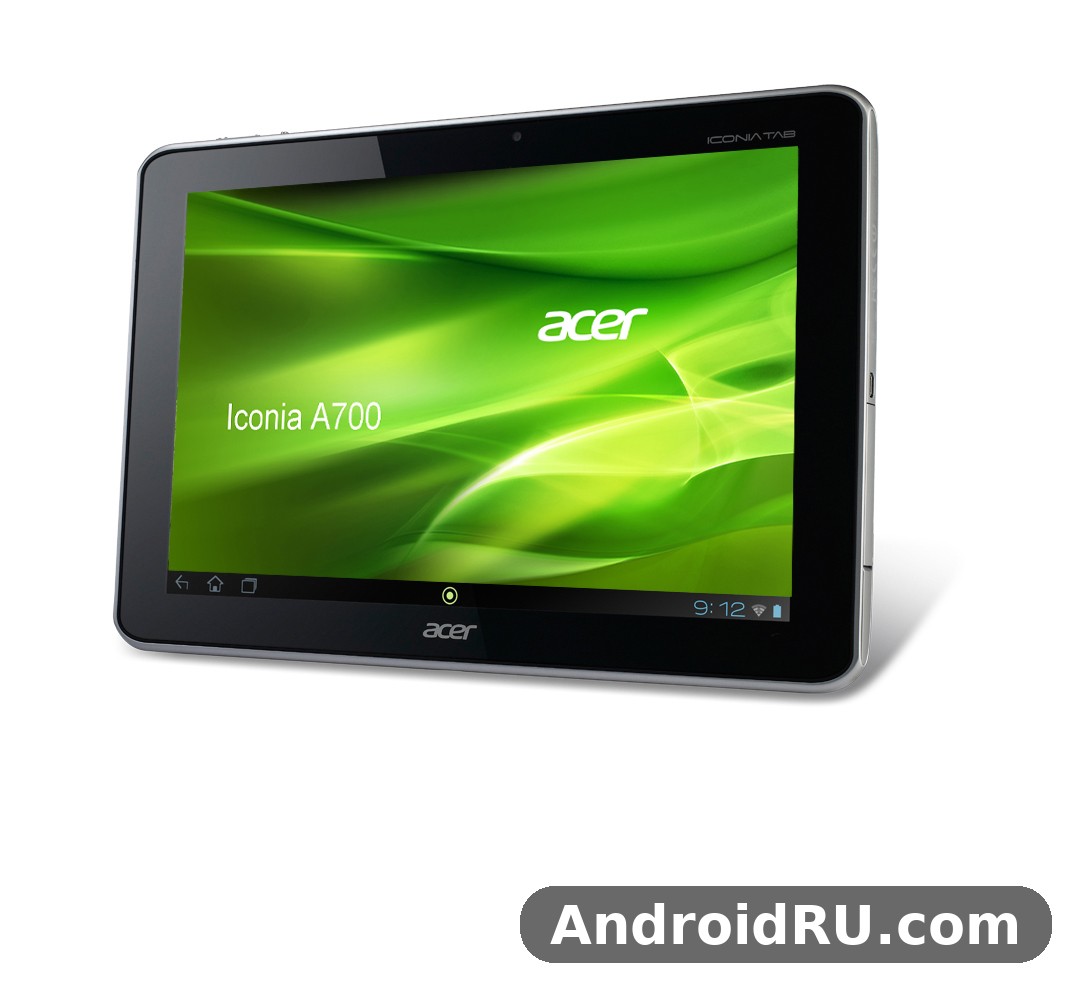
Acer showed the tablet at CES in January 2012 and put it on sale in June 2012, with pre-orders opening on 13 June 2012 in the United States at 449.99 dollars for the 32GB model. That timing matters, because the Acer Iconia Tab A700 release date places it right at the moment when Android tablets were moving from 1280 x 800 screens to Full HD, and when quad-core chips were still new enough to be a selling point on their own. The Acer Iconia Tab A700 price at launch in 2012 was aimed squarely at buyers who wanted the sharpest screen available without paying the top price asked by Apple for a comparable iPad. In this article, the Acer Iconia Tab A700 tablet is treated as a product of 2012 throughout: its strengths are the strengths it had when it was new, and its limits are the limits any buyer would have met at the time.
Design and Build: A Chunky 10 Inch Tablet From 2012
Pick up the A700 and the first thing you notice is its size and weight. The Acer Iconia Tab A700 weight and dimensions in hand are 259 x 175 x 11 mm and 665 grams, which made it heavier and thicker than the iPad of the same year and heavier than most of the slim tablets that followed. The Acer Iconia Tab A700 dimensions explain a lot about the design: the case had to hold a large 9800 mAh battery and a 10.1-inch panel, and Acer made no attempt to hide that bulk behind a tapered edge. The Acer Iconia Tab A700 weight of 665 grams is easy to feel after ten minutes of holding the tablet with one hand, and most owners used it resting on a lap, a table or a case stand rather than holding it up in the air. As a 10 inch tablet it sits in the classic large-tablet class of its era, with broad bezels around the screen that gave thumbs somewhere to rest without touching the display.
The body is a plain slab in black or silver, with a matte plastic back and a metal-look frame that keeps the tablet rigid when it is carried in a bag. There is a 5 megapixel camera lens on the back, a front camera above the screen, stereo speakers on the sides, and a set of ports along the edges that modern tablets have mostly abandoned: a micro-HDMI output, a micro-USB port, a 3.5 mm headphone jack and a microSD card slot under a small cover. The A700 tablet feels solid rather than delicate, and that suited its role as a living-room media tablet and a family device that might be passed between several people. Buyers who still own one often look for an Acer Iconia Tab A700 case and accessories for 10 inch tablets to protect the corners and to give the tablet a stand, since the flat back has no built-in kickstand of its own. Acer Iconia Tab A700 accessories such as covers, stands and screen protectors are still easy to find second hand. The design will not impress anyone who expects a thin 2026 tablet, yet it is honest about what it is: a big-screen media machine from the year Full HD arrived on Android tablets.
Screen Quality: The Full HD Panel That Defined the A700
The screen is the reason this tablet exists, and it is still the first thing any fair Acer Iconia Tab A700 review has to cover. The Acer Iconia Tab A700 screen resolution and display quality set it apart from nearly every Android rival on sale in the middle of 2012. The panel is a 10.1-inch TFT LCD with 1920 x 1200 pixels in a 16:10 ratio, which works out to about 224 pixels per inch. That was a large jump from the 1280 x 800 panels used by the Acer Iconia Tab A510 and most other tablets of the same season, and it made text look far crisper and photos look far more detailed. The Acer Iconia Tab A700 display renders a 1080p video at its full width with room to spare, and web pages show more content per screen than they did on the lower-resolution tablets that came before it. As a Full HD tablet it was one of only two Android tablets with that resolution when it was announced, and that fact alone carried most of the marketing for the device.
Resolution, Sharpness and Colour
At 224 pixels per inch, small text in books and web pages stays readable without constant zooming, and the edges of icons and letters look smooth rather than stepped. Colours on the TFT panel are bright and reasonably natural for the time, with enough punch for films and photo albums, even if the contrast and black levels cannot match the OLED panels that arrived years later. The 16:10 shape suits video well, since a 1080p film fills most of the width with only thin bars, and it also suits reading in landscape, where two pages or a wide web layout fit side by side. The Acer Iconia Tab A700 screen holds up as a reading and viewing surface because the resolution does the heavy lifting: even a reader who knows nothing about panel technology can see the difference between this display and the 1280 x 800 screen on the cheaper A510 the moment both are placed next to each other.
Viewing Angles and Outdoor Use
Acer quoted a wide viewing angle of about 178 degrees for the panel, and in practice the picture stays usable when the tablet is tilted toward another person on a sofa or propped on a table at an angle. Colours shift a little at extreme angles, as they did on most TFT LCDs of the era, but the image does not wash out the way some cheaper panels did. The Acer Iconia Tab A700 touchscreen response and viewing angles were both good enough for the way the tablet was actually used: tapped and swiped with fingers on a lap or a desk, shared between two people watching a video, or stood on a kitchen counter while a recipe was open. Outdoors, the glossy glass reflects sunlight and the brightness is not enough to overpower a bright day, so the tablet is at its best indoors or in shade. That was true of almost every tablet in 2012, and the A700 is no exception.
Performance: NVIDIA Tegra 3 and Everyday Use in 2012
Under the screen sits the chip that made the A700 possible. The Acer Iconia Tab A700 performance review and benchmark results from 2012 describe a tablet that was fast for its year and that handled the extra pixels of its Full HD screen without the stutter that many feared. The Acer Iconia Tab A700 Tegra 3 quad core processor is the NVIDIA Tegra 3 T30, a quad-core Cortex-A9 chip running at 1.3 GHz with a fifth low-power companion core for light tasks and a ULP GeForce graphics unit. The Acer Iconia Tab A700 processor was one of the first quad-core chips in a mainstream tablet, and it gave the A700 a clear edge over the dual-core tablets that still filled most shop shelves in early 2012. The Acer Iconia Tab A700 performance in daily use was smooth for browsing, email, video and the games of the period, and the tablet earned its place as a Tegra 3 tablet that could show off the chip properly on a sharp screen.
Gaming on the Tegra 3
The Acer Iconia Tab A700 gaming performance on Tegra 3 was one of its strongest selling points when it was new. Games that were written to use the Tegra 3 graphics unit ran with extra effects such as better water, smoke and lighting, and the Full HD screen made those games look sharper than they did on the 1280 x 800 tablets of the same year. Racing games, action games and the 3D titles of 2012 played well at the settings of the time, and the large battery meant a long gaming session did not end after an hour. The chip does get warm during long sessions, and the tablet can slow down a little when it has been pushed hard for a while, which was normal behaviour for a quad-core chip in a sealed tablet case in 2012.
What the ULP GeForce Graphics Handled Well
The graphics unit handled the games and video of its own era with ease, including 1080p video playback and the 3D games that were built for the Tegra platform. Casual games, puzzle games and the popular titles of 2012 ran without trouble, and the sharp screen gave them a clarity that lower-resolution tablets could not match.
Where the Frame Rate Dropped
The heaviest 3D games at their highest settings could drop frames, and the 1GB of memory left little room for background apps while a large game was running. A reader who judges the tablet by the games of 2026 will find it slow, but that is a judgement against a fourteen-year gap, not against the hardware Acer shipped in 2012.
Multitasking With 1GB of RAM
The Acer Iconia Tab A700 RAM and internal storage capacity tell the other half of the performance story. The tablet shipped with 1GB of RAM and 32GB of internal memory, with a 16GB version sold in some markets. The Acer Iconia Tab A700 RAM was enough for the Android 4.0 software of the time, and it handled a browser with several tabs, a music app and a book reader without constant reloading. The Acer Iconia Tab A700 storage of 32GB gave owners room for films, music and games, and the microSD slot allowed more room for media. Heavy multitasking could still push the tablet to reload apps, and a modern browser with many tabs would overwhelm 1GB of memory quickly, which is why the A700 is best understood as a media and reading tablet now rather than a work machine.
Cameras, Audio and Connectivity
The A700 was never sold as a camera tablet, and its imaging hardware fits that role. The Acer Iconia Tab A700 rear camera photo quality test results from the era show a 5 megapixel camera with autofocus that takes usable photos in good daylight and records 1080p video at 30 frames per second. Photos are sharp enough for sharing and for keeping as a record, but they show noise in low light and the colours can look flat next to a phone camera from the same year. The Acer Iconia Tab A700 camera is best used for quick shots and for video, not as a replacement for a dedicated camera. The Acer Iconia Tab A700 front camera video calling quality is modest, with a 1 megapixel sensor that is fine for a video call on a large screen but soft for photos. Both cameras are honest about their limits, and neither was the reason anyone bought this tablet.
Audio was a stronger point. The Acer Iconia Tab A700 Dolby Mobile audio quality review notes from the time praised the tablet for sound that was louder and fuller than most of its rivals. The Acer Iconia Tab A700 speaker sound quality and volume benefit from stereo speakers and Dolby Mobile 3 processing, which gives films and music a wider sound than the single small speaker used by many tablets of the era. The Acer Iconia Tab A700 speakers will not replace a separate speaker, yet they are good enough for watching a film in a quiet room without headphones. A 3.5 mm jack is present for private listening, and the micro-HDMI port lets the tablet send video to a television.
Connectivity is where the difference between the A700 and its sibling matters most, and it is covered in full in the comparison section below. The Acer Iconia Tab A700 HDMI output and USB port give the tablet two wired options that many later tablets dropped: micro-HDMI for a television or monitor, and micro-USB 2.0 for charging and for connecting to a computer. The Acer Iconia Tab A700 HDMI port outputs video at up to 1080p, which pairs well with the tablet as a media player. The Acer Iconia Tab A700 USB port also supports host use with an adapter for accessories such as a keyboard or a flash drive, which was a useful feature in 2012. The Acer Iconia Tab A700 Bluetooth connectivity and file transfer run over Bluetooth 2.1 with EDR, which is fine for headphones and for sending files between devices of the same era. The Acer Iconia Tab A700 Bluetooth radio will pair with older accessories, though it lacks the low-energy modes of later Bluetooth versions. The Acer Iconia Tab A700 GPS navigation and location accuracy rely on a built-in GPS receiver with GLONASS support, which works for maps and for location-aware apps when the tablet has a clear view of the sky. The Acer Iconia Tab A700 GPS receiver is a genuine navigation aid for a Wi-Fi tablet, and it worked well with offline maps. The Acer Iconia Tab A700 WiFi radio is 802.11 b/g/n, which was the standard of the time, and it is the only way the tablet reaches the internet, since this model has no mobile data of its own.
Battery Life and Charging
The battery is the third pillar of the A700, after the screen and the chip. The Acer Iconia Tab A700 battery life and charging time figures show why Acer fitted such a large cell: a Full HD screen and a quad-core chip both draw more power than the parts in a 1280 x 800 tablet, so the battery had to grow to match. The cell is a 9800 mAh lithium-polymer unit, sealed inside the case, and Acer quoted up to 10.5 hours of video playback from a full charge. The Acer Iconia Tab A700 battery in real use gave most owners a full day of mixed reading, browsing and video, and often more, with lighter use stretching across two days. Charging takes several hours from empty with the supplied charger, which is normal for a battery of this size, and the tablet charges slowly or not at all from a weak computer USB port. An Acer Iconia Tab A700 battery replacement and repair guide is now the document most current owners need, since a battery made in 2012 will have lost capacity by 2026 even if the tablet was rarely used. A worn battery is the most common reason an otherwise working A700 now lasts only a short time away from the charger, and a replacement cell fitted by a repair shop can bring the tablet back to useful life as a reader and media player.
Software: Android 4.0 Ice Cream Sandwich and the Jelly Bean Update
The A700 shipped with Android 4.0 Ice Cream Sandwich, and the Acer Iconia Tab A700 Android Ice Cream Sandwich update path is part of the story of this tablet. The Acer Iconia Tab A700 Android software was a lightly changed version of stock Android, with Acer adding its own ring interface and a few apps on top of the standard tablet layout. The interface suited the large screen, with the app drawer, widgets and the browser all using the extra pixels well. The Acer Iconia Tab A700 Jelly Bean update release date came in September 2012, when Acer began rolling out Android 4.1 Jelly Bean to the A700 in Germany and the United States. The update brought the smoother interface and faster responses that Jelly Bean was known for, along with expandable notifications and the voice search features of that release. That was the last major Android version the tablet received, and it stayed on Jelly Bean for the rest of its supported life.
That frozen software is the main limit on the tablet now. Most current apps and current web services will not run on Android 4.1, and the built-in browser cannot handle many current websites. The tablet still works well for the jobs that do not need current software: reading books and documents, playing local video and music, viewing photos, and running the older apps that were built for its era. An Acer Iconia Tab A700 factory reset and software troubleshooting tips list starts with the basics that still apply: charge the tablet fully, back up anything on the internal memory, use the settings menu to reset when the tablet still boots, and use the hardware key combination only when the screen will not respond. A reset will not bring back a dead battery or add support for current apps, yet it can clear a confused system and give an old tablet a clean start. The Acer Iconia Tab A700 features that still work well are the ones that never depended on the internet or on current apps: the screen, the speakers, the local media playback and the simple reading experience.
Acer Iconia Tab A700 vs A701: Wi-Fi Only or 3G?
The most common mix-up with this tablet is the difference between the A700 and the A701, so it is worth stating plainly. The Acer Iconia Tab A700 vs Acer Iconia Tab A701 comparison comes down to one thing: the A700 is the Wi-Fi only version, and the A701 is the 3G version of the same tablet. The Acer Iconia Tab A700 WiFi only tablet specifications list no SIM slot and no mobile data radio, so the A700 reaches the internet only through Wi-Fi, while the A701 adds a SIM slot and 3G data for use away from Wi-Fi. The two tablets share the same 10.1-inch 1920 x 1200 screen, the same Tegra 3 chip, the same 1GB of RAM, the same 5 megapixel rear camera and the same 9800 mAh battery, so a buyer who only ever used the tablet at home would notice no difference at all. A buyer who wanted to use maps or email on a train or in a car needed the A701 instead. The Iconia Tab A700 is therefore the right choice for a reader who wants the same screen and speed for less money and who is happy to stay within reach of Wi-Fi, while the A701 was the right choice for a traveller who was willing to pay more and to carry a data plan. Any listing that shows a SIM slot or 3G on an A700 is wrong, and any review that credits the A700 with mobile data has mixed the two models up.
Full Specifications
The Acer Iconia Tab A700 10 inch Full HD tablet is summarised in the table below, with the figures checked against the specification record for this model. The Acer Iconia Tab A700 microSD card slot expansion options are included in the memory row: the slot accepts microSDHC cards, which was the standard way to add room for films and music in 2012. The Acer Iconia Tab A700 video playback and movie watching experience is the use that ties the whole specification together, since the screen, the speakers, the HDMI output and the large battery all serve the same job. The Acer Iconia Tab A700 reading ebooks and browsing the web experience is the other everyday use that the specification supports, with a sharp screen for text and a browser that could show full desktop pages. A reader weighing whether an Acer Iconia Tab A700 old tablet still worth using is the question to ask now should weigh those two uses against the frozen software: as a reader and a media player it still works, as a current internet device it does not. An Acer Iconia Tab A700 discontinued tablet buying guide today would say the same thing: buy it cheap as a classic media tablet and a piece of tablet history, check the battery first, and do not pay a price that assumes it can run current apps.
| Feature | Acer Iconia Tab A700 |
|---|---|
| Announced | 9 January 2012 |
| Released | June 2012 |
| Body | 259 x 175 x 11 mm, 665 g |
| Display | 10.1-inch TFT LCD, 1920 x 1200 pixels, 16:10, about 224 ppi |
| Operating system | Android 4.0 Ice Cream Sandwich, upgradable to Android 4.1 Jelly Bean |
| Chipset | NVIDIA Tegra 3 T30 |
| Processor | Quad-core 1.3 GHz Cortex-A9 with companion core |
| Graphics | ULP GeForce |
| Memory | 1GB RAM, 32GB internal memory (16GB in some markets), microSDHC card slot |
| Rear camera | 5 megapixel, autofocus, 1080p video at 30 frames per second |
| Front camera | 1 megapixel |
| Battery | 9800 mAh lithium-polymer, non-removable |
| Connectivity | Wi-Fi 802.11 b/g/n, Bluetooth 2.1 with EDR, GPS with GLONASS, micro-USB 2.0, micro-HDMI, 3.5 mm jack, no cellular |
| Audio | Stereo speakers, Dolby Mobile 3 |
| Sensors | Accelerometer, gyroscope, compass |
| Colours | Black, silver |
| Launch price | About 449.99 dollars for 32GB in the United States |
Pros and Cons
The A700 is easy to sum up once the screen, the chip and the battery are taken together. It was a strong tablet for its year, and its weaknesses are the weaknesses of a device that has been out of production for more than a decade. The Acer Iconia Tab A700 verdict that follows from the evidence is a balanced one: a fine classic media tablet, and a poor choice for anyone who needs current apps or current web services.
Pros
- Sharp 10.1-inch Full HD screen with 1920 x 1200 pixels that was rare among Android tablets in 2012.
- Quad-core Tegra 3 chip that handled the games and video of its era well.
- Large 9800 mAh battery with long video playback time for the period.
- Micro-HDMI output, micro-USB and a microSD card slot for media and accessories.
- Good stereo speakers with Dolby Mobile 3 sound.
- Lower launch price than the leading rival with a comparable screen.
Cons
- Heavy and thick at 665 grams and 11 mm, tiring to hold with one hand.
- Only 1GB of RAM, which limits multitasking by current standards.
- Wi-Fi only, with no SIM slot and no mobile data on this model.
- Software stopped at Android 4.1 Jelly Bean, so current apps will not run.
- Rear camera is usable in daylight but weak in low light.
- Glossy screen reflects light outdoors, and charging takes several hours.
Readers who want to compare other Acer tablets from the same era can look at Acer Iconia Tab A701 Review: Features in Everyday Use and the Full Specs, Acer Iconia Tab A511 Specifications, Review and Verdict: Is It Worth It?, Acer Iconia Tab A200 Detailed Review and Specifications: Performance in Focus, Acer Iconia Tab A510 Overview: Review, Audio and Complete Specifications and Breaking Down the Acer Iconia Tab A210: Review, Connectivity and Full Specs.
Frequently Asked Questions
When was the Acer Iconia Tab A700 released?
Acer announced the tablet on 9 January 2012 and released it in June 2012, with pre-orders opening on 13 June 2012 in the United States. That makes June 2012 the release date to use, not the January announcement date. The tablet reached other markets over the following months, and it received its Android 4.1 Jelly Bean update in September 2012.
Is the Acer Iconia Tab A700 Wi-Fi only?
Yes. The A700 has no SIM slot and no mobile data radio, so it connects to the internet only through Wi-Fi. The 3G version of the same tablet is the Acer Iconia Tab A701, which adds a SIM slot and 3G data while keeping the same screen, chip, memory, camera and battery.
What chipset does the Acer Iconia Tab A700 use?
It uses the NVIDIA Tegra 3 T30 chipset, a quad-core 1.3 GHz Cortex-A9 processor with a companion core and a ULP GeForce graphics unit. The chip is paired with 1GB of RAM and 32GB of internal memory in the standard model, with a microSDHC card slot for extra media.
How good is the screen on the Acer Iconia Tab A700?
The screen is the best feature of the tablet. It is a 10.1-inch TFT LCD with a resolution of 1920 x 1200 pixels, about 224 pixels per inch, in a 16:10 ratio. Text looks crisp, 1080p video plays at full width, and the viewing angles are wide enough to share the screen with another person. The glossy glass reflects light outdoors, so the tablet is at its best indoors.
Can the Acer Iconia Tab A700 still be used in 2026?
It can still be used as a reader and as a local media player for books, documents, photos, music and video stored on the tablet or on a memory card. It cannot run most current apps or handle many current websites, because its software stopped at Android 4.1 Jelly Bean. Buy it only as a cheap classic tablet, check the battery first, and expect a media device rather than a current internet device.

