

Breaking Down the Acer Iconia Tab A210: Review, Connectivity and Full Specs
Released in November 2012, this large-screen device from the early Android era arrived at a time when large Android tablets were still finding their place in homes, classrooms and offices. This Acer Iconia Tab A210 tablet was built for reading, watching and browsing on a generous screen, and as a 10.1 inch tablet it offered far more viewing room than the smaller models of the same year. This Acer Iconia Tab A210 review looks at the device as a product of its era, not as a rival to a current tablet. It was a Wi-Fi only machine built around the NVIDIA Tegra 3 platform, with a 10.1-inch screen, a front camera for video calls and a body that was made to be carried from room to room. For readers who collect older hardware, study how Android tablets changed, or still own one of these machines, the story is worth a careful look.
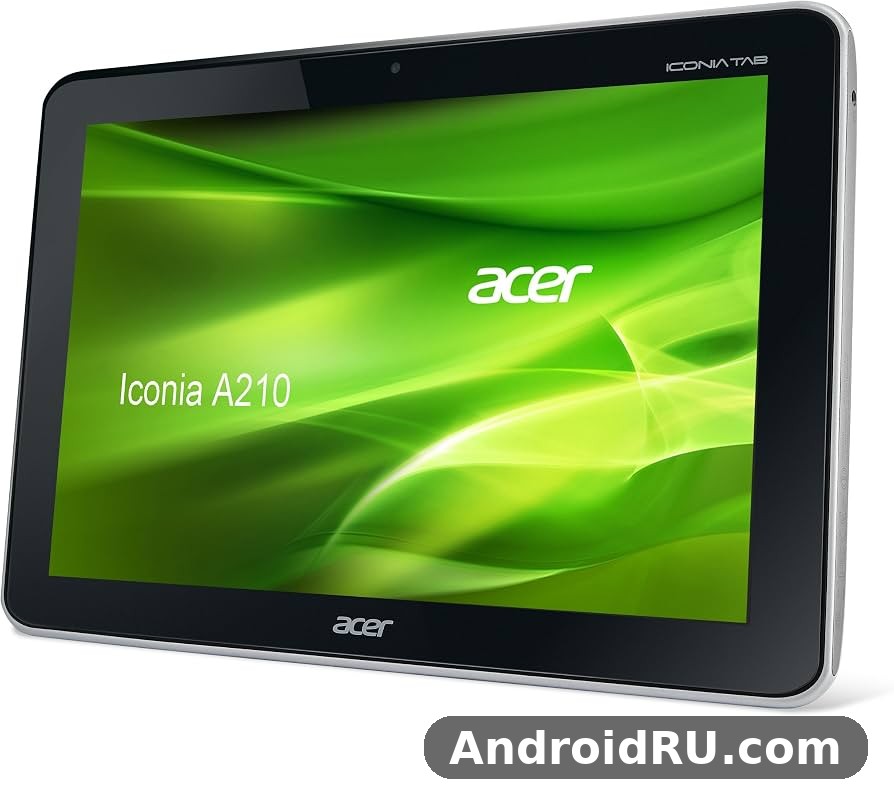
As an Android tablet from the early 2010s, it sits between the smaller 7-inch models of the same period and the heavier productivity tablets that followed. The Acer Iconia Tab A210 specs tell that story in plain numbers: a quad-core 1.2 GHz processor, 1 GB of RAM, 8 GB or 16 GB of internal space, and a 1280 by 800 display. The Acer Iconia Tab A210 price was about 260 EUR when it reached shops in Europe, which placed it in the middle of the market rather than at the budget or premium end. This tablet review keeps that context in view throughout, so every strength and limit is judged against what buyers could expect in 2012.
The Acer Iconia Tab A210 full specifications and features are set out in the table near the end of this article, and the sections before it explain what those numbers meant in daily use. From the screen and speakers to the battery, the ports and the software, each part is covered in turn. The aim is a clear, honest record: what the tablet did well, where it showed its age even then, and what a buyer of a used example should check now.
Design and Build: A 10.1-Inch Tablet From 2012
The first thing anyone notices about the Acer Iconia Tab A210 is its size. At 259.1 by 175.3 by 12.2 mm and 685 grams, it is a large, solid slab by the standards of its day, and it still feels substantial in the hand now. The Acer Iconia Tab A210 dimensions and weight for travel mattered to buyers who planned to carry it in a bag alongside books or a laptop, and the weight of 1.51 lb was acceptable for a 10.1-inch device of that period. It was not a tablet that vanished into a jacket pocket, and it was never meant to be one. It was a machine for a desk, a sofa, a kitchen counter or a train seat tray.
The Acer Iconia Tab A210 Titanium Gray colour and design details give the tablet a plain, business-like look. Titanium Gray was the only colour listed for the model, and the finish was restrained rather than flashy. There were no bright accents and no attempt to copy the look of a phone. The front was dominated by the screen, with a bezel wide enough to hold without touching the display by accident, and the back was a simple, matte surface that resisted fingerprints better than a glossy shell would have done.
What the Titanium Gray body feels like in the hand
Holding the tablet with two hands, the weight is spread evenly across the frame, and the 12.2 mm thickness gives the fingers something to grip. The Acer Iconia Tab A210 weight is part of that feeling: at 685 grams it is heavy enough to feel solid, yet light enough for reading on a sofa for a reasonable stretch. The Acer Iconia Tab A210 colours were limited to that single Titanium Gray finish, so buyers had no choice to make, and the look has aged in a quiet way. It does not look like a toy, and it does not pretend to be a fashion item. It looks like a tool for reading, watching and browsing.
Size, weight and grip
For a device of its size, the balance is sensible. The screen-to-body ratio of about 65.1 percent leaves room for a grip on each side, which helps when the tablet is held in landscape for video. The Acer Iconia Tab A210 dimensions are generous, and the tablet is best used with both hands or propped on a surface for longer sessions. A case or a simple stand made a real difference for owners who watched films or read for an hour at a time, and that was true of most tablets of this size in 2012.
Ports and buttons on the frame
Acer gave the tablet a useful set of physical connections for its time. There is a microUSB 2.0 port, a full-size USB 2.0 port and support for USB on the go, which meant a keyboard, a mouse or a flash drive could be attached with the right cable. The Acer Iconia Tab A210 USB port and file transfer guide in the connectivity section below explains those options in more detail. A 3.5 mm headphone jack sits on the frame for wired headphones, and a dedicated microSDHC card slot allows the internal space to be expanded. The power button and volume controls are placed where they can be found without looking, and the overall layout is simple to learn.
Display and Sound for Everyday Media
The screen is the centre of any tablet, and the Acer Iconia Tab A210 screen size and display quality defined much of its appeal in 2012. The 10.1-inch TFT panel shows 1280 by 800 pixels at about 149 pixels per inch, in a 16 to 10 ratio that suits video and web pages. It is not a high-density panel by later standards, and text is softer than on a modern tablet, yet the size makes reading, browsing and watching comfortable. The Acer Iconia Tab A210 149 ppi pixel density explained simply is this: individual pixels can be seen if you look closely, but at a normal viewing distance the image is clear enough for films, photos and books.
The Acer Iconia Tab A210 16 to 10 aspect ratio for video watching is a practical choice, since most video of the period filled the screen with only small black bars. The TFT panel shows 256K colours, and the Acer UI layer added by the maker sat on top of Android. Brightness and viewing angles were typical for a TFT screen of the time: fine indoors and in shade, less comfortable in strong direct sunlight. For a tablet that was mainly used at home, in a classroom or on a journey, that trade-off was easy to accept.
A 10.1-inch TFT panel at 1280 by 800
The Acer Iconia Tab A210 display measures 10.1 inches across the diagonal, with a screen area of about 295.8 square centimetres. The 1280 by 800 resolution gives enough room for a web page, a document or a game to breathe, and the 16:10 shape is wider than the 4:3 shape used by some rivals. That width helped when two windows or a video and its controls shared the screen. The Acer Iconia Tab A210 screen size and display quality were among its strongest points at launch, because a large, bright screen was the main reason many buyers chose a 10.1-inch model over a 7-inch one.
Reading, video and viewing angles
Reading on the tablet works well for books, news and long articles, with large type and a page that can show a good amount of text at once. Video playback is smooth for standard-definition and 720p material, and the stereo speakers add to the experience. Colours are natural rather than vivid, which suits long viewing sessions. Viewing angles are adequate for one or two people watching together, though the image washes out a little when seen from a sharp side angle, as TFT panels of the era often did.
Stereo speakers and the 3.5 mm jack
The Acer Iconia Tab A210 sound quality with stereo speakers is a genuine plus for a tablet of its age. The loudspeaker is listed as stereo, and the sound is clear enough for video, spoken-word audio and casual music in a quiet room. It will not fill a large room or replace a separate speaker, but it is a step up from a single small speaker. The Acer Iconia Tab A210 speakers work well with the headphone jack for private listening, and the 3.5 mm jack accepts standard wired headphones without an adapter. The Acer Iconia Tab A210 sound is also supported by standard audio formats including MP3, WAV, WMA and eAAC+, so a music collection of the period played without fuss.
Performance and Software: Tegra 3 and Android
Under the screen, the tablet runs on the NVIDIA Tegra 3 platform. The Acer Iconia Tab A210 chipset is the Tegra 3, a quad-core chip with four ARM Cortex-A9 cores running at 1.2 GHz and ULP GeForce graphics. As a Tegra 3 tablet, it was part of a wave of devices that brought quad-core processing to Android tablets in 2012, and the chip was also used in a number of well-known tablets and phones of the period. The Acer Iconia Tab A210 performance in everyday tasks was solid for its time: menus moved quickly, web pages loaded at a reasonable pace, and apps opened without long waits.
The Acer Iconia Tab A210 review and performance test notes from the period agree on the same picture. This was a tablet for browsing, email, video, books and light games, not a workstation. The 1 GB of RAM is the main limit, and it shows when several apps are kept open at once or when a heavy web page is loaded. Switching between apps can take a moment, and the tablet may close a background app to free memory. That behaviour was common in 2012, when 1 GB was a standard amount for a mid-range tablet, and it is the clearest sign of the tablet’s age today.
NVIDIA Tegra 3 and 1 GB of RAM
The Acer Iconia Tab A210 ULP GeForce graphics for Tegra games gave the tablet a real edge in gaming for its year. The ULP GeForce graphics unit was built to run the Tegra-optimised games of the period, with richer lighting and smoother motion than many rivals could manage. The Acer Iconia Tab A210 games and apps for Android tablet owners included racing, puzzle and action titles that ran well at the native resolution, and the quad-core CPU handled the game logic without stutter in most cases. This quad-core tablet was a capable games machine for casual play, even if it could not match the frame rates of later hardware.
For work and study, the chip and memory combination is enough for a document viewer, a photo viewer and editor, email and a browser with a few tabs open. The Acer Iconia Tab A210 performance is best when one task is the focus and background apps are kept to a minimum. Owners who treated it that way found it reliable, while owners who tried to run many heavy apps at once met the limits of 1 GB of RAM sooner. The Acer Iconia Tab A210 chipset remains the defining part of the machine, and it is the reason the tablet still feels responsive for simple tasks more than a decade later.
Android 4.0 Ice Cream Sandwich and the Jelly Bean update
The tablet shipped with Android 4.0 Ice Cream Sandwich and could be updated to Android 4.1 Jelly Bean. The Acer Iconia Tab A210 Android update to Jelly Bean brought the smoother interface and improved notifications of that release, and it is the version most surviving examples run. The Acer Iconia Tab A210 Android software includes the Acer UI layer, which changed the look of the home screen and some menus, while the core of the system stayed close to stock Android. The Acer Iconia Tab A210 update path ended at Android 4.1, so later Android features, security patches and app versions are not available through official channels.
That limit shapes what the tablet can do now. Many current apps require a newer Android version, so a used example is best suited to offline reading, stored video and music, older apps that are already installed, and web browsing on sites that still work with an older browser. The Acer Iconia Tab A210 software is a snapshot of Android in 2012, and it should be judged as such. For a collector or a reader who wants a simple media tablet, the old software is part of the charm; for anyone who needs current apps, it is a firm limit.
Connectivity: Wi-Fi, Bluetooth, GPS and USB
Connectivity is the heart of this article’s brief, and the Acer Iconia Tab A210 is a Wi-Fi tablet through and through. It has no cellular connection, no SIM slot and no support for GSM voice calls, SMS or MMS. That fact shapes every judgement about it: the tablet was made for places with Wi-Fi, and it needs a wireless network or a hotspot from another device to get online. The Acer Iconia Tab A210 WiFi connection and Bluetooth pairing options, the GPS receiver and the USB ports together cover the connections that mattered most in 2012, and each one is covered below.
The Acer Iconia Tab A210 WiFi radio supports 802.11 b, g and n, with hotspot capability, so the tablet can also share its connection in the other direction when it is online. The Acer Iconia Tab A210 hotspot sharing with other devices was a handy feature for owners who wanted to pass a hotel or home Wi-Fi connection on to a second device, though the tablet itself still needed a Wi-Fi network first. The Acer Iconia Tab A210 Bluetooth radio is version 2.1 with EDR, which is enough for a wireless headset, a keyboard or a file transfer to a phone or laptop of the same era. The Acer Iconia Tab A210 Bluetooth pairing process follows the standard Android steps of the time: turn Bluetooth on, make the accessory discoverable, and confirm the pairing code.
Wi-Fi, hotspot and Bluetooth 2.1
In daily use, the Wi-Fi connection is stable on a home network, and the 802.11n support gives a better link than the older 802.11g standard alone. The Acer Iconia Tab A210 WiFi performance is adequate for streaming standard-definition video, browsing and email, though the older radio and the older browser limit what modern web services will do. The Acer Iconia Tab A210 no SIM card and no cellular connection rule means there is no mobile data bill and no carrier lock to worry about, and that simplicity suited buyers who only used a tablet at home or at work. There is no NFC and no FM radio, so payments and radio listening were never part of the package.
GPS, GLONASS and USB on the go
For location, the tablet has both GPS and GLONASS receivers. The Acer Iconia Tab A210 GPS navigation and location accuracy were useful for maps and for apps that needed a position, even though the large screen made the tablet an awkward device to hold up as a car navigator. The Acer Iconia Tab A210 GPS receiver works without a cellular connection, using satellite signals alone, so offline maps could still show a position. The Acer Iconia Tab A210 microUSB OTG support for accessories adds another layer of flexibility: with an OTG cable, a USB flash drive, a keyboard or a mouse can be connected, and the full-size USB 2.0 port makes that connection even simpler. The Acer Iconia Tab A210 USB port and file transfer guide in short is to connect the microUSB cable to a computer, choose the transfer mode on the tablet, and copy files in either direction.
Camera, Battery and Daily Use
The camera and battery are modest parts of the package, and they were modest even in 2012. The tablet has a single 2 MP front camera and no rear camera and no front camera for selfies in the modern sense beyond that one lens. The Acer Iconia Tab A210 camera quality for video calls is best described as functional: it is clear enough for a video chat in good light, and it records video, but it will not produce detailed photos. The Acer Iconia Tab A210 camera is a reminder that tablets of this era were not built to replace a camera, and Acer chose to spend the budget on the screen and the chip instead.
Daily use is where the tablet shows its character. It is a comfortable machine for reading, watching and browsing, with a screen large enough to enjoy and a body that sits well on a table. The Acer Iconia Tab A210 battery life and charging time, the sound and the ports all point the same way: this was a home and travel media tablet, not a phone and not a laptop. The Acer Iconia Tab A210 battery is a non-removable Li-Po cell, so a worn battery is a repair job rather than a simple swap, and buyers of a used example should check how long the tablet holds a charge before they commit.
A 2 MP front camera for video calls
The single 2 MP camera sits on the front of the tablet, above the screen, and it is the only camera the device has. There is no rear camera, no flash and no front-facing camera in addition to it. The Acer Iconia Tab A210 camera quality for video calls is acceptable in bright indoor light, with a soft image and limited detail, and it struggles in dim rooms. The Acer Iconia Tab A210 camera was never meant for photography, and owners who wanted photos used a phone or a camera. For a video call with family or a colleague, it did the job, and that was its purpose.
Battery life from the 3260 mAh cell
The Acer Iconia Tab A210 battery is a Li-Po cell rated at 3260 mAh, and Acer quoted up to 8 hours of multimedia use. The Acer Iconia Tab A210 battery life and charging time in practice depended on screen brightness, Wi-Fi use and video playback, and a full day of light use was possible when the tablet was new. The Acer Iconia Tab A210 non removable battery replacement options are limited now, since the cell is sealed inside the body and a replacement needs a repair shop and a compatible part. The Acer Iconia Tab A210 battery is the part most likely to have aged on a surviving example, so a test of real battery life is the most useful check a buyer can make.
Full Specifications
The Acer Iconia Tab A210 full specifications and features are listed in the table below, based on the published specification record for the model. The Acer Iconia Tab A210 specs cover the network, launch, body, display, platform, memory, camera, sound, connections, sensors and battery. The Acer Iconia Tab A210 storage options and microSD expansion are covered in the memory row, and the Acer Iconia Tab A210 storage choices of 8 GB or 16 GB, each with 1 GB of RAM, are shown there. Readers who want a quick check can scan the table, while the sections above explain what each figure meant in practice.
| Feature | Specification |
|---|---|
| Model | Acer Iconia Tab A210 |
| Network | No cellular connectivity; no GSM voice, SMS or MMS; no SIM |
| Launch | Announced 2012, Q3; Released 2012, November; Status: Discontinued |
| Body | 259.1 x 175.3 x 12.2 mm; 685 g; Titanium Gray |
| Display | 10.1-inch TFT, 256K colours; 1280 x 800 pixels; 16:10 ratio; about 149 ppi; Acer UI |
| Platform | Android 4.0 Ice Cream Sandwich, upgradable to 4.1 Jelly Bean; Nvidia Tegra 3; Quad-core 1.2 GHz; ULP GeForce GPU |
| Memory | 1 GB RAM; 8 GB or 16 GB internal; microSDHC card slot (dedicated slot) |
| Main camera | Single 2 MP front camera; video recording: Yes |
| Selfie camera | No separate selfie camera |
| Sound | Stereo loudspeaker; 3.5 mm jack; stereo sound |
| Comms | Wi-Fi 802.11 b/g/n, hotspot; Bluetooth 2.1, EDR; GPS, GLONASS; NFC: No; Radio: No; microUSB 2.0, USB 2.0, OTG |
| Features | Accelerometer, gyro; MP3/WAV/WMA/eAAC+ player; XviD/MP4/H.264 player; document viewer; photo viewer/editor |
| Battery | Li-Po 3260 mAh, non-removable; up to 8 h multimedia use |
| Price | About 260 EUR |
The Acer Iconia Tab A210 microSDHC card slot maximum capacity was listed in retail material as up to 32 GB, which was a useful addition when the base model held only 8 GB. The Acer Iconia Tab A210 8 GB model versus 16 GB model choice was simple: the 16 GB version cost more and held twice as many apps, books and films before a card was needed. The Acer Iconia Tab A210 document viewer and photo editor apps covered basic office files and image viewing, and the Acer Iconia Tab A210 accelerometer and gyroscope sensor functions supported screen rotation and motion-based games. The Acer Iconia Tab A210 dimensions and the 685 g weight are repeated here because they are the figures buyers most often check against a bag or a stand.
Pros and Cons
Judged as a tablet from 2012, the Acer Iconia Tab A210 has a clear set of strengths and a clear set of limits. The strengths are the large screen, the Tegra 3 chip, the stereo sound and the useful ports. The limits are the 1 GB of RAM, the single 2 MP camera, the sealed battery and the Android version, which stopped at 4.1 Jelly Bean. The Acer Iconia Tab A210 problems that owners reported most often were the ones that followed from those limits: slow switching between apps, a battery that faded with age, and apps that stopped supporting the old Android version. The Acer Iconia Tab A210 manual and the standard Android help of the period cover the basic settings, and most fixes for a used example are simple ones, such as a restart, a cache clear or a reset.
Pros
The large 10.1-inch screen suits video, reading and browsing, and the 1280 by 800 resolution is comfortable for long sessions. The NVIDIA Tegra 3 quad-core chip and ULP GeForce graphics handle the games and apps of the period well. Stereo speakers and a 3.5 mm jack give good sound for a tablet of its age. Wi-Fi 802.11n, Bluetooth 2.1, GPS with GLONASS and USB on the go cover the main connections, and the microSDHC slot allows the 8 GB or 16 GB of internal space to be expanded. The Acer Iconia Tab A210 accessories of the period, including cases, stands, keyboards and OTG cables, add to its usefulness as a media and reading tablet.
Cons
Only 1 GB of RAM limits multitasking and heavy web pages. There is no rear camera, and the single 2 MP front camera is basic. There is no SIM slot and no cellular connection, so the tablet is offline away from Wi-Fi. The 3260 mAh battery is sealed inside the body and will have faded on most surviving examples. Android stopped at version 4.1 Jelly Bean, so many current apps will not install or run. The Acer Iconia Tab A210 price in Europe in 2012 of about 260 EUR was fair for the time, yet it bought a mid-range tablet rather than a premium one, and the TFT panel and the 685 g weight show that compromise.
More Acer Devices to Explore
Readers who want to compare this tablet with nearby Acer models from the same era can start with the related articles below. The Acer Iconia Tab A210 vs Acer Iconia Tab A200 comparison is a natural next step, since the A200 was the earlier 10.1-inch model in the same line, and the A701 offers a higher-resolution screen for readers who want to see how Acer moved the range forward. The Acer Iconia Tab A210 release in November 2012 sits in a busy period for the brand, with phones and tablets sharing the same Android software and the same design language, and the related articles cover that period from several angles.
Acer CloudMobile S500 in Review: Everyday Performance, Connectivity and Every Spec That Matters
Acer Iconia Tab A200 Detailed Review and Specifications: Performance in Focus
Breaking Down the Acer Liquid Glow E330: Review, Features and Full Specs
Acer Iconia Tab A701 Review: Features in Everyday Use and the Full Specs
Acer Liquid Gallant Duo Review: What Software and Durability Are Really Like
Frequently Asked Questions
The questions below cover the points readers ask most often about this tablet, from its release date and software to its storage, battery and connections. The Acer Iconia Tab A210 discontinued tablet buying guide today is simple: check the screen, test the battery, confirm the Wi-Fi and Bluetooth work, and set expectations to match a 2012 device. The Acer Iconia Tab A210 second hand price and condition checklist follows the same logic, and the Acer Iconia Tab A210 factory reset and software troubleshooting tips in the answers below cover the most common fixes.
Is the Acer Iconia Tab A210 still usable today?
Yes, within clear limits. It works well for offline reading, stored video and music, older apps and light browsing, and the large screen is still pleasant for those tasks. It is not a good choice for current apps, modern web services or security-sensitive use, because Android stopped at version 4.1 Jelly Bean and many apps now need a newer version. A used example is best bought as a media reader or a collector’s item, with the battery tested before purchase.
Does the Acer Iconia Tab A210 have a SIM card slot?
No. The tablet has no SIM slot, no cellular connectivity and no support for GSM voice calls, SMS or MMS. It connects through Wi-Fi 802.11 b/g/n, and it can use a hotspot from a phone when Wi-Fi is not available. The Acer Iconia Tab A210 WiFi connection is its only route online, so buyers should plan to use it where a wireless network is available.
Can the Acer Iconia Tab A210 be updated to Android 4.1 Jelly Bean?
Yes. The tablet shipped with Android 4.0 Ice Cream Sandwich and was upgradable to Android 4.1 Jelly Bean through the official update. That was the final official Android version for the model, and no later official update was released. The Acer Iconia Tab A210 Android software on a surviving example is usually already on 4.1, and a factory reset will keep that version rather than moving it forward.
How much storage does the Acer Iconia Tab A210 have?
The tablet was sold with 8 GB or 16 GB of internal space, each with 1 GB of RAM, and a dedicated microSDHC card slot for expansion. The Acer Iconia Tab A210 storage options and microSD expansion make the 8 GB model workable when a card is added, though the 16 GB model is the easier choice for a larger collection of apps and media. A card of up to 32 GB was the figure quoted in retail material for the slot.
What is the battery capacity of the Acer Iconia Tab A210?
The battery is a non-removable Li-Po cell rated at 3260 mAh, with up to 8 hours of multimedia use quoted when the tablet was new. Real battery life now depends on the age and condition of the cell, and a used example may hold far less charge than it did in 2012. Test the battery on a full charge before buying a used tablet, and treat a short battery life as a sign that a repair or a lower price is needed. The Acer Iconia Tab A210 release date of November 2012 means every surviving battery is now many years old.
For readers who want a final summary, the Acer Iconia Tab A210 is a clear snapshot of the Android tablet market in late 2012: a large screen, a quad-core Tegra 3 chip, stereo sound, Wi-Fi and GPS, and a set of limits that were normal for the time. The 10.1-inch display, Tegra 3 power and useful ports made it a solid mid-range choice at about 260 EUR, while the 1 GB of RAM, the 2 MP camera and the Android 4.1 limit set its ceiling. As a classic tablet, it is best enjoyed for reading, video and light browsing, with its full specifications kept in view and its age honestly acknowledged.

