

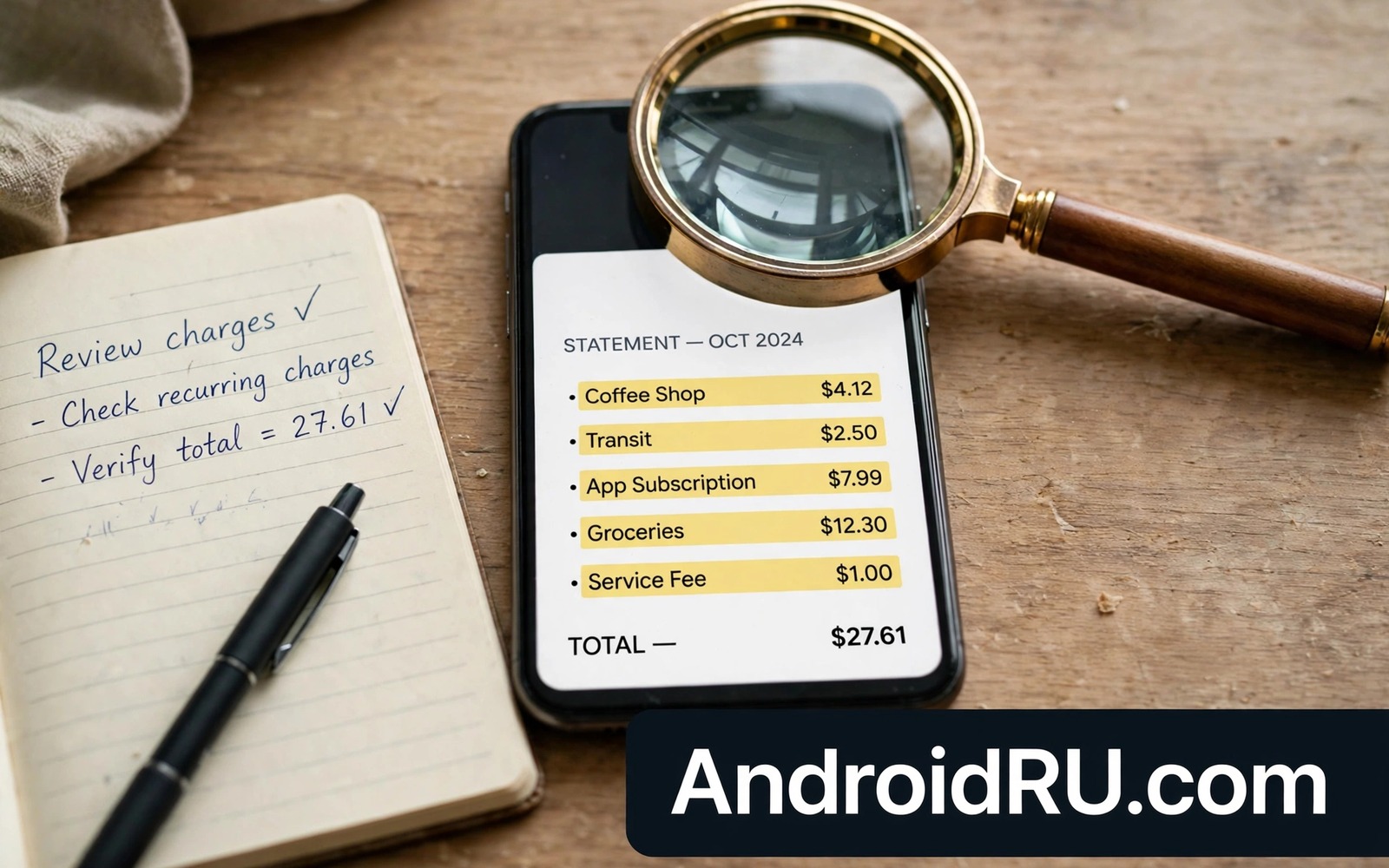
Money-stealing apps rarely announce themselves with a single large charge. They take small amounts repeatedly through subscriptions and premium services and hidden fees. Small charges blend into statements and owners dismiss them for months. By the time the pattern becomes obvious the total loss can be substantial. Learning the red flags early stops the drain at the first suspicious charge.
These apps succeed because they exploit trust and inattention. A free trial converts silently into a paid plan. A game offers a purchase that a child taps without understanding. A utility app subscribes you during setup with a pre-ticked box. Each trick relies on you not checking. Regular statement reviews break that reliance completely.
The seven flags in this guide cover the most common money traps on Android. Each flag alone deserves investigation. Two flags together deserve immediate removal and a payment review. Read them now and check your subscriptions tonight. That check also helps when you spot suspicious text messages because money traps and phishing often arrive through the same channels.
Flag one: a free trial that demands payment details upfront
Free trials that require a card before any trial begins are designed to convert by forgetfulness. The app counts on you missing the renewal date. A legitimate trial lets you experience value before payment. A trap trial collects payment details first and hides the cancellation path.
Check trial terms before starting any trial. Note the renewal date in your calendar on the day you start. Cancel immediately after starting if you only want to test the app. Cancelling usually preserves trial access until the end date while removing the renewal risk. That habit defeats the entire trial trap model.
Review active subscriptions monthly in your account settings. Cancel every subscription you do not recognise or no longer use. A subscription list you never review is an open wallet for every app you ever tried. Monthly review closes it.
Flag two: charges you do not recognise on statements
Small recurring charges with vague merchant names are a classic money-trap signature. A charge of a few currency units weekly may be a premium service you never knowingly joined. Check every unfamiliar charge rather than dismissing small amounts. Thieves prefer small amounts precisely because owners ignore them.
Match each charge to an app on your phone. Open subscription settings and compare active plans with statement lines. A charge with no matching subscription may come from carrier billing or a web signup. Contact your carrier and your payment provider to trace unmatched charges promptly.
Dispute charges you cannot trace and block further billing from that merchant. Payment providers have dispute processes for unauthorised transactions. Early disputes succeed more often than late ones. Keep records of cancellation confirmations for every disputed subscription. That review habit also catches apps you should uninstall at once because money traps often hide beside other risky apps.
Flag three: premium SMS and carrier billing surprises
Some apps subscribe you to premium SMS services that bill through your carrier. Charges appear on the phone bill rather than on a card statement. Owners who rarely read phone bills miss them for months. An app with SMS permission from an unknown maker is a prime suspect for this trap.
Check your phone bill line by line for premium service entries. Contact your carrier to block premium SMS billing if you do not use it. Most carriers offer a block that prevents all premium subscriptions. Enabling that block removes an entire category of money trap at once.
Revoke SMS permission from any app that does not clearly need it for messaging you chose. A game or a cleaner with SMS access has no honest need to send messages. That permission alone is a red flag worth acting on even before any charge appears.
Flag four: aggressive upsells and fake system warnings
Apps that constantly warn about infections or slowness and then sell a fix are running a scare business. The warnings are manufactured to create urgency. The paid fix does nothing that built-in tools do not already do. Paying rewards the scare and invites more of it.
Legitimate apps explain features calmly and let you decide without countdown timers. Trap apps use timers and red banners and locked features. If an app pressures you to pay within minutes then close it and uninstall it. Pressure is a sales tactic that honest tools do not need.
Watch for apps that lock basic features behind repeated payments. A torch that charges monthly or a calculator with a subscription is a trap by design. Basic utilities should be free or one-time purchases. Subscriptions for trivial tools signal a money-first product.
Flag five: permission demands unrelated to the app purpose
A photo editor that demands SMS and contacts and call access is collecting data or billing paths rather than serving its stated purpose. Unrelated permissions often support premium subscriptions or data sales. The app purpose should explain every permission it holds. Unexplained permissions are a financial red flag as well as a privacy one.
Audit permissions for every app with a subscription. Revoke anything unrelated to visible features. If the app stops working after revocation then its business depended on that access. That dependence confirms the flag rather than refuting it. Find an alternative with honest permissions.
Children devices deserve extra audits because children tap through permission prompts quickly. Review subscriptions and permissions on family devices monthly. A child cannot consent meaningfully to a premium subscription hidden in a game. Adult review is the only reliable guard. The same vigilance applies to system alerts that signal infection because infection warnings often accompany billing traps.
Flags six and seven: hidden renewals and disappearing support
Hidden renewals bury the renewal date in long terms and send no reminder before charging. Support that disappears after payment completes the trap. An app with no working contact method and no clear cancellation path is designed to keep charging. Legitimate businesses make cancellation easy and support reachable.
Test support before paying for any subscription app. Send a question and see whether a human answers helpfully. Check cancellation steps in advance and confirm they work without a phone call or a desktop-only portal. An app that hides cancellation behind obstacles plans to profit from your frustration.
Read recent user reviews focusing on billing complaints rather than star ratings. A pattern of surprise charges in reviews predicts your own experience accurately. One complaint may be a misunderstanding. Dozens of billing complaints form a verdict. Trust that verdict over the app description.
A money safety routine
Review subscriptions and statements and permissions together once a month. Cancel unknown subscriptions and dispute unknown charges and revoke unrelated permissions in the same session. That monthly routine takes fifteen minutes and it catches traps early. Set a calendar reminder so the routine survives busy months.
Step 1 > Review active subscriptions
Step 2 > Match statement charges to apps
Step 3 > Revoke unrelated permissions
Step 4 > Block premium SMS with carrier
Step 5 > Cancel and keep confirmation
The routine above was written for this article to make money safety a monthly habit rather than a crisis response. It pairs financial checks with permission checks because money traps use both paths. Run it on the same day each month and keep cancellation confirmations in one folder for disputes.
Check family devices the same way
Money traps spread across family devices because children and older relatives tap through trials quickly. Review subscriptions on every device in the household monthly. A single family review session catches traps on phones you rarely inspect. Shared vigilance protects the household budget better than individual checks alone.
Teach family members to ask before starting any trial that requests payment details. A trial that needs a card is a commitment even when the first days are free. Family agreement on that rule prevents most trial traps before they start.
Common mistakes
The biggest mistake is ignoring small charges because they seem trivial. Small charges are the business model of money-trap apps. They rely on owners dismissing a few currency units repeatedly. Every charge deserves a match to a known subscription.
Another mistake is starting trials without a calendar reminder. Trials convert silently by design. A reminder on day one defeats the silence. Cancel early and keep trial access without renewal risk.
People also trust star ratings over billing reviews. A trap app can buy ratings and bury complaints. Read the newest reviews with billing keywords in mind. Patterns matter more than averages when money is involved.
Finally avoid sharing payment details with apps you have not vetted. A card on file with an unknown app is an open billing path. Use payment methods with strong dispute protections for subscriptions. Remove cards from apps you no longer use.
Frequently asked questions
Can I get money back from a trap subscription?
Often yes when you dispute promptly and show cancellation records. Contact the app provider first and then your payment provider if that fails. Keep screenshots of cancellation confirmations and charge dates. Early disputes with clear records succeed most often.
Should I delete an app before cancelling its subscription?
No. Cancel the subscription first through account settings. Deleting the app does not cancel billing in most cases. Confirm cancellation in writing then uninstall the app. That order prevents charges from continuing after the icon disappears.
Are free apps with ads safer than subscription apps?
Not necessarily. Ad-supported apps can still harvest data or push scare purchases. Judge each app by its permissions and its billing behaviour rather than by its price model. A transparent free app beats a trap subscription app every time.
Conclusion
Seven red flags reveal money-stealing apps before losses grow. Upfront payment trials and unrecognised charges and premium SMS and scare upsells and unrelated permissions and hidden renewals and vanished support each deserve action. Monthly reviews of subscriptions and statements and permissions catch them early.
Your concrete next step is to open your subscription list tonight and cancel one plan you do not recognise or no longer use. That single cancellation may be the most profitable tap you make this month.

