

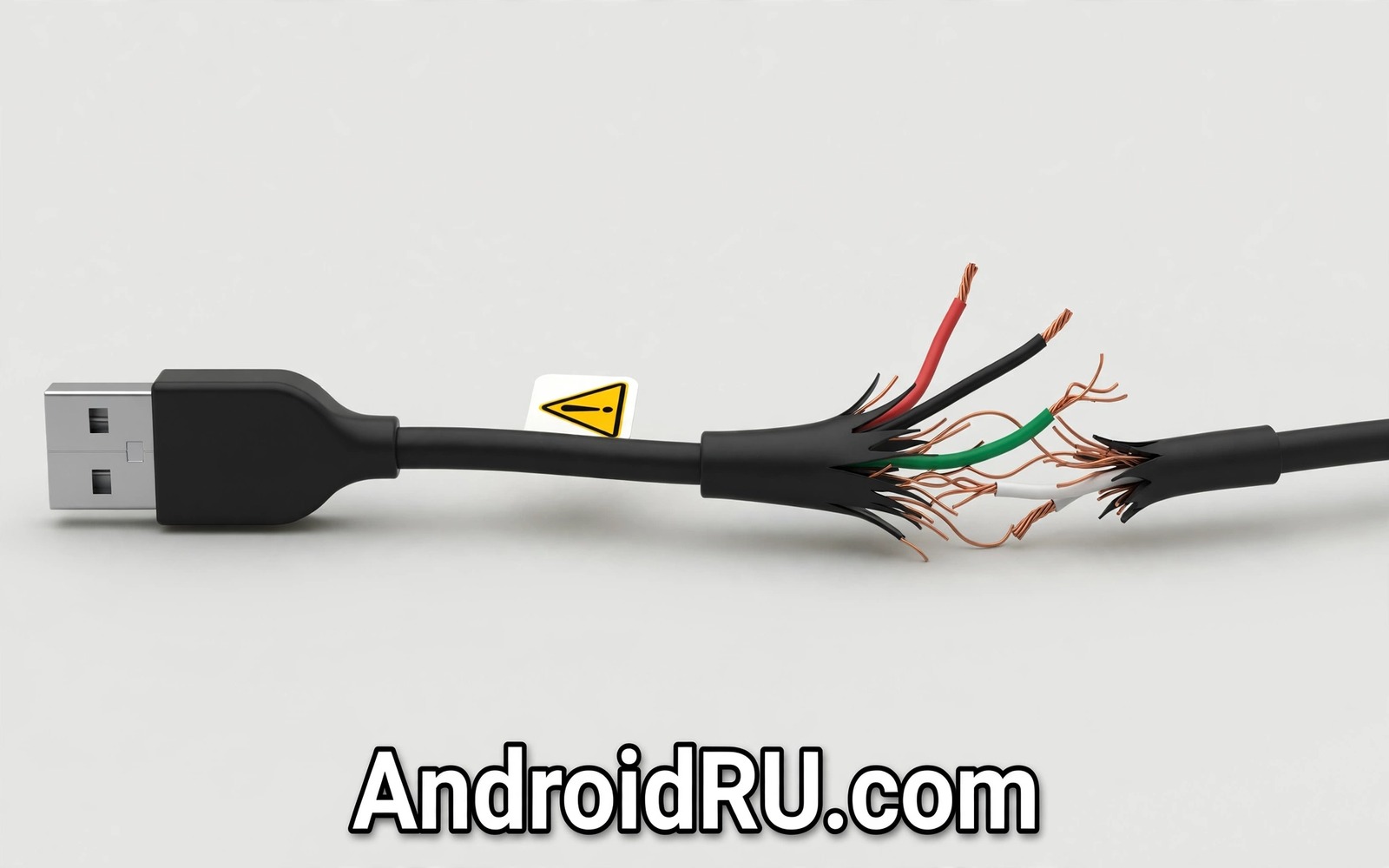
A charging cable looks like the simplest accessory you own. Two connectors and a length of wire should be hard to get wrong. Cheap cables prove otherwise because the danger hides inside the plastic where you cannot see it. Thin wires and missing resistors and poor shielding turn an everyday object into a slow source of damage. The phone may charge fine for weeks while the harm accumulates quietly.
The first problem is resistance. Thin copper or copper-coated aluminium carries current poorly and converts part of that current into heat. That heat warms the cable and the port and the battery during every charge. Over months the extra heat ages the battery and loosens the port. A cable that feels warm during normal charging is already telling you that its wires are too thin for the job.
The second problem is missing safety parts. A proper cable includes components that negotiate power levels with the charger and the phone. Some bargain cables skip those parts to cut cost. The phone may then receive more power than its design expects or the charger may fail to recognise the phone correctly. Either outcome stresses electronics that were never meant to absorb that abuse. This risk grows with fast charging which is why charging a phone next to your bed deserve the same caution as cheap cables.
How a bad cable damages your phone over time
Heat is the main mechanism of damage. A warm port expands and contracts with each charge cycle. That movement slowly weakens solder joints and the grip of the connector. Owners first notice a cable that falls out easily or that only charges at one angle. Those symptoms mean the port has already suffered wear that a good cable would have delayed for years.
Voltage problems cause a second kind of damage. An unstable cable can deliver power in spikes rather than a steady flow. The phone protection circuits absorb small spikes but repeated spikes wear them down. Symptoms include random reboots during charging and battery percentage jumping up and down. A phone that behaves strangely only while charging points strongly at the cable or the charger.
Data risk is easy to overlook. A cable carries data as well as power when connected to a computer. A poorly shielded cable can corrupt transfers and drop connections mid-copy. Photos and backups moved over a bad cable may arrive damaged without any warning. Use a trusted cable for data transfer even if a cheap cable seems fine for overnight charging.
Warning signs that your cable is unsafe
Heat during charging is the clearest warning. A cable that feels hot along its length or hot at the connector should be retired at once. Warmth at the phone end during fast charging can be normal. Heat that makes the cable uncomfortable to hold is never normal. Stop using that cable and do not try to rescue it with tape.
Slow or unstable charging is another sign. A cable that charges far slower than the original or that connects and disconnects repeatedly has internal damage or thin wires. Bending the cable to make it work is a warning that conductors inside are breaking. Each bend that restores contact also creates a point of high resistance and extra heat.
Physical clues matter too. A connector that wobbles or a cable that kinks permanently or a sheath that splits near the plug all signal a short life ahead. Exposed wires near a plug are an immediate retirement reason. Tape over exposed wires does not restore the shielding or the safety parts inside. Replace the cable rather than patching it.
What a good cable actually contains
A good cable uses thick copper conductors sized for its rated current. It includes the correct resistor for its connector type so the phone and charger agree on safe power. It uses shielding that protects data lines from interference. It uses strain relief at both plugs so daily bending does not break wires at the joint. None of those features is visible from outside which is why price alone cannot prove quality.
Certification marks help when they are genuine. Look for cables certified for the standard your phone uses and buy from makers with a real support channel. A maker that publishes specifications and honours warranties has a reputation to protect. A nameless listing with no specifications and no support has nothing to lose when its cable fails.
Length matters as well. Very long cables lose more power along their length and they tempt owners to coil them tightly which traps heat. Choose the shortest cable that reaches comfortably from charger to phone. A short quality cable beats a long bargain cable for speed and safety and lifespan.
Choosing a safe cable without overspending
You do not need the most expensive cable on the shelf. You need a cable from a known maker with clear specifications for current and data speed. Compare the rated current with your charger output. A cable rated below your charger becomes the weak link in the chain. Match or exceed the charger rating and the cable stops being the bottleneck.
Buy one good cable for daily use and one good spare for travel. Two quality cables cost less than one port repair. Keep the spare in a bag rather than wound tightly around the charger. Loose coils prevent the sharp bends that break conductors near the plugs. Replace cables at the first sign of wear rather than at the point of failure.
Keep the original cable that came with the phone as a reference. If a new cable charges noticeably slower or hotter than the original then the new cable is inferior regardless of its claims. That simple comparison catches most bad purchases before they cause damage. The same comparison habit helps when you judge used smartphone buying mistakes because real performance beats printed promises.
A quick cable check routine
Inspect your cables once a month under good light. Look at both plugs and the first few centimetres of sheath beside each plug. Feel the cable during a fast charge and note any hot spots. Check that the connector seats firmly without wobble. Retire any cable that fails one of those checks. A monthly minute of inspection prevents most cable-related damage.
Check 1 > Plugs firm with no wobble
Check 2 > Sheath whole with no splits
Check 3 > Cable cool during charging
Check 4 > Charging speed matches original
The checklist above was written for this article to make cable inspection a repeatable habit. It asks for observation only and it needs no tools or apps. Run it on every cable in your home once a month and retire failures without debate. A cable is cheap and a port repair is not so the cautious choice is also the economical one.
Travel charging without the risk
Travel is where cheap cables cause the most trouble because owners buy whatever a kiosk sells. Pack your own quality cable and charger before every trip. A short cable in your bag weighs almost nothing and it removes the need for emergency purchases. Label your cable so family members do not swap it for a bargain spare.
Hotel and airport charging points deserve caution as well. A public port can hide data theft behind a charging offer. Use your own charger plugged into a wall socket rather than a bare USB port when possible. If only a USB port is available then use a charge-only adapter that blocks data lines. That small accessory costs little and it closes the data path completely.
Heat builds faster in a travel bag than on a desk. Never charge a phone sealed inside a packed bag or under clothes. Lay it on a hard surface with air around it while it charges. Check that the cable sits firmly and that nothing presses on the connector. Those simple habits keep travel charging as safe as charging at home.
Charge on a hard open surface and keep blankets and pillows away from the phone and the cable. Trapped heat during charging stresses the battery long after the charger comes off. A cable that already runs warm becomes far riskier under a cover. The same caution applies to charging a device under pillows or heavy covers which turns an ordinary charge into a genuine fire risk.
Common mistakes
The biggest mistake is buying the cheapest cable in a multi-pack and using it for fast charging. Multi-pack cables often share thin wires across every unit. One bad cable in the pack usually means all of them share the same design. Buy fewer cables of better quality instead.
Another mistake is keeping a damaged cable as a backup. A backup that is unsafe is worse than no backup because it will be used during travel when options are limited. Retire damaged cables completely so nobody in the household picks them up by accident. Cut a retired cable before recycling it to prevent reuse.
People also judge cables by charging speed alone. A cable can charge fast while running dangerously hot. Speed without cool operation is not a pass. Check temperature and stability alongside speed before you trust a new cable for daily use.
Finally avoid charging from unknown public cables and ports when you can. A public cable can be modified to steal data while it charges. Carry your own cable and your own charger for travel. That habit removes an entire category of risk for the cost of pocket space.
Frequently asked questions
Can a cheap cable really damage my battery?
Yes through heat and unstable power over time. A single charge on a bad cable rarely causes visible harm. Months of extra heat age battery chemistry and weaken the port. The damage is cumulative which is why it feels sudden when symptoms finally appear.
Are braided cables always better?
Not necessarily. Braiding protects the outer sheath but it says nothing about wire thickness or internal safety parts. A braided cable with thin wires still overheats. Judge a cable by its maker and its specifications and its temperature during use rather than by its jacket style.
How long should a good cable last?
A quality cable used daily should last two years or more with gentle handling. Sharp bends and tight winding shorten that life. Replace any cable at the first sign of splitting or wobble or heat. Waiting for total failure risks port damage that costs far more than a cable.
Conclusion
Cheap cables hide their danger inside the sheath where thin wires and missing safety parts do slow damage. Heat and port wear and unstable power accumulate for months before symptoms appear. A quality cable from a known maker with matching specifications costs little and protects a phone worth far more.
Your concrete next step is to inspect every cable you own tonight using the four-point checklist above. Retire any cable that runs hot or wobbles or shows splits. Replace it with one quality cable before you charge again.

