

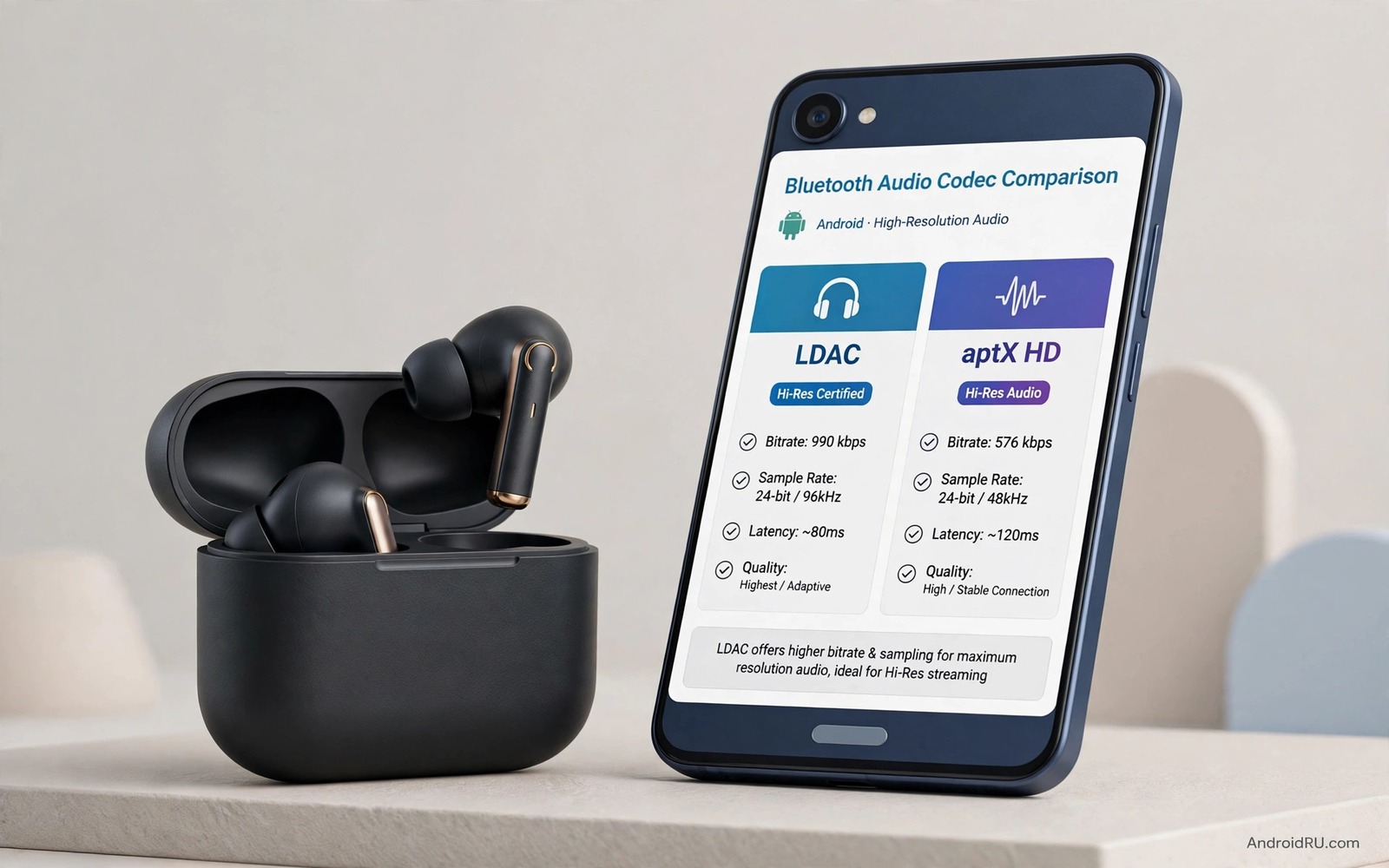
Bluetooth headphones can sound flat even when the music file itself is excellent. The weak point is often the codec that carries sound from your phone to your ears. A codec decides how much detail survives the wireless trip and how stable the link stays when you move. LDAC and aptX HD are the two names that appear most often on premium headphones. Both promise richer sound than the basic codec that every Bluetooth device supports. This guide compares them in plain language and it shows you how to check which one your phone actually uses.
Start with a simple truth about wireless audio. Your phone compresses sound before it sends it over Bluetooth. Your headphones then rebuild that sound for your ears. A higher bitrate usually means less detail is thrown away during compression. LDAC can reach a very high bitrate when the link is strong. aptX HD uses a lower peak bitrate but it aims for steady quality with less fuss. The best choice depends on your headphones and your daily environment and your tolerance for dropouts. A codec that sounds superb in a quiet room can stutter on a busy train.
How LDAC Handles Detail
LDAC was built to carry high resolution audio over Bluetooth. It can send far more data per second than the basic codec. That extra data helps quiet passages and sharp transients keep their shape. You may notice cleaner cymbals and a wider sense of space in well recorded music. The gain is clearest when you play a high quality file through capable headphones. A low quality stream will not suddenly gain detail just because LDAC is active. The codec can only preserve what the source already contains.
LDAC changes its bitrate to match the strength of the link. When the signal is strong it uses its top mode for maximum detail. When the signal weakens it steps down to keep playback going. That adaptive behaviour is useful but it can confuse testing. You might hear superb sound at your desk and weaker sound on a crowded street. Some phones let you force a fixed LDAC mode in developer settings. Forcing the top mode can sound better in a quiet room but it can cause stutters when you walk away from your phone. A balanced mode is often the smarter daily choice.
How aptX HD Handles Stability
aptX HD takes a different path to good sound. It uses a fixed approach that focuses on low delay and consistent quality. Its peak bitrate is lower than the LDAC peak but its delivery is often steadier. Many listeners find aptX HD easier to live with during a commute. Voices stay clear and bass stays controlled even when the environment is noisy. The codec also pairs well with video because its delay is modest. Lip sync problems are less likely than with some high bitrate modes.
Phone support is the first thing to check before you buy headphones. Not every Android phone supports both codecs. Some phones support LDAC but not aptX HD and some support the reverse. Your headphones must also support the codec you want to use. If either side lacks support then the pair falls back to a basic codec. That fallback is why two people can own the same headphones and hear very different results. Learning about spatial audio head tracking setup can help you judge the full wireless experience beyond a single codec name.
Test Both Codecs On Your Own Phone
Testing starts in your Bluetooth settings. Pair your headphones and then open the device details for that pair. Some phones show the active codec directly in that screen. Other phones hide the detail in developer options under Bluetooth audio codec. Play the same track twice with the same volume and the same headphones. Change only the codec between tests if your phone allows it. Keep the phone in your pocket during one test and on a desk during another test. That simple change reveals how each codec copes with real movement.
Use music you know well for the test. Pick a track with acoustic guitar and a track with deep bass and a track with a clear vocal. Listen for harsh edges on high notes and for muddiness in the low end. Note whether the sound drops out when you turn your head or walk through a doorway. Write down what you hear after each test while the memory is fresh. A short note beats a vague feeling when you compare two codecs later. Do not judge a codec from a single song or a single room.
adb shell dumpsys bluetooth_manager
adb shell settings get global bluetooth_audio_codec
The snippet above shows a standard Android audio check and it was adapted for this codec guide so you can verify the active mode safely.
Match The Codec To Your Headphone Type
Over ear headphones reveal codec differences more clearly than small earbuds. Their larger drivers reproduce subtle detail and wider dynamics with less strain. LDAC can shine on over ear models in a quiet room because the drivers can use the extra data. Small earbuds still benefit but the gain is often smaller because the driver itself limits detail. Noise cancelling also changes the picture because it adds its own processing to the sound. Test codec differences with noise cancelling on and off if you use it daily. The best codec for your commute may differ from the best codec for home listening. Keep both modes in mind when you judge a pair.
In ear monitors built for critical listening deserve a careful codec test. Their tight seal and detailed tuning expose compression artefacts more readily. Play a track with brushed drums and soft piano and listen for smearing on the attack. A good codec keeps each brush stroke distinct while a weak link blurs them together. Gaming earbuds need a different priority because delay matters more than peak detail. A stable codec with low delay will feel better in a game than a high bitrate mode that stutters. Match the codec to the job rather than chasing the largest number on a spec sheet.
Battery And Latency Tradeoffs
High bitrate codecs use more power on the phone and on the headphones. The radio works harder to move more data and the decoder works harder to rebuild it. That extra work can shorten listening time on a long day. The difference is usually modest but it matters on a phone with an ageing battery. If you listen for eight hours then a steadier codec may save enough power to finish the day. Test battery impact over a full day rather than trusting a single hour of playback. A codec that sounds slightly better is not worth it if it dies before your evening commute ends.
Latency also deserves attention for video and gaming. High bitrate modes can add delay because more data must be buffered before playback. That delay shows up as lip sync error in films and as a lag between action and sound in games. aptX HD often keeps delay lower because its design favours steady delivery. LDAC delay varies with the mode you choose and with link quality. If you watch films daily then test lip sync carefully with a dialogue heavy scene. A small sync error is easy to miss in music but it is obvious when lips move.
Daily Checklist For Codec Testing
Build a short checklist before you compare codecs again. Note the phone model and the headphone model and the app you used for playback. Note the volume level and the room and whether you were moving. Note the codec shown in settings during playback. That record stops you from comparing different volumes or different rooms by accident. Repeat the same checklist after a software update because updates can change codec behaviour. A codec that worked well last month can behave differently after a system update changes Bluetooth handling.
Keep your expectations realistic about what a codec can fix. A codec cannot repair a damaged headphone driver or a noisy recording. It cannot fix a weak Bluetooth antenna or a crowded radio environment. It can only preserve the source as well as the link allows. Focus first on headphone fit and source quality and phone support. Then let the codec choice refine a system that already works well. That order gives you the largest audible gain for the least frustration.
Test In Real Rooms Not Just Spec Sheets
Spec sheets describe ideal conditions that rarely match daily life. A codec test in a quiet office tells you little about a crowded train or a busy airport. Radio interference from many nearby devices can force a codec to step down its bitrate. That step down protects playback but it reduces detail at the same time. Test your chosen codec in the places where you actually listen most often. Walk through a doorway and ride a lift and stand near a microwave oven while music plays. Those everyday obstacles reveal weaknesses that a desk test hides completely. A codec that survives your commute deserves your trust more than a codec that only shines in a silent room.
Volume matching remains essential during every real world test you run. Human ears judge louder sound as better sound even when detail is identical. Set a fixed volume level before you switch codecs and do not touch the control during the test. Use the same track and the same headphones and the same phone position for each run. Change only the codec between runs so the result means something. Repeat the test on a second day if the first result feels unclear. Fresh ears often hear differences that tired ears miss after a long session.
Common Mistakes
The biggest mistake is assuming that a codec label guarantees better sound. A poor headphone driver will still sound poor with a premium codec. A noisy source file will still sound noisy after wireless transfer. Another mistake is forcing the highest bitrate everywhere and then blaming the headphones for stutters. The link matters as much as the codec. A third mistake is testing with different volumes. Louder sound often feels better even when the detail is the same. Match the volume carefully before you declare a winner.
Many buyers also forget to check the phone side of the pair. Headphone marketing can hide the fact that your phone lacks the codec you want. Check support before you spend money and keep the return window in mind. If you want wider control over tone after you pick a codec then read about systemwide graphic sound equalizers and how they shape sound across apps. A good equalizer can matter more than a small codec difference in daily listening.
Frequently Asked Questions
Does LDAC always sound better than aptX HD?
No codec always wins in every situation. LDAC can sound better when the link is strong and the source is high quality. aptX HD can sound better when the link is weak or when stability matters more than peak detail. Your headphones and your environment decide the result. Test both if your gear supports both and trust your own ears.
How do I know which codec my phone is using?
Open the Bluetooth device details for your headphones first. Some phones show the codec there without extra steps. If that screen shows nothing useful then open developer options and look for the Bluetooth audio codec setting. The active codec appears there while music plays. Remember that developer options must be enabled before that menu appears.
Will a better codec fix a low quality music stream?
A better codec cannot invent detail that the stream never had. It can only carry the stream with less extra loss. A low bitrate stream will still sound limited even over LDAC. Upgrade the source quality first if you want a clear gain. Then pick the codec that carries that source most reliably.
For a related audio topic that pairs well with this one, explore phone as a wireless microphone and compare how its setup choices affect everyday listening.
Conclusion
LDAC suits quiet listening with high quality files and capable headphones. aptX HD suits commuting and video and situations where a steady link matters most. Check support on both sides and test with familiar music before you decide. Your next step is concrete and quick. Open your Bluetooth settings today and note the active codec for your main headphones. That single check tells you whether an upgrade can help or whether your current setup already does the job.

