

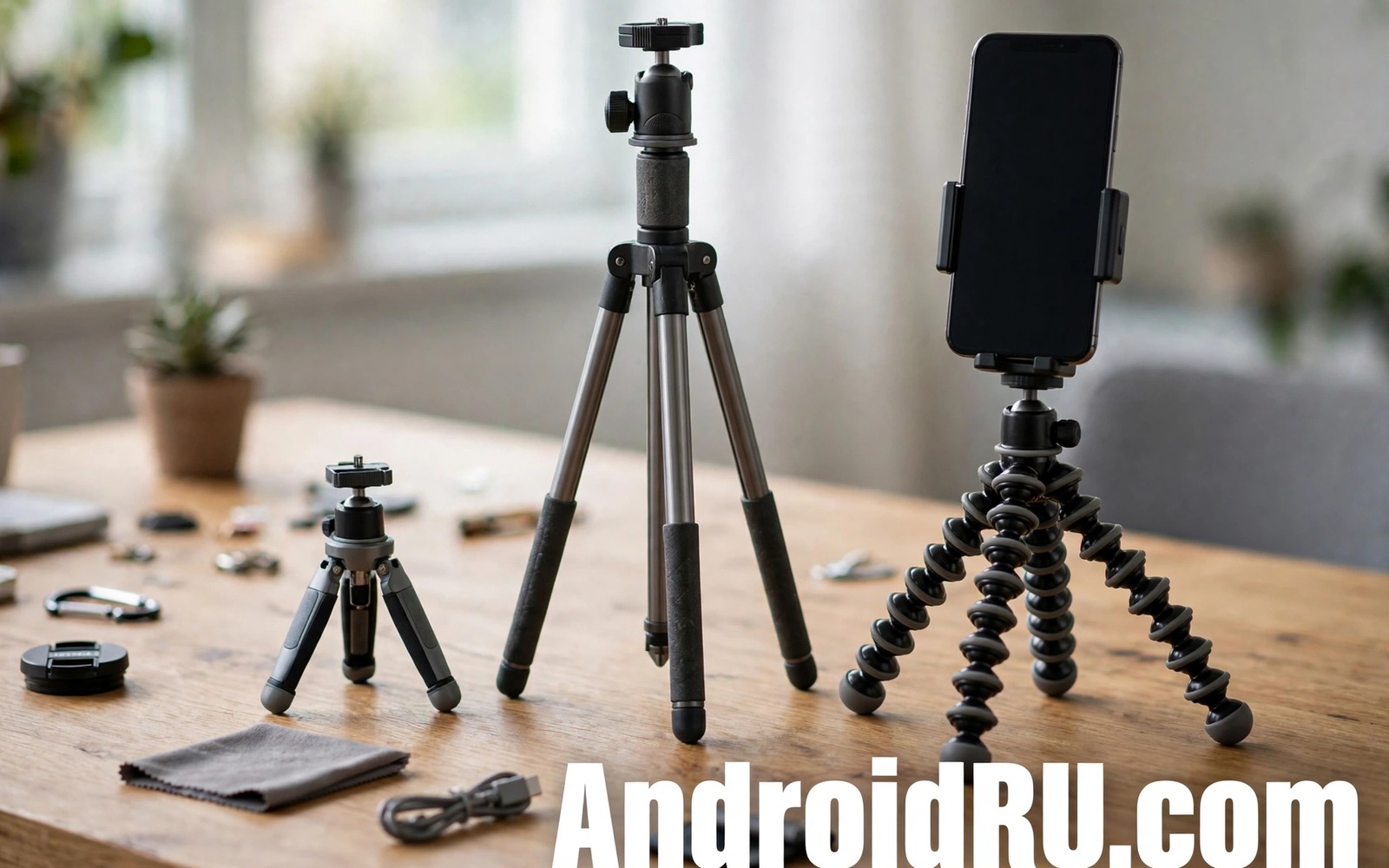
A shaky phone video looks amateur even when the scene itself is interesting. A portable tripod fixes that shake and it frees both hands for talking or cooking or playing. Tripods for phones come in many sizes from pocket mini stands to tall travel models. A mini tripod fits in a jacket pocket but it may struggle in wind. A tall tripod gives a better eye level shot but it adds weight to a bag. This guide covers five portable tripods that creators actually carry and it explains how to pick one for your style of video.
Start with the type of content you make most often. A tabletop creator needs a short stable tripod that sits on a desk without wobbling. A travel vlogger needs a tripod that folds small yet extends tall enough for a walking shot. A fitness creator needs a tripod that grips a bench or a fence when no table is near. A flexible leg tripod can wrap around a rail and hold a phone at an odd angle. A rigid tripod gives steadier shots on flat ground but it cannot grip a branch. Matching the tripod to the location matters more than buying the tallest model on sale.
Phone mount quality decides whether a tripod feels safe or scary. A spring clamp must grip the phone firmly without pressing the side buttons. A clamp with rubber pads protects the phone edge and it stops the phone from sliding during a tilt. A cold shoe mount on top can hold a small light or a microphone for better video quality. Check the mount screw size and the phone holder width before ordering. A holder that is too narrow will squeeze a cased phone and a holder that is too wide will let the phone slip. Test the holder with your case on before a real shoot.
Five Portable Tripods Creators Carry Most
A mini tabletop tripod is the first type every creator should own. It weighs little and it sets up in seconds on a desk or a kitchen counter. Its short legs keep the phone close to the surface and that low angle suits cooking and unboxing videos. A mini tripod with a ball head lets you tilt the phone to a level shot without moving the legs. The limit is height. A mini tripod cannot give an eye level shot when you stand far from a table. Use it for close work and pair it with a stack of books when you need extra height.
A flexible leg tripod is the second type for creators who shoot outdoors. Its legs bend around fences and branches and uneven rocks. That flexibility opens angles that a rigid tripod cannot reach. The trade off is stability in wind. Flexible legs can sag under a heavy phone plus a light. Choose a model rated for your phone weight plus accessories. A flexible tripod with a locking ball head holds an angle better than a loose head that drifts during a long take.
Travel And Selfie Tripods For Moving Shots
A compact travel tripod extends to near eye level yet folds to the size of a water bottle. It suits walking tours and interviews where you need a quick setup. Look for legs that lock with a twist or a flip lock that you can operate with one hand. A travel tripod with a detachable phone holder doubles as a selfie stick for walking shots. That dual use saves bag space on a trip. The downside is weight. A taller travel tripod weighs more than a mini model and it may need a dedicated bag pocket.
A selfie stick tripod is the fourth type for solo creators who film themselves. It extends for a wide angle and its legs fold out for a static shot. The handle grip matters because a slippery handle can ruin a walking shot. A handle with a rubber grip and a wrist strap adds safety on a busy street. Check that the legs lock firmly when extended as a tripod. Some selfie tripods wobble when the legs are only half open. Open the legs fully and test on a flat surface before recording.
Specialist Tripods For Desk And Outdoor Work
A clamp tripod is the fifth type for creators who work at a desk or in a car. It clamps to a table edge or a shelf and it holds a phone overhead for top down shots. That overhead angle is ideal for drawing and crafts and product reviews. A clamp with a padded jaw protects the table surface and it grips without slipping. The clamp must fit the thickness of your desk. Measure the desk edge before ordering because a clamp that is too small will not fit at all.
For phone photography on the go then camera lens accessories for mobile photography can expand what a tripod shot can capture. For turning a phone into a work tool then accessories to turn a phone into a PC show how a stable mount helps desk work. For protecting a phone during outdoor shoots then outdoor drop protection accessories help you choose a case that still fits a tripod holder.
Set Up A Stable Shot Every Time
Set the tripod on a firm surface and spread the legs fully before mounting the phone. A half open leg is the most common cause of a tripod fall. Level the phone with the ball head and lock the head before you step back. Use the phone timer or a remote shutter to avoid shaking the phone when you press record. If wind shakes the tripod then lower the centre column and hang a small bag from the hook if one is fitted. Lowering the centre of gravity improves stability a lot in wind.
Check the shot on the phone screen from your subject position. A tripod that looks level from behind may still tilt the horizon. Use the grid lines on the camera app to align the horizon. For video use a locked exposure if the light changes during the take. A locked exposure stops the video from flickering when clouds pass. Record a ten second test clip and watch it back before a long take. That test catches focus and framing errors while they are still easy to fix.
Log Your Tripod Tests With A Simple Script
A short log helps you compare tripods across locations. Note the surface and the wind and any shake in the test clip. This short script saves tripod notes into a plain text file. It keeps the comparison honest because memory alone favours the newest tripod. Review the log before buying a second tripod so you do not repeat a weakness you already found.
notes = []
notes.append('mini tripod desk stable no shake')
with open('tripod_notes.txt', 'w') as f:
    for n in notes:
        f.write(n + chr(10))
Attribution: This code sample is an original example written for this article. It shows a simple way to store tripod test notes in a text file. It does not come from any outside guide and it does not change phone settings.
After a month of use check leg locks and ball head tension. A loose leg lock can fail suddenly on a shoot. Tighten any adjustment screws with the tool supplied by the maker. Clean sand from leg joints after beach shoots because sand grinds the lock mechanism. A tripod that is cleaned and tightened regularly will last through many trips without a surprise failure.
A tripod for video also needs a clean phone lens before each shoot. A smudged lens softens video more than a small tripod shake. Wipe the lens with a soft cloth and check for fingerprints under good light. A lens with a protective film from a new phone should have that film removed before a shoot. That film can cause glare and it can make autofocus hunt during a video. A clean lens plus a stable tripod gives a sharp result without extra gear.
Plan your shots before you extend a tripod in a public place. A tripod in a busy walkway can block other people and it can be knocked over by a passerby. Choose a spot near a wall or a railing where the tripod legs stay out of the main path. Tell nearby people that you are filming if the location is crowded. A polite setup avoids conflicts and it keeps your gear safe while you focus on the shot.
A tripod head that uses a phone clamp should be checked for button pressure after mounting. A clamp that presses a volume button can change volume during a recording or it can wake the screen at the wrong time. Adjust the clamp so it grips the phone frame away from buttons. A clamp with a wide jaw and rubber pads usually avoids button pressure. Test the clamp with the phone on and watch for any button activation before you start a long take.
A tripod used near water needs extra care because a wet leg joint can slip during a shot. Dry the legs after a beach or lakeside shoot and check the locks before the next use. Salt water can corrode metal joints if left to dry on the surface. Rinse metal parts with fresh water after a saltwater shoot and dry them fully. That care keeps locks firm and it prevents a sudden collapse on a later trip.
Common Mistakes
One common mistake is buying a tripod rated for a lighter phone than your cased phone plus accessories. That tripod will sag during a long take. Another mistake is leaving a leg half open on uneven ground. A half open leg can collapse when the phone weight shifts. A third mistake is mounting the phone before spreading the legs. Mounting first makes the tripod top heavy and it can tip while you adjust a leg.
Some creators also forget to lock the ball head after framing a shot. An unlocked head drifts slowly and the horizon tilts during the video. Another error is using a tripod on a soft surface such as sand without a wide foot. Narrow feet sink into soft ground and the phone tilts. Use a flat board under the feet on soft ground or move to a firmer spot.
Frequently Asked Questions
Can a mini tripod hold a phone with a light attached?
A mini tripod can hold a phone plus a small light if the total weight stays within its rating. Check the rating for your phone case plus light together. A heavy light can make a mini tripod top heavy and unstable. For a heavier setup choose a travel tripod with a wider leg spread.
Are flexible tripods stable enough for video?
Flexible tripods are stable for short clips on a firm grip point such as a fence rail. They are less stable in strong wind or with a heavy phone plus accessories. Wrap the legs tightly and lock the ball head before recording. For long static shots on flat ground a rigid tripod gives steadier video.
What height should a travel tripod reach?
A travel tripod should reach near eye level when you stand for interviews and vlogs. A height around chest to eye level works for most standing shots. For seated desk work a shorter tripod is enough. Choose height for your most common shot rather than the tallest height on the box.
Conclusion
The best portable tripod is the one you will carry and set up without fuss. A mini tripod suits desk work and a flexible tripod suits outdoor angles and a travel tripod suits standing shots. Check phone holder fit and weight rating and leg locks before you buy. Test on your real surfaces and log the results. Your concrete next step is simple. Tonight measure your desk edge and your phone weight with case and choose the tripod type that matches those numbers.

