

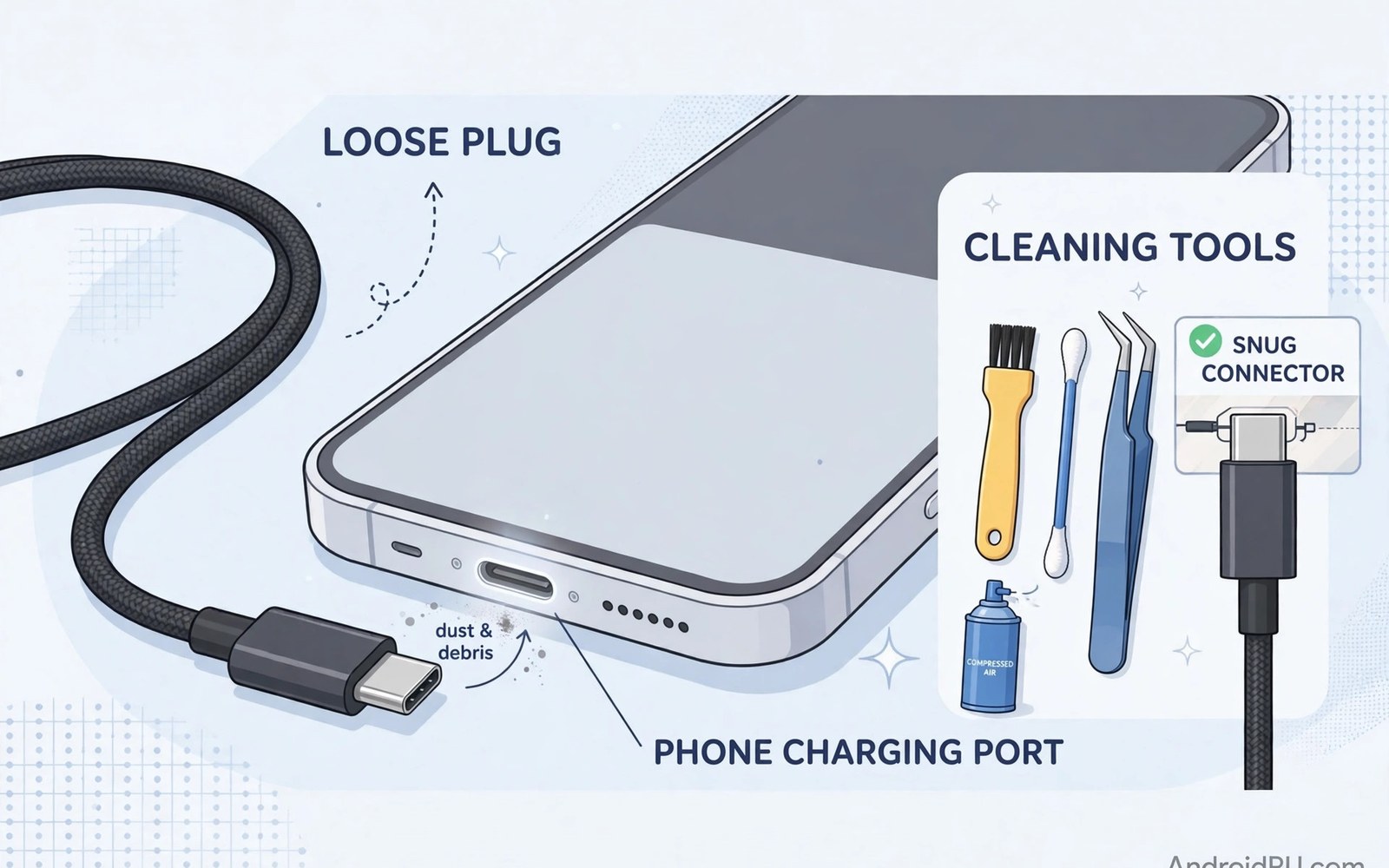
A charging cable that falls out of a phone is more than an annoyance. It breaks a charge overnight and it leaves a phone dead in the morning. It also tempts users to push the plug harder or to bend the cable at a sharp angle. Both habits damage the port and the cable over time. A loose cable usually has a simple cause that you can find with a careful inspection. Lint in the port or a worn plug or a stretched socket can each create the same symptom. This guide shows how to find the true cause and fix it without harming the phone.
Start by looking at the port under bright light with the phone switched off. Lint and dust pack into the bottom of the socket over months in a pocket. That packed lint stops the plug from seating fully and the cable feels loose even though the socket is fine. A wooden toothpick used gently can lift lint out without scratching metal contacts. Work slowly and pull lint toward the opening rather than pushing it deeper. A short burst of air after cleaning can clear loose dust. Never use a metal needle because it can short the contacts and damage the phone.
Check the cable plug next for wear and bending. A plug with a loose shell or a bent tip will wobble in any port. Try the same cable on another device if you can. If the cable feels loose on a second device then the cable is the problem. Try a different cable on the original phone as well. If a new cable fits snugly then the old cable should be replaced. That simple swap test saves many users from blaming the phone for a cable fault. Keep a known good cable at home for this comparison.
Clean The Port Safely Step By Step
Cleaning needs patience and soft tools rather than force. Switch the phone off and work in good light so you can see inside the port. Use a wooden or plastic pick to lift lint in small pieces. Avoid compressed air at very close range because it can push dust deeper into the phone. After cleaning inspect the port again for any remaining lint near the back wall. Plug a known good cable in and feel for a firm click or a snug seat. A clean port should hold the cable with light resistance when you pull it straight out.
Some users try to clean a port with a wet cloth or with liquid cleaners. Liquid inside a charging port can cause corrosion and it can short the phone. Keep the port dry during cleaning and let the phone stay off for a few minutes after. If the port looks corroded or green around the contacts then stop and seek repair. Corrosion needs professional cleaning because scraping it can remove the thin contact coating. A port that looks clean yet still drops cables may have a stretched socket that needs a different fix.
Fix A Worn Plug Or A Stretched Socket
A stretched socket happens when a cable is yanked sideways many times. The metal contacts lose their spring and the plug no longer grips firmly. A magnetic tip can help in this case because the tip stays in the socket and the cable connects by magnet outside. That setup reduces daily movement inside the socket. For details on that approach then magnetic cable protection for charging ports explains tip fit and power ratings. A magnetic tip is not a repair for a badly damaged socket but it can stabilise a mildly loose one for daily use.
A worn plug can sometimes be improved by checking the cable strain relief. A cable with a cracked strain relief bends sharply at the plug and that bend loosens the connection. For fraying near the plug then stopping cable fraying with spring protectors shows how to protect that weak point. If the plug shell is cracked then replace the cable rather than taping it. Tape can slip into the port and it can leave adhesive on the contacts. A new quality cable costs far less than a port repair and it restores a firm fit right away.
Test The Fit After Cleaning And Replacement
After cleaning or replacing a cable test the fit in several positions. Plug the cable in and move the phone gently as you would during normal use. The cable should stay connected through light movement and through a small tug on the cable body. Test charging while the phone sits on a table and while it sits in a car mount. A cable that holds on a table but drops in a car may need a shorter cable or a mount that reduces cable movement. For car use then tested magnetic car mounts help keep the phone and cable steady on rough roads.
Watch the charging icon for a full minute after plugging in. A cable that connects and disconnects repeatedly will show a flickering charging icon. That flicker can also come from a faulty charger or a damaged cable core. Swap the charger next if the flicker continues with a new cable. A stable charger plus a clean port plus a good cable should give a steady charging icon. If flicker continues after all swaps then the socket may need professional repair. Do not keep forcing a plug into a damaged socket because each forceful push can worsen the damage.
Check Connection Stability With Commands
A computer check can show whether the phone reports a steady USB connection. Run these USB connection checks on a computer that already trusts the phone. They read connection state without changing any setting. Run them while the cable is connected and move the cable gently to see if the reported state changes. A stable report during gentle movement suggests a good fit.
adb shell dumpsys usb
adb shell dumpsys battery
Attribution: This code sample is an original example written for this article. It shows standard diagnostic commands that help a reader check USB connection stability. It does not modify the device and it does not come from any outside guide.
If the connection drops with gentle movement then reseat the plug and clean the port again. A tiny amount of lint can still block a full seat even after a first clean. Look again under bright light and repeat the gentle cleaning step. If a magnetic tip is in use then check that the tip sits straight and that the magnet face is clean. A dusty magnet face can mimic a loose cable problem even when the socket itself is fine.
A cable that drops out in a car often has a different cause than a cable that drops out at home. Vibration in a car can shake a loose plug free even when it feels firm on a desk. A shorter cable with less slack reduces movement in a car. Route the cable so it does not hang in the air between the phone and the charger. A cable that hangs free will swing with every turn and it will pull at the plug. A cable clip on the dashboard can keep slack under control.
Inspect the charger port in the car as well as the phone port. A car charger socket that is worn can let a plug wobble and that wobble travels to the phone end. Test the car charger with another phone if you can. If the charger feels loose in its own socket then replace the charger before blaming the phone cable. A stable power source at both ends gives the cable the best chance to stay connected on a bumpy road.
A charging cable that is stored coiled tightly can develop internal breaks near the plug. A tight coil stresses the wires at the same spot every time. Store cables in loose loops and avoid wrapping a cable tightly around a charger. A loose loop keeps the cable core straight and it extends cable life. If a cable already has a kink near the plug then replace it before the kink causes intermittent charging on a trip.
A phone case with a tight charging cutout can also make a cable feel loose. A cutout that is too small stops the plug from seating fully even when the port is clean. Test the cable with the case removed to check for a case problem. If the cable fits well without the case then widen the cutout choice by using a case with a larger opening for charging.
A charging port that has been cleaned still needs a check after a week of pocket use. Lint returns quickly in a dusty pocket or a bag with fabric debris. A quick look under bright light once a week catches new lint before it packs hard. A soft brush can remove loose lint before it becomes a dense plug. That weekly habit keeps the cable fit firm and it avoids a surprise dead phone on a busy morning.
Common Mistakes
One common mistake is pushing a plug harder when it feels loose. Extra force bends contacts and it can crack the socket housing. Another mistake is cleaning with a metal tool that scratches contacts and causes a short. A third mistake is replacing the phone charger before checking lint in the port. Lint is cheap to remove and it solves many loose cable cases. Always clean and swap cables before buying new chargers or booking a repair.
Some users also bend a cable at a sharp angle to keep it connected. That bend stresses the cable core and it can break wires inside the cable. A broken core causes intermittent charging that looks like a port fault. Use a cable holder or a shorter cable to reduce strain rather than bending a cable sharply. Another error is ignoring a cracked plug shell. A cracked shell can shed plastic into the port and it can make the fit worse over time.
Frequently Asked Questions
Why does my cable only charge at one angle?
A cable that charges at one angle usually points to lint in the port or a worn plug or a stretched socket. Clean the port gently and test a known good cable. If the problem stays with a new cable then the socket may be stretched. A magnetic tip can stabilise a mildly loose socket but a badly stretched socket needs repair.
Is it safe to clean a charging port at home?
Cleaning with a soft wooden pick and dry air is safe when done gently with the phone off. Avoid metal tools and liquids inside the port. Stop if you see corrosion or bent contacts and seek professional help. A careful clean solves lint problems without risking the phone.
Should I replace the cable or repair the port first?
Replace the cable first because a cable swap is cheap and fast. Test a known good cable on the phone and test the old cable on another device. If a new cable fits well then the old cable was at fault. If every cable feels loose then the port needs cleaning or professional repair.
Conclusion
A loose charging cable usually comes from lint or a worn plug or a stretched socket. Clean the port gently and test with a known good cable before buying new gear. Use a magnetic tip for a mildly loose socket and replace cracked cables promptly. Avoid force and metal tools and sharp cable bends. Your concrete next step is simple. Tonight switch the phone off and inspect the port under bright light and clean any lint you find with a soft wooden pick.

