

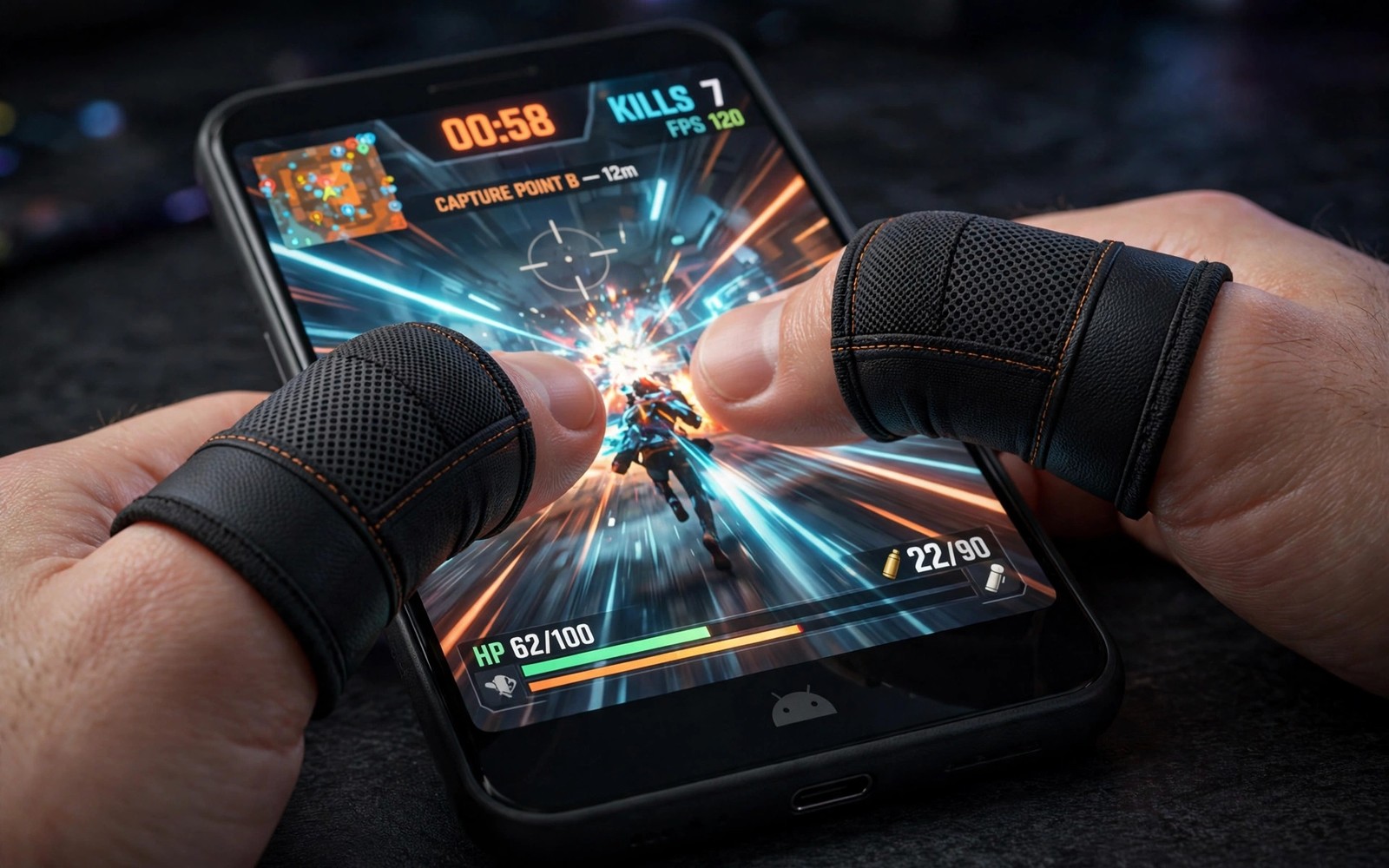
Gaming thumb sleeves look like a small gimmick until you play a fast match with sweaty hands. Sweat creates friction on a glass screen. Friction makes a thumb drag instead of glide. A drag can delay a swipe by a fraction of a second. That fraction can decide a close fight. Thumb sleeves solve the problem with a smooth fabric that glides over glass. They also protect the screen from oils and wear during long sessions.
Start by choosing the right size. A sleeve that is too tight will cut circulation during a long match. A sleeve that is too loose will bunch up and create a fold under your thumb. Measure your thumb at the widest point. Compare that size with the sleeve size chart. Try both thumbs during a practice match. A pair that feels invisible after ten minutes is the right pair. A pair that you notice constantly is the wrong size or the wrong fabric.
Fabric choice matters for different climates. A thin breathable fabric suits hot rooms and long sessions. A thicker fabric can offer more grip control for precise movements. A silver fibre fabric can claim better conductivity for touch screens. Test conductivity in a real game rather than trusting a claim. Swipe quickly and tap rapidly in a practice mode. If every input registers then conductivity is fine. If taps miss then try a different fabric. Best Bluetooth gamepads tested is a good comparison when touch still feels limiting even with sleeves.
Why Sweat Ruins Touch Control
Glass screens rely on a smooth contact between skin and surface. Sweat changes that contact. It can make the thumb stick and then jump. A stick and jump motion breaks aim in a shooter. It also breaks timing in a rhythm game. A sleeve creates a consistent surface between thumb and screen. The fabric glides the same way whether hands are dry or sweaty. Consistency is the real benefit. A player can learn a swipe distance when the surface never changes.
Heat makes the problem worse. A long session warms the phone and warms the hands. Warm hands sweat more. A feedback loop forms where heat increases sweat and sweat increases friction and friction increases effort. Effort increases heat further. Sleeves break the loop by keeping a dry fabric layer on the screen. They do not cool the phone but they remove the friction part of the loop. A cooler room and a short break can handle the heat part.
Screen protectors interact with sleeves as well. A matte protector already reduces friction. A glossy protector can feel sticky when hands sweat. Test sleeves with your current protector first. If the combination feels smooth then keep it. If it feels rough then try a different protector or a different sleeve fabric. A small change in either layer can transform the feel. Do not change both at once or you will not know which change helped.
Choose Sleeves For Your Game Type
Shooter players need fast precise swipes for aim. A thin sleeve with low friction suits aim. A thick sleeve can slow a flick shot. Strategy players need accurate taps on small buttons. A snug sleeve with good touch response suits taps. Racing players need smooth steering swipes. A sleeve that glides without catching suits steering. Match the sleeve to the main game you play. A single pair rarely suits every game type perfectly. Keep two pairs if you play very different games.
Check durability before a tournament. Wash sleeves gently and let them air dry. Machine washing can stretch the fabric and change the fit. A stretched sleeve will bunch during play. Replace a pair when the fabric thins at the thumb tip. A thin spot can cause inconsistent glide. A fresh pair costs little compared to a lost match. Keep a spare pair in your gaming bag. A spare pair can rescue a session when a sleeve tears.
Test sleeves with different screen brightness and sensitivity settings. A sleeve can change how the screen senses a touch. Some phones need a touch sensitivity boost when a sleeve is used. Open touch settings and look for a sensitivity or glove mode option. Turn it on for a test if taps feel weak. A sensitivity boost can restore crisp taps without changing the sleeve. Turn it off again if taps become too sensitive and cause accidental inputs.
A Simple Sleeve Test Routine
sleeve_size = medium
fabric = thin_breathable
touch_sensitivity = high
test_mode = practice
session_length = 30_min
The snippet above is an original example written for this guide. It shows generic settings that you can adapt to your own device. It does not copy code from any outside source.
Use the routine above as a starting test for a new pair. Set touch sensitivity to high for the first test. Play a practice match for thirty minutes. Note any missed taps or drags. If the pair feels smooth for the full session then it passes. If it bunches or misses taps then try another size. A thirty minute test is long enough to reveal sweat problems. A five minute test in a cool room can hide the very problem sleeves are meant to solve.
Care For Sleeves And Screens Together
Clean sleeves after a long session. Sweat and oil build up in fabric over time. A dirty sleeve can feel rough and it can transfer grime to the screen. Rinse gently with mild soap and air dry fully before the next session. A damp sleeve can cause missed touches. A fully dry sleeve glides cleanly. Clean the phone screen as well with a soft cloth. A clean screen and a clean sleeve together give the smoothest result.
Do not use sleeves as a fix for a cracked screen. A crack can catch fabric and cause a drag. A crack can also cut a sleeve during play. Repair or replace a cracked protector before you judge sleeves. A smooth protector plus a good sleeve is the baseline for fair testing. If the screen itself is cracked then no sleeve can restore smooth control. Fix the screen first and then test sleeves again.
Compare sleeves with bare hands in the same match type. Play one practice match with sleeves and one without. Note aim accuracy and comfort in each match. A sleeve should improve consistency or comfort. If it improves neither then the pair is not right for you. Try a different fabric before you dismiss sleeves entirely. Controller mount accessories that upgrade mobile controls offers another physical upgrade path when sleeves alone do not solve control problems.
Test Sleeves In Different Weather And Rooms
A sleeve that works in a cool air conditioned room may feel different in a hot humid room. Humidity increases sweat and changes friction. Test a pair in your normal play room rather than only in a cool shop. Play for a full session in that room. Note whether glide stays consistent as hands warm up. A pair that stays consistent in heat is the right pair for long sessions. A pair that degrades in heat will fail during a tournament in a warm venue.
Test sleeves with a case on and off. A case changes how you hold the phone. A thick case can change thumb angle and pressure. A sleeve that feels perfect without a case may feel awkward with a thick case. Test the exact combination that you use in matches. A combination test removes surprises. If a case changes the feel then try a thinner case or a different sleeve size.
Test sleeves after washing and drying. A washed sleeve can shrink slightly or stretch slightly depending on fabric. A size change can alter fit. Test a washed pair in practice before a ranked match. A pair that shrinks may feel tight. A pair that stretches may bunch. Air drying usually preserves size better than machine drying. Keep a spare unwashed pair for important matches if washing changes fit.
Compare sleeve brands with the same test routine. Use the same game and the same match length for each brand. Note glide and comfort and missed taps for each pair. A fair comparison needs the same conditions. A brand that wins in a short test may lose in a long test. A long test reveals sweat handling that a short test hides. Choose the brand that wins the long test.
Keep sleeves in a small pouch to protect them from dust and damage. A pouch also keeps a pair together so you do not lose one sleeve. A lost sleeve forces you to play with one bare thumb and one sleeved thumb. That mismatch can feel worse than no sleeves at all. A pouch is a cheap way to protect a small investment.
Common Mistakes
One mistake is to buy the cheapest pair without checking size. Size matters more than brand for comfort. Another mistake is to test sleeves for only five minutes in a cool room. Sweat problems appear after longer play. A third mistake is to ignore touch sensitivity settings. A simple setting change can fix weak taps with sleeves. A fourth mistake is to keep using a stretched pair. A worn pair can hurt performance more than bare hands.
Do not expect sleeves to fix lag or frame drops. Sleeves fix friction only. If a game stutters then the cause is performance and not touch surface. Fix performance separately. Fixing controller drift and button mapping errors helps when control problems come from hardware rather than friction. A correct diagnosis saves money on gear that cannot fix the real problem.
Frequently Asked Questions
Do gaming thumb sleeves really improve mobile gameplay?
They help most when sweat causes friction on glass. A smooth fabric lets the thumb glide consistently. The gain is largest in fast shooters and rhythm games. Players with dry hands may notice less benefit. Test a pair for thirty minutes in a real match.
How do I choose the right thumb sleeve size?
Measure your thumb at its widest point and compare it with the size chart. Try the pair in a practice match. A good pair feels invisible after ten minutes. A tight pair cuts circulation. A loose pair bunches under the thumb. Replace a pair when fabric thins.
Can thumb sleeves damage my phone screen?
No clean sleeves protect the screen from oils and wear. A dirty sleeve can transfer grime. Wash sleeves gently and air dry them. Clean the screen with a soft cloth as well. Do not use sleeves over a cracked screen because fabric can catch on the crack.
Conclusion
Order a correctly sized pair today and test it in a thirty minute practice match. Play the same match type with and without sleeves. If the sleeved match feels smoother and more consistent then keep the pair in your gaming bag. That direct comparison is the fastest way to know if sleeves help your play.

