

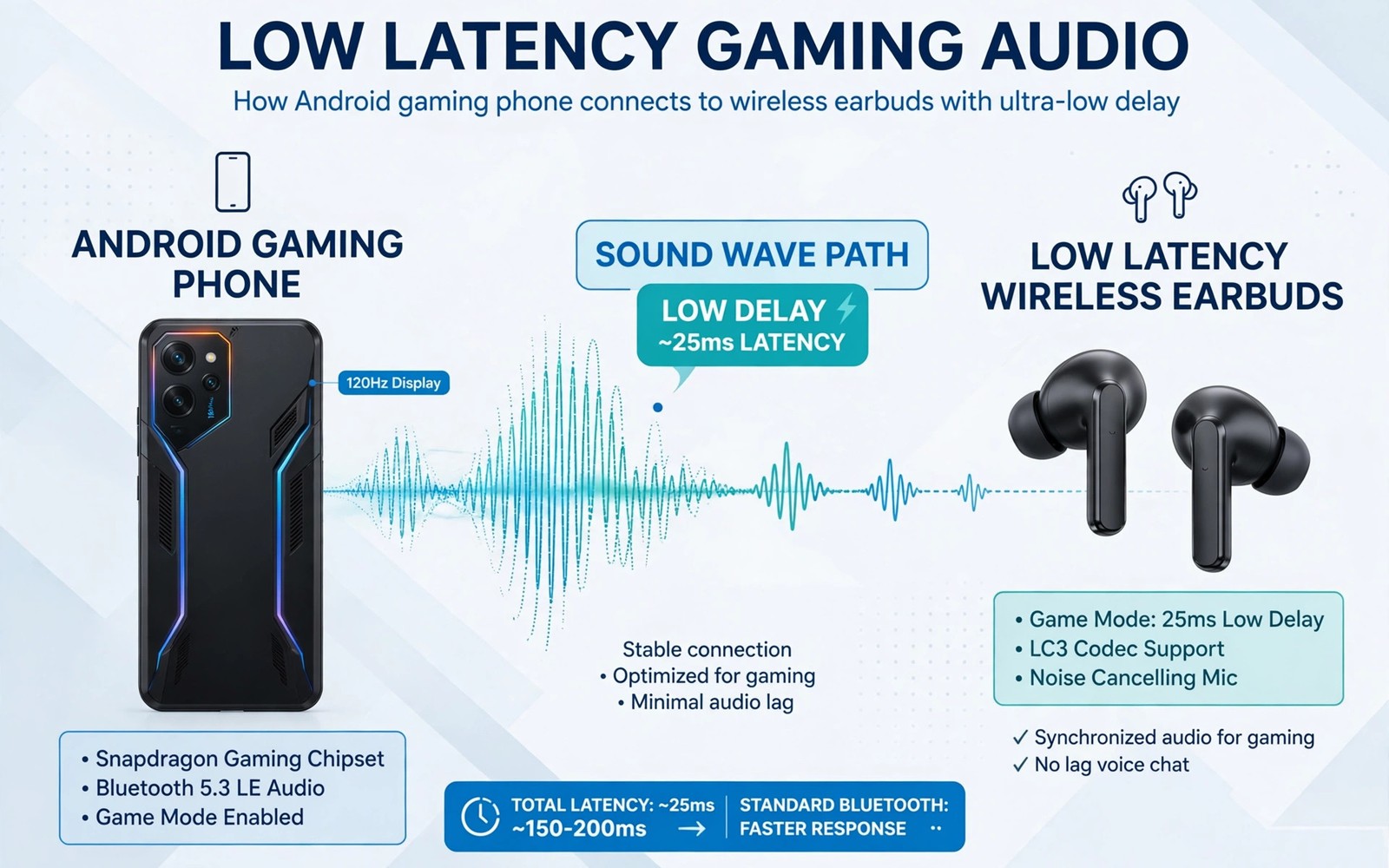
Bad audio gear does not just sound dull. It adds delay between a game event and the sound that reaches your ears. In a fast shooter that delay can mean you hear a footstep after the enemy already fired. Low latency earbuds close that gap. They use a fast codec and a stable link to keep sound close to the action on screen. This guide helps you pick earbuds that actually help in games instead of earbuds that only sound good for music.
Start with the codec that your phone and earbuds share. A codec is the method that compresses sound for wireless transfer. Some codecs add a large delay even when music sounds fine. A gaming mode or low latency mode can cut that delay sharply. Check the earbud specs for a low latency mode and check your phone specs for the same codec. If the two devices do not share a fast codec then the link will fall back to a slower method. A fallback link can still play music well but it will feel late in a game.
Fit matters as much as electronics. Earbuds that slip during a tense match will break your focus. Test the fit while you move your head and while you speak. A good seal also blocks room noise without active noise cancelling. Active noise cancelling can add processing delay in some models. Try gaming mode with cancelling off first. Turn cancelling on only if room noise is a bigger problem than delay. Hearing footsteps in shooters pairs with this guide because even the best earbuds cannot help if the game audio mix hides the cues.
What Low Latency Really Means
Latency is the time between a game sound trigger and the moment you hear it. Music listeners rarely notice a delay of 200 milliseconds. Gamers notice it at once because sound and vision must match. A low latency link aims for a delay well under 100 milliseconds. Some gaming earbuds claim delays near 40 milliseconds in a special mode. Treat claims as a starting point and test in a real game. A claim measured in a lab can differ from a claim measured with your phone and your game.
Test latency with a simple action. Fire a weapon in a practice range and listen for the shot sound. Watch the muzzle flash and listen for the bang. If the bang clearly follows the flash then latency is high. If the flash and bang feel together then the link is good. Repeat the test with a footstep sound. Walk in a quiet area of a map and listen for each step. A delayed step sound will feel disconnected from your movement. A tight link will feel like the sound comes from your own feet.
Pick Earbuds For Games Not Just Music
Look for a dedicated gaming mode that you can turn on quickly. A mode buried in an app with many taps is easy to forget. A mode that switches with a long press or a tap pattern is better for a match. Look for a stable Bluetooth version that matches your phone. A newer Bluetooth version can hold a steadier link at a distance. Look for battery life that covers your longest session. A dead earbud in the middle of a match is worse than a slightly heavier earbud that lasts longer.
Check the microphone if you play team games. A clear mic lets teammates hear callouts without shouting. Test the mic in a voice chat before a ranked match. Speak at normal volume and ask a teammate if your voice sounds clear. A mic that picks up every room sound will annoy a team. A mic that cuts out during loud game moments will hide a callout. Some earbuds offer a mic mode that favors voice over game sound. Use that mode only for team play.
Comfort during long sessions deserves a real test. Wear the earbuds for a full hour while you play. Note any pressure or heat in the ear. A pair that hurts after thirty minutes will hurt your focus in a long tournament. Try all tip sizes in the box. A larger tip can improve the seal and the bass. A smaller tip can reduce pressure. The right tip changes both comfort and sound. Do not judge a pair from a five minute shop test.
Set Up A Low Latency Profile
codec = low_latency
 gaming_mode = on
noise_cancelling = off
volume_limit = safe
mic_mode = voice
The snippet above is an original example written for this guide. It shows generic settings that you can adapt to your own device. It does not copy code from any outside source.
Use the profile above as a gaming starting point. Turn gaming mode on before you launch the game. Turn noise cancelling off for the first test. Set volume to a safe level that still lets you hear soft cues. A very loud mix can hide footsteps under gunfire. A balanced mix lets soft sounds stand out. Save the profile in the earbud app if it supports profiles. A saved profile stops you from redoing the setup before every match.
Test Earbuds In Real Match Conditions
A quiet room test is only the first step. A real match adds game sound and voice chat and background noise at once. Play a full match with the earbuds and listen for callouts under gunfire. A good gaming mix keeps voice clear while gunfire stays punchy but not overwhelming. If teammates sound muffled then raise voice volume in the game mix. If footsteps vanish under explosions then lower effects volume slightly. A balanced mix is a setting and not a property of the earbuds alone.
Test battery life over a long session as well. Some gaming modes drain earbuds faster than music mode. A pair that lasts four hours in music mode may last only two hours in gaming mode. Plan charging breaks for long tournaments. A charging case with a quick top up can rescue a session. Charge the case fully before a long play day. A dead case cannot save dead earbuds.
Test the link at your normal play distance. Sit where you normally sit and move as you normally move. A link that works at a desk may fail when you lean back on a couch. A stable link at your real distance matters more than a lab claim. Best Bluetooth gamepads tested faces the same distance problem for controllers. Wireless gear must be tested where you actually play.
Compare two pairs with the same game and the same map. Play the same practice range with each pair. Listen for the same footstep and the same reload sound. A direct comparison reveals differences that specs hide. Keep the pair that makes cues easiest to hear. Return the pair that only sounds impressive with music. A gaming purchase should be judged in a game.
Protect Your Hearing While You Chase Cues
Loud volume can make footsteps easier to hear in the short term but it can damage hearing over time. A safe volume still reveals cues when the mix is balanced. Lower effects volume and keep voice and footstep sounds clear. Take a break every hour during long sessions. A break resets your ears and it lets you notice cues again with fresh attention. Tired ears miss soft sounds even at high volume.
Use a volume limit in the earbud app if it offers one. A limit stops a sudden loud explosion from blasting your ears. A limit also keeps the mix consistent across games. Test the limit in a practice range with gunfire and footsteps. If cues stay clear then the limit is set well. If cues vanish then raise the limit slightly and test again. Hearing protection and competitive hearing can coexist with a balanced setup.
Compare earbud fit across different tip materials as well as sizes. Silicone tips feel soft and seal well for many players. Foam tips expand in the ear and can block more room noise. Foam tips can also feel warm during a long session. Test each material for a full hour of play. Note comfort and sound isolation and cue clarity for each material. A tip that seals well can improve bass and footstep clarity without any electronic change. A poor seal can make even a great earbud sound thin and distant. Keep spare tips in the charging case so a lost tip does not end a session.
Store earbuds in their case between matches. A case protects the buds from dust and drops and it keeps them charged. A bud left loose in a pocket can pick up lint in the speaker mesh. Lint can muffle sound and hide soft cues. Clean the mesh gently with a dry soft brush once a week. A clean mesh keeps sound clear and it extends the life of the buds. A small care routine protects a gaming investment far better than a new purchase every year.
Common Mistakes
One mistake is to buy earbuds for bass alone. Heavy bass can mask footsteps and reload sounds. Choose a balanced sound for games. Another mistake is to leave gaming mode off because you forgot the toggle. Make the toggle part of your pre match routine. A third mistake is to test latency only with music. Music hides delay because there is no visual event to match. Test with gunfire and footsteps in a game.
Do not judge latency from a single match on a busy network. A crowded wireless area can add delay to any Bluetooth link. Test in a quiet room first. Then test in your normal play area. If delay only appears in the busy area then the environment is the cause. Move closer to the phone or reduce other wireless traffic during matches. Fixing input lag on wireless controllers covers the same wireless interference problem for controllers and the fixes overlap.
Frequently Asked Questions
Do low latency earbuds really help in mobile games?
Yes they help when the game relies on timing cues. A tighter link keeps gunfire and footsteps close to the visual action. The gain is largest in shooters and rhythm games. It is smaller in slow turn based games where timing matters less.
Is wired audio still better than wireless for gaming?
Wired audio usually has lower latency than wireless audio. Wireless gaming earbuds close much of that gap in gaming mode. Choose wired gear for the lowest possible delay. Choose low latency wireless gear when you need freedom of movement.
Why do my earbuds sound late only in games?
Games need tight sync between sound and vision. Music does not need that sync. A codec delay that hides in music becomes clear in a shooter. Turn on gaming mode and check that your phone and earbuds share a fast codec.
Conclusion
Turn on gaming mode on your current earbuds today and run the gunfire test in a practice range. If flash and bang feel together then you already own a good gaming pair. If they feel apart then use this guide to pick a low latency pair that shares a fast codec with your phone. That one test will guide a smarter purchase than any spec sheet alone.

