

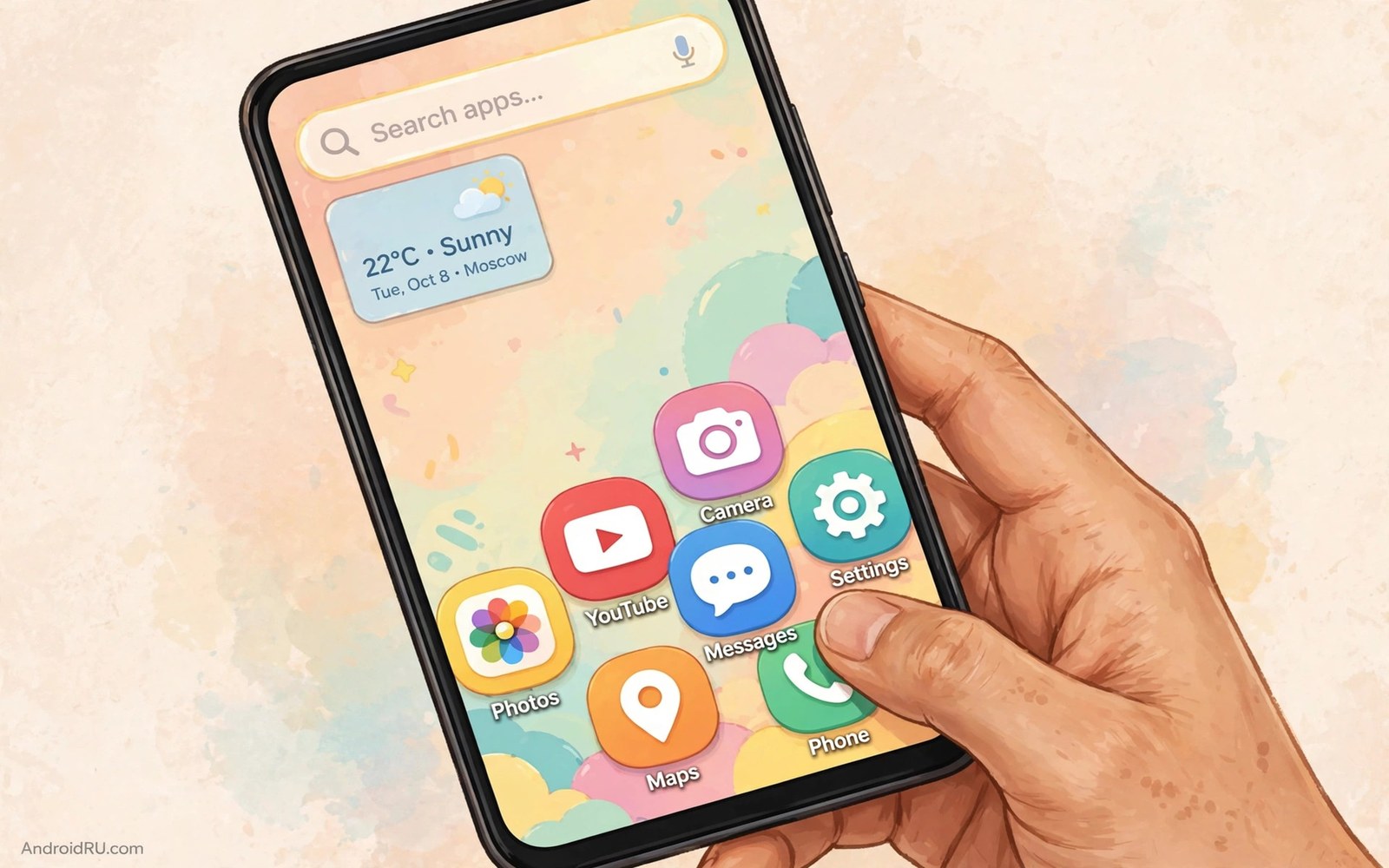
Tall phones broke the app drawer. Reaching the top row with one thumb requires a grip shift that risks dropping the phone. Yet most drawers still stack apps from the top down as if phones were still small.
One-handed launchers solve this by moving the action to the bottom half. Search sits above the keyboard. Favorites sit within thumb arc. The top of the screen becomes display space rather than a target zone.
This guide rates the leading one-handed approaches rather than crowning one winner for everyone. Hands differ and routines differ. Rate each approach against your own hand and your own daily apps.
Rating rule one: thumb reach
Hold your phone in one hand and trace your thumb arc across the screen. The comfortable zone covers the bottom two thirds for most people. A launcher earns a high reach score only if every daily app sits inside that arc without a grip shift.
Test reach while walking because walking changes grip and thumb range. A launcher that passes sitting tests but fails walking tests has not solved real one-handed use. Walk a short route and open five apps to judge honestly.
Reach thinking connects to gesture design in custom navigation gestures where bottom edge swipes replace top reaches. Combine a bottom drawer with bottom gestures for the full effect.
Rating rule two: search speed
One-handed launchers live or die by search. Typing the first two letters of an app should surface it instantly. Search must open with the keyboard ready and without a second tap. Any search that needs a menu tap first loses points.
Test search with your ten most used apps and time the results. A good launcher finds each app in under two seconds including typing. A slow launcher may look beautiful but it fails the daily math of dozens of opens.
Search speed also matters in the broader launcher comparison in five launcher masterpieces where speed and beauty trade against each other. Use both guides to balance the tradeoff for your hand.
Rating rule three: drawer order
A good one-handed drawer orders apps by recency or by custom favorites rather than alphabet alone. Alphabet order forces scrolling to the bottom for apps near the end of the alphabet. Recency order keeps today’s apps at the bottom where thumbs live.
Pin five favorites permanently at the bottom of the drawer. Those pins become your real home screen. Everything else can live in search because search scales better than scrolling.
Drawer order discipline matches the home screen clearing in a minimalist aesthetic setup where only essentials earn visible space. Apply the same rule inside the drawer.
The verdict by hand size
Small hands should pick a launcher with a bottom list and large touch targets. Medium hands can use a bottom grid with four columns. Large hands can use a compact grid but still benefit from bottom search.
Try the top rated option for your hand size for three days. Judge by drops and grip shifts rather than by screenshots. A launcher that prevents one near drop per week has earned its place permanently.
Keep the runner up installed but not set as default during the trial. Switching default takes seconds and a fair trial needs an easy exit. Commit only after the trial proves itself in real walking use.
One-handed launcher scorecard
Score each launcher candidate on this card after a walking test. Use a one to five scale for each row. The winner for your hand is the highest total and not the highest single row.
thumb_reach = _ / 5
search_speed = _ / 5
drawer_order = _ / 5
walking_comfort = _ / 5
battery_impact = _ / 5
total = sum of five rows
The scorecard above was written for this guide as a paper tool for rating launchers. Fill it in after walking tests. It runs nowhere and it collects no data.
Test launchers with real world obstacles
Real one-handed use includes obstacles that lab tests miss. Carrying groceries narrows grip and shortens thumb reach. Wearing gloves reduces touch accuracy. Rain makes screens slippery and taps less precise.
Test each launcher candidate while carrying a bag in one hand. Open five apps and send one message. A launcher that passes this test handles most real obstacles gracefully.
Test with gloves if your climate demands them. Larger touch targets and bottom placement help gloved thumbs most. A launcher with tiny top targets fails gloved use completely.
Test on a moving bus where vibrations shake the phone. Stable layouts with fixed positions survive shaking better than layouts that shift content dynamically. Fixed favorites beat rotating suggestions on rough rides.
Keep the obstacle test results in your launcher notes. A launcher that wins sitting tests but fails obstacle tests is the wrong winner. Real life is the final rating authority.
One-handed use for parents carrying children
Parents carrying a child face the hardest one-handed test because the child occupies one arm unpredictably. A child may shift weight suddenly and change grip in an instant. A launcher that demands precise taps fails in that moment. Large bottom targets and forgiving gestures matter more for parents than for any other group.
Emergency access deserves priority in a parent launcher layout. Phone and messages and camera should sit within the easiest thumb arc. A parent may need to call for help while holding a child and searching for the phone app is unacceptable in that moment. Place emergency apps first and decorative apps nowhere near them.
One-handed typing while carrying a child benefits from swipe keyboards and voice input. A launcher that opens the keyboard app quickly supports both methods. Test the full path from home screen to sent message with one hand. If any step requires two hands then that step needs a launcher or keyboard change.
Parents also switch hands constantly as children move from arm to arm. A launcher designed for right hand only fails when the child moves to the right arm. Test the layout with both hands separately. A truly one-handed launcher works reasonably with either hand even if one hand feels more natural.
Finally consider a simplified parent mode for outings with children. A second home screen with only phone and messages and maps and camera reduces cognitive load during chaotic outings. Switch to the full layout at home where both hands are free. Context based layouts serve parents better than one layout for all situations.
One-handed launchers for large tablets and foldables
Foldable phones create a unique one-handed challenge because the unfolded screen is far too large for one thumb. A one-handed launcher on a foldable should adapt to folded and unfolded states differently. Folded mode can use a standard bottom layout. Unfolded mode needs a reachability zone that shrinks content to one side. Launchers without foldable awareness fail half the device experience.
Tablets used one-handed while standing present a similar problem at larger scale. A tablet held in one hand leaves only the near edge reachable. Launchers for tablets should offer a one-handed mode that compresses the grid toward the holding hand. Without that mode tablet users must use two hands for every app open.
Foldable cover screens deserve their own launcher layout because cover screens are small and narrow. A layout designed for the main screen will crowd a cover screen badly. Choose a launcher that saves separate layouts per screen if you use a foldable daily. Separate layouts prevent constant manual adjustment when folding and unfolding.
App continuity across folding adds complexity because an app open on the cover screen should continue seamlessly when unfolded. Launchers that restart apps on fold changes break that continuity. Test continuity with your five most used apps before committing to a foldable launcher. Continuity failures frustrate more than layout imperfections.
Weight distribution affects one-handed foldable use because unfolded devices are heavier on one side. A launcher cannot fix weight but it can reduce the need to shift grip by keeping controls near the holding hand. Grip shifts while holding a heavy unfolded device risk drops. Minimize grip shifts through layout design as a safety measure.
Finally consider that foldable one-handed use is still evolving and launcher support varies widely. Check recent reviews specifically for foldable behavior rather than general launcher reviews. A launcher rated excellent for slab phones may rate poorly for foldables. Device specific testing is essential for this emerging form factor.
One-handed launchers for users with injuries
Temporary injuries such as a broken arm or a sprained wrist turn one-handed launchers from conveniences into necessities. A user with an arm in a cast needs every daily app within the remaining hand reach. Launchers designed for convenience often fail injury use because they assume the user can still stretch occasionally. Injury ready launchers keep all essentials in the easiest zone with no stretching at all. Recovery periods last weeks and a launcher that serves injury use well becomes a long term companion rather than a temporary fix. Test injury readiness by taping one hand closed for an afternoon and using only the other hand for everything.
Common mistakes
One-handed launcher trials fail in familiar ways. Avoid these.
- Judging reach while sitting when real use happens while walking.
- Keeping an alphabetical drawer that forces scrolling to distant apps.
- Choosing tiny touch targets that look sleek but miss under a moving thumb.
- Testing for ten minutes before thumb memory has time to form.
- Ignoring search speed because the layout photographs beautifully.
Frequently asked questions
Do one-handed launchers work on small phones too?
Yes because bottom placement helps any hand size. Small phone users gain speed even if reach was never painful. Search driven drawers scale well to every screen size.
Can I keep folders in a one-handed launcher?
Most one-handed launchers support bottom folders or favorite rows. Keep folders to five or fewer so they stay within thumb arc. More folders defeat the reach advantage.
Will a one-handed launcher slow my phone?
Light one-handed launchers use very little power. Heavy launchers with feeds cost more. Disable feeds during the trial to judge the launcher itself fairly.
Conclusion
You now have a rating method built on reach and search and drawer order. The best one-handed launcher for you is the one your thumb trusts while walking. No reviewer hand can decide that for you.
Your concrete next step is to install the top candidate for your hand size tonight and walk a short route tomorrow opening five apps one-handed. Keep it if you finish the route without a grip shift.

