

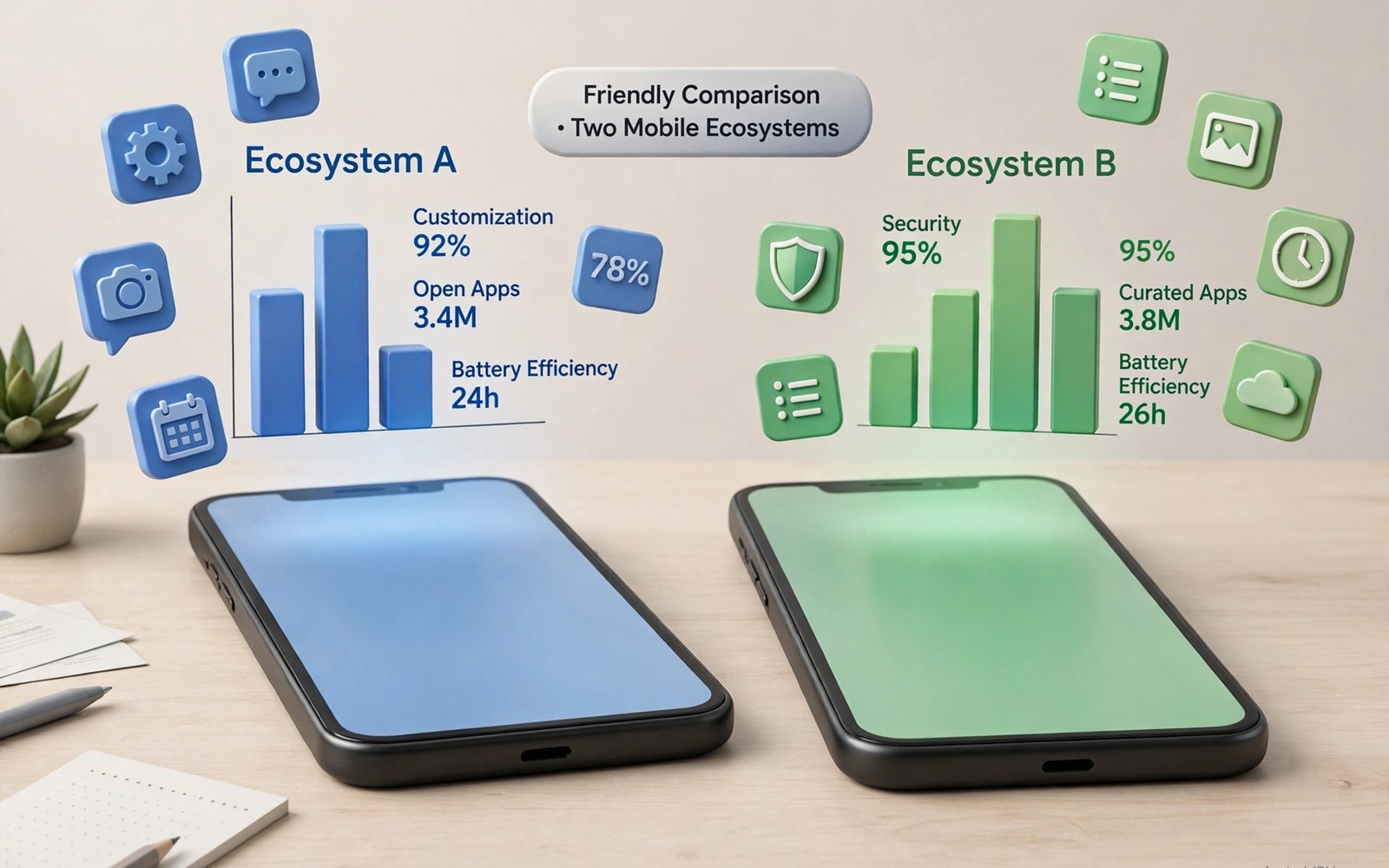
Android vs iOS in 2026: Detailed Ecosystem Breakdown
Choosing a phone system in 2026 is less about picking a winner and more about picking a way of life. Both platforms are fast, polished, and packed with apps. Both take great photos, stream the same shows, and handle work email without drama. The real differences show up in choice and control: how many phones you can buy, how much you can reshape the home screen, how updates arrive, how your watch and laptop fit in, and what happens when you want to leave.
This breakdown looks at the whole picture, side by side, with real names, real settings, and real trade-offs. It covers hardware and price, software and updates, apps, privacy, cameras, accessories, family tools, work life, and the long-term costs that the sticker price hides. By the end you should know which side matches your habits — and what to check before you switch, in either direction.
I have used both systems as daily phones, sometimes in the same week, and the honest truth is that either one can be a great daily driver. The wrong choice is not a bad phone; it is a phone that fights your habits. A tinkerer on a locked-down system feels caged. A person who wants calm on a system full of options feels lost. Start with your habits, not with a benchmark score, and the right side usually picks itself.
Android vs iOS in 2026: The Big Picture
Android is an open platform that runs on phones from Samsung, Google, OnePlus, Motorola, Xiaomi, and many others. That openness shapes everything: you can buy a small phone or a huge one, a budget phone or a luxury foldable, a gaming phone or a camera-first phone. You can change the launcher, the icons, the lock screen, and the default apps. The system bends to you, and that freedom is the core appeal.
iOS runs only on iPhones, built by one company. That control brings a clear benefit: hardware and software are tuned together, new features often arrive on every supported phone on the same day, and the experience feels consistent from one model to the next. If you value simplicity and predictability, that consistency is a strong draw. You give up choice, and you gain calm.
The two approaches also shape who builds what. Android makers compete on hardware variety, camera hardware, charging speed, and price, which pushes innovation in many directions at once. Apple competes on integration: the phone, watch, tablet, laptop, and earbuds work as one system, with features like Handoff, AirDrop, and Universal Clipboard that feel like magic when every device comes from the same maker. Neither model is better in the abstract; they serve different priorities.
What open versus closed really means day to day
Open means you can install apps from outside the main marketplace, set any browser or messaging app as the default, plug the phone into a computer and move files like a drive, and customise the system deeply. Closed means installs stay inside one reviewed marketplace in most regions, defaults are limited, and file movement follows Apple rules — but the rules also keep malware rare and the experience uniform. Ask yourself which side of that trade you feel more often: the joy of reshaping things, or the relief of never having to.
Hardware Choice and Price Range in 2026
Android covers almost every price point you can imagine. You can buy a solid phone for very little money, a mid-range phone with a great camera and two-day battery, or a top-tier phone with a huge sensor and a long zoom lens. Foldables open like small tablets, stylus phones suit note-takers, and gaming phones add shoulder buttons and cooling. This range means you rarely pay for features you do not want — you pick the shape, size, and price that fit.
iPhones sit in a narrower band. Older models keep the entry cost lower, the standard model covers most buyers, and the Pro models add the best cameras and displays at a premium price. You get fewer shapes and fewer sizes to pick from, and no foldable iPhone exists yet. But each model feels refined and well built, with strong resale value that softens the premium over time.
For a closer look at the range on the Android side, see the hardware choices on offer. That variety is the single biggest practical difference between the two systems, and it matters most for buyers with a tight budget, a love of large screens, or a need for a foldable or a stylus.
Flagship hardware compared honestly
At the top end, both sides are excellent and the differences are about emphasis. Android flagships often lead on zoom range, charging speed, battery size, and display brightness. iPhones often lead on video colour consistency, sustained chip performance, and the polish of the camera app. In daylight, photos from either side look great on a phone screen. In hard light and at night, the differences appear: Android flagships lean on huge sensors and long lenses, while iPhones lean on consistent processing across all lenses.
Budget and mid-range: where Android pulls ahead
Below flagship prices, Android has no real rival. A mid-range Android phone in 2026 can offer a bright high-refresh display, a capable main camera, all-day battery, and years of updates for a fraction of an iPhone price. The cheapest new iPhone costs far more, and while older iPhones fill the gap, they bring older batteries and fewer years of support left. Budget buyers, students, and families buying several phones get far more for their money on Android.
Android Software vs iOS Software: Updates, Freedom and Polish
Android looks different on almost every phone. Samsung adds One UI with deep multitasking and DeX desktop mode. Pixel keeps stock Android clean and calm. OnePlus adds its own fast, light touches. You can change the launcher and the icons, rebuild the lock screen with widgets, and set default apps for browsing, messaging, and maps. The home screen can become truly yours. Some people love that freedom. Others find it messy at first, and that reaction tells you a lot about which system fits.
iOS keeps a cleaner and more uniform look. Icons sit in a neat grid, settings follow one clear logic, and updates arrive for many phones on the same day. That speed is a real advantage for security fixes: when Apple ships a patch, every supported iPhone gets it at once. Android updates depend on the maker — Pixel phones get them on day one, Samsung flagships within weeks, and budget phones sometimes months later or not at all. Check the update promise in writing before you buy any Android phone.
If you plan to move between systems, the migration steps will help you plan the move. Moving photos, contacts, messages, and passwords takes planning in either direction, and the guide walks through each piece so nothing gets left behind on the old phone.
Customisation depth: launchers, widgets and defaults
Android lets you replace the whole launcher, pick icon packs and fonts, add widgets of any size, and use split-screen and floating windows for real multitasking. The personalization options show how far that freedom goes, from home-screen rebuilds to system-wide theming that follows your wallpaper. iOS now allows widgets, lock-screen tweaks, and some icon tinting, and recent versions added more home-screen freedom than before. But the core layout stays more fixed, and you cannot replace the launcher or reshape the system as deeply.
Update speed and support length in practice
iPhones typically receive major updates for five to six years, all on the same day, which is the gold standard for support. Recent Android flagships from Google and Samsung now promise up to seven years, which matches or beats Apple on paper — but delivery speed still varies by maker and region. A Pixel matches Apple for promptness; a budget Android phone may not. Judge a maker by its rollout history, not its launch promise.
Apps, App Marketplaces and Sideloading Compared
Both marketplaces offer millions of apps, and popular apps arrive on both systems. Banking, messaging, streaming, and social apps work well on each side, and games look great on both. Small differences still matter for some users. Android lets you install apps from outside its main marketplace, which opens the door to beta apps, open-source tools, emulators, and apps that never passed a review queue. That freedom carries risk: apps from outside a reviewed marketplace need more care, and you should only install software you trust.
iOS keeps installs inside its own marketplace in most regions, with strict review rules that keep malware rare and quality high. In the European Union, rules now allow alternative marketplaces and sideloading under Apple conditions, but the default experience stays closed. That rule shapes what you can try: niche tools and emulators are harder to find on iOS, while the apps you do find are more likely to be polished and safe.
App quality is high on both platforms today, and the old gap has mostly closed. Big apps look polished on Android and on iOS, though niche apps can differ in features or update speed. Read recent reviews before you commit to a paid app, check refund rules, and test the free version first when one exists. A refund policy can save you money when an app disappoints, and both marketplaces handle refunds differently, so check before you buy.
| Area | Android | iOS |
|---|---|---|
| Hardware choice | Hundreds of models, all prices, foldables, stylus, gaming phones | Few models, premium range, no foldable yet |
| Price range | Budget to luxury, strong mid-range value | Premium, older models lower the entry cost |
| Customisation | Launchers, icon packs, widgets, default apps, sideloading | Widgets, lock-screen tweaks, fixed core layout |
| Updates | Pixel day one, Samsung fast, budget phones slower; up to 7 years on flagships | Same-day updates for all supported phones, 5-6 years |
| Privacy controls | Fine per-app permissions, Privacy Dashboard, on-device AI | System-level tracking limits, privacy labels, App Tracking Transparency |
| Camera strength | Long zoom, huge sensors, Night Sight, manual controls | Consistent colour, best video polish, simple camera app |
| Ecosystem | Open accessories, many makers, works with Windows well | Tight Apple integration, Handoff, AirDrop, Apple Watch |
| Long-term cost | Cheaper entry, wider repair options, varied resale | Higher entry, strong resale, pricier repairs and accessories |
Privacy and Security: Permissions, Tracking and On-Device Controls
Both companies talk a lot about privacy, and their methods are not the same. Android gives you fine control over each permission: you can grant location only while an app is open, grant photos one by one instead of the whole library, and revoke access with a few taps. The Privacy Dashboard shows which apps used sensitive data lately, and you can review it weekly like a bank statement. That visibility suits people who like to check the details themselves.
iOS leans on system-level limits. Apps must ask before they track you across other apps, privacy labels show what data an app may collect before you install it, and the system blocks some tracking by default. This approach feels simple for many users: you make fewer decisions, and the system makes the safe choice for you. It gives less room to fine-tune each rule by hand, and that trade is the point — Apple chose simplicity over control.
Security basics are strong on both sides. Both systems encrypt the device, offer biometric sign-in, support passkeys for password-free sign-in, and ship monthly security patches. Android adds Google Play Protect scanning and work profiles that wall off job data from personal data, which suits office users. iOS adds Lockdown Mode for people facing serious targeted threats, which tightens the system sharply at the cost of convenience. For most owners, the bigger risk is not the system but habits: weak passwords, reused codes, and phishing links beat any platform.
Data safety, permissions and tracking prompts
On Android, open Settings, then Security and privacy, then Privacy Dashboard, to see a timeline of permission use and revoke anything that looks wrong. On iOS, open Settings, then Privacy and Security, to review tracking requests, location use, and app permissions in one place. Do this check monthly on either system. It takes five minutes and often reveals an app using location in the background for no good reason.
Camera, Media and Everyday Performance
Camera quality now decides many phone purchases, and both systems shoot great photos in daylight. Differences appear in hard light and at night. Android flagships offer huge sensors and long zoom lenses, so you can shoot a distant stage or a far mountain with ease. Night modes stack frames to lift shadows, portrait modes blur backgrounds with skill, and manual controls let you set focus and shutter speed by hand. Creators love that control; casual shooters love the auto mode too.
iPhone cameras win on consistency and video colour. Shots look natural across lenses and scenes, video stays smooth and colours stay true, and the camera app stays simple for everyone. Editing tools sit right in the photos app, so you can trim and grade a clip fast. Android editing tools vary by maker: some bundle strong editors, others leave editing to third-party apps. Media playback also differs a little — Android supports more audio formats out of the box, while iPhones play common formats with polish. Both handle streaming apps well.
Everyday performance is close. Both systems open apps fast, scroll smoothly, and handle games well at the top end. Android phones often charge faster and offer larger batteries, while iPhones often hold sustained performance longer under load. Test the camera app speed in a shop: a slow shutter misses a child smile or a pet jump, and speed matters as much as sensor size. Also test speakers before you buy a media phone, because stereo speakers fill a small room well while thin sound ruins evening viewing.
AI features on each side in 2026
AI is now part of the daily phone, not a separate feature. Android phones from Google and Samsung offer Circle to Search, live translation, call screening, photo editing with Magic Editor, and Gemini as a conversational assistant. iPhones offer Apple Intelligence features including writing tools, notification summaries, photo clean-up, and on-device Siri improvements, with ChatGPT integration for questions Siri cannot answer. Both sides process much of this work on the device for privacy, and both sometimes send harder questions to the cloud. Treat AI answers as a starting point and check anything important.
Accessories, Wearables and Living Inside Each Ecosystem
Accessories extend a phone into a full kit. Watches track health and show alerts, earbuds play music and take calls, and chargers keep everything alive. Android welcomes accessories from many makers: you can pick a watch that fits your wrist and budget, earbuds for sound or for silence, and a charger that fits your desk. The range keeps prices honest, and it lets you replace one piece without replacing all. A broken watch band costs little to swap; a lost earbud case can be replaced alone.
iPhone accessories feel more unified. The Apple Watch pairs deeply with the phone, health data flows into one clear app, and AirPods switch between phone and laptop fast. Cases fit precisely because models are few. The trade is price and lock-in: accessories cost more on average, and they work best inside one family. A watch bought for one phone may not pair with another, so think about your next phone before you buy deep into accessories.
A shared charging standard now helps both sides, which cuts cable clutter for everyone. Buy accessories that outlive one phone when you can: a good charger, a solid case, and earbuds that pair with any device are worth more than a gadget tied to one model. If you own a Windows laptop, Android pairs well with it through Phone Link; if you own a Mac and an iPad, an iPhone fits that family far better.
Smart home, cars and health data
Smart-home control works on both systems, with Google Home and Apple HomeKit each covering the major device makers, though some gadgets favour one side. Android Auto and CarPlay both bring maps, music, and messages to the car screen, and the experience is close enough that your car rarely decides the phone. Health data differs more: Apple Health gathers everything into one polished app, while Android health data flows through Health Connect across apps and watches from many makers. Either path works; the Apple path feels tidier, the Android path feels more open.
Long-Term Costs, Repairs and Resale Value in 2026
The sticker price is only the start of phone costs. Cloud storage adds a monthly fee, music and video subscriptions add more, and app purchases and game items add up quietly. Repairs add sudden costs too: a cracked screen can cost a large sum, a tired battery costs less but still bites, and cases and screen guards cost little and save much. Add these costs over three years and the total may surprise you.
Software support shapes long-term cost as well. A phone with five to seven years of updates lasts longer, so you delay the next purchase by a year or two, and that delay saves real money. A phone with short support forces early upgrades. Check update promises in writing before you buy, check repair prices for screens and batteries, and check trade-in values for your current phone. Small research now saves hundreds later.
Resale value favours iPhones: they hold their price better than most Android phones, which softens the higher entry cost if you upgrade often. Android flagships from Samsung and Google hold value reasonably well, while budget Android phones drop faster. Think of a phone as a three-year investment: spend where it lasts, save where it does not, and count the total cost, not the launch price.
Repair options and battery replacement
Repair matters more the longer you keep a phone. iPhone repairs are widely available but often pricey, especially for screens. Android repairs vary by maker: Samsung and Google have growing repair networks and parts programmes, while smaller makers may leave you waiting for parts. Ask about battery replacement cost before you buy, because a fresh battery in year three is the cheapest upgrade you will ever make, on either system.
Which Ecosystem Fits You: A Verdict Per Use Case
There is no universal winner, so here is the verdict by use case. Pick Android if you want choice above all else: more phones, more prices, deeper control over the look and the files, open install options, and flexible defaults. Power users enjoy the room to tinker, budget buyers enjoy the wide price range, and photographers enjoy the long zoom lenses and manual controls.
Pick iOS if you want a smooth and simple path: fast same-day updates for years, tight links with tablets and watches from the same maker, a marketplace with strict review rules, and a camera that stays consistent. Families often enjoy the shared controls and easy setup, and owners of Macs and iPads get the most from the integration. Less choice can mean less stress, and for many owners that is worth the premium.
Pick Android for a first phone for a teenager on a budget, for a creator who needs manual camera controls and open file access, or for anyone who switches phones often and wants the widest choice. Pick iOS for a parent who wants the simplest setup, for a household already full of Apple devices, or for a video creator who values colour consistency above all. Gamers can be happy on either side, though Android offers more controller choice and emulation options, while iOS offers a curated game bundle with no ads that suits families and casual players.
Switching direction: what changes most
Switching from iPhone to Android brings more choice and more settings to learn, and the first week can feel messy as you rebuild your home screen and defaults. Switching from Android to iPhone brings calm and consistency, and the first week can feel restrictive as you give up launchers and sideloading. Both moves get easier after a month, once muscle memory rebuilds. Give any switch a full month before judging it, and keep the old phone as a backup until the move is complete.
Gaming, Work Tools and Family Sharing Compared
Entertainment use shapes how a system feels at night. Both stream video in high quality and play music with rich apps. Android adds open game options that closed systems lack: you can emulate classic games you own, pair many controller types, and stream big games from the cloud. iPhones offer a curated game bundle with no ads that suits families and casual players, though it lacks the wild choice of open marketplaces. Video quality differs little in practice; screens decide more than systems here, so a bright screen beats a dim one for night viewing.
Balance matters more than raw choice for most people. A phone that tempts you all night harms sleep, and both systems offer bedtime modes. Android lets you schedule app pauses per app, so you can pause games at ten each night and social apps at eleven. iPhones offer downtime for whole categories, so you can block games and social apps together. Pick the model that matches your discipline style: fine controls suit tinkerers who tune rules, broad blocks suit people who want one switch. Either path can protect evenings if you set rules on Sunday morning, when they hold, rather than at night, when they rarely do.
Office life tests a phone in quiet ways. Email triage matters every morning, calendar alerts matter before meetings, and document edits matter on the train. Cloud docs open well on both systems, and real-time collaboration works smoothly in browsers. Work profiles on Android wall off job data from personal data, so IT can wipe work apps without touching personal photos. iPhones offer managed modes with similar walls, though setup varies by employer. Ask IT which model your firm supports before you buy, because a phone that fights IT rules causes daily friction.
Kids and family sharing on both systems
Family sharing turns one purchase into many uses. Both systems let families share apps and media, let parents approve kids purchases from their own phones, filter content by age, and share location on school trips. Android family tools vary by maker depth, though core controls work well across makers, and a cheap Android tablet can join a family plan easily. iPhone family tools feel more uniform: every device follows the same family logic, which helps large families with many devices.
Screen-time balance matters for kids most of all. Both systems report weekly screen time, and parents can set daily limits per app category. Games can end at eight each night while reading apps stay open longer, and rewarding reading time with extra game time teaches choice better than a ban. Talk about why limits exist at dinner, review the family dashboard together weekly, and adjust limits as kids grow older. A family phone plan should grow with the family, not freeze a ten-year-old in ten-year-old rules.
Before you decide: a short checklist that works
Write down what matters most to you and rank camera, battery, price, software freedom, and update speed. Rank the apps you cannot live without, then match that list to each system. Check which devices you already own, because a phone that fits your watch, laptop, and tablet beats a phone that wins a benchmark. Hold each phone in a shop and tap through its settings for five minutes — your hands will tell you a lot. A short checklist beats hours of debate, and it keeps your choice tied to real needs rather than launch hype.
Frequently Asked Questions About Android vs iOS in 2026
Which is better in 2026, Android or iOS?
Neither is better for everyone. Android wins on choice, price range, customisation, and open file and app options, while iOS wins on consistency, same-day updates, video polish, and tight integration with other Apple devices. The right pick depends on your budget, your other devices, and whether you value freedom or simplicity more. Try both in a shop before you decide.
Is it hard to switch from iPhone to Android in 2026?
Switching takes planning but it is not hard if you follow the steps in order: back up photos, contacts, and messages, move passwords with a password manager, transfer chats in WhatsApp and other apps before wiping the old phone, and re-check two-factor codes on the new device. The migration guide linked above walks through each piece. Keep the old phone until every account works on the new one.
Do Android phones get updates as fast as iPhones?
It depends on the maker. Pixel phones get new Android versions on day one, Samsung flagships follow within weeks, and budget Android phones can lag by months. iPhones all get updates on the same day for five to six years. Recent Google and Samsung flagships promise up to seven years of updates, so check the exact promise and the maker rollout history for the model you plan to buy.
Which system is better for privacy?
Both are strong, in different ways. Android gives you fine per-app permission controls and a Privacy Dashboard that shows what each app used, while iOS leans on system-level tracking limits and privacy labels that keep choices simple. For most owners, habits matter more than the system: use strong unique passwords, turn on two-factor authentication, and review permissions monthly on either phone.
Which phone system is better for kids and families?
Both work well for families. iOS feels more uniform across many devices, with the same family logic everywhere, while Android offers cheaper tablets and phones so a whole family can join without a large bill. Pick iOS if your household already uses Apple devices, and pick Android if budget matters most or you want a mix of cheap and premium devices under one set of family rules.
Start with your must-have features, then check the price you can accept, then think about the other devices you own. A phone that fits your life beats a phone that wins a benchmark, and either system will serve you well once it matches your habits. Choose with calm and clear priorities, give a switch a full month to settle, and you will enjoy either side far more that way.

