

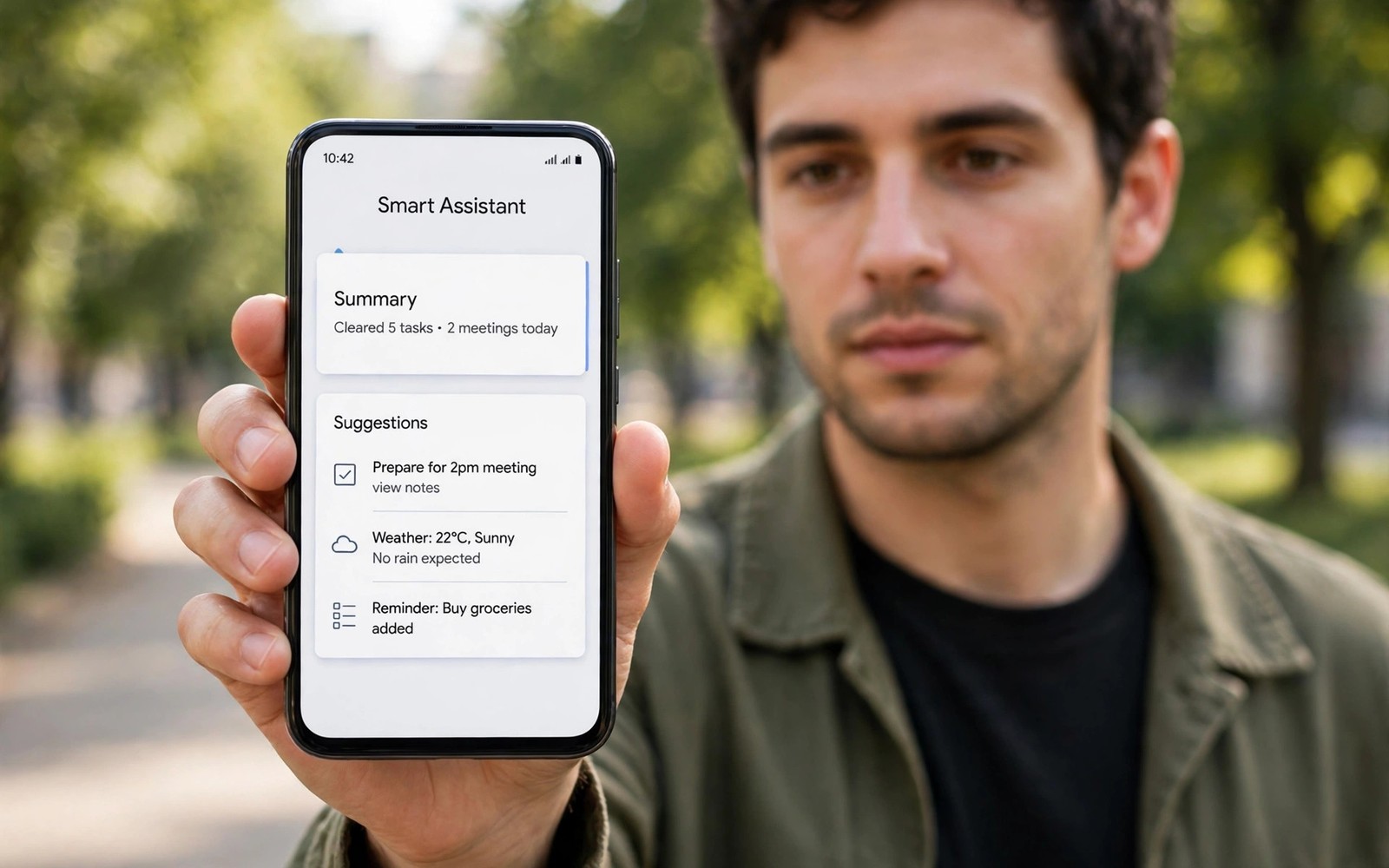
Google Pixel Strategy: Software Intelligence, AI, and Stock Experience
Pixel phones never tried to win on paper specs alone. Google sells a different idea: a phone that gets smarter the longer you own it, with software doing work that other phones leave to bigger sensors, faster chips, or busier menus. After a week with a Pixel, the hardware fades into the background. What stays is the way the phone answers calls for you, fixes photos you thought were ruined, transcribes a meeting while you listen, and keeps getting new features years after launch.
That approach only makes sense if you value calm software over raw choice. A Pixel gives you one clean version of Android, one camera app that leans hard on computation, and one assistant woven through the system. It does not give you five camera lenses to play with, a dozen themes preinstalled, or a bargain price for the same chip. This article looks at the whole strategy — Tensor silicon, Gemini AI, the camera system, the seven-year update promise, and the trade-offs — so you can judge whether a Pixel fits your daily routine or whether a rival does the job better.
I tested these ideas the way most owners will: as a daily phone, not a lab device. Photos were taken at night markets, on trains, and of kids who never stand still. Calls were screened while cooking. The recorder ran during long interviews. What follows is grounded in that kind of use, with named features, real settings, and honest limits wherever they showed up.
What Makes Pixel Different: Tensor, Gemini and Software-First Design
Most phone makers start with hardware and add software on top. Google starts with the software it wants to run, then builds the chip to run it. Tensor, the custom silicon inside recent Pixels, was designed around machine learning tasks: voice recognition, image processing, live translation, and on-device AI. It will not top every benchmark chart against the fastest rival chips, and Google knows that. The bet is that a chip tuned for AI tasks delivers more useful speed in daily life than a chip tuned for synthetic scores.
In practice, that bet shows up in small moments. The keyboard suggests replies that sound like you. The phone transcribes a voice memo without sending the audio away. Live Translate turns a conversation in another language into subtitles in near real time. None of these moments feels dramatic on its own. Together, they change how often you reach for a separate app or a second device.
The design language supports the same idea. Pixel phones look calm: a camera bar across the back, muted colours, a clean lock screen. There is little visual noise competing for attention. That restraint carries into the software, where menus stay short and defaults stay sensible. If you like a phone that stays out of your way, this restraint is a feature. If you like to reshape every corner of your home screen, it can feel plain at first.
Tensor chips and on-device AI processing
Tensor handles AI work on the phone itself wherever possible, which brings two practical benefits. First, many features work without a connection: transcription, translation of downloaded languages, and photo processing keep working on a plane or in a dead zone. Second, personal data stays on the device for those tasks instead of travelling to a server. That matters for voice recordings, call screening transcripts, and photos you would rather not upload.
The trade-off is heat and sustained speed. Tensor phones can warm up during long video recording, heavy gaming, or extended 5G use, and when they warm up they slow down to protect themselves. Short bursts stay fast; long sessions do not always hold peak pace. Gamers who play demanding titles for an hour straight will notice this more than someone who checks messages, takes photos, and streams music.
How Tensor affects everyday speed
Day-to-day speed on a Pixel feels smooth rather than frantic. Apps open quickly, scrolling stays steady at the high refresh rate, and the camera opens fast enough to catch a moment. The phone rarely stutters in normal use. Where you may notice a difference is in exporting long 4K video or running a heavy game at maximum settings — jobs where rival flagship chips hold their pace longer. For most owners, the AI features repay that trade many times over. For heavy mobile gamers, it is worth testing before committing.
Gemini AI on Pixel: Gemini Live, Circle to Search and Call Assist
Gemini is the centre of the current Pixel plan. It replaces the older Assistant as the main way to talk to the phone, and it sits inside more places than a single app icon: long-press the power button, circle something on screen, or ask a question about a photo in your library. The point is that AI stops being a separate destination and becomes part of whatever you are already doing.
Gemini Live adds a conversational mode where you can talk back and forth, interrupt, and change direction mid-sentence. It works well for brainstorming a message, rehearsing what to say in a difficult conversation, or talking through a plan while you walk. It is less reliable as a source of hard facts — it can sound confident about a wrong detail — so treat it as a thinking partner, not a reference book. Check anything that matters, like dates, prices, or medical details, against a trusted source.
Circle to Search: look anything up without switching apps
Circle to Search is the feature I reach for most. Long-press the home bar, draw a circle around anything on screen — a shoe in a video, a plant in a photo, a word in an article — and the phone searches for it without leaving the app. It removes the old dance of screenshotting, opening a browser, and typing a description. For shopping, identifying objects, and translating text in images, it is genuinely faster than the old way. It works on text too: highlight a paragraph and ask Gemini to summarise it or explain a term.
Call Screen, Hold For Me and Direct My Call
Pixel call features solve a problem every phone owner knows: unknown numbers and endless hold music. Call Screen answers a suspicious call, asks who is calling and why, and shows you a live transcript so you can decide whether to pick up. Hold For Me waits on hold for you and alerts you when a human answers. Direct My Call reads out phone-menu options as text so you can tap instead of listening to a robot list them. These tools save real time across a year, and they work quietly in the background once set up.
Setting up Call Screen and spam protection
Open the Phone app, go to Settings, then Spam and Call Screen, and choose how aggressively the phone should screen unknown callers. You can let it screen silently, show transcripts, or decline obvious spam outright. I keep it on the middle setting: known contacts ring through, unknown numbers get screened, and obvious spam never reaches me. Review the screened-call log once a week at first, until you trust its judgement with numbers like clinics and delivery couriers.
Recorder, Live Transcribe and Live Translate
The Recorder app transcribes speech on the device, labels different speakers, and lets you search a two-hour recording for a single word. Students, journalists, and anyone who sits through long meetings will find this the most useful Pixel feature after the camera. Live Transcribe turns spoken words into text on screen in real time, which helps in noisy rooms and for anyone with hearing difficulty. Live Translate handles conversations and messages across dozens of languages, with downloaded language packs for offline use. These are not party tricks; they are tools people rely on weekly.
Magic Editor, Best Take and Night Sight: Computational Photography on Pixel
Pixel cameras win awards with modest hardware because most of the work happens after the shutter. The sensor captures several frames, the software merges them, lifts shadows, steadies the shot, and picks the sharpest result. That is why a Pixel photo often looks better straight out of the camera than a rival shot with a larger sensor but lighter processing. It is also why Pixel photos have a recognisable look: balanced, slightly warm, and honest rather than oversaturated.
Night Sight remains the headline act. Hold the phone still for a few seconds in a dark street or a dim restaurant and the phone stacks frames into a bright, usable photo where other phones produce mud. Astrophotography mode goes further on a tripod, capturing stars with long exposures. These modes need patience — the phone asks you to hold still — but the results reward it. Daylight shots are strong too, with reliable exposure and natural skin tones across different lighting.
Video has improved steadily, with Video Boost processing clips in the cloud for better colour, stabilisation, and low-light detail, and Night Sight Video extending the same idea to moving images. Video Boost takes time to process and needs a connection, so it suits clips you care about rather than every casual recording. Standard video is good, with solid stabilisation for walking shots, though dedicated video creators still praise iPhone colour consistency in some comparisons.
Magic Editor and Magic Eraser: fix photos after the fact
Magic Eraser removes a stranger, a bin, or a power line from a photo with a tap, filling the gap with plausible background. Magic Editor goes further: move a person within the frame, resize them, change the sky, or reframe a shot that was composed badly. Best Take solves the group-photo problem by blending faces from a burst so everyone has their eyes open and is smiling — each person taken from their best frame in the sequence. Photo Unblur sharpens old blurry shots from your library, including photos taken on other phones years ago.
These tools raise an honest question about what a photo is. A Best Take image never happened in a single instant, and a replaced sky is a different sky. Google labels some AI-edited results, and you should be open about edits when a photo is used as evidence or journalism. For family memories and social sharing, most owners will simply enjoy photos that look like the moment felt, not exactly like the sensor saw it.
Portrait mode, zoom and real-world camera limits
Portrait mode on Pixel produces clean edge detection around hair and glasses in most light, with a natural background blur that rarely looks painted on. Zoom on Pro models uses a dedicated telephoto lens for optical reach plus Super Res Zoom, which combines frames to keep detail at longer distances. At 5x and beyond, results stay usable for social sharing, though fine texture softens compared with a true long lens. The front camera handles video calls and selfies well, with good skin tone handling in mixed light.
The camera app itself deserves credit: it opens quickly, the modes are easy to find, and the shutter responds fast enough for kids and pets. That speed matters more than any single mode. A slow camera misses moments no editing tool can recover. Here is the catch, though: the phone can still struggle with fast-moving subjects in very low light, where any phone faces the same physics. Test night action shots yourself before trusting a review, including mine.
For a different take on phone cameras, the Sony Xperia camera strategy shows what happens when a maker targets professional photographers with manual controls and creator tools instead of computational help. Sony gives experts more control; Pixel gives everyone else better results with less effort. Your shooting style decides which philosophy fits.
Stock Android on Pixel: Clean Software Without Duplicate Apps
Pixel phones run the cleanest version of Android you can buy. There are no duplicate gallery, browser, or messaging apps fighting the Google versions, no third-party bloatware to disable on day one, and no heavy skin reshaping menus. What you get is Android as Google designed it, with Material You theming that pulls colours from your wallpaper across the interface, widgets that look consistent, and settings that stay findable.
That cleanliness has a practical payoff: the phone feels the same on day 300 as on day one, because there is less extra software to slow down or conflict. Notifications group sensibly, permissions stay visible, and the privacy dashboard shows which apps used your location, microphone, or camera recently. At a Glance on the home screen surfaces the next calendar event, a boarding pass, or a delivery update without opening an app.
The trade-off is fewer built-in extras than rival skins offer. Samsung phones pack more features into their software, from DeX desktop mode to deep multitasking tools, and OnePlus adds its own fast-charging and gaming extras. The OnePlus brand evolution shows how a rival built its identity on speed and value before moving upmarket, while Pixel built its identity on restraint. If you want every possible toggle, a Pixel can feel sparse. If you want a phone that stays calm, it feels right.
Pixel Feature Drops: new tools without buying a new phone
Feature Drops arrive every few months with new capabilities for existing Pixels — new camera modes, new Gemini abilities, new safety tools — at no extra cost. This is the most underrated part of owning a Pixel: the phone you bought in January can gain a genuinely useful feature in June. It also means early reviews go stale fast, because the software keeps changing. Check the latest Feature Drop notes before you judge a Pixel by a launch review.
Material You theming and home screen control
Material You lets the whole interface take its palette from your wallpaper, so the phone feels personal without installing a theme pack. Widgets resize cleanly, the lock screen shows useful information at a glance, and app icons can adopt a tinted monochrome look. Customisation is real but bounded: you can change the launcher, icon packs, and widgets like any Android phone, yet the system never lets a theme break readability. That balance suits owners who want a personal phone without a weekend of tinkering.
Pixel Update Promise: Seven Years of OS and Security Updates
Recent Pixel phones promise seven years of updates covering operating system upgrades, security patches, and Feature Drops from launch. That is the longest support window in the Android world and a direct answer to the old complaint that Android phones age fast. A phone bought in 2026 should still receive new Android versions and security fixes into the early 2030s, which changes the maths of ownership completely.
Seven years of support means you can keep a Pixel for four or five years without worrying about security, then hand it to a family member who still gets patches. It also protects resale value, because a buyer knows the phone will stay supported. The promise covers the main Pixel line; the cheaper A-series models historically carried a shorter window, so check the exact promise for the model you are buying rather than assuming every Pixel gets seven years.
Delivery matters as much as the promise. Pixel phones get new Android versions on day one, because Google builds both the system and the phone. Security patches arrive monthly and on schedule. Compare that with makers who promise long support but deliver updates months late in some regions. History is the best guide here, and Pixel has the strongest record in Android for on-time delivery. That reliability is part of what you pay for.
Long support only helps if the battery lasts, so plan for a battery replacement around year three or four. A fresh battery plus current software makes an old Pixel feel surprisingly new. Check battery health in settings, avoid leaving the phone in a hot car, and use adaptive charging overnight so the phone slows charging as it nears full. Small habits stretch a battery across a long support window.
Pixel vs Samsung vs OnePlus vs Motorola: How the Strategy Compares
No phone exists in isolation, and the Pixel plan looks different once you place it beside its rivals. Samsung offers more hardware choice, more software features, and the widest ecosystem of watches, tablets, and earbuds. OnePlus offers fast charging, clean-ish software, and strong value at its price. Motorola offers clean software at budget prices, with long battery life as its calling card. Pixel offers the smartest software and the longest update promise, with narrower hardware choice and slower charging.
The table below compares the four approaches on the points that matter most to buyers. Prices and exact specs change with each launch, so treat the table as a guide to strategy rather than a spec sheet for one model year. The pattern behind the numbers is what lasts: each brand spends its effort in a different place.
| Area | Pixel | Samsung | OnePlus / Motorola |
|---|---|---|---|
| Software style | Clean stock Android, Material You, no duplicates | Feature-rich One UI, DeX, deep multitasking | OnePlus: light OxygenOS; Motorola: near-stock with Moto gestures |
| AI focus | Gemini, Circle to Search, Call Screen, Magic Editor | Galaxy AI, translation, photo editing, Circle to Search | OnePlus: AI photo tools; Motorola: lighter AI, Moto AI additions |
| Camera approach | Computational photography, Night Sight, Best Take | Versatile zoom, strong video, many modes | OnePlus: Hasselblad tuning; Motorola: solid main camera, value focus |
| Update promise | Up to seven years of OS and security updates | Up to seven years on recent flagships | OnePlus: four to five years; Motorola: shorter, varies by model |
| Charging speed | Moderate wired and wireless charging | Moderate wired, good wireless, reverse charging | OnePlus: very fast wired charging; Motorola: fast charging on many models |
| Price range | Mid-range A-series to premium Pro models | Budget A-series to premium Ultra and foldables | OnePlus: mid-range to flagship; Motorola: budget to mid-range strength |
| Best for | Camera lovers, clean software fans, long ownership | Feature lovers, ecosystem buyers, foldable fans | OnePlus: value and speed fans; Motorola: budget buyers who want clean software |
That table explains why the Motorola budget lineup deserves a look even if you plan to buy a Pixel. Motorola proves that clean Android does not have to cost flagship money, and its battery life often beats premium phones in real days. A Pixel gives you smarter software and a far better camera; a Motorola gives you more days per charge and more money left over. Your budget and your camera habits decide which trade wins.
Pixel A-series: the smart buy for most people
The A-series is where the Pixel plan makes most sense for most buyers. You get the same clean software, the same computational camera approach, the same Gemini features, and a long update promise, at a much lower price than the Pro models. You give up the telephoto lens, the fastest charging, the premium build materials, and some display brightness. For most owners, those are fair trades: the main camera and the software are the parts you use every day, and the A-series keeps both.
Buy the Pro only if you need the telephoto zoom, the brightest display for outdoor work, the most RAM for heavy multitasking, or the best video tools. Buy the standard model if you want the flagship camera and software without the Pro price. Buy the A-series if you want the Pixel experience at the lowest sensible cost. That ladder is simple, and Google keeps it simple on purpose.
Pixel Battery, Tensor Performance and Everyday Trade-offs
Battery life on recent Pixels is good rather than record-breaking. A typical day of messaging, photos, maps, and streaming leaves most owners with charge to spare at bedtime, but heavy camera days, long navigation sessions, and weak signal areas drain the battery faster than on some rivals with larger cells. Adaptive Battery learns your routine and limits power to apps you rarely open, which helps over weeks rather than on day one. Give it a week to learn before judging battery life.
Charging is the clearest weakness. Pixel wired charging is slower than OnePlus and many Chinese rivals, and a full charge takes noticeably longer. Wireless charging works well on a desk pad, and Battery Share lets you top up earbuds from the phone, but neither fixes the slower wired speed. If your routine includes a ten-minute top-up before heading out, a Pixel will disappoint. If you charge overnight, you will never notice.
Everyday performance stays smooth for normal use, as noted earlier, with the limits showing only under sustained heavy load. Storage starts at sensible sizes on recent models, with no microSD slot, so choose your capacity at purchase and remember that photos and video fill space fast. Back up photos regularly and check your free space monthly, because a full phone slows down and stops taking photos at the worst moment.
Pixel pros and cons after long-term use
The strengths are consistent across owners: the camera in low light, the clean software, the useful AI tools, the day-one updates, and the seven-year support promise. Owners also praise Call Screen and the Recorder app, two features that sound minor until you use them weekly. The weaknesses are just as consistent: slower charging, Tensor heat under sustained load, narrower hardware choice than Samsung, and a modem that some owners find less strong in weak-signal areas than rival phones.
Repairability has improved, with parts and guides more available than in the early Pixel years, but check repair prices and service locations near you before buying. A phone you keep for five years will need a battery swap and possibly a screen repair, and the cost of those jobs is part of the real price. The trade-off is honest: you give up some speed and some choice, and you gain software that keeps improving and a camera that rarely lets you down.
Who the Pixel plan suits best
Pixel suits photographers who shoot in low light, owners who keep a phone for four years or more, people who want clean software without duplicates, and anyone who uses call screening, transcription, or translation weekly. It suits less well heavy mobile gamers, buyers who need the fastest charging, and owners who want a foldable or a stylus phone. Neither group is wrong; they simply value different things, and the Pixel plan is built for the first group.
Who Should Buy a Pixel and What to Check Before You Buy
Before you spend money, write down your top five daily tasks and check each one against a Pixel. If your list is photos, calls, messages, maps, and reading, a Pixel will serve you well. If your list is competitive gaming, rapid top-ups, and a foldable screen, look elsewhere first. Then hold the phone in a shop: check the size in your hand, the weight in your pocket, and the screen brightness outdoors. Spec sheets cannot answer those questions.
Check the exact update promise for the model you are buying, the storage size you need, and the trade-in value of your current phone. Test the camera with your own subjects — your kids, your street at night, your pet — rather than trusting sample shots. Ask about battery replacement cost and the return window, and use that window fully in your first two weeks. A phone is a daily tool for years; two careful weeks of testing beats two hours of launch reviews.
The Pixel plan is a long bet on software over hardware, and the evidence after several generations is that the bet mostly pays off for its target owners. The phone gets better after purchase, the camera rescues shots other phones miss, and the AI tools save time in ways that add up. The price of that bet is slower charging and a narrower range of models. If you can live with those limits, a Pixel rewards you every day. If you cannot, the rivals in the table above are strong phones in their own right — choose the one whose trade-offs match your life.
Frequently Asked Questions About Google Pixel Phones
Is a Pixel phone good for photography in low light?
Yes, low-light photography is one of the strongest reasons to buy a Pixel. Night Sight stacks multiple frames to brighten dark scenes while keeping contrast natural, and the main camera handles restaurants, streets, and evening events well. Hold the phone steady for a few seconds, keep the lens clean, and expect the best results on still or slow subjects rather than fast action in the dark.
How long will a Pixel phone receive updates?
Recent flagship Pixels promise seven years of operating system upgrades, security patches, and Feature Drops from launch, while A-series models carry a shorter window that you should check per model. Pixels receive new Android versions on day one and monthly security patches on schedule. That long window makes a Pixel a sensible choice if you plan to keep your phone for four or five years.
Does Gemini on Pixel work without an internet connection?
Some Gemini and Tensor features work offline, including on-device transcription, translation with downloaded language packs, and photo processing, while Gemini Live conversations and cloud features like Video Boost need a connection. Download the language packs you need before travelling, and treat Gemini as a thinking partner rather than a reference book — check dates, prices, and important facts before acting on them.
Is the Pixel A-series worth buying instead of the Pro model?
For most buyers, yes. The A-series keeps the clean software, the computational main camera, Gemini features, and a long update promise at a much lower price. You give up the telephoto lens, the brightest display, and premium materials. Buy the Pro only if you need long zoom, heavy multitasking RAM, or the best video tools; otherwise the A-series covers the daily Pixel experience well.
A Pixel rewards owners who value software intelligence over spec-sheet wins. Take the checks above, test one in a shop with your own photos and calls, and choose the model whose trade-offs you can live with for years. The right Pixel is the one that still feels calm and capable in year three, not just exciting on launch day.

