

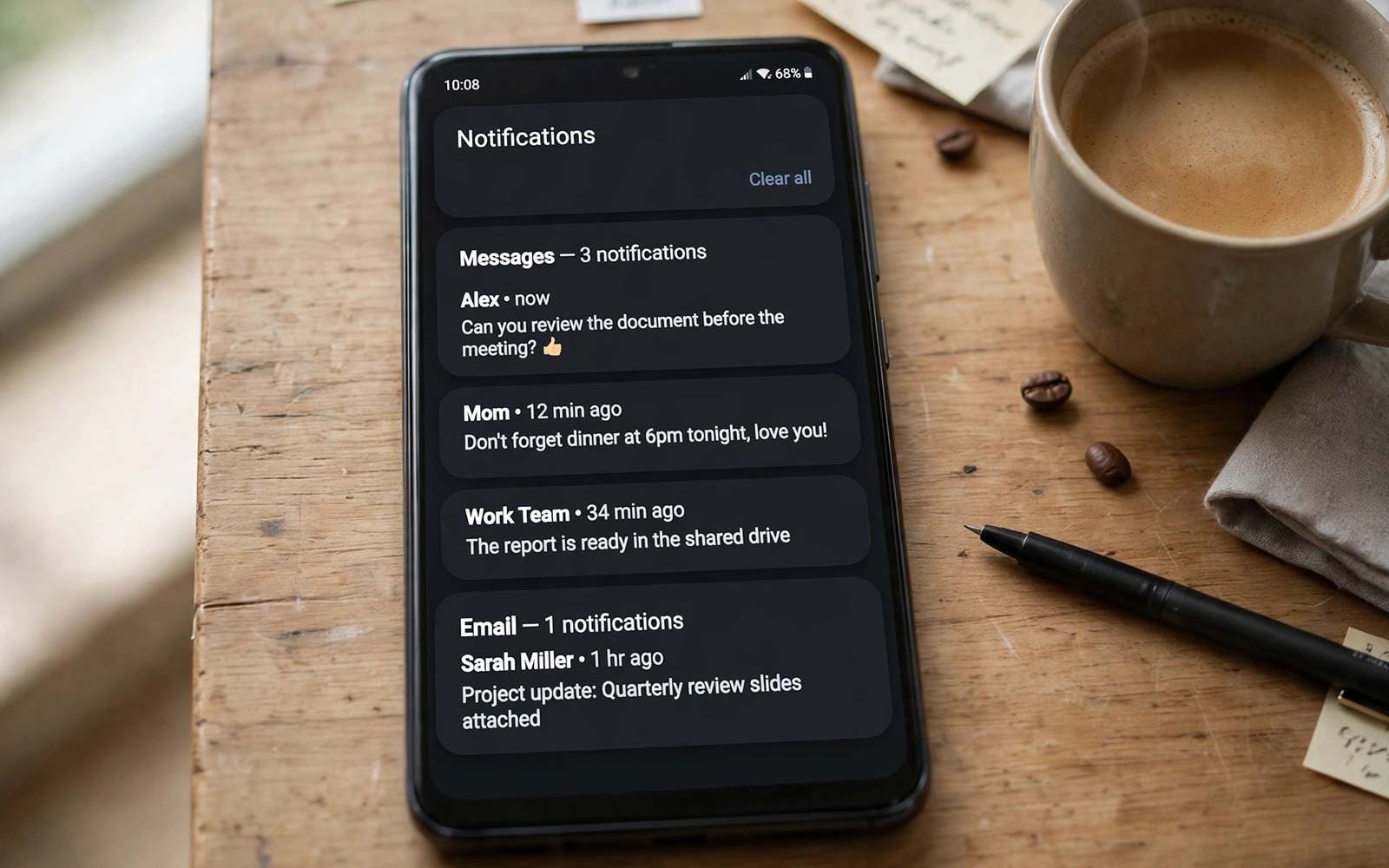
Notifications shape your day more than any spec. A good system shows what matters and hides the rest. Android built its system around fine control. iOS built its system around focus and calm. Both have improved a lot. Android still gives you more levers to pull.
This article explains those levers in plain terms. It covers channels and groups. It covers snooze and history. It covers quiet hours and focus modes. By the end you can tune alerts to serve you. Your phone will interrupt less and inform more.
Notification Channels: The Android Superpower
Channels split one app into many alert types. A chat app can have one channel for direct messages. It can have another channel for group chatter. It can have a third channel for promos. You control each channel alone. Silence promos and keep direct messages loud.
iOS groups alerts by app and by thread. You can mute a thread or an app. You cannot split one app as finely in most cases. Focus modes add another layer on top. They filter by people and by apps. The result is good but less granular.
Grouping, Bubbles and the Shade
Android groups alerts by app in the shade. Tap a group to expand it. Reply from the shade without opening the app. Bubbles keep a chat floating over other apps. You can move a bubble or dismiss it fast. The shade feels like a workbench.
iOS stacks alerts on the lock screen and in the center. You can expand a stack with a long press. You can reply from the alert too. The design looks clean and calm. But it offers fewer tools for power triage. Heavy users may miss the Android shade.
Snooze, History and Second Chances
Snooze is a small feature with a big payoff. Swipe an alert and set it to return later. Pick fifteen minutes or one hour. The alert will come back at that time. Use snooze for tasks you cannot do now. It beats dismissing and forgetting.
History saves you from accidental swipes. Turn on notification history in settings. Dismissed alerts stay listed for a day. Open history to recover a lost alert. This safety net is easy to miss. Turn it on before you need it. For daily phone habits, the ecosystem breakdown puts alerts in wider context.
Quiet Hours, Do Not Disturb and Focus
Quiet hours protect sleep and deep work. Set a schedule for nights. Allow calls from starred contacts only. Block app alerts until morning. Both systems offer this well. Android adds per channel exceptions. You can let one channel break through silence.
Focus modes on iOS link to lock screens and apps. A work focus can show a work screen. A sleep focus can dim the whole phone. Android focus tools exist too. They vary by maker in depth. Pick the mode that matches your day and test it for a week.
Lock Screen Alerts Done Right
The lock screen is the first alert surface. Show sender and preview for close contacts. Hide previews for banking and health apps. Use sensitive content rules per app. A quick glance should tell you if action is needed. It should not leak private text to strangers.
Keep the lock screen short. Five alerts are enough at a glance. Older alerts can wait in the shade. If the list grows long then your rules are too loose. Tighten one app each day. Calm returns fast with small cuts.
A Tune Up Plan You Can Finish Today
Open settings and list your noisiest apps. Silence promo channels first. Keep only human messages loud. Set snooze as a habit for later tasks. Turn on history as a safety net. Set quiet hours for night.
alert_plan = [
  "silence promos",
  "keep messages loud",
  "set quiet hours",
  "turn on history"
]
for step in alert_plan:
    print("Apply: " + step)
The snippet above is a simplified illustration of a notification tune up order. It shows the idea in plain form. Adjust each step to match your own apps and routine.
App Developers and Alert Abuse
Some apps abuse alerts to pull you back. They send promos dressed as news. They send guilt trips about streaks. They send sale alerts at odd hours. You do not owe them attention. Silence the channel and keep the app.
If an app keeps abusing alerts then remove it. A useful app respects your time. A noisy app costs focus every day. Check alert stats in settings each month. The worst offenders will stand out fast. Cut them without guilt. For multitasking while you triage, see the split-screen multitasking tools.
Wearable Alerts and Watch Triage
A watch changes how alerts reach you. A buzz on the wrist beats a phone buzz in a pocket. You can triage without pulling out the phone. Glance and dismiss spam at once. Reply with voice for urgent chats. Leave the rest for later. Mirror only key apps to the watch. Mirror chats and calls first. Mirror calendars next. Silence promos and games fully. A watch with fifty apps buzzing helps no one. A watch with five key apps feels calm. Review mirrored apps each month. Noise creeps back with each new install.
Watch replies suit short answers well. Dictate a yes or a time. Send a preset reply for common cases. Long replies belong on the phone. Do not fight a tiny screen for an essay. Use the watch to decide, not to compose. Dismiss, reply short, or defer. Those three moves cover most alerts. A watch triage habit saves phone pickups daily. Fewer pickups mean deeper focus. Your wrist becomes a filter, not a leash.
Driving and Do Not Disturb
Driving demands full attention. Alerts must wait for the road. Driving modes silence most alerts at once. Calls from favorites can break through. Texts can wait for a safe stop. Auto replies tell senders you drive. Set driving mode to start with motion or car Bluetooth. Test it on a short drive first. Check that navigation voice still speaks. Check that emergency calls still ring. A driving mode that blocks navigation fails its job. Tune exceptions before a long trip.
Passengers need a manual override. A passenger can turn driving mode off. The driver should never do it mid drive. Agree the rule with regular passengers. Safety beats a quick reply every time. At the destination, review missed alerts once. Do not review them at red lights. A stopped car still needs eyes on the road. Driving calm starts with alert rules set at home.
Alert Stats and Monthly Review
Alert stats reveal your true noise load. Settings show counts per app. The top app often shocks new reviewers. A chat app may send hundreds weekly. A news app may send dozens daily. Numbers beat feelings for this audit. List the top five noisy apps. Silence or trim each one. Keep only human messages loud. Set a monthly reminder for this review. Ten minutes a month buys daily calm. Noise grows slowly and you adapt to it. Stats break that adaptation with facts.
Compare stats month to month. A falling count means rules work. A rising count means a new app misbehaves. Find the new app and tame it fast. Share the habit with family. Kids benefit from calmer phones too. A monthly review turns alerts from masters into servants. Your attention is the scarcest resource you own. Spend it on people, not on promos.
Breaking News Without Panic
News alerts can flood a phone in a crisis. Every outlet pushes the same story. Alerts arrive in waves for hours. Panic grows with each buzz. Tame news alerts before crises strike. Allow one trusted news app only. Silence the rest permanently. Set the trusted app to urgent alerts only. Urgent only means rare and real. Daily headlines can wait for a reading hour. A reading hour beats a buzzing day. During a crisis, check news twice daily. Morning and evening checks suffice for most people. Constant checks add fear without facts. Facts change slowly even in fast crises. Calm news habits protect mental health. They also protect focus for work and family.
Emergency alerts deserve a separate rule. Government alerts warn of danger nearby. Never silence official emergency alerts. They carry floods and storms and safety orders. They arrive rarely and matter deeply. Test that emergency alerts work on your phone. Check settings for wireless emergency alerts. Keep volume on for those alerts always. A phone that sleeps through a flood warning fails its job. News apps can wait. Emergency alerts cannot. Separate the two in your mind and in settings. One serves curiosity. The other serves survival.
Social Apps and Reply Speed
Social apps pressure fast replies. Read receipts show when you saw a message. Typing signs show when you reply. Friends expect instant answers. That pressure harms deep work. Turn off read receipts for calm. Friends cannot track your reading then. Reply in batches twice daily instead. Morning and evening batches cover most chats. Urgent friends can call for true urgency. A call signals urgency better than a text. Tell close friends your batch habit. Friends who know the habit respect it. Friends who learn it by silence feel ignored. Communication about communication prevents hurt. A short note about batches saves friendships.
Group chats add reply pressure in bulk. A busy group can send hundreds daily. Mute busy groups by default. Check them in batches too. A muted group still shows unread counts. Counts tempt you back constantly. Hide counts for muted groups when possible. Out of sight truly helps here. Leave groups that only drain time. A group that never helps can go. Leaving feels rude at first. It feels freeing within a week. Your attention belongs to people who matter. Spend it there, not in noisy groups.
Sleep Tracking and Night Alerts
Sleep tracking promises better rest through data. Watches track sleep stages nightly. Phones track sleep with bedtime modes. Data shows patterns over weeks. Patterns reveal late nights and short sleep. Act on patterns, not on single nights. One bad night means little. A month of short sleep means a lot. Set a bedtime alarm for consistency. Consistency beats perfect sleep scores. Scores can breed anxiety about rest. Anxiety harms sleep more than scores help. Check sleep data weekly, not hourly. Weekly views show trends calmly. Daily views invite obsession. Sleep tech should serve rest. It should not police it nightly.
Night alerts must respect sleep above all. Silence all but family calls at night. Allow repeat calls to break through. Repeat calls often signal emergencies. A single call at night can wait. Two calls in five minutes cannot. Set this rule in do not disturb settings. Test it with a family member once. A tested rule earns trust at night. Keep the phone face down at night too. Screen flashes wake light sleepers. Charge the phone away from the bed. Distance reduces midnight checking. A phone across the room protects sleep better than willpower. Sleep is a health habit, not a tech feature.
Notifications That Serve Your Life
Good alerts feel like a helpful assistant. They warn you before a meeting. They tell you a parcel arrived. They flag a message from family. They stay silent for the rest. That balance is the goal.
Android gives you the tools to reach that balance. Channels and snooze and history lead the way. iOS gives you a simpler path to calm. Pick the system that matches your style. Then tune it once and enjoy the quiet. The default app choices also shape which apps can alert you first.

