

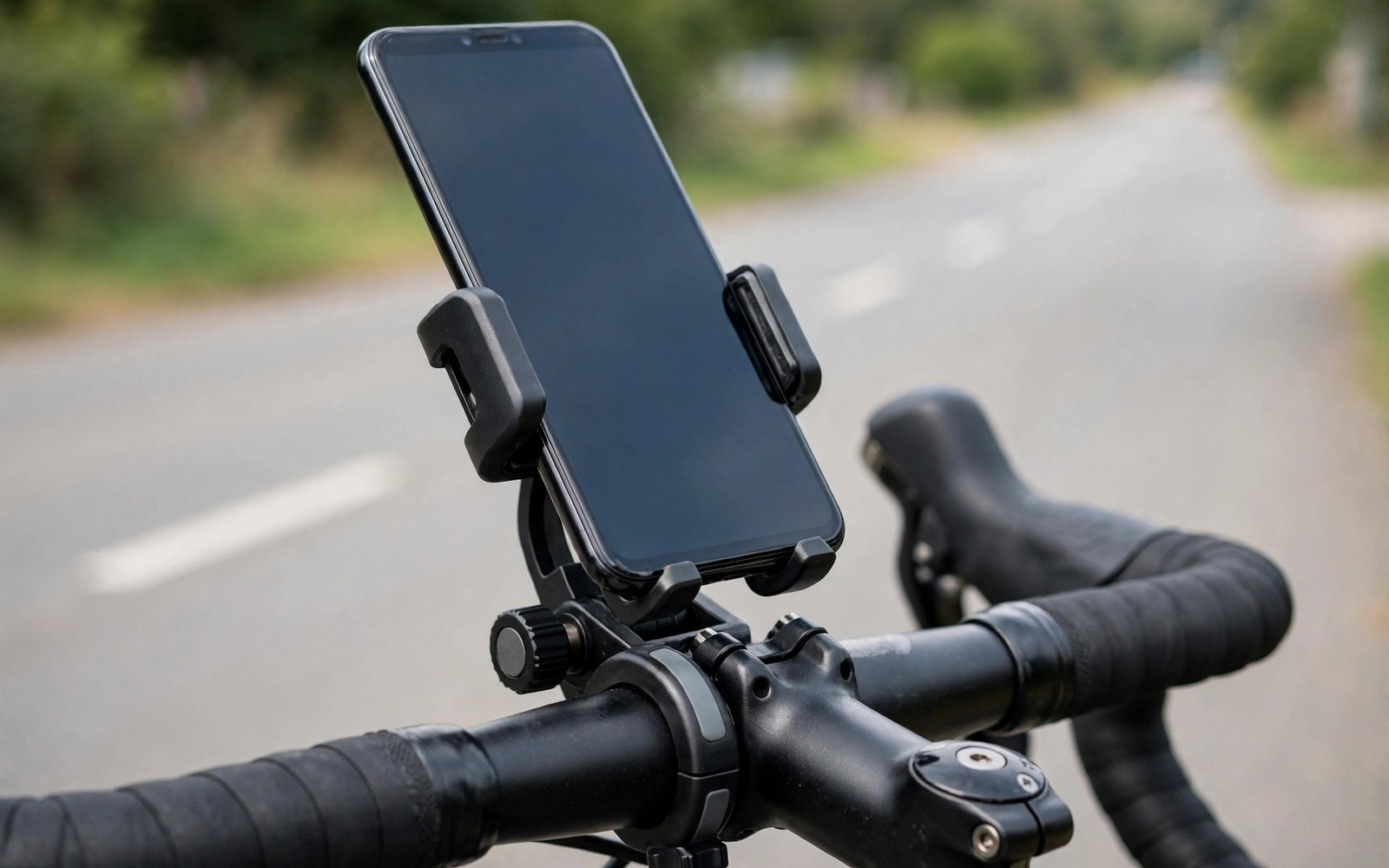
A phone mount turns a phone into a navigator and a ride recorder on any vehicle. Cyclists follow routes without stopping to check a pocket. Motorcyclists see directions with a glance instead of a guess. Drivers keep navigation in view while both hands stay on the wheel.
Each vehicle stresses a mount differently. Bicycles vibrate on rough roads and expose the phone to rain. Motorcycles add engine vibration and high wind at speed. Cars add heat on a sunlit dashboard and glare that can hide the screen. One mount design rarely serves all three well.
Safety comes before convenience in every mount choice. A mount must hold the phone through bumps and braking and wind without dropping it. It must also sit where a glance does not pull attention from the road for long. This guide covers fit and safety for each vehicle type.
Bicycle Handlebar Mounts
Bicycle mounts clamp to the handlebar and hold the phone in view above the stem. A four-point grip or a silicone band net holds the phone through potholes and kerb drops. Check that the clamp diameter matches your handlebar because bars vary in thickness. A shim or adapter closes small gaps safely.
Position the phone near the centre of the bars where steering forces stay balanced. A phone mounted far to one side twists the steering feel slightly. Angle the screen to cut sky glare while keeping the route readable. Test the angle on a short ride before a long route.
Rain protection matters for regular cyclists. A waterproof case or a rain cover keeps the screen usable in drizzle. Touchscreens respond poorly through thick covers so test touch response before relying on it. Voice directions can cover the gaps when the screen gets wet.
Remove the phone at stops in busy areas. A mounted phone invites theft when a bike sits unattended. A quick release mount makes removal fast and reattachment easy. The few seconds spent removing the phone beat replacing a stolen device.
Motorcycle Mounts and Vibration
Motorcycle mounts face stronger vibration than bicycle mounts. Engine buzz travels through the bars and can blur a camera sensor over time. A mount with a vibration damper reduces this buzz and protects the phone camera. Dampers use rubber or gel layers that absorb high frequency shaking.
Locking mounts suit motorcycles better than simple clamps. A locking jaw or a twist lock holds the phone against wind at highway speed. Test the lock with gloves on because you will operate it with gloves in real use. A lock that needs bare fingers fails on a cold ride.
Mount placement on a motorcycle must respect controls and instruments. The phone must not block the speedometer or the mirrors or the brake lever travel. Keep the mount clear of cables that move with steering. A blocked lever or a snagged cable creates danger far beyond a missed turn.
Weather sealing matters even more at motorcycle speed. Rain hits harder and wind drives water into small gaps. A sealed case or a mount with a rain shield protects the phone on long rides. Dry the mount contacts after wet rides to prevent corrosion.
Dashboard and Windscreen Mounts for Cars
Dashboard mounts use a suction cup or an adhesive pad to hold the phone in the car. Suction mounts stick to smooth windscreens and some dashboards. Adhesive mounts suit textured dashboards where suction fails. Choose the base that matches your dashboard surface rather than forcing a mismatch.
Place the phone low enough to keep the road in view over the top of the device. High mounts block the view of the road ahead and invite longer glances. A vent mount can work when it does not block airflow badly or overheat the phone. Air conditioning vents also cool a phone on hot days.
Heat is the main enemy of dashboard mounts. A sunlit dashboard can push a phone into thermal protection and dim the screen. A mount that sits in shade or near a vent avoids the worst heat. Never leave a phone mounted in a parked car under strong sun.
Cable routing deserves attention in cars. A charging cable should run without crossing the steering wheel or the gear lever. Route the cable along the dashboard edge and secure slack with clips. A loose cable snags at the worst moment during a turn.
Mount Types Compared
Clamp mounts grip the phone edges with spring jaws. They fit many phone sizes and swap between devices fast. Their weakness is edge pressure on buttons when the jaws sit badly. Adjust the jaws to avoid volume and power buttons.
Magnetic mounts hold a metal plate on the phone or case against a strong magnet. They attach in one motion and release just as fast. Their weakness is holding strength on rough roads with heavy phones. Choose a magnet rated well above your phone weight for rough use.
Case-lock mounts use a dedicated case that twists into the mount. They hold the phone most securely of all common types. Their weakness is the need for a matching case for each phone model. Riders who change phones often may prefer a universal clamp instead.
Suction mounts suit smooth surfaces and rental cars where drilling is impossible. Their weakness is gradual suction loss in heat and dust. Clean the cup and the surface before each long trip. Re-seat the cup whenever the mount feels loose.
- Match the clamp or base to your bar diameter or dashboard surface before buying.
- Keep the phone clear of mirrors and instruments and control levers on every vehicle.
- Use a vibration damper on motorcycles to protect the phone camera from engine buzz.
- Test the mount with gloves on when you will ride with gloves in real use.
- Remove the phone at stops and never leave it mounted in a hot parked car.
Fitting and Safety Checks
Tighten every mount bolt to a firm hand-tight level and no further. Over-tightening cracks plastic clamps and strips threads. Check the mount after the first ride because new clamps settle slightly. A quick recheck after ten minutes of riding catches most loosening.
Shake the mounted phone firmly with your hand before riding. The phone should not shift or rotate or rattle in the mount. If it moves then adjust the jaws or the base before the ride starts. Road vibration only worsens a loose fit.
Plan glance habits before relying on a mounted phone. Set the route before moving and use voice directions for turns. A mount helps navigation only when glances stay brief. Pull over safely whenever the route needs real attention.
Check local rules for phone placement in vehicles. Some regions restrict windscreen mounts to certain zones or ban handheld interaction entirely. A legal mount position varies by place so confirm the rule for your area. Compliance protects both your licence and your safety.
VEHICLE MOUNT SAFETY CHECK
1 Clamp diameter matches bar or base matches surface
2 Phone clear of mirrors instruments and levers
3 Shake test passed with no shift or rattle
4 Route set and voice directions on before moving
5 Cable routed clear of steering and gear controls
6 Phone removed at stops and never left in hot sun
Night Riding and Visibility
Night riding adds a visibility problem to navigation. A bright phone screen can dazzle the rider and hide the dark road ahead. Dim the screen to the lowest readable level before night rides. A dim screen preserves night vision while keeping route guidance readable.
Mount position matters more at night because glare from the screen reflects in visors and glasses. Angle the phone slightly downward to cut reflections. Test the angle on a dark street before a long night ride. A small angle change removes most visor glare.
Reflective gear and lights matter more than the mount at night. A phone mount never replaces proper bike lights and reflective clothing. Other road users must see you long before they see your screen. Safety gear comes first on every night ride.
Phone Protection from Weather
Rain reaches a mounted phone from the front and from wheel spray below. A rain cover that seals the back while leaving the screen visible works best. Touch response through a cover varies so test it before a wet ride. Voice guidance covers moments when wet touch fails.
Dust on dry trails coats screens and mounts quickly. Wipe the screen at stops to keep navigation readable. Dust in mount joints causes wear over time so rinse mounts after dusty rides. A quick wipe routine extends mount life greatly.
Cold weather drains phone batteries faster on exposed mounts. A phone on a winter handlebar can shut down early from cold. Keep the phone in a pocket on very cold days and check the route at stops. A power bank in a warm pocket helps on long cold rides.
Choosing Mounts for Different Bikes
Road bikes with narrow bars suit compact clamps that grip a small diameter. Mountain bikes with wide bars need clamps that open wider. Check bar diameter at the exact mounting point because bars taper. A clamp that fits one section may not fit another.
Motorcycles vary more than bicycles in bar shape and vibration level. Cruiser bars and sport bars place mounts at different angles. Adventure bikes vibrate differently from smooth touring bikes. Test a mount on your own bike rather than trusting a generic review.
Scooters and e-bikes add their own mounting spots near the display. A mount near the display must not block speed or battery readings. Keep the phone clear of the built-in display. Riders need both screens readable at a glance.
Dashboard Mounts in Hot Climates
Hot climates punish dashboard mounts more than any other environment. Adhesive pads soften and suction cups lose grip as dashboard temperatures climb. A mount that holds firmly in mild weather may drop the phone on a hot afternoon. Choose mounts with mechanical vent clips or screw bases for consistently hot regions. Mechanical holds ignore heat in ways that adhesives cannot.
Phone overheating is a separate hot climate problem that mounts can worsen. A phone pressed against a sun-heated dashboard absorbs heat from both sides. Vent mounts help because air conditioning cools the phone directly. A dashboard mount in shade also reduces heat load significantly. Monitor the phone for heat warnings on long summer drives and move it to shade when warnings appear.
Parked cars in hot climates reach temperatures that damage phones and mounts alike. Never leave a phone mounted in a parked car under strong sun. Remove the mount base adhesive covers only when installing permanently. Temporary mounts that remove easily suit hot climates better because they avoid baked-on adhesive failures.
Mount Maintenance Routines
Mount joints collect dust and grit from road use over time. Grit in ball joints causes stiffness and eventual wear. Wipe joints monthly with a damp cloth and dry them fully. A drop of silicone lubricant on stiff ball joints restores smooth movement. Avoid oil-based lubricants that attract more dust.
Suction cups need cleaning to maintain their grip on smooth surfaces. Rinse the cup with warm water and let it air dry before reuse. A clean cup grips far better than a dusty one. Replace cups that stay cloudy or cracked after cleaning. Worn cups fail gradually and drop phones without warning.
Check clamp springs and jaws for fatigue every few months of daily use. Springs weaken with repeated opening and closing. A jaw that no longer springs firmly deserves replacement. Mount failure usually announces itself through looseness weeks before a drop. Regular checks catch the warning signs.
For one-motion attachment, see magnetic tripod mounts for rapid phone mounting and judge magnet strength for rough roads.
For a lighter travel kit, see portable phone tripods for travel and vlog recording when the shoot leaves the vehicle.
For a full filming rig, see professional phone camera cages and rig attachments for filmmakers which add handles and accessory mounts.
The steps above follow the approach described in the official developer documentation and standard manufacturer guidance for vehicle mounts and mobile device safety. The fitting checks and placement advice reflect common practice for bikes and motorcycles and cars. Use them as a baseline and adapt the mount to your vehicle and your local rules.

