

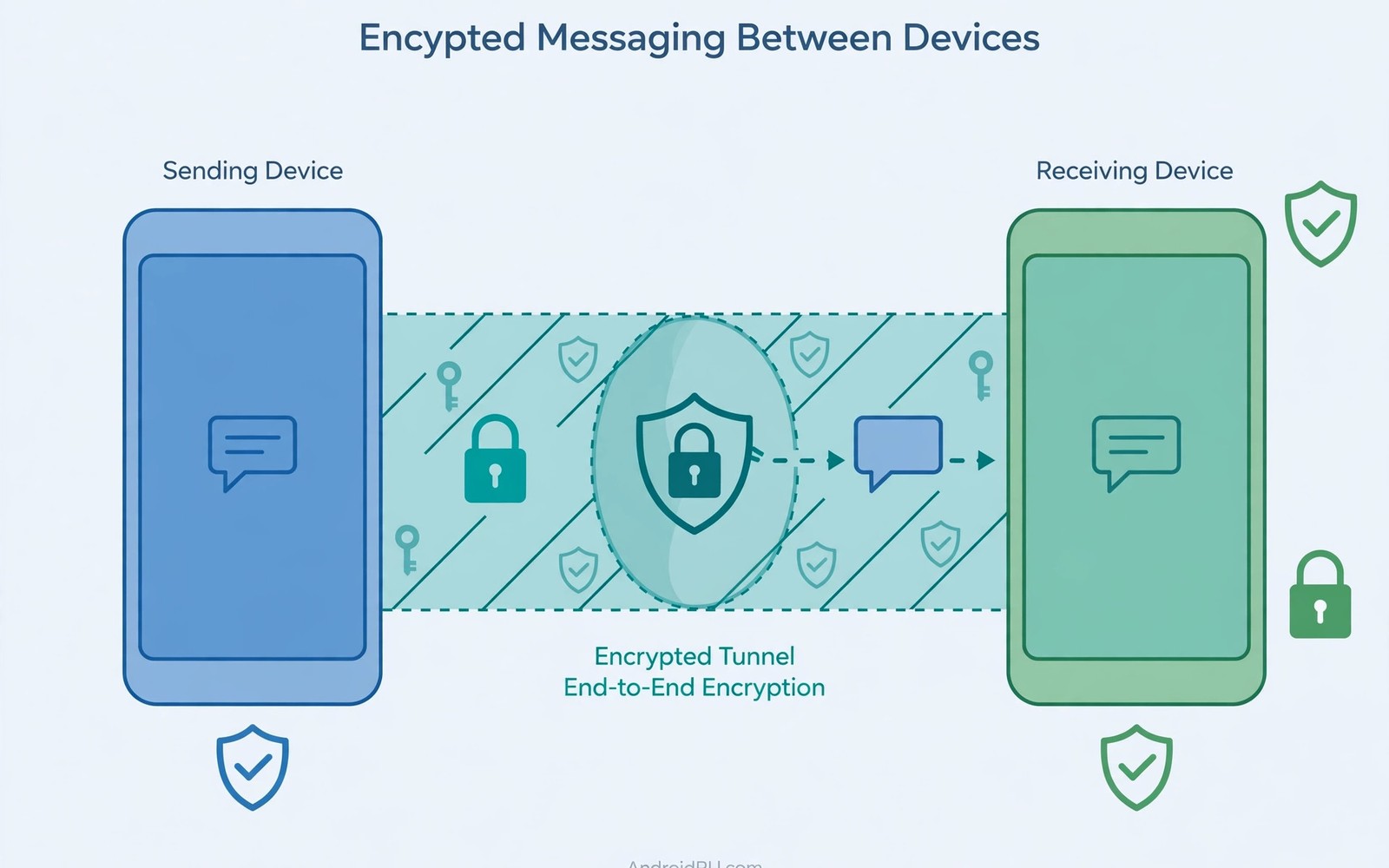
Encrypted messaging apps protect messages in transit so only sender and recipient can read them. End-to-end encryption scrambles each message on the sender phone before it leaves the device. The messaging server relays the scrambled data without holding the key to decrypt it. The recipient phone decrypts the message locally using its own private key.
This design differs sharply from older messaging systems that stored plain text on servers. A server breach in an older system exposed full conversation history to attackers. End-to-end encryption limits server exposure to scrambled data that remains useless without device keys. Learning what a mobile VPN is and why you need one shows a related network layer protection that complements message encryption.
Encryption in transit does not hide every detail about a conversation from the service provider. Metadata such as sender and recipient and message timing may still reach the server. Message contents stay protected but patterns of contact remain visible in many systems. Understanding that boundary helps you judge what encrypted messaging actually guarantees.
How End-to-End Encryption Works
Each device generates a pair of cryptographic keys when the user first sets up the app. The public key can be shared openly because it only encrypts messages for that device. The private key stays on the device and never travels across the network. Senders encrypt messages with the recipient public key before sending anything.
Modern apps use a fresh session key for each message through a ratcheting protocol design. Ratcheting means a stolen key for one message does not decrypt earlier or later messages. Forward secrecy protects past conversations even if a device key leaks in the future. This property makes modern messaging far stronger than static key encryption from older systems.
Key Exchange and Verification
Devices exchange public keys through the messaging server during first contact setup. The server could theoretically substitute a fake key if no verification step exists. Safety numbers or verification codes let users confirm keys through a separate channel. Comparing codes in person or by voice call defeats most substitution attacks.
Many apps warn when a contact safety number changes after a device reinstall or key reset. A change does not always mean an attack because legitimate reinstalls also reset keys. Treat unexpected changes as a reason to verify before sending sensitive information. Verification takes seconds and prevents a serious impersonation risk.
What Metadata Still Leaks
Servers need routing information to deliver messages to the correct recipient device. That routing data reveals who talks to whom and when conversations happen. Message size and frequency can reveal activity patterns even without contents. Some providers minimise metadata retention while others store it for longer periods.
Contact discovery features can expose address book details to the service during setup. Uploading contacts helps find friends but shares phone numbers with the provider. Some apps offer contact discovery with hashed values to reduce exposure. Reviewing those settings during setup limits unnecessary metadata sharing from the start.
- Verify safety numbers for sensitive contacts
- Enable disappearing messages for private chats
- Use encrypted backups or disable cloud chat backup
- Review contact discovery settings during setup
- Keep the messaging app updated for protocol fixes
- Prefer apps with encryption enabled by default
Group Chats and Media Protection
Group chats encrypt messages for every member device in the group simultaneously. Each member holds keys that let them decrypt group messages locally. Adding a new member does not expose earlier group history in well designed apps. Media files receive the same end-to-end protection as text in modern messaging apps.
Backups can undermine group and individual encryption when they store plain text copies. Cloud backups of chats may upload unencrypted history to a separate cloud account. Disabling cloud chat backup or enabling encrypted backup preserves the protection. Reading encrypted web browsers focused on privacy style browser care matters less here than backup settings which users often overlook.
Choosing an Encrypted Messaging App
Prefer apps with open source clients and published protocol audits by independent reviewers. Open code lets researchers verify encryption claims instead of trusting marketing alone. Check whether the app supports disappearing messages and screenshot protection for sensitive chats. Those features help when a device itself falls into the wrong hands later.
Consider the app default settings because many users never change them after install. An app that encrypts by default protects every conversation without extra steps. An app with opt-in encryption leaves many chats unprotected by accident. Default protection matters more than advanced features most users never enable.
You can also explore whether your mobile carrier can see your browsing traffic for more context on neighbouring topics in this series.
Putting Encrypted Messaging Into Practice
Install the encrypted messaging app and verify safety numbers for your most sensitive contacts first. Meet in person or call by voice to compare verification codes for those contacts. Save verified contacts with a note that verification completed successfully on a specific date. Re-verify promptly whenever the app warns that a contact safety number changed unexpectedly. Verification discipline protects against impersonation attacks that encryption alone cannot stop.
Enable disappearing messages for chats that contain sensitive personal or work information. Choose a disappearance period that matches the sensitivity of the conversation topic. Short periods suit highly sensitive chats while longer periods suit ordinary private conversations. Disappearing messages protect past chats if a device is later lost or seized. They do not protect against screenshots taken by a recipient during the conversation itself.
Troubleshooting Encrypted Messaging Problems
Messages that fail to send often come from a contact key change after the contact reinstalled the app. Accepting the new key after verification usually restores message delivery immediately. Check network connectivity before blaming encryption for delivery failures on the phone. A weak signal causes more message failures than encryption protocol errors in daily use. Restarting the app clears transient session errors that block message sending occasionally.
Backup warnings appear when cloud backup settings conflict with encrypted messaging protection. Disable cloud chat backup or enable encrypted backup in the app settings to resolve the warning. Unencrypted backups upload chat history to a cloud account outside the messaging encryption. That upload defeats end-to-end protection for backed up conversations completely. Backup settings deserve the same attention as encryption settings during initial setup.
Building a Habit That Lasts
Review messaging app permissions quarterly to confirm that contact and media access remain appropriate. Messaging apps need contacts to find friends but do not need continuous location access. Restricting unnecessary permissions reduces exposure if the app suffers a future vulnerability. Quarterly reviews catch permission creep after updates that request new access silently. Small reviews keep a high trust app aligned with minimal access principles.
Update the messaging app promptly because protocol fixes arrive through app updates regularly. Delaying updates leaves known cryptographic flaws open during active exploitation periods. Automatic updates remove the burden of remembering this task during busy weeks. Encrypted messaging protection depends on current code as much as on strong protocol design.
Discuss encrypted messaging choices with contacts who handle sensitive topics with you regularly. Agreement on an app and verification habits makes secure communication practical for a group. A secure app that contacts refuse to use protects nothing in practice for that group. Practical agreement beats theoretical perfection when choosing tools for real conversations.
Advanced Tips and Next Steps
Use disappearing messages with a short timer for conversations that involve one-time codes or addresses. Short timers reduce the window during which a lost device exposes sensitive details. Choose timers based on how long the recipient realistically needs to read the message. Overly short timers frustrate recipients who miss messages before they disappear. Balance security against usability by matching timer length to conversation urgency and sensitivity.
Consider a separate messaging app for work conversations that should not mix with personal chats. Separation prevents accidental sharing of work details into personal groups through autocomplete errors. Work separation also simplifies device handover when changing jobs or roles in future. A work-only app with its own verification habits keeps professional boundaries clear on one phone. Compartmentalisation reduces both privacy risks and embarrassing mistakes in daily messaging.
Review message backup settings after switching phones because setup wizards often enable cloud backup by default. A new phone setup can silently enable unencrypted backup for chats that were previously protected. Checking backup settings immediately after migration prevents weeks of unprotected backups accumulating. Migration moments are high risk periods for privacy settings that deserve extra attention. A five minute check after setup protects years of future conversations.
Understand that encrypted messaging does not protect against a compromised recipient device in any way. A recipient phone with malware can read messages after decryption regardless of transport encryption strength. Encryption protects messages in transit but not messages at endpoints after delivery. Endpoint security through updates and app hygiene matters as much as encryption for real safety. Threat models should include endpoint compromise alongside network interception risks.
Teach verification habits to contacts gradually rather than demanding perfect verification from everyone at once. Start with close contacts who handle sensitive topics regularly with you. Gradual adoption builds a verified core group without overwhelming casual contacts unnecessarily. Over time the verified group grows naturally as contacts learn the simple verification steps. Patience in adoption beats strict demands that contacts ignore entirely.
messaging:
  encryption: end_to_end
  keys: device_generated
  server_reads_content: false
  verification: safety_number
The explanation above follows the approach described in the official developer documentation for Android networking and privacy controls. The guidance reflects standard end-to-end encryption practice for messaging apps on Android devices.

