

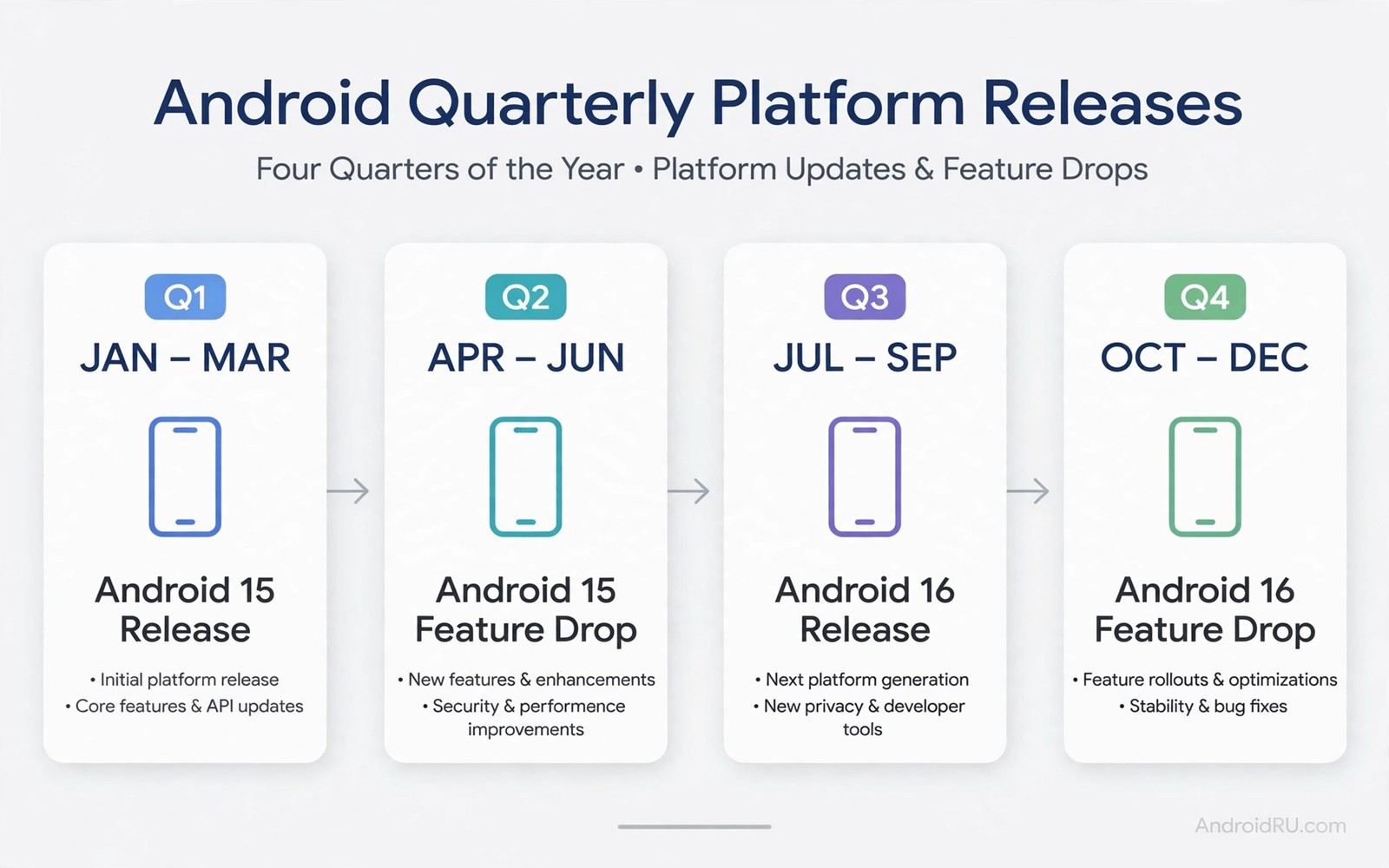
Android quarterly platform releases sit between major Android versions and monthly security patches. They arrive roughly every three months and they bring new features and refinements without changing the main version number. Pixel owners notice them most because Google ships them first to Pixel phones. Other brands may fold similar changes into their own updates later.
Many owners confuse a quarterly release with a full Android upgrade. The difference matters for expectations. A quarterly release polishes the current version rather than replacing it. Understanding major updates and monthly patches makes the whole update calendar easier to read.
What a QPR actually contains
A quarterly platform release contains feature improvements and interface refinements and bug fixes. It may add a new setting or improve an existing tool such as the camera or the notification system. It may also improve battery behaviour or fix a crash that affects many users. The changes feel useful but they do not rewrite the system.
Developers also receive small interface updates in a QPR. Those updates are usually backward compatible so existing apps keep working. That compatibility is a key design goal. Google wants quarterly releases to feel safe for everyday users and for app makers alike.
How QPR differs from a major release
A major release changes the version number and introduces larger platform changes. A QPR keeps the version number and focuses on polish and new features within that version. A major release may require more testing from brands and carriers. A QPR is smaller and therefore reaches Pixel phones faster.
Security patches differ from both types. A monthly patch focuses on security fixes with minimal visible change. A QPR adds visible features alongside fixes. Owners who track only major versions may miss useful QPR features for months if they ignore smaller update notes.
The QPR beta programme
Google runs a beta programme for quarterly releases on Pixel phones. Testers install early QPR builds and report problems before the stable QPR ships. This programme lets keen owners try new features early without waiting for the next major version. It also gives Google real world feedback on features that might otherwise ship untested.
adb shell getprop ro.build.version.release
adb shell getprop ro.build.id
adb shell getprop ro.build.version.security_patch
These commands follow the approach described in the official Android developer documentation for reading build identifiers and patch levels from a device.
Joining a QPR beta is less risky than joining a developer preview but it still carries some risk. Early QPR builds can contain bugs that affect daily use. Owners should back up data before joining and they should know how to leave the programme. Leaving may require a reset in some cases so read the programme terms first.
Why Pixel phones get QPR first
Google builds Android and Pixel phones together so Pixel devices receive QPR builds without extra brand adaptation. Other brands must adapt each QPR to their own interface and test it on many models. That work takes time and some brands skip a QPR entirely and fold its features into a later update. Pixel first delivery is therefore a structural result rather than favouritism.
Samsung and other brands often deliver similar features through their own update schedule. The feature may arrive under a different name or inside a larger brand update. Owners should judge the phone by the features it actually receives. Reading about why phones stop getting updates helps explain why older models miss some QPR features.
Should you install a QPR at once
Stable QPR builds are safe for most owners and installing them promptly is sensible. They contain fixes alongside features and delaying them leaves known bugs in place. Back up data first as with any system update. Charge the phone and use Wi-Fi for the download.
Beta QPR builds deserve more caution. Install them only if you accept possible bugs and you have a backup. For a primary phone the stable QPR is the better choice. Learning how long brands support Android updates helps you plan how many QPR builds your phone will still receive.
QPR features in everyday use
QPR features often improve small daily tasks rather than adding headline attractions. A better share menu or a clearer notification layout may save seconds many times each day. Those seconds add up to a smoother phone experience over months. Owners who dismiss QPR updates as minor may miss improvements that affect them more than a flashy new feature. Reading the full change list for each QPR reveals those practical gains.
Camera improvements inside a QPR can affect photo quality in subtle ways. A fix for low light focus or a faster shutter response may not appear in marketing material. Owners who photograph children or pets notice those fixes immediately. A QPR that improves camera reliability can feel more valuable than a major release that adds a feature the owner never uses. Practical value depends on personal use rather than on update size.
Battery behaviour also changes inside QPR builds in ways that owners feel over a week. A fix for a wakelock bug can extend standby time noticeably. A change to background limits can reduce overnight drain. Those gains rarely make news headlines but they improve daily ownership. Owners should therefore install stable QPR builds promptly rather than waiting for the next major version to fix a battery annoyance.
Enterprise users benefit from QPR builds through security and management improvements. A QPR may add controls for work profiles or improve VPN reliability. Those changes matter to IT teams who manage many phones. An enterprise that skips QPR builds may miss management tools that simplify device fleets. The business value of a QPR can therefore exceed its consumer marketing value.
QPR beta testing done responsibly
Responsible QPR beta testing starts with a backup and a clear exit plan. Testers should know how to leave the programme and what leaving requires. Some exits need a reset which erases data. A tester who understands that cost before joining avoids an unpleasant surprise later. Backing up photos and messages before joining protects against both bugs and exit resets.
Good beta testers report problems with clear details rather than vague complaints. A useful report includes the build number and the app name and the steps that trigger the bug. That detail helps engineers fix the problem quickly. Vague reports waste engineering time and they rarely lead to a fix. Owners who report well improve the stable QPR for everyone.
Beta testers should also test their most important apps first after installing a QPR beta. Banking and messaging and work apps deserve priority over games and novelties. If a critical app fails then leaving the beta promptly is wiser than enduring weeks of broken access. The purpose of beta testing is to find problems early not to suffer through them silently.
Families should avoid installing QPR beta builds on a shared family phone. A beta bug that breaks messaging or calling affects everyone who shares the device. Beta builds suit a personal spare phone far better than a shared device. That simple rule protects family communication while still letting keen owners explore new features safely.
QPR updates and long term phone health
Long term phone health depends on installing QPR updates consistently rather than skipping them for months. Skipped QPR builds can accumulate changes that make a later update larger and riskier. A phone that stays current with each QPR moves forward in small safe steps. A phone that jumps several QPR builds at once faces a larger change in one install. Small steps therefore offer a safer path through the year between major releases.
QPR updates also help developers keep apps compatible throughout the year. A developer who tests against each QPR can fix small issues early. A developer who waits until the next major release may face a larger compatibility backlog. Owners benefit when developers stay current because apps feel smoother all year. That ecosystem benefit is easy to miss but it improves daily use in subtle ways.
Battery health monitoring inside QPR builds can help owners plan battery replacement timing. A QPR that improves battery reporting gives owners clearer data about capacity loss. Clear data helps owners decide whether a battery replacement is worthwhile or a new phone makes more sense. Owners should check battery health after each QPR to track trends over time. A declining trend over several QPR periods signals that replacement planning should start.
Security improvements inside QPR builds often go unnoticed because they lack marketing attention. A QPR may tighten permission handling or improve sandboxing for apps. Those changes protect owners without changing visible features. Owners who install QPR builds promptly therefore gain security benefits that news coverage rarely mentions. Quiet security work deserves the same prompt installation habit as headline features.
Common mistakes
A common mistake is treating a QPR as a full version upgrade and then feeling disappointed by the smaller change list. Another mistake is joining the QPR beta on a primary phone without reading the exit terms. Some owners discover too late that leaving the beta needs a factory reset.
- Expecting a major version jump from a QPR leads to disappointment because QPR changes stay inside one version.
- Joining a QPR beta without a backup risks data loss if the early build misbehaves on a primary phone.
- Leaving a beta programme without reading the terms can surprise owners who then face a reset.
Frequently asked questions
Do QPR updates change my Android version number?
No the main version number stays the same. The build identifier changes and new features appear inside the same version. That is the clearest sign that an update is a QPR rather than a major release.
Do non Pixel phones get QPR updates?
They may receive similar features through brand updates but not always under the QPR name. Some brands skip QPR builds and fold features into later releases. Check your brand update notes for the actual feature list.
Are QPR beta builds safe?
They are more stable than developer previews but they can still contain bugs. Stable QPR builds are the safe choice for a primary phone. Beta builds suit testers who accept risk and keep backups.
Conclusion
Quarterly platform releases keep Android fresh between major versions. They add features and fixes without changing the version number. Pixel phones receive them first and other brands deliver similar changes on their own schedules.
Your next step is to check your current build and read the latest update notes. If a stable QPR is available then back up and install it. You will gain new features without waiting for the next major release.

