

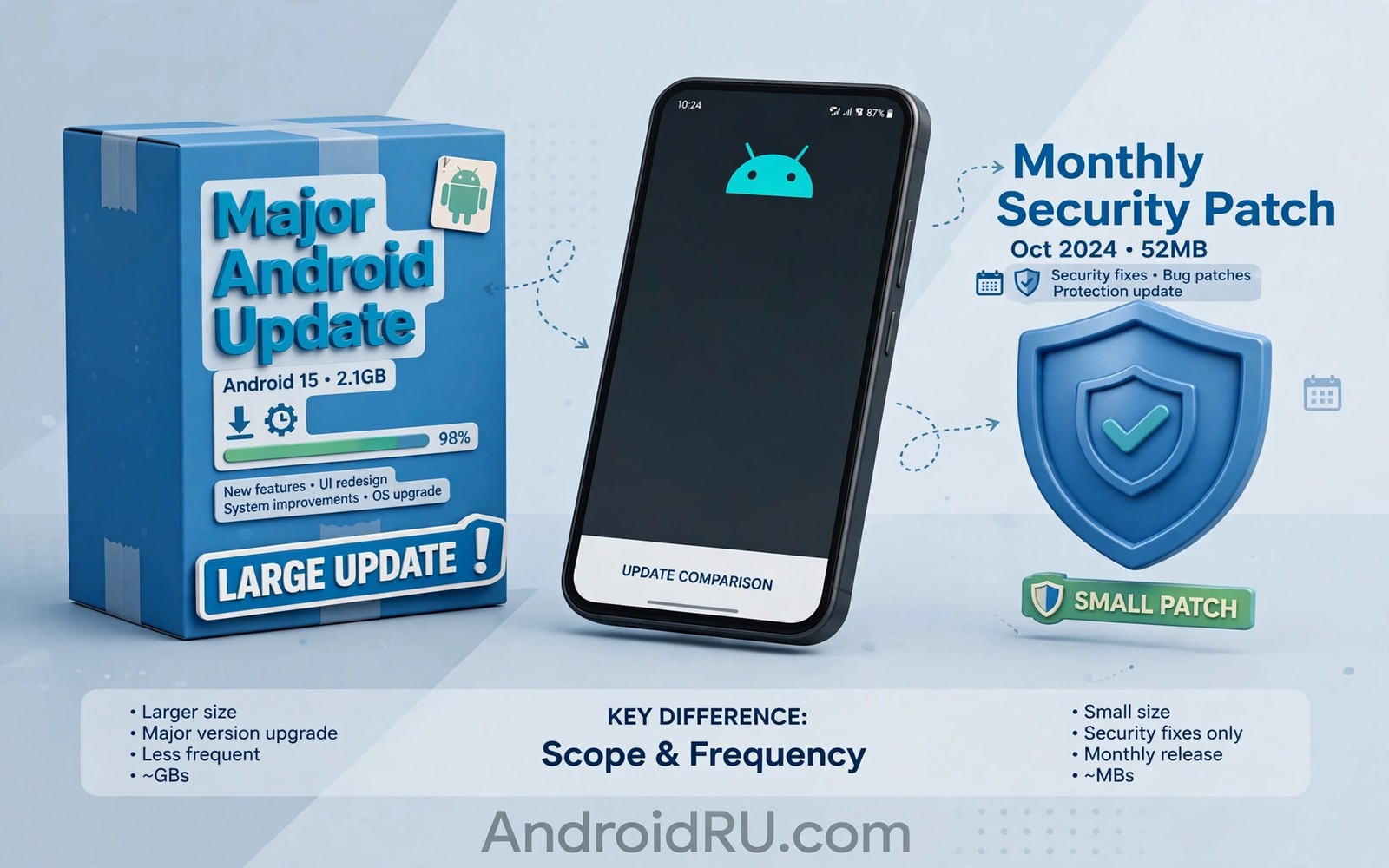
Android major updates vs monthly patches confuse many owners because both arrive as system updates. A major update changes the version number and adds features. A monthly patch keeps the version number and focuses on security fixes. Knowing the difference helps you decide how much time and care each install deserves.
Both types matter but for different reasons. Major updates shape how the phone feels. Monthly patches protect the phone quietly in the background. If you track why phones stop getting updates you will see why losing either type changes the value of a phone over time.
What a major update does
A major update moves the phone to a new Android version such as Android 14 to Android 15. It brings new features and new privacy controls and often a refreshed interface. It may change how notifications look and how apps request permissions. The phone feels different after a major update in a way a patch never causes.
Major updates also change tools for developers. Apps may need updates to use new features or to meet new rules. That is why a few apps behave oddly right after a major update. Developers usually fix those issues quickly once the stable release reaches many phones.
What a monthly patch does
A monthly patch fixes security flaws and serious bugs without adding major features. It usually arrives as a small download and installs quickly. The version number stays the same but the security patch date moves forward. That date is the clearest proof that a patch installed correctly.
Monthly patches protect against flaws that attackers could exploit. Skipping them leaves known holes open even if the phone feels fine. A phone can look normal while carrying a serious security flaw. Prompt patch installation is therefore a basic safety habit.
Size time and risk compared
Major updates are large and take longer to download and install. They need more free space and a charged battery and a stable connection. Monthly patches are small and install fast with less risk. A failed patch is rarer and easier to retry than a failed major update.
adb shell getprop ro.build.version.security_patch
adb shell getprop ro.build.version.release
adb shell dumpsys package android | grep -i versionName
These commands follow the approach described in the official Android developer documentation for checking patch level and platform version on a device.
Risk also differs. A major update touches many parts of the system so the chance of a visible bug is higher. A patch touches a narrower set of components so the chance of a new bug is lower. Both types deserve a backup but major updates demand more preparation. Reading about how long brands support Android updates shows how long each type keeps arriving.
Why brands treat them differently
Brands must adapt a major update to their interface and test it on each model. That work is costly and slow. Monthly patches need less adaptation because the interface stays the same. Brands can therefore ship patches faster and to more models.
Carriers also treat the types differently. A carrier may test a major update deeply before approval. A monthly patch often passes through a lighter approval process. That difference explains why patches arrive on a steadier schedule than major updates.
How to handle each type well
For a major update back up data and free storage and charge the phone and use Wi-Fi. Read the change list and check app compatibility for tools you rely on daily. Install when you have time to deal with a possible restart or a small issue. Avoid installing a major update minutes before an important trip or meeting.
For a monthly patch install promptly and do not delay for weeks. A patch rarely needs special preparation beyond a charged battery. Restart the phone after installation if the system asks for it. Learning Android 14 vs Android 15 performance shows what a major update adds beyond the quiet work of patches.
Reading patch dates like a professional
Professionals read three dates together rather than judging a phone by one number. The Android version shows the major platform level. The security patch date shows the latest monthly fixes. The Play system date shows the latest module level. Together those dates reveal whether a phone receives full care or only partial care. A phone with a new version but an old patch date still carries known flaws. A phone with an old version but a recent patch date may still be reasonably safe for daily use.
Patch dates also reveal brand behaviour over time. A brand that ships patches within days of release shows strong update discipline. A brand that ships patches months late shows weaker discipline even if its marketing promises long support. Owners can track patch timing for a few months before purchase by reading owner forums for a model. That research predicts future patch behaviour better than a launch promise alone.
Security researchers publish details of patched flaws after patches ship. Attackers can study those details and target unpatched phones. That window between patch release and patch installation is a real risk period. Installing patches promptly closes that window. Delaying patches for convenience leaves the phone exposed during the exact period when attackers know the flaw details.
Business phones face higher stakes from patch delays because they may hold work email and client data. An unpatched business phone can expose company information through a known flaw. IT policies therefore often require prompt patch installation. Owners who use a personal phone for work should adopt the same discipline. Prompt patching protects both personal and work data on the same device.
Major updates and patches in purchase decisions
Purchase decisions should weigh patch length as heavily as major update count. A phone with four major updates but only three years of patches offers less total protection than a phone with three major updates and five years of patches. Buyers often focus on major updates because they feel exciting. Patches feel boring by comparison yet they protect the phone for longer in many cases. A balanced buyer checks both promises before paying.
Refurbished phone buyers should pay special attention to remaining patch years. A refurbished flagship may still receive major updates for a year but patches may end sooner or later depending on the promise. The seller rarely advertises remaining patch years clearly. Buyers should check the brand support page for the exact model before purchase. That check takes minutes and it prevents an expensive mistake.
Parents buying phones for teenagers should also consider patch length. Teenagers often keep phones for several years and they may install many apps. A phone with long patch support stays safer through those years. A phone with short support may become risky before the teenager is ready for a replacement. Long support therefore offers peace of mind for families as well as for individual owners.
Owners who plan to keep a phone for five years or more should choose a model with a matching promise. Pixel and Samsung flagships now offer promises that fit that plan. Budget phones rarely offer five year promises yet. Buyers with a long ownership plan should therefore budget for a flagship or accept that a budget phone will need earlier replacement. Honest budgeting avoids surprise costs later.
Balancing major updates and patches in daily life
Daily life balance between major updates and patches means treating patches as urgent and major updates as planned events. A patch can install in minutes during a lunch break. A major update deserves an evening at home with time to test afterwards. That distinction helps owners avoid installing a major update at an inconvenient moment. It also ensures patches never wait for a convenient major update window.
Owners with limited data plans should plan major updates around Wi-Fi availability while allowing small patches over mobile data. A major update can consume several gigabytes and it can exhaust a monthly data allowance quickly. A patch usually consumes far less data and it can install safely over mobile data when Wi-Fi is unavailable. That data aware approach keeps the phone secure without unexpected data costs.
App developers also balance major updates and patches in their release schedules. A developer may ship a quick patch fix for a security flaw within days. The same developer may take weeks to adapt an app fully to a major Android version. Owners should therefore expect app patch speed to exceed major version adaptation speed. That expectation prevents frustration when a favourite app lags behind a major release.
Support teams benefit when owners understand the difference between update types. An owner who reports a patch date and a version number together gives support a clearer picture than an owner who reports only a version number. Clear reporting speeds diagnosis and it reduces back and forth questions. Owners can improve support outcomes simply by noting both dates before contacting help.
Owners should also keep a short personal update diary that records version changes and patch dates over time. That diary reveals whether a brand delivers patches promptly or slowly for a specific model. It also helps owners spot a missed update that others received. A diary with dates and versions turns vague frustration into evidence that support teams can act on. Over a year that evidence becomes a useful record of brand reliability for future purchase decisions.
Common mistakes
Many owners ignore monthly patches because nothing visible changes. That habit leaves security flaws open for months. Another mistake is treating a major update like a patch and installing it without a backup or free space. The install may then fail or take far longer than expected.
- Ignoring monthly patches because they look boring leaves known security flaws unpatched on the phone.
- Installing a major update without a backup or free space raises the risk of a failed or slow install.
- Judging update health by version number alone misses the security patch date which matters just as much.
Frequently asked questions
Can a phone get patches without major updates?
Yes many phones receive security patches after major updates stop. The patch period often lasts longer than the major update period. Check the brand promise for both periods separately.
Do patches add new features?
Patches rarely add visible features. Their job is security and serious bug fixes. New features arrive through major updates and quarterly releases instead.
Should I install a patch at once?
Yes install monthly patches promptly. They are small and low risk and they close known flaws. Delaying them offers no benefit for most owners.
Conclusion
Major updates change the version and the feel of the phone. Monthly patches protect the phone without visible change. Both types play a distinct role and both deserve attention on different schedules.
Your next step is to check your security patch date in settings today. If it lags by months then run a manual update check. Then back up your data so the next major update installs without stress.

