

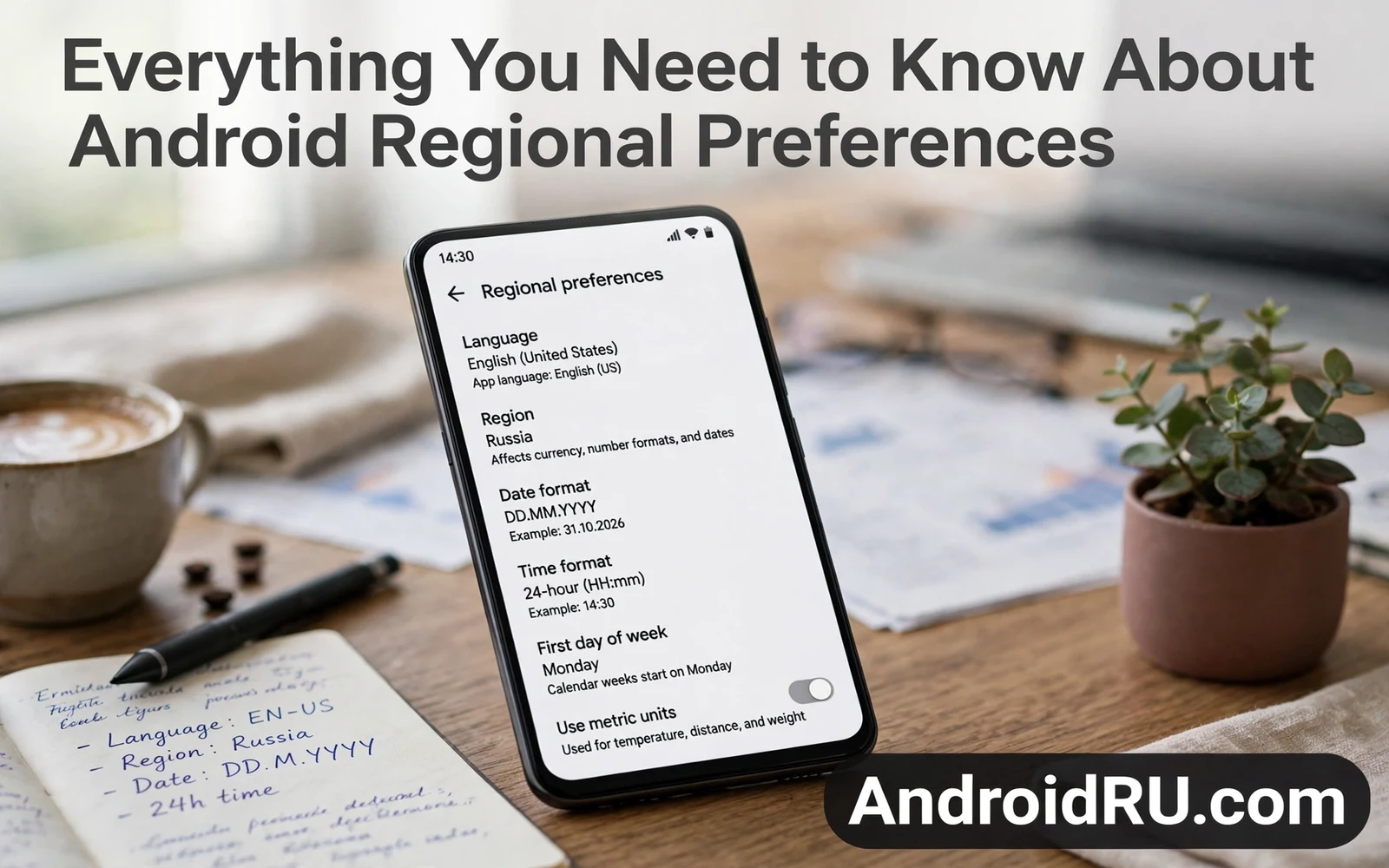
Regional preferences control how a phone presents language and dates and numbers and measurements. They shape date order and time format and currency symbols and first day of week. They also influence which content and which services appear as local options. This guide covers everything you need to know about Android regional preferences in clear terms. It explains language settings and region settings and format settings as separate layers. Readers will learn why changing one layer sometimes changes another layer unexpectedly.
Many owners confuse language with region because the two settings often sit near each other. Language controls the words on menus and in system apps. Region controls formats and local conventions for dates and numbers and measurements. A phone can show English words while using a European date order. A phone can show Spanish words while using United States number formats. Understanding that split prevents confusion when a single change does not fix every display detail.
Per app language controls add a third layer for owners who use apps in different languages. Readers who manage multilingual apps can study how to adjust app languages individually in Android and then set system language separately from app language. System language sets the default for menus and for apps without their own choice. Per app language overrides that default for chosen apps only. That layered model suits bilingual owners far better than a single global language.
Language Region And Locale Explained
A locale combines language and region into one identifier that apps use to pick formats. An app reads the locale and then chooses date patterns and number patterns that match it. A messaging app may show times in twelve hour format for one locale and in twenty four hour format for another locale. A shopping app may show currency symbols that match the region part of the locale. A calendar app may start weeks on Sunday for one locale and on Monday for another locale. Those small shifts add up to a phone that feels local rather than foreign.
Some apps ignore system locale and apply their own region logic based on account country. A streaming app may gate content by account region rather than by phone locale. A payment app may require a billing country that matches the account rather than the phone setting. Owners who change phone region to unlock content often meet those account checks. Region settings on the phone cannot override account region rules. Owners should check account settings when content availability stays unchanged after a phone region change.
How To Change Regional Preferences
- Open settings and then open system language settings
- Set the main system language first
- Open region settings where the phone offers them
- Choose date format and time format explicitly
- Restart affected apps so new formats apply cleanly
Steps vary by phone maker because some makers hide region settings deeper than others. Stock Android phones often expose language and region in one system menu. Some maker skins split region into a separate search or into an additional settings area. Owners who cannot find a region option should search settings for region or locale. A settings search usually surfaces the right menu faster than manual browsing. Owners should change one setting at a time and then check a calendar app for the effect.
Home screen styling also shifts subtly with regional choices because calendars and clocks and widgets follow locale formats. Readers who tune visual style can pair regional changes with how to customize Android lock screen shortcuts so that lock screen clocks match the new format. A clock widget that shows the new date order reinforces the change at every glance. A mismatched widget can confuse owners who just changed formats. Checking widgets after a region change keeps the whole phone consistent.
Dates Numbers And Measurements
Date order differences cause the most visible confusion across regions. Day month year order dominates in much of the world while month day year order dominates in the United States. A date such as the fifth of June can look identical in both orders yet mean different days in edge cases. Owners who share screenshots across regions should write month names in full for critical dates. Full month names remove ambiguity without any settings change. Calendar apps that follow locale solve most daily cases automatically.
Number formats differ in decimal marks and in digit grouping marks across regions. Some regions use a comma as a decimal mark while others use a point. Some regions group digits by thousands with spaces while others use points. Those differences matter in finance apps and in health apps where a misread number changes meaning. Owners should verify number display in a calculator or finance app after a region change. A quick test with a known value confirms that the new format reads correctly.
Measurement units follow region conventions for distance and temperature and weight in many apps. A maps app may switch between kilometers and miles based on region. A weather app may switch between Celsius and Fahrenheit based on region. Many apps offer their own unit toggles that override region defaults. Owners who travel should check unit settings inside maps and weather apps separately. Region alone may not change every unit display.
Content Availability And Store Regions
App store availability depends on account country and on developer distribution choices rather than on phone locale alone. Changing phone region does not add apps that a developer never released in a country. Payment methods also tie to billing country rules that phone settings cannot bypass. Owners who move countries should update account country through official account flows. Those flows often require a payment method from the new country. Rushing region changes without account updates creates confusing partial results.
Default app choices can interact with regional services because local apps may handle maps or payments better in a region. Readers who review defaults can use how to change default apps in Android step by step to align handlers with local services after a move. A local maps app may serve transit data better than a global app in some cities. A local payment app may support regional methods that global apps lack. Default choices deserve a review after any major region change.
Troubleshooting Regional Preference Problems
A common problem is a calendar that keeps an old first day of week after a region change. Restarting the calendar app usually applies the new locale cleanly. A second problem is a keyboard that keeps an old layout after a language change. Keyboard language settings live inside keyboard settings rather than inside system language alone. Owners should check keyboard languages separately when typing layouts stay wrong. A third problem is an app that caches locale at first launch and ignores later changes. Clearing that app cache or reinstalling it often forces a fresh locale read.
Regional preferences seem minor until they shape every date and every number on a phone. Language sets the words while region sets the formats and local conventions. Per app language adds flexibility for multilingual owners. Account region still governs store content and payment rules beyond phone settings. Owners who understand those layers can tune a phone that feels local anywhere. A few careful changes turn a generic phone into a device that reads dates and numbers the way its owner expects.
Regional Preferences When Travelling
Travellers meet regional preference questions immediately upon landing in a new country. Date formats and time formats may already match local conventions through region settings. Currency displays in shopping apps may shift to local currency symbols. Maps and weather apps may switch units to local standards. Owners who preset region before travel reduce confusion at arrival. A short settings review before departure prevents a stream of small surprises abroad.
Roaming travellers should also check keyboard layouts because typing in a new language needs the right layout. A traveller who needs to type local place names benefits from a local keyboard layout. Adding that layout before travel saves setup time on arrival. Removing unused layouts after travel keeps typing clean. Keyboard settings live separately from system language so travellers must check both. That double check prevents typing frustration in a new city.
Time zone handling interacts with regional preferences because calendar events need correct zone conversion. A calendar app that follows device time zone updates event times automatically during travel. A calendar app with a fixed time zone may show events at confusing hours. Owners should confirm calendar time zone behavior before important meetings abroad. A quick test event before travel reveals how the app handles zones. That test prevents missed meetings across time zones.
Regional Preferences For Multilingual Households
Multilingual households often share one tablet among speakers of different languages. Per app language settings let each person use favorite apps in a preferred language. System language must still pick one default for menus and shared apps. Households should choose the system language that most users read comfortably. Individual apps can then diverge for personal use. That layered approach respects both shared use and personal preference.
Children in multilingual households benefit from app language choices that match school language. A learning app in school language reinforces classroom vocabulary. An entertainment app in home language preserves cultural connection. Parents can set those languages per app without changing system language constantly. That stability helps children navigate apps confidently. Language settings become an educational tool rather than a technical chore.
Voice assistants add another regional layer because assistant language and accent recognition vary by locale. An assistant tuned to one locale may misunderstand speakers from another locale. Households should test assistant recognition for each regular speaker. A mismatch may need a different assistant language or a retraining step. Regional preferences therefore extend beyond written formats into spoken interaction. Owners who test voice interaction avoid daily frustration.
Regional Preferences And App Store Pricing
App store pricing follows account region rules that phone locale alone cannot change. A traveller who changes phone region may still see store prices in home currency. That behavior confuses owners who expect local pricing after a region change. Store pricing ties to billing country and to developer pricing choices. Owners who move permanently should update account country through official flows. Temporary visitors should accept home pricing during short trips. Understanding that split prevents wasted settings changes.
Subscription billing also follows account region rather than phone locale. A subscription started in one country may bill in that currency after a move. Owners who relocate should review subscriptions for currency and payment method issues. Some subscriptions need cancellation and resubscription under the new region. That process can lose grandfathered pricing in rare cases. Owners should check subscription terms before changing account country. Careful review protects both access and pricing.

