

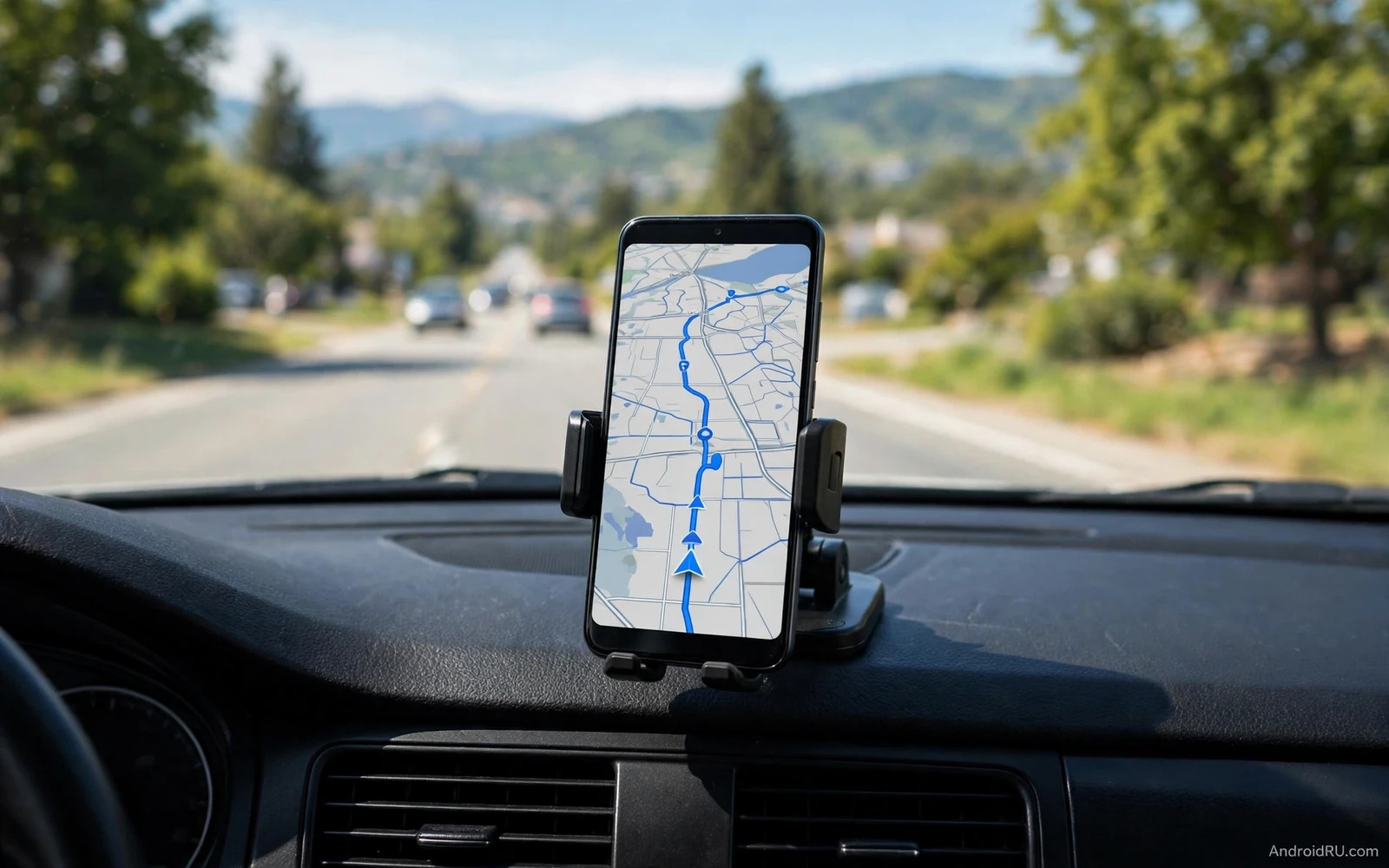
Best Android Devices for Car Drivers and Navigation Use
A car changes every phone priority. Sunlight hits the screen through glass. Vibration shakes the mount on rough roads. Heat builds behind a windscreen on a summer day. A driver needs large targets, clear voice control, and reliable navigation. A phone that excels on a desk may fail in a car if its screen dims in sun or its mount slips on a bump, so car devices should be judged in car conditions rather than in a shop under soft light.
Safety shapes every car device choice. A driver should keep eyes on the road and hands on the wheel as much as possible. Voice control, steering wheel controls, and large touch targets reduce distraction. A device that demands precise taps on small buttons is unsafe at speed. A device that reads messages aloud and accepts voice replies keeps attention forward. Safety is not a bonus feature for car devices: it is the core requirement that outranks entertainment and style. Reliability matters more than novelty, because navigation must work in areas with weak signal, music must resume after a fuel stop, and calls must connect through the car speakers without fumbling.
What Makes a Good Android Phone for Car Drivers
A good car phone has a bright screen that stays readable in sunlight, a large battery or fast charging to survive navigation and streaming together, strong GPS accuracy for turns in complex junctions, a loud clear speaker for voice prompts when car audio is off, and a clean software experience that supports Android Auto reliably. Those traits matter more than camera quality or gaming power for driving use. Screen size is a balance: a larger screen shows maps clearly at a glance, while a very large phone may block the windscreen view or strain the mount. A mid to large phone usually fits a dashboard mount well without blocking vision.
Ruggedness helps for drivers who work outdoors and for drivers on rough roads. A phone with good drop protection survives a fall from a mount. A phone with water resistance survives rain during a door opening. A phone with a strong frame resists mount clamp pressure over time. Those traits are not essential for a careful city driver, yet they add confidence for a driver who uses the phone as a work tool in varied weather.
Android Auto Is the Default Driving Interface
Android Auto turns a car display into a driver friendly Android interface. Maps, music, and messages appear in large cards, voice control handles most tasks, and the phone stays in a pocket or on a charger while the car screen does the work. That arrangement is safer than handling a phone directly, and it keeps the phone charged through the car connection. Drivers with a compatible car system should use Android Auto as the default driving interface. Wireless Android Auto removes the cable, yet it demands more battery from the phone, so a wireless charging pad or a wired charger should accompany it on long trips.
Best Android Phones for Car Drivers and Navigation Compared
The seven devices below cover the main driver profiles: the bright flagship, the clean software phone, the long battery budget phone, the rugged work phone, the fast charging phone, and the satellite-ready outdoor phone. Each entry names the device, explains what it does well in a car, who it suits, its strengths and weaknesses, and a verdict.
1. Samsung Galaxy S25 Ultra: Brightest Screen for Sunlit Cars
The Galaxy S25 Ultra pairs a very bright 6.9 inch display with a 5,000 mAh battery and a strong GPS, and its screen stays readable in direct sunlight where dimmer phones wash out. It suits drivers who navigate in bright conditions and want the largest map view. Pros: excellent sunlight readability, strong GPS accuracy, long battery life, and reliable wired and wireless Android Auto. Cons: a large phone that needs a sturdy mount, and a premium price for drivers who only need navigation. Verdict: the best car phone for drivers who want the clearest screen and do not mind the size.
2. Google Pixel 9 Pro: Cleanest Android Auto Experience
The Pixel 9 Pro runs clean Android with fast updates and a dependable Android Auto connection, and its voice assistant handles navigation, calls, and messages with little friction. It suits drivers who value software reliability over raw screen size. Pros: clean software, fast Android Auto pairing, good voice control, and a compact enough body for most mounts. Cons: a 4,700 mAh battery that needs a car charger on long trips, and a display that is bright but smaller than the largest flagships. Verdict: the best car phone for drivers who want Android Auto to simply work every time.
3. Motorola Moto G Power: Longest Battery on a Budget
The Moto G Power pairs a 5,000 mAh battery with a large display at a budget price, and it suits drivers who need all-day navigation without a premium phone. Pros: excellent battery life for the price, a large clear screen, and clean near-stock Android. Cons: a dimmer display than flagships in direct sun, and slower charging than premium models. Verdict: the best budget car phone for long drives where battery matters more than peak brightness.
4. Samsung Galaxy XCover7: Rugged Phone With a Removable Battery
The Galaxy XCover7 is a rugged phone with an IP68 rating, MIL-STD-810H durability, and a removable 4,050 mAh battery, and it suits drivers who work outdoors, on rough roads, or in rain. Pros: drop and water resistance, a battery you can swap on the road, and glove-friendly operation. Cons: a smaller screen and a dimmer display than flagships, and a camera that is adequate rather than excellent. Verdict: the best rugged car phone for work drivers who need toughness and a spare battery more than a big bright screen.
5. OnePlus 13: Fastest Charging for Long Navigation Days
The OnePlus 13 pairs a 6,000 mAh battery with very fast wired charging and a bright display, and it suits drivers who start trips with a low battery and need a quick top-up at a fuel stop. Pros: huge battery, fast charging that recovers hours of use in minutes, and a bright screen. Cons: a large phone that needs a strong mount, and a price above the budget tier. Verdict: the best car phone for drivers who charge in short bursts between long stretches of navigation.
6. CAT S75: Satellite Messaging for Remote Roads
The CAT S75 is a rugged phone with IP68 and IP69K ratings, MIL-STD-810H durability, a 5,000 mAh battery, and satellite messaging for areas without mobile coverage. It suits drivers on rural routes, in mountains, or in areas with dead zones. Pros: tough build, satellite messaging when there is no signal, and a battery that lasts a full working day. Cons: a heavier body, a display that is bright enough but not flagship bright, and a camera aimed at work rather than photography. Verdict: the best car phone for remote driving where losing signal is a real risk.
7. Ulefone Armor 27 Pro: Maximum Battery for Multi-Day Trips
The Ulefone Armor 27 Pro is a rugged phone with a very large battery, a bright display, and a tough frame built for outdoor work. It suits drivers on multi-day trips who cannot charge every night. Pros: battery life measured in days rather than hours, rugged construction, and a screen that stays visible outdoors. Cons: a thick heavy body that needs a strong mount, and software that is functional rather than polished. Verdict: the best car phone for drivers who need days of navigation between charges and do not mind the bulk.
Android Auto Head Units and Built In Car Systems
Aftermarket head units bring Android Auto to older cars. A good head unit adds a large touch screen, steering wheel control support, and a reverse camera input. Installation quality matters as much as head unit quality: a poorly installed unit may drain the battery or lose steering controls, so a professional install is worth the cost for a daily driver. A driver should confirm Android Auto compatibility and phone connection type before buying a head unit. Head units for upgrading cars in Android Auto head units for upgrading your car show how a new display transforms an older car, because a large driver friendly screen replaces a small phone screen as the main interface, and that transformation is the single largest safety upgrade for an older car without a built in screen.
A driver should test wireless stability on their exact phone and head unit pair, because wireless behaviour varies by model. A stable wired connection beats an unstable wireless connection for long journeys, and a wireless connection plus navigation plus streaming can drain a phone quickly. A wireless charging pad or a wired charger should accompany wireless Android Auto on long trips.
Navigation Apps and Offline Maps for Drivers
Navigation apps differ in traffic handling, offline support, and voice guidance. A good driving app reroutes quickly around traffic, warns about speed limits and hazards where legally available, speaks turn instructions clearly at the right distance before a junction, and shows lane guidance for complex interchanges. A driver should test voice clarity at motorway speed with road noise before trusting an app on a long trip. Offline maps are essential for rural driving and for travel abroad: download maps for the whole route before departure on Wi-Fi, test offline routing with mobile data off before leaving, and keep the offline region updated because roads change. Offline navigation apps in offline navigation apps for Android travelers help drivers compare offline behaviour, because some apps download full regions while others download only small tiles around a route.
Test Offline Routing Before You Leave
A driver who relies only on live data will lose navigation in a signal dead zone at the worst moment. Download the region, turn mobile data off, and run a test route from home before departure. If the app cannot search offline for a fuel station, it is less useful in a dead zone than an app that can.
Mounts, Chargers, and Cables for the Car
A good mount grips firmly, holds position on rough roads, and never blocks the road view. It grips without damaging the phone and places the phone within easy glance. Dashboard mounts suit many cars, vent mounts suit cars with strong vents, and windscreen mounts suit cars with a clear glass area. A driver should test the mount on a rough road before a long trip, because a mount that slips in a shop test will fail sooner on a real road.
Magnetic mounts offer fast placement yet need a metal plate on the phone or case, and that plate can interfere with wireless charging on some phones. Clamp mounts avoid plates yet take longer to place. A driver who mounts the phone many times daily may prefer magnetic speed, while a driver who charges wirelessly in the car may prefer a clamp mount that leaves the back clear. Charging in a car must keep pace with navigation and streaming: a low power charger will let the battery fall during a long drive even while plugged in, so a fast charger matched to the phone charging standard keeps the battery stable. Car mounts and charging holders in car mounts and wireless charging holders for Android combine mount and power in one device for many drivers, because a charging mount holds the phone and tops up the battery together, and that combination reduces cable clutter and keeps the phone ready at the destination.
Audio, Calls, and Voice Control in the Car
Car audio should route navigation prompts and calls clearly through car speakers. Bluetooth audio works well when paired correctly, and a wired connection can be more stable for older cars. A driver should set navigation prompt volume separately from music volume where the system allows it: prompts that are too quiet get missed at motorway speed, and prompts that are too loud startle the driver. A balanced prompt level keeps guidance helpful without distraction.
Voice control should handle navigation, calls, and music without touching the phone. A driver should learn the wake phrase and the main commands before a long trip, and practise in a parked car first. A command that works in a quiet car may fail with road noise and air conditioning, and a driver who practises in realistic noise will trust voice control on the road. Call quality depends on microphone placement and road noise: a car system microphone near the driver usually beats a phone microphone in a mount far from the mouth, so test call clarity with a passenger before relying on car calls for work.
Battery and Heat Management for Phones in Cars
Heat is the main enemy of a phone in a car. A phone on a windscreen mount in summer sun can overheat and dim its screen or stop charging to protect itself. A driver should place the mount where air conditioning reaches the phone, and a vent mount can use cool air to keep the phone stable. A dashboard mount away from direct sun can also help. A driver should never leave a phone on a windscreen in a parked car in summer, because heat damage can be permanent.
Vent Mounts Use Cool Air to Fight Heat
A vent mount sits directly in the airflow from the air conditioning, so the phone stays cool even on a long summer drive. If your car has strong vents in a good position, a vent mount is the simplest heat fix available, and it costs nothing beyond the mount itself.
Battery optimisation for driving means managing screen brightness and background apps. Navigation and streaming together drain battery fast, so a fast car charger offsets that drain on long trips. A driver should close unused apps before a long drive, download offline maps and music where possible to reduce data and processing load, and keep the phone cool. Battery life guidance in how to improve battery life on any Android smartphone applies directly to driving, because the same background app and brightness habits that save battery at home save battery on the road. A driver who prepares the phone before departure will arrive with charge to spare, while a driver who starts with a low battery and a hot phone will fight both problems for the whole journey.
Safety Habits Every Driver Should Follow
Set the destination before moving. Choose music and podcasts before moving. Place the phone in the mount before moving. Answer only through voice or through car controls while driving. Pull over safely for any task that needs eyes on a screen for more than a glance. Those five habits form a safe driving routine, and they cost seconds before departure and save attention on the road. No device feature replaces those habits.
Keep emergency information accessible without handling the phone while driving. A car system that shows emergency contacts through voice control helps in a crisis, and a driver should also know how to trigger emergency calling through the car system or a voice command. Practise that command in a parked car so it is familiar under stress, because familiarity under calm conditions becomes reliability under stress. Check local laws for phone use while driving, because laws vary by region and change over time. A mount that is legal in one region may be restricted in another, and a hands free rule may still forbid holding the phone at a traffic light.
Building Your Car Setup Step by Step
Start with a phone that supports Android Auto reliably and has a bright screen and strong GPS. Add a mount that holds firmly in your car and in your driving position. Add a fast charger that matches your phone. Download offline maps for your regular routes. Set voice control defaults before the first long trip. Test the full setup on a short local drive before a long journey, because that short test reveals mount slip, cable strain, and prompt volume problems while they are easy to fix. Upgrade one part at a time when a problem appears: a slipping mount needs a better mount rather than a new phone, and a draining battery needs a faster charger rather than a new phone. A full replacement should be the last step rather than the first reaction to a single flaw.
Frequently Asked Questions About Android Devices for Driving
Which Android phone is best for car navigation overall?
The Samsung Galaxy S25 Ultra is the best all-rounder for most drivers, because its bright screen stays readable in sun and its battery lasts a full day of navigation. Drivers on a budget should look at the Moto G Power, and drivers who work outdoors should look at the Galaxy XCover7 or CAT S75.
Do I need a rugged phone for driving?
Only if you drive on rough roads, work outdoors, or use the phone as a work tool in varied weather. A careful city driver gains little from ruggedness, while a delivery or field driver gains a lot. A good mount and a fast charger matter more than ruggedness for most drivers.
Is wireless Android Auto worth it for long trips?
Wireless Android Auto is convenient, but it drains the phone faster because navigation, streaming, and the wireless link run together. Pair it with a wireless charging mount or a wired charger on long trips, and test stability on your exact phone and head unit before trusting it on a long journey.
How do I stop my phone overheating on a windscreen mount?
Place the mount where air conditioning reaches the phone, use a vent mount so cool air flows over it, and avoid direct sun on the screen. Close unused apps, download offline maps, and never leave the phone on the windscreen in a parked car in summer.
The best car device is a reliable phone plus a firm mount plus fast charging plus offline maps plus voice control used together. No single device makes driving safe on its own. The system makes driving safe when the driver sets it up before moving and uses voice rather than touch on the road. Build that system deliberately, test it on short trips, and your long journeys will feel calmer, safer, and better connected from start to finish.

