

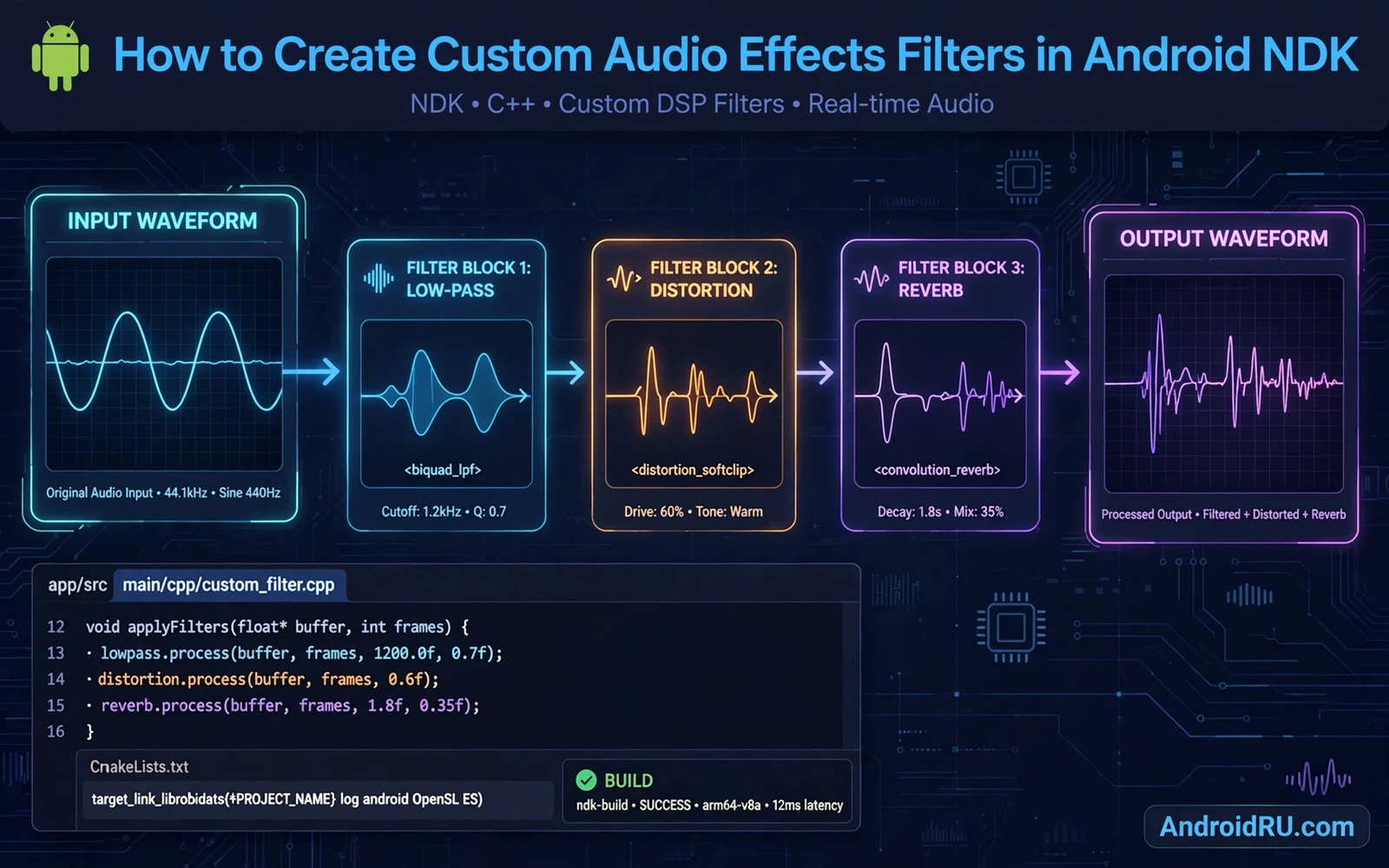
Custom audio effects shape sound before it reaches the speaker. An equaliser boosts bass. A reverb adds space. A compressor evens out loud and quiet passages. Building those effects in the Android Native Development Kit gives precise control over buffers and latency. Native code processes audio samples directly without the overhead of frequent Java calls. This guide shows how to design a native filter chain that sounds good and stays stable.
Audio flows as a stream of samples grouped into buffers. Each buffer holds a short slice of sound. A filter reads input samples and writes output samples for the same slice. The buffer size decides latency and efficiency. Small buffers feel responsive but demand more frequent processing. Large buffers process efficiently but add delay. Choose a buffer size that balances responsiveness against CPU load for the target devices.
Start with the audio path before writing filter code. Decide whether the effect applies to playback or to recording or to both. Playback effects shape media for listening. Recording effects shape input before storage or transmission. The path decides which native audio API fits. A playback filter may sit in the app audio pipeline. A system wide effect needs a different architecture with different permissions. Scope the path clearly before coding.
// biquad lowpass per sample (state per channel)
float process(float x, Biquad* b) {
    float y = b->b0 * x + b->b1 * b->x1 + b->b2 * b->x2
              - b->a1 * b->y1 - b->a2 * b->y2;
    b->x2 = b->x1; b->x1 = x;
    b->y2 = b->y1; b->y1 = y;
    return y;
}
Design the filter chain
A filter chain passes audio through stages in order. Each stage transforms the buffer and passes it onward. A gain stage scales samples. A biquad stage shapes frequency response. A dynamics stage controls loudness range. Keep each stage independent so stages can be reordered or bypassed without rewriting the chain. A bypass switch per stage helps debugging because you can isolate a faulty stage fast.
State matters in audio filters. A filter that remembers previous samples produces smooth results across buffers. A filter that forgets state at each buffer boundary clicks at the joins. Store filter state in a per stream structure that lives for the whole stream. Reset state cleanly when the stream starts and when parameters change sharply. A click at a parameter change often means state was reset carelessly or not at all.
Parameter changes need smoothing. A user who drags an equaliser slider sends many values per second. Applying each value instantly can cause clicks as the filter jumps. Smooth parameter changes over a few buffers so the sound glides to the new value. Smoothing keeps the effect musical even during fast gestures. Test slider drags with headphones because clicks hide on small speakers.
Write safe native code
Native audio code must never allocate memory on the real time path. Allocation can block and cause dropouts. Allocate buffers and state during setup and reuse them during processing. Avoid locks on the processing path because a lock held by another thread can stall audio. Use lock free queues for parameter updates from the interface thread. Real time safety is a discipline that shapes the whole design.
Sample format handling needs care. Audio may arrive as floating point samples or as integer samples depending on the API. Convert once at the chain boundary and process internally in one format. Clamp output samples to the valid range before writing them out. Unclamped samples wrap around and produce harsh distortion. Test with loud input because clipping bugs appear only near full scale.
Channel handling also needs attention. Stereo audio interleaves left and right samples. A filter that treats interleaved data as mono produces a garbled result. Process each channel with its own state because filter history differs per channel. Test with a stereo signal where left and right differ clearly. A mono test hides channel bugs that a stereo test reveals at once.
Latency and performance
Latency is the delay between input and output. Low latency matters for live monitoring and for interactive music apps. It matters less for file playback where a small delay goes unnoticed. Measure latency on real devices because emulator audio paths differ. Profile the filter chain to find the heaviest stage. Readers who profile native work can pair this guide with the piece on testing app performance with profiler tools and check CPU use per buffer under real playback load.
Optimise the inner loop first. A filter that processes each sample with a branch and a function call wastes time. Keep the per sample math simple and let the compiler vectorise where possible. Avoid per sample logging because logging on the audio path destroys real time behaviour. Move diagnostics to a separate slow path that samples state occasionally without touching the hot loop.
Memory growth during playback signals a leak in the native layer. A buffer allocated per callback and never freed grows fast at audio rates. Readers who chase such growth can continue with the piece on finding and fixing Android memory leaks and apply the same repeated use test to audio sessions. A leak that takes hours to show in normal use can appear in minutes under continuous playback.
The HAL layer below
Below the app audio pipeline sits the hardware abstraction layer that talks to audio hardware. The HAL receives processed buffers and delivers them to the driver. An app filter cannot replace the HAL but it benefits from understanding it. Buffer sizes and sample rates that the HAL supports shape the sizes the app should request. Readers who want that lower layer view can continue with the piece on hardware abstraction layer architecture and see where app audio meets system audio. That context helps when a filter works on one device but stutters on another.
The system audio framework also defines the path for effects at the platform level. Readers who study that framework can continue with the piece on Android audio framework and HAL interaction and compare the platform effect path with an app level filter chain. An app filter gives the developer full control over one app. A platform effect can serve many apps with system rules. Choose the level that matches the product scope.
Device differences dominate audio work. Sample rates and buffer sizes and latency vary by vendor and by model. Test on several devices including a mid range phone and a flagship. Test with wired headphones and with Bluetooth because Bluetooth adds its own latency and codec behaviour. A filter tuned only on one flagship may sound wrong elsewhere. Device diversity is the real test suite for audio effects.
Test sound quality
Test with known audio material. A sine sweep reveals frequency response problems. A drum loop reveals dynamics problems. A voice recording reveals clarity problems. Listen on headphones and on phone speakers and on an external speaker. Each output reveals different flaws. Record the output and compare waveforms when a problem is subtle. Ears catch musical flaws that graphs miss and graphs catch technical flaws that ears adapt to.
Test parameter extremes. Set every slider to maximum and to minimum and listen for distortion and instability. A filter that sounds fine at moderate settings may oscillate at an extreme. Clamp parameters to safe ranges in code even when the interface allows wider values. A safe range in code protects the user from an accidental extreme during a fast gesture.
Test long sessions for stability. Run the filter for an hour of continuous playback and watch for dropouts and drift. Long sessions reveal slow leaks and state drift that short tests miss. Test pause and resume and route changes during the session. A filter that survives route changes without clicks is ready for real users.
Ship a filter users enjoy
Provide presets that sound good at once. A vocal preset and a bass preset and a flat preset give users a starting point. Let advanced users adjust individual stages but never require it. Presets teach the filter range without a manual. Name presets by use rather than by technical parameter so a casual user can choose confidently.
Document the filter behaviour in plain language inside the app. Explain what each control does in musical terms. A control labelled warmth means more to a listener than a control labelled low shelf gain. Technical users can still find exact behaviour in advanced settings. Plain language widens the audience without removing depth for experts.
Custom audio effects reward careful engineering. A clean chain and safe native code and smooth parameters produce sound that feels alive. Test on real devices and listen critically and respect latency limits. An effect that sounds great on one device and stutters on another is not finished. Finish it on the devices your users actually own.
Building a preset system
A preset system turns filter parameters into named sounds. Store presets as parameter sets with a name and a description. Let users save a custom preset from current slider positions. Let users share a preset as a small data file rather than as screenshots of sliders. A shareable preset spreads good sounds between users and showcases the filter quality.
Preset switching needs the same smoothing as manual slider moves. A preset change that jumps parameters instantly clicks. Smooth the transition over a short buffer window so the sound glides to the new preset. Test preset switching during playback with headphones because clicks hide on speakers. Smooth presets feel professional. Clicking presets feel unfinished.
Factory presets should cover common listening cases. A flat preset gives a neutral starting point. A vocal preset lifts speech clarity. A bass preset adds warmth without muddiness. A treble preset adds air without harshness. Name presets by listening use so casual users can choose without audio engineering knowledge. Technical users can still inspect the parameter values behind each preset.
Preset storage should survive app updates. Store presets in a durable location with a version field. Migrate old preset formats when parameters change in a new version. A user preset lost on update feels like deleted work. Versioned preset storage protects user creations across releases.

