

What A Budget Tablet Must Do Well
A budget tablet has one job above all else for entertainment buyers. It must play video smoothly and sound pleasant and last through a movie without begging for a charger. It does not need flagship speed or professional drawing precision. It needs a decent screen and decent speakers and a battery that survives a long evening. Many tablets under 200 dollars meet that bar comfortably when you judge them on media rather than on productivity benchmarks.
Expectations decide satisfaction here. A budget tablet will open apps slower than a premium tablet. It will multitask less smoothly. It will receive fewer years of updates in many cases. Those limits matter little when the tablet mainly streams video and plays music and shows ebooks. They matter greatly when the tablet must run demanding games or heavy editing apps. Match the tablet to the media job and the budget tier becomes a strength rather than a compromise.
Screen Quality On A Budget
Screen quality decides media enjoyment more than processor speed. Resolution should be sharp enough that text looks clean and video looks detailed at normal viewing distance. Brightness should stay readable in a bright living room. Colour should look natural rather than washed out or garish. Viewing angles matter because family members often watch together from different seats. A screen with poor angles frustrates shared viewing even when its centre view looks good.
Size involves a trade. A larger screen suits movies and shared viewing. A smaller screen suits holding for long reading sessions and travel packing. Ten inch class tablets balance both needs for most media users. Smaller eight inch class tablets suit children and travellers who value lightness. Check weight as well because a heavy tablet tires arms during long handheld viewing. A simple stand or case with a stand function solves weight fatigue for table viewing.
Speakers And Audio Reality
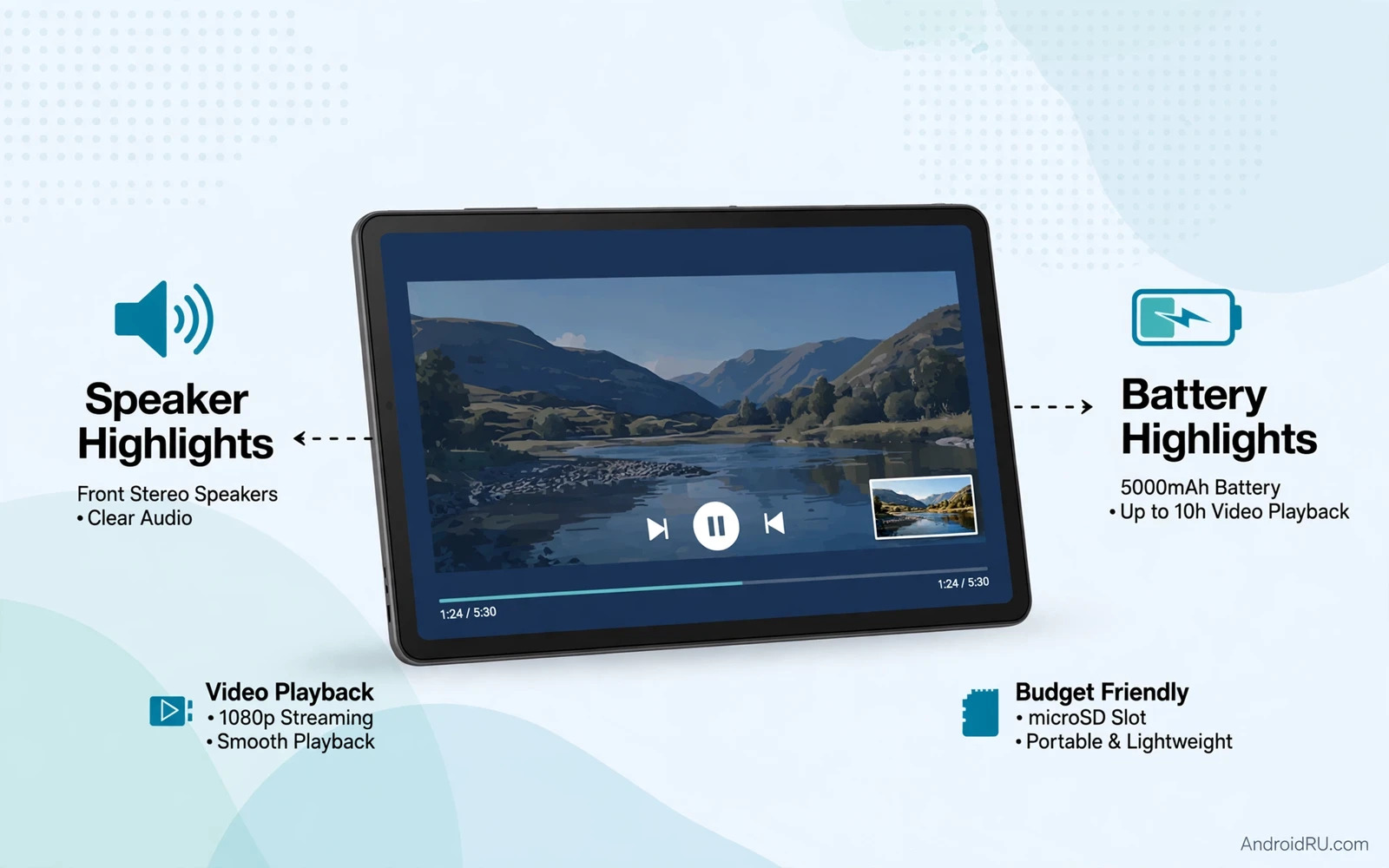
Speakers separate pleasant budget tablets from frustrating ones. Dual speakers with stereo separation sound far better than a single small speaker. Speaker placement matters because bottom firing speakers sound muffled on a soft bed. Side or front facing speakers project sound toward the viewer more directly. Volume headroom matters in noisy kitchens and on public transport. A tablet that sounds thin at maximum volume will push you toward headphones constantly.
Headphone support still matters for shared homes and for travel. A headphone jack simplifies wired listening without adapters. Bluetooth audio works well with modern earbuds and it frees you from cables. Check Bluetooth stability during video because audio sync problems ruin movies. Most modern budget tablets handle Bluetooth video sync adequately but older or weaker models can lag noticeably. Test video sync early within the return window.
Performance For Streaming And Playback
Streaming video demands less processor power than many buyers assume. A modest modern processor decodes streaming video smoothly because dedicated video hardware handles playback. Problems appear when many background apps compete for memory. A tablet with too little memory may reload streaming apps after switching apps. A tablet with generous memory for its price keeps playback smooth during casual multitasking.
Storage affects media use more directly than raw speed. Offline downloads for flights and road trips consume space quickly. A tablet with expandable memory lets you carry a large offline library cheaply. A tablet with generous internal storage simplifies management. Cloud libraries help when internet is available because streaming needs little local space. Cloud storage also supports low storage devices and the cloud storage pricing breakdown explains how subscription tiers affect media libraries for families.
Battery Life For Movies And Music
Battery life for media use differs from standby battery life. Video playback drains power steadily through screen and speakers and decoding. Music playback drains far less because the screen can sleep. A tablet that promises long standby may still last only a modest number of video hours. Check video playback endurance specifically rather than a generic battery claim. A tablet that plays video for eight hours or more covers most travel days comfortably.
Charging speed matters less for a media tablet that charges overnight. It matters more for a tablet shared by a family where the next user waits for a charge. A tablet that refills reasonably fast during a meal break reduces family friction. Keep the charger that ships with the tablet because some budget tablets charge slowly on generic bricks. Battery saving settings such as lower brightness and shorter screen timeout extend playback meaningfully during travel.
Software And Streaming App Support
Streaming app support decides whether a budget tablet feels complete. Major video services and music services should run natively and support offline downloads where the service allows them. Widevine certification level affects streaming resolution on some services. A tablet with lower certification may stream some services at reduced resolution even on a sharp screen. Check certification details for services you use most before you buy.
Update support affects longevity. A tablet that stops receiving updates may lose app compatibility over time. A tablet from a maker with a clear update history offers more confidence. Kids profiles and parental controls matter for family media tablets. A good kids mode limits purchases and filters content and tracks usage. Student users face similar media plus study needs and the Android tablets for students guide covers note taking and study apps beside media playback.
Accessories That Improve Media Tablets
A case with a stand transforms a budget tablet. It holds the viewing angle steady during movies and during video calls. It protects corners during travel. A screen protector guards against scratches from bags and from children. A Bluetooth speaker can rescue a tablet with weak built in speakers during outdoor viewing. A compact power bank extends travel viewing when outlets are scarce.
Do not overspend on accessories for a budget tablet. A moderately priced stand case and a basic protector cover most needs. Expensive keyboards and styluses suit productivity tablets more than media tablets. Spend the saved money on a better screen or a larger storage card instead. Media enjoyment comes from the screen and the speakers first and from accessories second.
Choosing By Viewer Type
- Solo movie watchers need a sharp screen and good stereo speakers
- Family viewers need wide viewing angles and a sturdy stand case
- Travellers need long video battery life and expandable offline storage
- Music lovers need clean Bluetooth audio and a headphone option
- Young readers need a light body and a comfortable holding weight
- Shared households need separate profiles and easy app switching
Final Verdict
The best budget media tablet nails screen and speakers and video battery life while staying light enough to hold. Processor bragging rights matter little for streaming. Storage flexibility and streaming certification matter greatly. Pick the tablet with the best screen you can afford at this price and add a stand case. That combination delivers movie nights and music sessions and travel entertainment without flagship cost. A tablet that entertains reliably every evening is a success regardless of benchmark scores. TV box buyers with similar media goals can also compare living room options in the Android smart TV boxes comparison because its streaming section overlaps with tablet media needs.
Kids And Family Media Use
Family media tablets face demands that solo tablets never encounter. Children drop tablets more often and press screens harder and explore settings curiously. A sturdy case becomes essential rather than optional for a shared family tablet. A screen protector guards against scratches from toys and bags and enthusiastic fingers. A tablet with a durable build and a good case survives family life far longer than a fragile premium feeling tablet that looks beautiful but cracks on the first fall.
Parental controls shape family satisfaction as much as hardware. A good kids profile limits purchases and filters content by age and sets time limits without constant parental policing. Separate profiles for each child prevent one child deleting another child saved progress. Usage reports help parents understand whether a tablet serves learning and entertainment in balance. Check whether parental controls work without a paid subscription because some makers lock useful controls behind ongoing fees.
Shared storage creates family friction when one member fills the tablet with downloads. Offline video downloads for several children consume space quickly. A tablet with expandable memory handles family downloads gracefully. A tablet with limited fixed storage forces constant deletions and arguments. Teach family members to delete finished downloads promptly and to stream when internet is available. Cloud libraries help because family media can live online and download only when needed for travel.
Viewing habits differ by age as well. Young children hold tablets close and need larger text and simple navigation. Older children watch longer videos and need comfortable viewing angles and good speakers. Adults borrowing the family tablet for video want a sharp screen and clean audio. A single budget tablet can serve all these needs when its screen and speakers are decent and its profiles are well set up. Family value comes from shared use over years rather than from any single specification.
Offline Downloads And Travel Readiness
Offline downloads transform a budget tablet into a travel companion that needs no internet at all. Download movies and shows and music and books before a flight or a road trip where connectivity disappears. Check download limits per service because some services cap offline titles or expire downloads after a period. Manage downloads the night before travel rather than at the airport where Wi-Fi may be slow. A tablet with generous storage or a large card carries a whole trip library without stress.

