

Top Privacy Settings You Must Enable on Instagram and TikTok
Default social settings favour discovery over privacy. Strangers can often see posts and send requests without any action from you, and that balance is the wrong way round for most people. I switched my own accounts to private after a stranger liked twelve old photos in two minutes, and the quiet that followed was worth the ten minutes of setup.
This guide covers privacy settings for Instagram and TikTok: account privacy, follower control, story and comment controls, data limits, location, and teen safety. You will finish with a safer setup in under thirty minutes. Start with one account at a time, because rushing through both apps causes missed toggles.
Private Accounts and Follower Control
A private Instagram account means only approved followers see your posts. Switch to private in account privacy settings, then review pending follower requests before you approve them. Remove followers who no longer belong without blocking them, because removal is quieter than a block and it works for most cases.
TikTok offers a private account option as well. Private TikTok accounts limit video visibility to approved followers, so review followers regularly because old approvals linger. Turn off suggested account discovery if you want less exposure, since discovery features bring new followers but they also bring strangers.
How to Switch Instagram to Private
Open Instagram, go to your profile, tap the menu, then Settings, then Privacy, then Account privacy. Turn on Private account and confirm. That one toggle is the single largest privacy gain on the app, because it puts you in charge of every new viewer. Review your follower list the same day and remove any account you do not recognise.
How to Switch TikTok to Private
Open TikTok, go to your profile, tap the menu, then Settings and privacy, then Privacy. Turn on Private account. Then tap Suggested accounts and turn off the options that let TikTok recommend you to strangers. Check your follower list and remove accounts you approved casually years ago, because those old approvals are still active.
Remove Followers Quietly Without Blocking
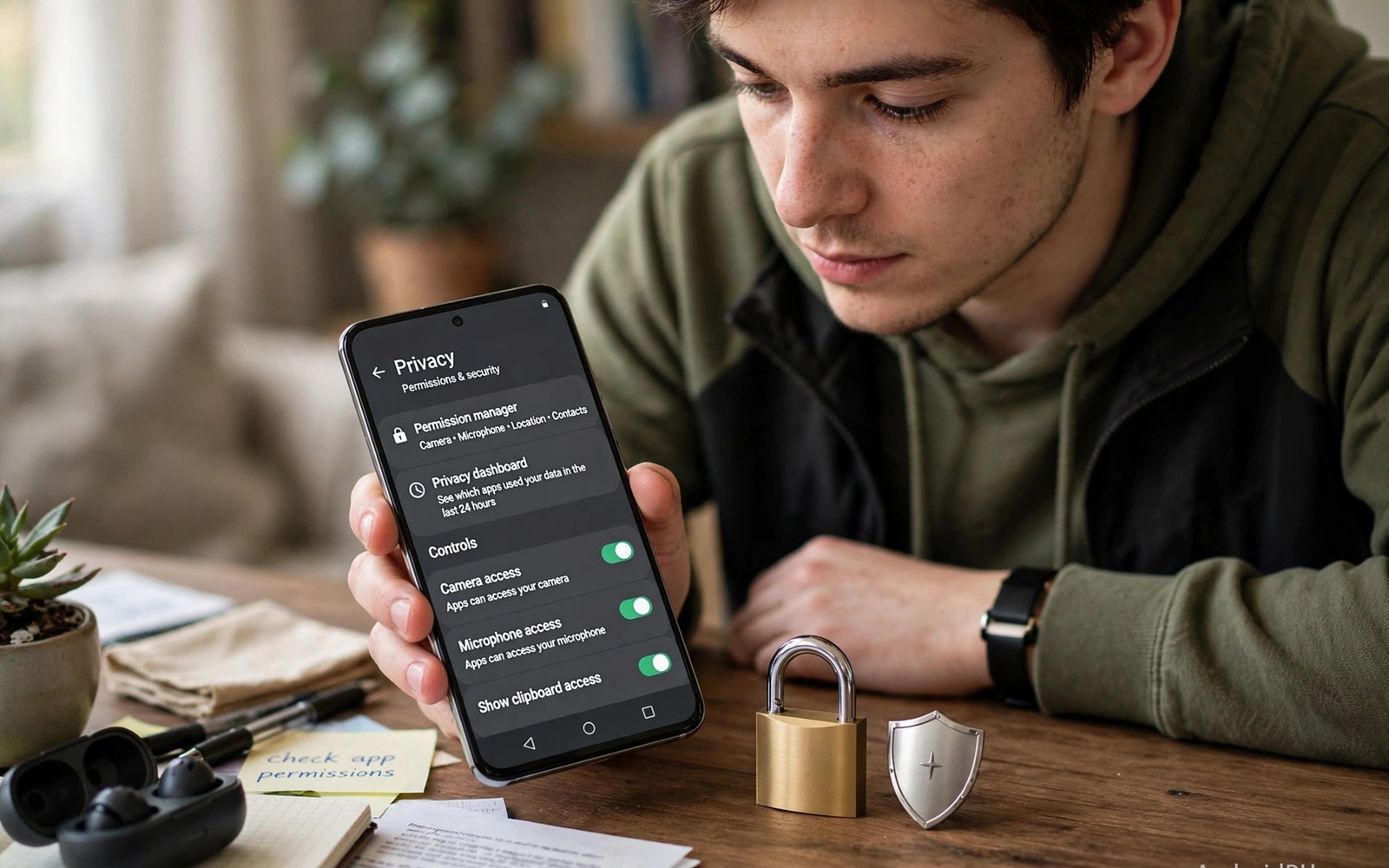
On Instagram, open a follower’s profile, tap Following, then Remove follower. On TikTok, open the follower list, tap the three dots next to a name, and tap Remove this follower. Neither action notifies the person, and both are kinder than a block when the person simply drifted out of your life. Also check managing permissions for camera and microphone in social apps because permissions sit beside privacy settings.
Story and Post Visibility Controls
Stories need separate controls from main posts. Hide stories from specific people when needed, and use close friends lists for personal stories on Instagram. TikTok story controls are simpler but still worth checking, so set story replies to followers only or turn them off entirely.
Post audience controls let you limit individual posts. Instagram lets you share posts with close friends in some formats, while TikTok lets you limit comments and duets per video. Use per video controls for sensitive content, because a global private setting plus per post care gives layered protection.
Close Friends Lists and Story Hiding
Build a close friends list of the people who should see personal stories, then post everyday moments to that list only. Hide stories from specific people in the story settings, and review the hidden list every few months, because people change and the list should change with them.
Per-Video Controls on TikTok
Before you post a TikTok video, tap the audience setting and choose who can watch it. Set comments, duets, and stitches per video, and turn off downloads for videos you do not want saved. A creator who wants growth may keep duets on, while a private user should turn them off without hesitation.
Comments, Messages, and Mentions
Comment filters block abusive words automatically. Add custom words that you never want to see, and turn on Instagram hidden words filter, which catches many insults without manual work. TikTok comment filters offer similar keyword control, so turn on manual approval for comments if harassment is a problem.
Message controls matter just as much as post controls. Limit direct messages to people you follow, and turn off message requests from strangers or route them to a requests folder. Also read securing your messaging apps with biometric app locks for device level backup. Mention controls stop strangers from tagging you into unwanted posts.
Keyword Filters That Actually Work
Add the slurs and spam terms you see most often to the custom blocked words list, then check the filtered comments folder once a week. The filter catches the obvious abuse, and your weekly check catches the new variants that slip through. Block repeat offenders without lengthy debate, because your comment section shapes your community culture.
Direct Message Settings Worth Changing Today
On Instagram, set message controls to “people you follow” only, and turn off message requests from strangers. On TikTok, set direct messages to “followers you follow back” or turn them off entirely. Those two changes close the most common path strangers use to reach you.
Data, Ads, and Personalisation Limits
Both apps collect activity data to personalise feeds and ads. Open ads settings and limit off app activity use where offered, then turn off personalised ads if you prefer generic ads. That change does not remove ads entirely, but it reduces how much of your activity shapes them.
Data download tools show what each app stores about you. Request a data copy once a year to stay informed, and delete search history and watch history regularly. Clear history does not erase server logs entirely, but it does reduce what the app surfaces to you and to others on shared devices.
Off-App Activity and Ad Personalisation
On Instagram, open Accounts Centre, then Your information and permissions, then Off-Meta activity, and clear the history and disconnect future activity where offered. On TikTok, open Ads settings and turn off personalised ads. Both changes take two minutes and reduce how much of your browsing shapes your feed.
What a Data Download Reveals
Request your data once a year from each app and skim the file. You will see your search history, your watch history, and the advertisers who uploaded your contact details. That knowledge makes the privacy settings feel concrete rather than abstract, and it shows you exactly what to limit next.
Location, Contacts, and Sync Settings
Location tags reveal where you live and work over time. Turn off precise location for both apps and use approximate location only if a feature truly needs it. Avoid posting photos with location tags from home, and wait until you leave a place before you post about it.
Contact sync uploads your address book to find friends, and that upload exposes people who never joined the app. Turn off contact sync after you find your friends, and remove previously synced contacts in settings where offered. Check sync settings after app updates, because defaults can reset.
Precise Location Is the Leak Most People Miss
Open your phone settings, find Instagram and TikTok under location permissions, and set both to “approximate” or “never”. A photo tagged at your home, your school, or your workplace, repeated over weeks, draws a map of your routine. Delay location posts until you leave the place, and never tag a location in real time.
Contact Sync and Why to Turn It Off
Contact sync finds your friends fast, then keeps a copy of your address book on the company’s servers. Turn it off once you have found your friends, and delete the synced contacts in the app settings where the option exists. The friends you already found stay connected, and the address book stops uploading.
Teen Safety and Family Controls
Teen accounts get stricter defaults on both platforms. Parents can link a teen account to supervision tools, which show time spent and follows without reading private messages. Set daily time limits together rather than as a secret rule, because teens accept limits they helped choose far more often.
Talk about screenshots and reshares with teens directly. Privacy settings cannot stop a follower from screenshotting a post, so teach teens to post as if any follower could reshare content. Also check how social media apps impact battery and data use for time limit benefits beyond safety, since less screen time helps focus and sleep as well.
Supervision Tools That Respect Privacy
Instagram supervision and TikTok family pairing let a parent see screen time, follow lists, and search history without reading private messages. Set them up together with your teen, agree on the limits in advance, and review the numbers weekly as a conversation rather than as an inspection. Trust grows when the tool is transparent.
Daily Time Limits That Teens Actually Keep
Agree on a limit together, such as one hour on school days, and let the app enforce it with a reminder rather than a hard lock. A limit a teen helped choose is kept far more often than a limit imposed in secret, and the conversation about it matters more than the number.
A Thirty Minute Privacy Setup Routine
Start with Instagram account privacy and follower review. Switch to private if that suits your goals, review followers and remove any account you do not recognise, and check blocked accounts and restricted accounts lists for stale entries. Remove restrictions that no longer serve a purpose, because clean lists are easier to maintain than cluttered ones. Set aside ten minutes for Instagram alone, since rushing both apps in ten minutes total causes missed toggles.
Move to TikTok with the same deliberate pace. Switch to private if you want follower only viewing, review followers and remove strangers you approved casually years ago, and turn off personalised ads and limit off app activity use where offered. Check direct message settings and limit messages to followers, then check duet and stitch permissions per your comfort level, because those permissions control how others reuse your content.
Finish With Shared Device and Account Security
Enable two factor authentication on both apps with an authenticator app, store backup codes offline in a password manager, and check logged in devices to remove old phones and tablets. Log out of shared devices completely rather than just closing the app, because that final step closes access points that privacy toggles alone cannot fix.
Check Installed App Versions From the Command Line
If you manage several devices, you can confirm which version is installed before you follow a settings guide, since menu names change between versions. The commands below only read data and change nothing on the phone: adb shell dumpsys package com.instagram.android | grep -i versionName and adb shell dumpsys package com.zhiliaoapp.musically | grep -i versionName. These commands follow the standard Android developer reference pattern for checking installed package versions.
Privacy for Creators Who Still Want Growth
Creators face a tension between visibility and safety. Public accounts need discovery to grow, while private accounts protect personal life but limit reach. A two account strategy resolves much of that tension: keep a public creator account for content and a private personal account for friends, and never post home location or school details on the public account.
Delay travel posts until after you return home. That delay protects physical safety without hurting content quality much, and audiences accept delayed travel content when it is well edited. Control comments and interactions on public posts actively: use keyword filters for slurs and spam terms, pin a comment stating your community rules clearly, and hide or delete comments that break those rules promptly.
Separate Personal Data From Creator Data
Use a creator email address distinct from your personal email, and use a separate phone number or a virtual number for creator contact where possible. Avoid linking personal accounts in bios or captions, and check photo backgrounds for addresses and license plates and school logos. Those background details leak more than captions do, so review each public post for background leaks before publishing.
Moderation Is Content Strategy
A well moderated comment section attracts better followers over time, while a chaotic section drives away the audience you actually want. Block repeat offenders without lengthy debate, because moderation is content strategy and not just safety work. Your comment section shapes your community culture more than any single post does.
Your Instagram and TikTok Privacy Checklist
Complete this checklist for both apps in one focused session. First, switch accounts to private if that suits your goals. Second, review followers and remove strangers you do not recognise. Third, hide stories from specific people where needed and set up close friends lists. Fourth, turn on comment filters and add custom blocked words. Fifth, limit direct messages to followers only. Sixth, limit mentions and tags to people you follow. Seventh, turn off contact sync after finding your friends. Eighth, turn off precise location for both apps. Ninth, limit personalised ads and off app activity use where offered. Tenth, enable two factor authentication and check logged in devices.
An account that passes all ten items is far harder for strangers to exploit, because strangers lose most access paths at once. That protection matters for adults and teens alike. Review the checklist after every major app update, because updates can reset defaults. A reset toggle left unnoticed can undo months of careful setup, so set a quarterly reminder to repeat the full checklist.
Common Mistakes That Undo Good Privacy Settings
Switching to private but approving every stranger defeats the setting, so review each follower request with care. Leaving contact sync on after setup is another leak, so turn it off once you find your friends. Ignoring story controls leaves a hole even with a private account, because stories need their own audience check. Trusting filters to catch all harassment is unrealistic, so block persistent accounts manually. Posting live location tags reveals routines over time, so delay location posts until you leave the place. Skipping settings review after updates is the final trap, and sharing one password across both apps risks both accounts at once, so use unique passwords and two factor authentication, and never share verification codes with anyone claiming to support the app.
Quarterly Review Keeps Privacy Aligned
Set a quarterly reminder to repeat the full checklist, because quarterly reviews keep privacy aligned with changing app features and changing life circumstances. Note the date of this setup in your calendar, and repeat the routine after every major app update.
Frequently Asked Questions About Instagram and TikTok Privacy
Does a private account hide my old public posts?
Yes for new viewers once the switch applies, but existing followers keep access until you remove them, and old reshares and screenshots may still circulate. Review followers after switching to private for full effect, and remove anyone you do not recognise.
Can I limit ads personalisation completely on Instagram and TikTok?
No, you can limit it but you cannot remove ads entirely. Turning off personalised ads shows generic ads instead, and activity data may still support safety and measurement features. Read the ads settings text for exact limits on your version of each app.
Do privacy settings stop screenshots on Android?
No, no setting can block screenshots reliably on Android. Some apps notify about screenshots in specific modes, but you should treat every post as potentially permanent and share sensitive content only with people you trust deeply.
Should I use two accounts, one public and one private?
Yes, if you want both growth and privacy. Keep a public creator account for content and a private personal account for friends and family, and never mix the two. The separation costs a little extra effort and buys a lot of safety.
Privacy is a set of habits and not a single toggle. Make accounts private and review followers, control stories and comments and messages separately, limit data and location and contact sync, and review settings after every major update. Your concrete next step is to switch your main account to private today and remove three followers you no longer recognise. Then turn off contact sync and precise location for both apps. Those actions take fifteen minutes and they cut exposure sharply.

