

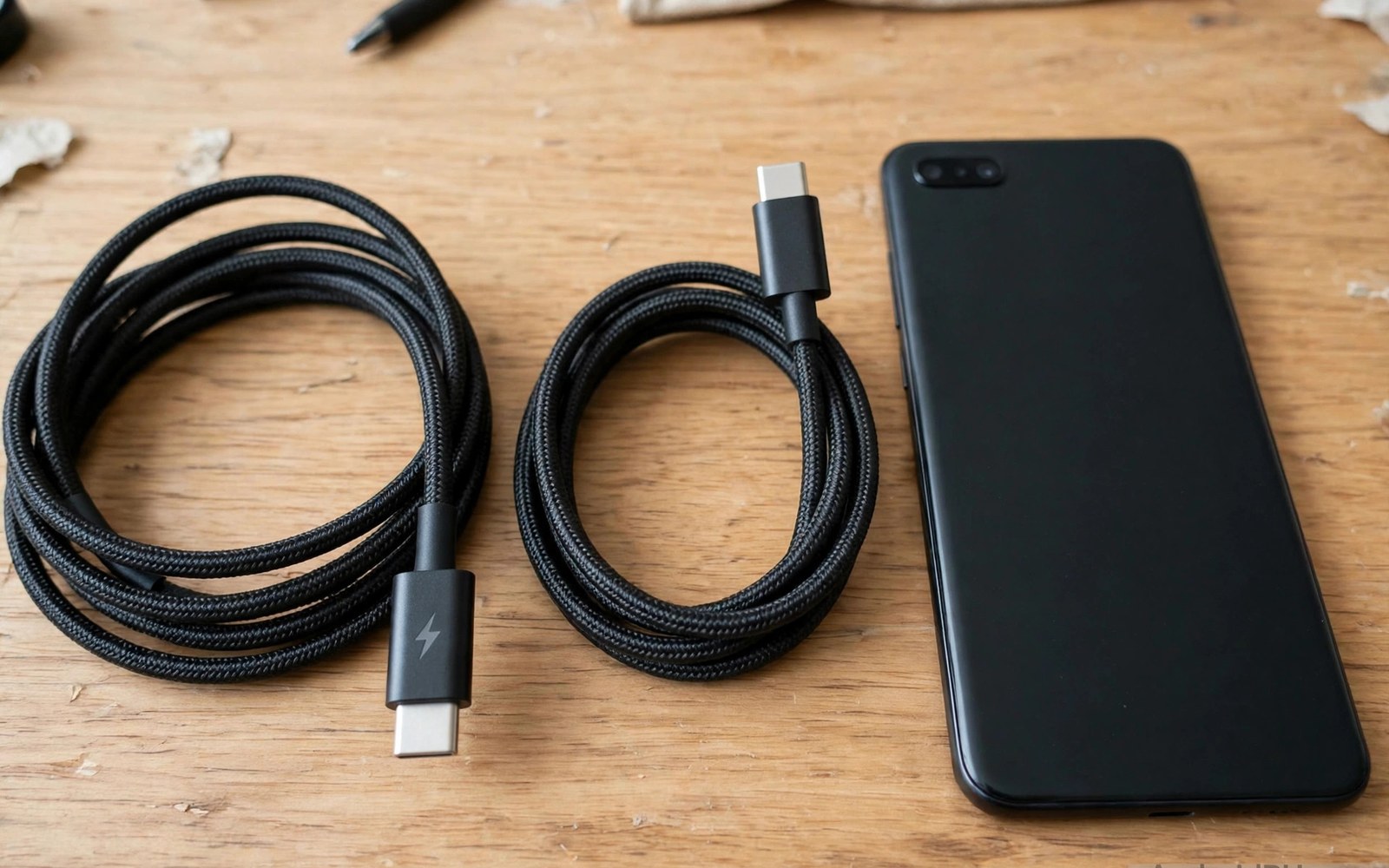
Thunderbolt cables look like USB-C cables. They share the same connector shape. They do not share the same capabilities. A Thunderbolt cable can work in a standard USB-C port. It works at USB speeds in that case. It does not unlock Thunderbolt speeds. A standard USB-C cable cannot unlock Thunderbolt speeds either. The port decides the maximum capability. The cable decides whether that capability is reached. This guide explains the compatibility in plain terms. It shows what works and what is limited. It helps you avoid wasted purchases.
Confusion comes from the shared connector. Users assume same shape means same function. That assumption fails for Thunderbolt. The connector shape is only the physical interface. Internal wires and chips decide function. A Thunderbolt cable contains extra wires and active chips. Those extras enable high speed Thunderbolt modes. A standard USB-C port lacks Thunderbolt controller hardware. It cannot use those extras. It uses the USB wires inside the Thunderbolt cable. Those wires work normally. The cable thus functions as a good USB cable. It does not function as a Thunderbolt cable on that port. The distinction matters for price.
What Thunderbolt Adds Over USB
Thunderbolt combines several protocols over one cable. It carries fast data and video and power together. It reaches higher data speeds than standard USB generations. It supports multiple high resolution displays. It supports daisy chaining devices. Daisy chaining links devices in a series. One port can serve several devices through the chain. Standard USB rarely supports that chaining. Thunderbolt also offers low latency for storage. A fast external drive feels more responsive. Those advantages suit professional desks. They suit video editors and engineers. They suit users with many high speed devices. Casual phone users gain little from them.
Thunderbolt versions differ in speed and features. Earlier versions reached 20 gigabits per second. Later versions reached 40 gigabits per second. Newer versions reach higher speeds still. Each version needs matching port and cable. A newer cable in an older port runs at the older speed. An older cable in a newer port runs at the older speed. The slowest part decides the result. That rule mirrors USB compatibility. Thunderbolt cables cost more than USB cables. The cost reflects active chips and extra wires. Active cables contain chips that boost signals. Those chips need power from the port. They also add length limits. Passive cables lack boost chips. They suit short lengths only.
Video over Thunderbolt uses display protocols efficiently. A single Thunderbolt link can drive two high resolution monitors. Standard USB video links often drive one monitor. That difference matters for multi monitor desks. A phone rarely drives two monitors. Most phones drive one monitor at most. Many phones drive none. Thunderbolt multi monitor advantage thus rarely applies to phones. A phone user buying a Thunderbolt cable for dual monitors will be disappointed. The phone port limits video regardless of cable. A laptop user benefits more. Laptop Thunderbolt ports unlock dual monitors. Phone ports do not. Match expectations to the device.
Using a Thunderbolt Cable on an Android Phone
A Thunderbolt cable plugged into a standard Android port works as a USB cable. Charging works normally up to the cable USB rating. Data transfer works at the phone port USB speed. Video output works only if the phone supports video output. The cable does not add video support. A phone without video support shows no picture. A phone with video support shows a picture at its own video limit. The Thunderbolt cable does not raise that limit. It simply carries the phone video signal. A standard USB video cable would do the same. The Thunderbolt cable offers no video advantage on a standard port. It only offers a higher price.
Charging through a Thunderbolt cable is generally safe. The cable negotiates power like a USB cable. It respects phone and charger limits. A Thunderbolt cable rated for high power can charge a phone fully. A phone draws only what it needs. The high rating does no harm. It also gives no extra speed beyond phone need. A phone that needs 25 watts charges at 25 watts. A cable rated for 100 watts does not push 100 watts into it. Power negotiation prevents overcharging. That safety applies to all proper cables. A Thunderbolt cable is safe for charging when genuine. A counterfeit Thunderbolt cable may lack proper negotiation. Buy genuine cables from trusted sellers.
Data transfer through a Thunderbolt cable on a phone runs at USB speed. The phone port sets that speed. A phone with a modest USB port transfers modestly. A Thunderbolt cable cannot exceed the port. A user copying files will see normal USB times. A user expecting Thunderbolt times will be disappointed. The disappointment comes from misunderstanding. The cable is not faulty. The port simply lacks Thunderbolt hardware. Test transfer speed with a known file. The result shows the phone port limit. That limit applies to every cable. A cheaper USB cable matching the port speed gives the same result. Save money by buying to the port.
Using a Standard USB Cable on a Thunderbolt Port
A standard USB cable in a Thunderbolt port works at USB speed. The port detects a USB cable. It falls back to USB mode. Data and charging and video work at USB limits. Thunderbolt modes stay inactive. No damage occurs from this mix. The system negotiates a safe common mode. A user with only USB cables can still use a Thunderbolt laptop port. The port simply behaves as a USB port. That backward compatibility is intentional. It prevents confusion and damage. It also means USB cables remain useful on Thunderbolt hardware. A user need not replace every cable when upgrading to Thunderbolt. Existing USB cables continue to work at USB speed.
Video through a USB cable on a Thunderbolt port follows USB video rules. The port may support display output over USB. That output works through a USB cable that carries video lanes. A charge only USB cable lacks video lanes. It will not carry video. A full featured USB cable carries video. Check cable video support before expecting a picture. A Thunderbolt cable carries video lanes too. It would also work for that USB video mode. The Thunderbolt advantage remains inactive. The picture quality matches USB video limits. It does not reach Thunderbolt video limits. The distinction is subtle but real. A user comparing cables should note it.
Daisy chaining fails with a standard USB cable. Daisy chaining needs Thunderbolt protocol support in cable and devices. A USB cable lacks that protocol. Devices chained through USB will not link as a Thunderbolt chain. Each device needs its own port or a hub. A hub splits one port into several USB ports. A hub does not create a Thunderbolt chain. Users who need chaining must buy Thunderbolt cables and devices. Phone users rarely need chaining. Laptop users with many devices may need it. That need justifies Thunderbolt investment on laptops. It rarely justifies it on phones.
Cost and Value Decisions
Thunderbolt cables cost several times a standard USB cable. The price reflects active chips and testing. For a phone only user that price buys no benefit. A standard USB cable matching the phone port gives identical charging and data. It gives identical video when the phone supports it. The Thunderbolt cable adds only cost. A phone only user should buy a good USB cable instead. Spend the saving on a better charger or a spare cable. Those purchases give real benefit. A Thunderbolt cable in a phone drawer is wasted money. It may serve a future laptop. That future use is the only justification for a phone user to buy one.
A user with both a phone and a Thunderbolt laptop may justify one Thunderbolt cable. The cable serves the laptop at full speed. It serves the phone at USB speed. One cable covers both devices for travel. That versatility saves bag space. It also simplifies packing. A single cable for laptop and phone is convenient. The convenience must outweigh the price. A traveller with limited bag space may value it. A home user with separate cables may not. Decide based on travel needs. A home desk can hold separate cables cheaply. A travel bag benefits from one versatile cable. That context decides value.
Length affects Thunderbolt cable cost strongly. Short passive cables cost less. Long active cables cost much more. Active chips boost signals over distance. Those chips add price. A long Thunderbolt cable for a phone is especially wasteful. The phone cannot use Thunderbolt speed at any length. A long USB cable gives the same phone result at lower cost. A long Thunderbolt cable only makes sense for a Thunderbolt laptop at distance. Even there a short cable is cheaper and faster. Keep Thunderbolt cables short when possible. Short cables preserve speed and lower cost. For USB speed background see data transfer speeds across USB generations for port limit details.
Identifying Thunderbolt Cables
Thunderbolt cables often carry a lightning bolt symbol on the plug. The symbol distinguishes them from plain USB cables. Some cables carry the symbol plus a version number. A version number indicates the Thunderbolt generation. A cable without the symbol is likely a USB cable. A cable with a blurry symbol may be counterfeit. Check the symbol clarity. Genuine cables print it crisply. Counterfeit cables print it poorly. The symbol alone does not guarantee performance. A genuine cable also lists speed and power ratings. A listing with only a symbol and no numbers deserves doubt. Numbers confirm capability.
Packaging for Thunderbolt cables lists detailed specs. It lists data speed and video support. It lists power rating and length. It lists active or passive design. A vague package suggests a fake. A detailed package suggests a genuine product. Price also signals genuineness. A Thunderbolt cable at a USB cable price is suspicious. Active chips cannot be that cheap. A fair price reflects the technology. Compare prices across trusted sellers. A price near the trusted range is plausible. A price far below it signals a fake. A fake Thunderbolt cable may work as a USB cable. It may fail at Thunderbolt speeds on a laptop. That failure wastes the purchase purpose.
Testing a Thunderbolt cable on a phone cannot prove Thunderbolt capability. A phone test only proves USB function. A laptop with a Thunderbolt port is needed for a full test. Connect the cable to a Thunderbolt laptop and a Thunderbolt device. Check the link speed in system settings. A full Thunderbolt speed confirms the cable. A USB speed on a Thunderbolt system points to a fake or a USB cable. That test requires Thunderbolt hardware. Phone users without such hardware cannot verify Thunderbolt claims. They should not pay for unverified claims. Buy a USB cable instead. A USB cable claim is verifiable on a phone.
- Thunderbolt cables work as USB cables on standard phone ports.
- Phone ports set the speed limit regardless of cable type.
- Thunderbolt cables add no video support to phones lacking it.
- Buy USB cables for phone only use to save money.
- Verify Thunderbolt claims only on Thunderbolt hardware.
Thunderbolt compatibility checklist:
1. Phone port: standard USB or Thunderbolt
2. Cable type: Thunderbolt or USB
3. Expected mode: slowest common mode
4. Charging: phone need sets draw
5. Data: phone port speed sets limit
6. Video: phone support required
7. Value: USB cable suffices for phones
Common Misunderstandings
Many users believe a Thunderbolt cable will fast charge a phone faster. Fast charging depends on charger and phone and cable power rating. A Thunderbolt cable power rating may be high. A standard USB cable with the same power rating charges equally fast. The Thunderbolt label adds no charging speed. A user who buys Thunderbolt for charging speed wastes money. Buy a USB cable with the correct power rating instead. That cable charges at the same speed for less money. The misunderstanding comes from equating premium with faster charging. Premium in this case means data and video features. Those features do not apply to a standard phone port.
Many users believe a Thunderbolt cable will enable dual monitors on a phone. Dual monitor support needs phone hardware and software. A cable cannot add it. A phone that supports one monitor will show one monitor through either cable type. A phone that supports none will show none through either cable. The cable type is irrelevant to monitor count on a phone. Laptop dual monitor setups need Thunderbolt ports on the laptop. Phone dual monitor dreams need a different device. A tablet or laptop may fulfil them. A phone plus a Thunderbolt cable will not. Set expectations by phone capability rather than cable marketing.
Many users fear damage from mixing Thunderbolt and USB. Mixing is safe by design. Ports and cables negotiate a common mode. A Thunderbolt cable in a USB port runs in USB mode. A USB cable in a Thunderbolt port runs in USB mode. No overvoltage occurs from mixing. Negotiation prevents it. Counterfeit cables break that safety. A counterfeit cable may negotiate incorrectly. Buy genuine cables to preserve negotiation safety. Genuine mixing is safe. Counterfeit mixing is risky regardless of type. For monitor setup on phones see connecting Android devices to external monitors via DisplayPort Alt Mode for phone video rules.
Final Thoughts on Thunderbolt Compatibility
Thunderbolt and USB-C share a shape but not a capability set. A Thunderbolt cable works safely on a standard Android port. It works at USB speed. It charges normally. It carries video only when the phone supports video. It adds no Thunderbolt speed to a phone. A standard USB cable works safely on a Thunderbolt port at USB speed. Mixing is safe with genuine cables. Price decides the sensible purchase. Phone only users should buy USB cables. Laptop plus phone travellers may justify one Thunderbolt cable for dual use. That justification rests on laptop benefit rather than phone benefit.
Readers may also find USB-C cable ratings for 60W and 100W and 240W power useful for a related setup.
Check your phone port type before buying any premium cable. Buy a USB cable matching the phone port speed and power need. Test charging and data on arrival. Keep Thunderbolt purchases for Thunderbolt hardware you actually own. The steps above follow the approach described in the official developer documentation for connector compatibility and power negotiation. That approach stresses matching cable capability to port capability before expecting a speed gain. Follow it and you will never pay Thunderbolt prices for USB results.

