

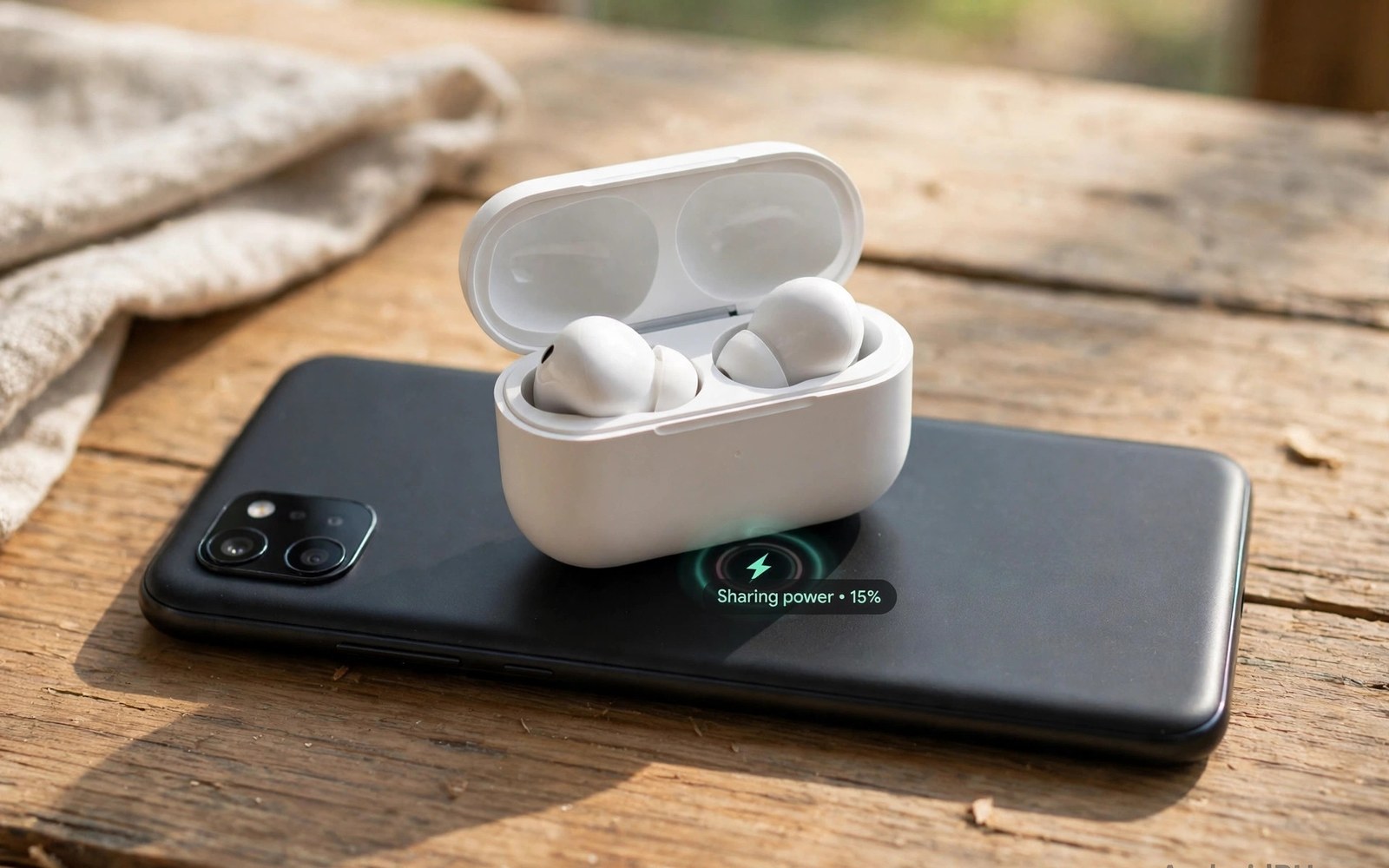
A phone battery can rescue a dying pair of earbuds. Reverse wireless charging turns the phone into a small charging pad. The phone sends power out through its back coil to a nearby device. Earbuds in a wireless case are the perfect match for this feature. They need only a small amount of power to get through a commute. That small top-up can save a call or a workout playlist.
The feature works best as an emergency tool rather than a daily charger. Phone batteries hold far more energy than an earbud case. A short share session costs the phone only a small share of its charge. A long session can still drain the phone noticeably. Users should treat reverse charging as a rescue option for small devices. It is not a substitute for a proper charger at home.
Not every phone supports reverse wireless charging. The phone needs the right coil and the right software switch. Some phones limit the feature to certain battery levels for safety. Others turn it off automatically after a set time. Check the phone settings and the manual before relying on it outdoors. This guide covers setup and placement and sensible limits.
How Reverse Wireless Charging Works
A normal wireless charge flows into the phone through its coil. Reverse mode flips that flow so power leaves the phone instead. The phone coil creates a field and the earbud case coil catches it. The transfer rate is low because small devices need little power. Low power also keeps heat modest during a short session. The phone still watches temperature and it can pause sharing if it gets warm.
Alignment matters even more in reverse mode. The earbud case is small so its coil can miss the phone coil easily. A slight shift can break the link or drop the rate to a trickle. Users should centre the case on the phone back and hold it still. A flat surface helps because a hand-held share can drift with movement. Patience at placement saves a failed session.
The phone must have enough charge to share safely. Many phones block reverse charging below a set battery level. That guard stops a rescue from leaving the phone dead too. Some phones also stop sharing when the phone battery falls during the session. These limits protect the main device first. Respect them rather than hunting for a way around them.
- Open battery settings and find the share option
- Centre the earbud case on the phone back
- Wait for the charging icon before letting go
Turning It On Step By Step
Start by opening the phone settings and searching for battery sharing terms. The switch may sit under battery or wireless charging settings. Some phones also offer a quick settings tile for faster access. Turn the feature on only when you plan to share power. Leaving it on can waste energy if the phone back touches metal objects. Turn it off after the session ends.
Place the phone face down on a flat stable surface. Set the earbud case on the centre of the phone back. Watch for a charging light or icon on the case or the phone. Adjust the case position slowly if no icon appears. Hold the case steady for a few seconds to confirm a stable link. A flickering icon means the alignment still needs work.
Best Devices For Reverse Sharing
Earbuds with wireless cases are the best fit for reverse charging. They sip power slowly and they gain useful listening time fast. Smartwatches with wireless charging can also benefit in a pinch. Their small batteries fill noticeably from a short share. Phones can share with other phones but the rate is slow and the drain is high. That use suits emergencies only when no charger is near.
Devices without wireless coils cannot use this feature at all. A cable remains the only option for those gadgets. Check the accessory manual for wireless charging support before trying. Forcing a non-wireless device onto the phone back does nothing. It can also waste phone battery if the feature stays on. Use reverse sharing only with confirmed wireless accessories.
Speed Limits And Battery Cost
Reverse charging rates are modest by design. A typical share adds power slowly over many minutes. Earbuds may gain enough for an hour of listening after a short session. A full earbud case charge takes much longer than a cable charge. Users should set expectations low and treat any gain as a bonus. The feature shines when a small gain matters more than speed.
Battery cost stays small for short sessions with earbuds. A ten minute share may cost the phone only a few percent. Longer sessions with a watch or a phone cost more. Track the phone level during a share if the phone is already low. Stop early if the phone approaches a level needed for the rest of the day. A rescue that kills the main phone helps nobody.
Heat Placement And Safety
Heat can build when two devices sit back to back. Remove thick cases from the phone before sharing power. A thick case adds distance and it traps heat between the devices. Keep both devices out of direct sunlight during a share. Stop the session if either device feels unusually hot. Heat pauses protect batteries but they also signal a placement problem.
Metal objects between the devices block the field and create heat. Remove cards or magnetic mounts from the phone back first. Keep the share on a flat surface away from keys and coins. A clean back-to-back contact gives the best link. Check the case for debris that could tilt the earbud case. A level contact keeps the field strong and the session stable.
When Not To Use Reverse Charging
Skip reverse charging when the phone battery is already low. The phone needs its remaining power for calls and maps and messages. Skip it also when the phone is hot from gaming or navigation. Adding a share session on a hot phone invites a thermal pause. Wait until the phone cools and the battery recovers a little. A cable charger at that point serves both devices better.
Skip long reverse sessions as a daily routine. Daily sharing wears the phone battery with extra cycles and heat. A small desk pad or a cable is cheaper in battery wear over time. Reserve reverse mode for travel and for true emergencies. That discipline keeps the phone ready when it matters most. Emergency power is most valuable when it is saved for emergencies.
Reverse Charging For Watches And Other Phones
Smartwatches benefit greatly from reverse charging in a pinch. A watch battery is small so a short share adds useful hours. A watch that dies midday can gain enough for the evening. Place the watch centred on the phone back for a stable link. Watch straps can tilt the watch and break alignment. Remove bulky straps or adjust them flat before sharing.
Other phones can receive reverse power but the gain is slow. A phone battery needs far more energy than earbuds or watches. A thirty minute share may add only a small percentage to another phone. That small gain can still enable an emergency call. It cannot replace a proper charger for a dead phone. Treat phone-to-phone sharing as a last resort only.
Accessory compatibility varies across watch models. Some watches charge only on their own magnetic puck. Those watches cannot use phone reverse charging at all. Check watch manuals for wireless charging support before trying. Forcing an incompatible watch onto the phone wastes phone battery. It can also heat the phone back needlessly. Compatibility checks prevent wasted sessions.
Sharing with multiple small devices in one day drains the phone cumulatively. Each share costs a few percent of phone battery. Three shares across a day can cost a noticeable share. Track phone level between shares on busy days. Stop sharing when the phone approaches its own needs for the day. A phone that dies helping others helps nobody.
Troubleshooting Failed Reverse Sessions
A failed reverse session usually traces to alignment first. Move the accessory slowly across the phone back. Watch for the charging icon to appear and stay steady. A flickering icon means the coil link is weak. Try removing the phone case to close the gap. A thinner gap often turns a flicker into a steady link.
Battery level guards can also block a session silently. The phone may refuse sharing below a set level. Charge the phone above that level and retry. Some phones also disable sharing when the phone is hot. Let a hot phone cool before retrying a share. Those guards protect the phone and they are not faults.
Accessory case and position faults cause many failures. An earbud case with a thick cover may sit too far from the coil. A case with metal parts can block the field entirely. Remove extra covers before a share test. Place the accessory flat without tilt for the best link. A flat clean contact solves most stubborn sessions.
Software settings can block sharing unexpectedly. A battery saver mode may disable reverse charging to save power. Check battery settings and disable aggressive saver modes for a test. Restart the phone if the switch appears stuck or unresponsive. A restart clears temporary software faults that block sharing. Persistent failure across accessories may need service attention.
Turn on battery sharing in settings
Place the phone face down flat
Centre the earbud case on the back
Confirm the charging icon stays steady
Turn sharing off when done
Readers who want more context on portable power can read Best High-Capacity Power Banks Built for Extended Travel for a related view on the same topic.
Readers who want more context on portable power can read How Fast Charging Wattage (20W to 120W) Affects Battery Lifespan for a related view on the same topic.
Readers who want more context on portable power can read MagSafe-Style Magnetic Wireless Power Banks for Android Devices for a related view on the same topic.
The steps above follow the approach described in the official developer documentation and standard industry guidance for safe charging practice.
Reverse wireless charging is a clever safety net for small devices. It works best with earbuds and with short careful sessions. Good alignment and a cool phone keep the transfer steady. Low expectations keep the feature useful rather than frustrating. Keep it as a rescue tool and it will rarely disappoint.
Test the feature at home before you need it on a trip. Learn the switch location and the sweet spot on your phone back. Pack a cable as well so a failed share never strands you. That backup plan turns a neat feature into real travel insurance. Your earbuds will thank you on the next long day out.
Reverse charging works best as a targeted rescue for small devices. Watches and earbuds gain the most from short shares. Phone-to-phone sharing helps only in true emergencies. Troubleshooting should start with alignment and case and battery guards. Most failed sessions resolve with a simple adjustment.
Test reverse sharing with each accessory at home before travel. Learn the sweet spot for earbuds and watches separately. Note any case that blocks sharing reliably. Pack a cable for accessories that fail reverse tests. That backup plan keeps travel power reliable. Reverse charging is a bonus tool rather than a sole power plan.

