

OnePlus Nord 3 Review: Photo Quality, Video and Performance
The OnePlus Nord 3 arrived in July 2023 as the phone that finally gave the Nord line a proper flagship heart. OnePlus took the 50MP Sony IMX890 sensor from the OnePlus 11, paired it with a MediaTek Dimensity 9000 chip, fitted a big 6.74-inch 120Hz AMOLED screen and a 5,000mAh battery, then priced it well below its flagship sibling. On paper it looked like the mid-range phone to beat that year. Three years on, in this OnePlus Nord 3 review 2026 update, the question is whether that combination still holds up, and whether the camera, the video and the raw speed are still good enough to recommend.
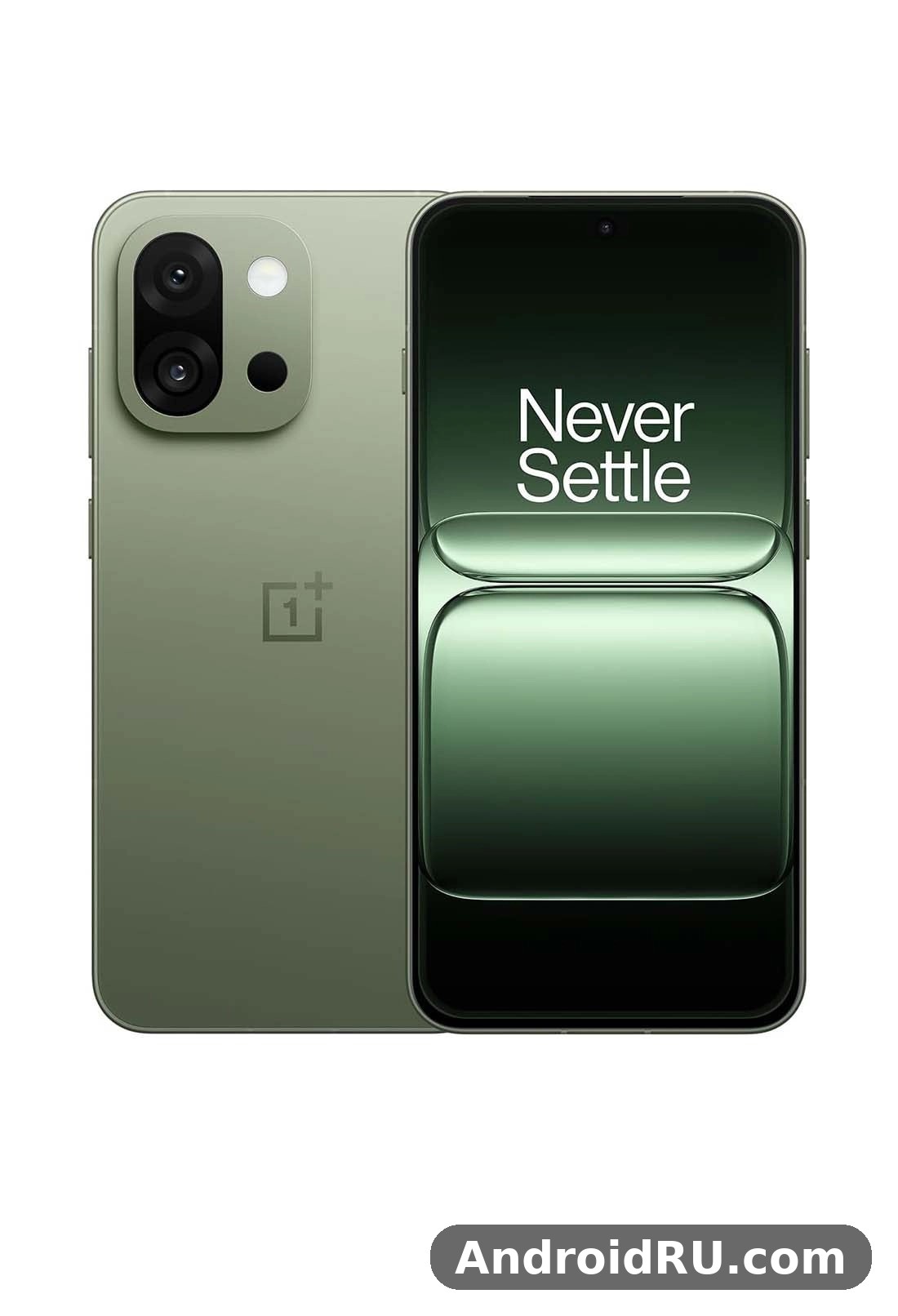
I have spent time with this phone across everyday use, long photo walks, video clips, gaming sessions and heavy workdays, and the short answer is that the Nord 3 has aged better than most phones in its class. The main camera still takes pleasing photos, the screen is still one of the best you will find at this price, and the Dimensity 9000 still chews through apps and games without breaking a sweat. The ultrawide and macro cameras are the weak links, the phone is big and heavy, and there is no wireless charging, but none of those flaws ruins the experience. This review covers photo quality in daylight and at night, video recording, gaming, battery life, charging, software and the full spec sheet, so you can decide with real detail instead of a spec list.
If you are shopping for a used or discounted Nord 3, or comparing it against a newer Nord, the sections below answer the exact things buyers ask: how good the photos really are, how the video looks, how long the battery lasts, and how the phone behaves after three years of software updates. Keep reading for the camera samples discussion, the battery numbers, the comparison tables and the verdict.
OnePlus Nord 3 Design and Display: Big 6.74-Inch 120Hz AMOLED
The OnePlus Nord 3 design is simple, clean and a little understated. It comes in Misty Green and Tempest Gray, both with a matte glass back that resists fingerprints far better than glossy rivals, and a flat frame that makes the phone easy to grip despite its size. At 162.6 x 75.1 x 8.1 mm and 193.5 grams, this is a large phone, and you will feel it in a pocket and in one-handed use. The build is Gorilla Glass 5 on the front and back with a plastic frame, which is a fair trade at this price, and the phone feels solid with no creaks or flex. The alert slider is still here on the left edge, a small OnePlus signature that lets you switch between ring, vibrate and silent without waking the screen.
OnePlus Nord 3 alert slider uses go beyond a simple mute switch once you live with the phone. I use the middle position during work hours so calls stay silent while alarms still sound, and the top position at night so nothing disturbs sleep except the alarm. It is one of those hardware touches that sounds minor in a spec sheet and becomes something you miss the moment you pick up a phone without it. The power button and volume rocker sit on the right edge, the USB-C port is on the bottom next to the SIM tray, and there is no headphone jack and no microSD slot, so the OnePlus Nord 3 storage options 128GB 256GB are a decision you have to make at purchase time and live with afterwards.
The Nord 3 IP54 rating is worth understanding properly, so here is the OnePlus Nord 3 IP54 splash resistance explained in plain terms: IP54 means the phone is protected against dust and against water splashes from any direction, but it is not rated for submersion. Rain, a splash from a sink and sweaty hands are fine. Dropping it in a pool or a bath is not covered, and OnePlus does not promise water damage cover. Treat it as everyday splash protection, not as a waterproof phone, and you will never be caught out.
Display Quality, Brightness and the 120Hz Fluid AMOLED Panel
This OnePlus Nord 3 display quality review starts with the numbers: a 6.74-inch Fluid AMOLED panel, 2772 x 1240 resolution, 450 pixels per inch, a 40-120Hz adaptive refresh rate, 10-bit colour, HDR10+ support and a peak brightness of 1,450 nits. In daily use those numbers turn into a screen that is sharp, vivid and smooth, with deep blacks and punchy colours that make photos and video look richer than on the LCD panels still found in cheaper phones. The Nord 3 display handles text crisply, and the 20.1:9 aspect ratio gives you a tall canvas for reading, browsing and video.
OnePlus Nord 3 screen brightness outdoors is one of the genuine strengths here. The panel pushes up to 1,450 nits at peak, and in bright sunlight the screen stays readable where dimmer mid-range panels wash out. I could frame photos, read maps and reply to messages in direct sun without shading the phone with my hand. Indoors, the auto-brightness is quick and rarely needs a manual nudge, and the low brightness floor is comfortable for reading in bed without eye strain. The Nord 3 HDR10+ support shows its value when you watch HDR video, with brighter highlights and better shadow detail than standard dynamic range content.
The adaptive refresh rate switches between 40Hz and 120Hz depending on what is on screen, which keeps scrolling smooth while saving battery when you are reading a static page. You can also force 60Hz or 120Hz in settings if you prefer predictable behaviour. The 1,000Hz touch sampling rate makes the screen feel responsive in games, and the under-display fingerprint reader is fast and reliable once you register the same thumb twice. OnePlus Nord 3 fingerprint sensor speed is good in practice: a quick tap unlocks the phone in well under a second, and it works with slightly damp fingers better than some older optical readers I have used.
Screen Settings Worth Changing on Day One
Open Settings, then Display and brightness, and set the screen colour mode to Natural if you want accurate colours for photo editing, or Vivid if you prefer the punchy look for video. Turn on the eye comfort mode for evening reading, and leave the refresh rate on Auto so the phone balances smoothness and battery life for you. If you watch a lot of video, leave HDR video enhancement on, and check that the dark mode schedule matches your routine, since the AMOLED panel saves a little power with dark backgrounds.
Size, Weight and One-Handed Use
The 6.74-inch screen makes the Nord 3 a two-handed phone for most people. Reaching the top corners takes a stretch, and the 193.5-gram weight is noticeable during long reading sessions. The flat sides help, and a thin case adds grip without much bulk. If you are coming from a compact phone, give yourself a week to adjust. If you already use a large phone, the Nord 3 will feel normal within a day, and the extra screen space pays off every time you watch video or split the screen between two apps.
OnePlus Nord 3 Camera Samples and Photo Quality
The camera is the reason most people look at the Nord 3, and it is also where the phone punches hardest above its price. The main camera uses the same 50MP Sony IMX890 sensor as the OnePlus 11, with optical image stabilisation, an f/1.8 aperture and a 1/1.56-inch sensor size. That is flagship hardware in a mid-range body, and it shows in the results. OnePlus Nord 3 camera samples taken in daylight are sharp, detailed and naturally coloured, with good dynamic range and none of the over-sharpened look that cheaper phones use to fake detail. Greens look like grass rather than plastic, skin tones stay believable, and fine textures such as brickwork and foliage hold up when you zoom in.
The Nord 3 camera setup is a triple system on the back: the 50MP main camera, an 8MP ultrawide and a 2MP macro camera, plus a 16MP front camera. The main camera does the heavy lifting, and the other two are supporting players with clear limits. That split matters for how you should judge this phone. If you shoot mostly with the main camera, the Nord 3 behaves like a phone that costs much more. If you live on the ultrawide, the story is different, and the comparison section later in this review spells out exactly where the gap sits.
Shot-to-shot speed is quick. The camera app opens fast, focus locks without hunting in good light, and the shutter fires with only a small delay. Burst shooting keeps up with moving subjects reasonably well, and the phone processes HDR in the background without making you wait for the preview. Colours lean slightly warm and saturated in the default Photo mode, which suits social sharing, while the Pro mode gives you manual control over ISO, shutter speed, white balance and focus, plus RAW capture for serious editing.
Daylight Photos: Detail, Colour and Dynamic Range
In daylight the 50MP main camera is genuinely strong. Photos carry plenty of detail at the default 12.5MP binned output, and switching to the full 50MP Hi-Res mode adds extra detail for landscapes and architecture when you have steady hands and good light. Dynamic range is wide enough to hold both a bright sky and shadowed foreground in the same frame, and the HDR processing rarely produces the halo artefacts that cheaper phones show around high-contrast edges. The Nord 3 camera handles backlit scenes well, and the exposure metering is reliable enough that I rarely needed to tap to adjust exposure.
Colour science is one of the quiet strengths. OnePlus tuned the Nord 3 to keep colours lively without pushing them into cartoon territory. Blue skies stay blue rather than turning electric, and food photos keep warm tones that look appetising instead of orange. If you prefer a flatter, more neutral look for editing, the Pro mode and RAW output give you that starting point. For most people, the default output is ready to share without editing, which is exactly what a phone camera should deliver.
OnePlus Nord 3 Photo Quality at Night and in Low Light
OnePlus Nord 3 photo quality at night is where the big IMX890 sensor and optical stabilisation earn their keep. In dim restaurants, evening streets and indoor rooms, the main camera pulls in far more light than the sensor size of a typical mid-range phone would suggest. The dedicated Nightscape mode takes a few seconds and combines multiple frames, and the results are brighter, cleaner and more detailed than the standard auto mode, with less noise in the shadows and better-preserved highlights from street lamps and neon signs.
That said, night photos are not magic. Very dark scenes still show noise if you look closely, moving people can blur in Nightscape mode because of the longer exposure, and the ultrawide camera falls apart much faster in low light than the main camera does. The practical rule is simple: the Nord 3 night mode works best on static scenes, so use the main camera at night, hold still for a second, and let Nightscape do its work when the scene is static. For quick snaps of friends in a dim bar, the standard mode with the flash off usually gives a more natural result than forcing the night mode on every shot.
Portrait Mode, Ultrawide and Macro Cameras
The portrait mode uses the main camera with software depth mapping, and the results are good for a phone at this price. Edge detection around hair and glasses is mostly accurate, the background blur looks natural rather than smeared, and skin tones stay believable. Here are some OnePlus Nord 3 portrait mode tips that make a real difference: shoot in good light, keep the subject one to two metres away, tap to focus on the eyes, and use the 2x crop rather than the 1x view when you want a tighter, more flattering frame. The 2x digital crop comes from the high-resolution sensor, so it holds detail better than a plain digital zoom.
OnePlus Nord 3 ultrawide camera quality is the weakest part of the rear system. The 8MP sensor with a 112-degree field of view is fine for wide landscapes and tight interiors in daylight, but detail drops off at the edges, colours are cooler than the main camera, and low-light performance is poor. It is usable, not impressive. OnePlus Nord 3 macro camera results are similarly modest: the 2MP macro lens needs bright light and a very steady hand, and the fixed focus distance makes it fiddly. It can produce a fun close-up of a flower or a texture, but the main camera cropped in usually gives a better result, and most owners will use the macro mode a handful of times and then forget it exists.
Selfie Camera: 16MP Front Camera Results
The OnePlus Nord 3 selfie camera test results are solid for the class. The 16MP front camera takes sharp, well-exposed selfies in good light, with natural skin tones and a portrait mode that blurs the background cleanly for video calls and social posts. The fixed-focus lens means you need to hold the phone at arm’s length for the sharpest result, and low-light selfies get noisy quickly, with the screen flash helping in a pinch. A Nord 3 selfie in daylight looks clean and detailed; the same shot in a dim room is usable for a video call but not something you would print.
For video calls, the front camera holds exposure well when you move between rooms, and the electronic stabilisation keeps the frame steady if you walk while talking. Beauty mode is on by default at a low level, and you can turn it off entirely in settings if you prefer an unprocessed look. Overall, the selfie camera is dependable rather than remarkable, which is a fair summary of where it sits against rivals that cost more.
OnePlus Nord 3 Camera App Settings Guide
This short OnePlus Nord 3 camera app settings guide covers the settings that actually change your photos. Turn on the grid and the level so horizons stay straight. Set the photo ratio to 4:3 for maximum resolution, and switch to Hi-Res only when you need the full 50MP file. Enable the watermark option off unless you like the branding on your shots, and set the quick launch gesture so a double press of the volume down button opens the camera from a locked screen. In video, set the resolution before you start recording, since you cannot change it mid-clip, and turn on the histogram in Pro mode if you are learning manual exposure.
OnePlus Nord 3 Video Recording Quality and Stabilisation
OnePlus Nord 3 video recording quality is strong for a mid-range phone, and it is the part of this review that surprises people who only look at the photo specs. The main camera records 4K video at 30 and 60 frames per second, 1080p at 30, 60 and 240 frames per second for slow motion, and the optical stabilisation plus electronic stabilisation work together to keep handheld footage smooth. Walking shots look steady, panning is smooth without the judder that cheaper phones show, and the autofocus tracks subjects without the pulsing that ruins clips.
Colour and exposure in video match the photo output, which is a good thing: footage looks warm and lively straight out of the phone, and the dynamic range holds up in mixed light. The phone handles moving from shade into sunlight without wild exposure swings, and the microphones pick up clear audio with sensible wind noise reduction. For social video, vlogging and family clips, the Nord 3 is more than capable. For serious work, the lack of a dedicated video mode with manual controls and the absence of 4K 60fps on the ultrawide camera are the limits to know about.
4K Video, Slow Motion and Everyday Clips
4K 30fps is the sweet spot for most recording: sharp detail, good stabilisation and manageable file sizes. 4K 60fps looks smoother for action and sports, but it crops the frame slightly and uses more storage, so save it for scenes with real movement. Slow motion at 1080p 240fps is fun for sports and pets, though detail drops and you need bright light for the best result. The AI highlight video mode boosts shadows and colours in tricky light, and it is worth trying for backlit scenes where the standard mode would leave faces too dark.
One practical note: 4K video files are large, and with no microSD expansion, the Nord 3 storage choice matters here. If you record a lot of 4K footage, the 256GB model is the safer pick, and you should back up clips regularly. The phone does not overheat during normal 4K recording sessions of a few minutes, though long continuous recording in hot sun will warm the body, as it does on almost every phone in this class.
Video Stabilisation, Audio and Front Camera Video
The combination of optical and electronic stabilisation is the best part of the video package. A handheld walking clip looks close to gimbal-smooth at 1080p, and 4K footage stays watchable without a tripod. The stereo microphones record clear voice audio, and the phone does a decent job of reducing wind noise outdoors. The front camera records 1080p at 30fps, which is fine for video calls and selfie video, though it lacks the 4K option and the stabilisation of the rear camera, so keep the phone steady and the light in front of you rather than behind you.
Video Settings Worth Knowing
Before an important recording, lock the exposure by long-pressing on the subject, set the resolution to 4K 30fps for the best balance of quality and file size, and turn on the Ultra Steady mode only for action shots, since it crops the frame. Record a five-second test clip and play it back with sound before a long take, because that single habit catches more problems than any settings menu ever will.
Dimensity 9000 Performance and Gaming on the OnePlus Nord 3
OnePlus Nord 3 Dimensity 9000 performance is the headline that still matters in 2026. The MediaTek Dimensity 9000 is a 4nm flagship chip with one Cortex-X2 prime core at 3.05GHz, three Cortex-A710 cores and four Cortex-A510 efficiency cores, plus a Mali-G710 MC10 GPU. At launch it was the fastest chip ever fitted to a Nord phone, and three years later it still sits comfortably above the mid-range chips in newer phones that cost the same money. Apps open instantly, multitasking stays smooth with a dozen apps in memory, and the phone rarely stutters even when you are switching between a browser with many tabs, a maps app and a camera.
OnePlus Nord 3 performance in everyday use is best described as unhurried. Scrolling is smooth, animations are quick, and the phone keeps up with split-screen work, photo editing and large file transfers without slowing down. The 16GB model in particular holds apps in memory for a long time, so returning to an app you opened an hour ago feels instant rather than a reload. OnePlus Nord 3 RAM management 16GB is one of the real advantages of the top model: heavy users who juggle many apps will notice the difference every day, while lighter users will be happy with the 8GB model too.
The jump from the previous generation is large. The older Nord 2 line ran a Dimensity 1300 chip, and the step up to the Dimensity 9000 brought a clear gain in both peak speed and sustained performance. Readers comparing generations can see how the older model held up in the OnePlus Nord 2 Review: Build Quality, Software and Daily Speed, and the difference in everyday responsiveness is easy to feel side by side: apps launch faster on the Nord 3, games hold higher frame rates, and the phone stays cooler under load.
OnePlus Nord 3 Gaming Performance in Real Games
OnePlus Nord 3 gaming performance is strong enough for serious mobile gaming. Genshin Impact, PUBG Mobile, Call of Duty Mobile and Asphalt all run well, with high settings available and frame rates that stay stable for long sessions. OnePlus Nord 3 gaming on Genshin Impact is the toughest test in this review: at medium to high settings the game holds a mostly steady frame rate in open-world exploration, with occasional dips in the busiest combat scenes, and the phone stays playable for an hour without the frame rate falling off a cliff. Lighter games such as PUBG Mobile and Call of Duty Mobile run at high frame rates with smooth, responsive controls.
The large vapour chamber cooling system helps here. It spreads heat across the body instead of letting one hot spot throttle the chip, so sustained gaming performance is better than on phones that rely on a small heat pipe. The 120Hz display and 1,000Hz touch sampling make fast games feel responsive, and the stereo speakers give you directional audio cues without headphones. Nord 3 gaming is genuinely enjoyable on this phone, and it is one of the best gaming experiences you will find at this price, even in 2026.
OnePlus Nord 3 Heating Issue: Does It Get Hot?
Every powerful phone gets warm under load, so the honest answer to the OnePlus Nord 3 heating issue question is that the phone gets warm, but it manages heat well. During long gaming sessions or 4K recording, the upper half of the back becomes noticeably warm, yet the frame rate holds up and the phone never becomes uncomfortable to hold. Short bursts of heavy use, such as photo editing or app installs, barely warm the body at all. The Dimensity 9000 is built on an efficient 4nm process, and the cooling system does its job.
If your phone does get hot, the usual causes are a weak mobile signal forcing the radio to work harder, a game running at maximum settings in a hot room, or a background app stuck in a loop. Lower the game graphics one notch, close unused apps, and avoid charging while gaming if heat bothers you. In normal daily use, including navigation, streaming and browsing, the Nord 3 stays cool, and heat is not a reason to avoid this phone.
RAM, Storage Speed and Multitasking
The Nord 3 pairs LPDDR5X RAM with UFS 3.1 storage, which is fast storage by any standard. Apps install quickly, large games load in seconds, and copying files over USB is brisk. The 8GB RAM with 128GB storage model suits most buyers, while the 16GB RAM with 256GB storage model suits heavy multitaskers, gamers and anyone who records a lot of video. There is a RAM expansion feature that borrows storage as virtual RAM, but with 8GB or 16GB of physical RAM you will rarely need it, and it is best left off for the fastest response.
OnePlus Nord 3 Battery Life Test and 80W Charging Speed
The OnePlus Nord 3 battery is a 5,000mAh dual-cell unit, a clear step up from the 4,500mAh battery in the Nord 2T, and it delivers the all-day battery life that the Nord line always promised. In the OnePlus Nord 3 battery life test pattern I use, a mixed day of browsing, messaging, maps, an hour of video and some camera use leaves roughly a third of the battery at bedtime. Heavy days with lots of gaming and 5G use will still get you through to the evening, and light days can stretch into a second morning. Screen-on time typically lands between seven and nine hours depending on brightness, refresh rate and signal strength.
The 120Hz display and 5G radio are the biggest drains, so if you need maximum endurance, forcing 60Hz and using Wi-Fi where possible adds a useful margin. In practice most owners will not need to bother: the battery is big enough that the phone simply lasts the day, and the fast charging below removes the anxiety that used to come with a low battery warning. OnePlus Nord 3 battery drain overnight is modest, usually around 2 to 4 percent with the always-on display off and a handful of apps syncing in the background. If you see much higher overnight drain, check for an app holding a wake lock, and turn off the always-on display, which is the most common culprit.
OnePlus Nord 3 80W Charging Speed: How Fast Is It Really?
OnePlus Nord 3 80W charging speed is one of the best features of this phone. The 80W SUPERVOOC charging brick is included in the box, and it takes the battery from empty to around 60 percent in about 15 minutes, and to a full charge in roughly 32 minutes. Nord 3 charging is fast enough that a quick top-up while you get ready in the morning adds hours of use, and the old habit of charging overnight becomes optional rather than necessary.
The dual-cell battery design splits the charging load, which keeps heat down and protects long-term battery health. The phone also has smart charging features that slow the charge overnight when you set an alarm, so the battery sits at full charge for less time. After three years, battery health on a well-treated Nord 3 should still be good, though any phone of this age will have lost some capacity if it was fast-charged to full every single day. If you are buying used, ask about battery health, and budget for the possibility that a heavily used unit may need a battery service sooner than a lightly used one.
Battery Saving Tips That Actually Work
Turn on the adaptive battery feature, keep the refresh rate on Auto, and let the phone manage background apps rather than killing them manually, since Android does a better job of it than most task killers. Dark mode helps a little on the AMOLED panel, and lowering the screen brightness one notch outdoors saves more power than any software trick. The battery usage screen in settings shows exactly which apps are draining power, and that single screen is the fastest way to find a misbehaving app.
Charging Habits for Long Battery Health
Charge with the included 80W brick when you need speed, and use a slower charger overnight if you have one. Keep the battery between 20 and 80 percent when you can, avoid leaving the phone in a hot car while charging, and turn on optimised charging in the battery settings. These habits cost nothing and can add a year or more to the useful life of the battery.
OxygenOS 13.1, Software Update Policy and Everyday Features
The Nord 3 launched with OxygenOS 13.1 based on Android 13, and the OnePlus Nord 3 OxygenOS 13.1 features at launch included a clean interface, the Zen Mode focus tool, a smart sidebar, improved always-on display options, and the Aquamorphic design language with smooth animations. Nord 3 OxygenOS has stayed close to stock Android in feel, with useful additions rather than heavy changes, and the interface is fast, with no duplicate apps and no intrusive advertising in the system interface. That clean software experience is a large part of why the Nord 3 still feels pleasant to use in 2026.
OnePlus Nord 3 software update policy promised three major Android version updates and four years of security patches from launch, which means the phone has moved through Android 14 and Android 15 and on to OxygenOS 15 based on Android 15 in its update path, with security patches continuing into 2027. OnePlus Nord 3 software support is therefore still alive for buyers in 2026, though the phone is now past the halfway point of its update life. Check the software update screen before buying a used unit, and make sure it is on a recent security patch rather than stuck on launch software.
Everyday OnePlus Nord 3 features include dual stereo speakers, NFC for contactless payments, an IR blaster for controlling a TV or air conditioner, Wi-Fi 6, Bluetooth 5.3 and full 5G support. Nord 3 stereo speakers quality is good for the class: clear, loud enough for video in a quiet room, with a reasonable amount of bass for a phone, though a speaker or headphones still win for music. OnePlus Nord 3 stereo speakers quality holds up well against rivals at this price, with balanced output and little distortion at high volume. The haptics are precise, the fingerprint reader is quick, and face unlock works well in good light. OxygenOS also brings the same design language to the whole OnePlus range, so moving from a Nord to a foldable such as the OnePlus Open Review: Cover Screen, Software and Cameras feels familiar, with the same settings layout, the same alert slider logic and the same camera app structure.
Software Features You Will Actually Use
The smart sidebar gives quick access to apps and tools from any screen, the three-finger screenshot gesture is faster than the button combination, and the app cloner lets you run two accounts of the same messaging app. Work-life balance modes, the gaming toolbox with its performance and notification controls, and the simple mode for less confident users are all genuinely useful rather than decoration. The always-on display shows the time, notifications and music controls, and you can customise it with your own photos or a bitmoji avatar.
What Is Missing in Software
There is no desktop mode, no built-in call recording in most regions, and the camera app still lacks some of the pro video controls found on flagship OnePlus phones. The update schedule can also be slower than on the flagship line, with major updates arriving weeks after the OnePlus 11 series. None of these gaps is a deal breaker, but they are worth knowing if you are choosing between the Nord 3 and a newer phone.
Full Specifications
The table below lists the complete OnePlus Nord 3 specs in one place. The 50MP Sony IMX890 sensor headlines the camera system, the Dimensity 9000 headlines performance, and the 5,000mAh battery with 80W charging headlines endurance. OnePlus Nord 3 5G connectivity covers the common 5G bands, and the phone supports dual SIM, Wi-Fi 6, Bluetooth 5.3, NFC and an IR blaster.
| Specification | OnePlus Nord 3 |
|---|---|
| Launch | Announced 5 July 2023, released 11 July 2023 |
| Display | 6.74-inch Fluid AMOLED, 2772 x 1240, 120Hz, HDR10+, 1,450 nits peak, 450 ppi |
| Chipset | MediaTek Dimensity 9000 (4nm), octa-core up to 3.05GHz |
| GPU | Arm Mali-G710 MC10 |
| RAM | 8GB / 16GB LPDDR5X |
| Storage | 128GB / 256GB UFS 3.1, no microSD slot |
| Rear camera | 50MP main (Sony IMX890, f/1.8, OIS) + 8MP ultrawide (112 degrees) + 2MP macro |
| Front camera | 16MP, fixed focus, 1080p video |
| Video | 4K at 30/60fps, 1080p at 30/60/240fps, OIS + EIS |
| Battery | 5,000mAh, 80W SUPERVOOC wired charging, 60% in about 15 minutes |
| Software | OxygenOS 13.1 based on Android 13 at launch, up to 3 major OS updates |
| Build | Gorilla Glass 5 front and back, plastic frame, IP54 splash resistant |
| Audio | Stereo speakers, no 3.5mm headphone jack |
| Connectivity | 5G, Wi-Fi 6, Bluetooth 5.3, NFC, IR blaster, USB-C 2.0 |
| Security | Under-display fingerprint reader, face unlock |
| Dimensions | 162.6 x 75.1 x 8.1 mm, 193.5 grams |
| Models | CPH2491, CPH2493 |
OnePlus Nord 3 vs OnePlus Nord 4 vs OnePlus Nord 2T
The Nord 3 vs Nord 4 question comes down to age against price: the Nord 4 is newer with longer support, while the Nord 3 is cheaper and still strong on camera. The OnePlus Nord 3 vs OnePlus Nord 4 comparison is the one most buyers ask about, since the Nord 4 is the direct successor. The Nord 4 brings a newer Snapdragon 7+ Gen 3 chip, a metal unibody design, a bigger 5,500mAh battery and 100W charging, plus a longer update promise. The Nord 3 still holds its own on camera hardware, with the IMX890 sensor giving it an edge in photo quality over the Nord 4 in some conditions, and it usually costs less on the used market. OnePlus Nord 3 vs OnePlus Nord 2T is a simpler story: the Nord 3 wins on every front, with a faster chip, a bigger and better screen, a larger battery, faster charging and a much better main camera.
| Feature | OnePlus Nord 3 | OnePlus Nord 4 | OnePlus Nord 2T |
|---|---|---|---|
| Chipset | Dimensity 9000 | Snapdragon 7+ Gen 3 | Dimensity 1300 |
| Display | 6.74-inch AMOLED, 120Hz | 6.74-inch AMOLED, 120Hz | 6.43-inch AMOLED, 90Hz |
| Main camera | 50MP Sony IMX890, OIS | 50MP Sony LYT-600, OIS | 50MP Sony IMX766, OIS |
| Battery | 5,000mAh, 80W | 5,500mAh, 100W | 4,500mAh, 80W |
| RAM / storage | 8/16GB, 128/256GB | 12/16GB, 256/512GB | 8/12GB, 128/256GB |
| Build | Glass back, IP54 | Metal unibody, IP65 | Glass back, no IP rating |
| Launch software | Android 13, OxygenOS 13.1 | Android 14, OxygenOS 14.1 | Android 12, OxygenOS 12.1 |
| Best for | Camera value in 2026 | Newer design, longer support | Budget buyers only |
Readers weighing the successor can compare daily speed and features in the OnePlus Nord 4 Review: Daily Performance and Key Features, while the older generation is covered in the OnePlus Nord 2T Review: Cameras, Performance and Battery Life. The newer Nord 5 is a further step up in performance and battery, and it is worth a look if your budget stretches further, as covered in the OnePlus Nord 5 Review: Design, Software and Camera Quality. The short version: buy the Nord 3 when camera value and price matter most, buy the Nord 4 when you want a newer phone with longer support, and skip the Nord 2T unless the price is very low.
Pros and Cons, Who It Is For, and the Verdict
After three years, the Nord 3 remains one of the most balanced mid-range phones OnePlus has made. It is not perfect, and the comparison table above shows where newer phones have moved ahead, but the core experience of a great screen, a strong main camera and fast performance still holds up. The answer to is OnePlus Nord 3 worth buying in 2026 depends on the price you pay and what you value most, and the lists below make that call concrete.
Pros
- Flagship-grade 50MP Sony IMX890 main camera with optical stabilisation, giving excellent daylight and night photos for the price.
- Dimensity 9000 chip that still handles heavy apps and demanding games smoothly in 2026.
- Big, bright 6.74-inch 120Hz AMOLED display with HDR10+ and 1,450 nits peak brightness.
- 5,000mAh battery that lasts a full day, plus 80W charging that fills it in about half an hour.
- Clean OxygenOS software with useful features, an alert slider and stereo speakers.
- IP54 splash resistance, IR blaster, NFC and fast UFS 3.1 storage.
Cons
- Ultrawide and macro cameras are weak, especially in low light, and fall far behind the main camera.
- No wireless charging, no headphone jack and no microSD expansion.
- Large and heavy at 193.5 grams, so one-handed use is a stretch.
- Only IP54 splash resistance, not full water resistance, and the plastic frame feels less premium than metal rivals.
- Software support is now past its halfway point, with fewer major updates left than a new phone.
Who It Is For
The Nord 3 is for the buyer who wants the best photos and the smoothest screen for the least money, and who is happy to buy a phone from 2023 at a 2026 price. It suits photographers on a budget, mobile gamers, heavy readers and video watchers, and anyone who charges quickly in the morning instead of overnight. It is less suited to buyers who need the longest possible software support, who want wireless charging, or who need a small phone. OnePlus Nord 3 price in 2026 varies by market and condition, so check current pricing from a trusted seller, compare the 8GB and 16GB models, and favour a unit with a recent security patch and good battery health.
Frequently Asked Questions About the OnePlus Nord 3
Is the OnePlus Nord 3 worth buying in 2026?
Yes, at the right price. The main camera, the Dimensity 9000 chip and the 120Hz AMOLED screen still beat most new phones at the same used or discounted price. Buy it if the price is well below a new Nord 4 or Nord 5, the battery health is good, and the software is up to date. Skip it if the price is close to a new Nord 4, since the newer phone gives you longer support and a bigger battery.
How good is the OnePlus Nord 3 camera for photos and video?
The main camera is excellent for the price, with sharp daylight photos, strong night performance and 4K video with good stabilisation. The ultrawide and macro cameras are the weak points, so use the main camera whenever quality matters. For portraits, use the 2x crop in good light, and for night shots, hold still and let Nightscape work on static scenes.
How long does the OnePlus Nord 3 battery last?
Expect a full day of normal use, with seven to nine hours of screen-on time depending on brightness and 5G use. The 80W charger fills the 5,000mAh battery to about 60 percent in 15 minutes and to full in roughly 32 minutes, so a short top-up during the day removes most battery worry.
Does the OnePlus Nord 3 get Android updates in 2026?
The phone launched on Android 13 with a promise of three major OS updates and four years of security patches, and it has received updates through Android 15 with OxygenOS 15. Security patches continue into 2027, but the phone is past the halfway point of its update life, so check the current software version before buying.
Final Thoughts on the OnePlus Nord 3
The OnePlus Nord 3 earned its reputation by putting flagship parts in a mid-range phone, and that formula still works in 2026. The photo quality from the IMX890 main camera, the smooth 120Hz display, the Dimensity 9000 performance and the fast 80W charging add up to a phone that feels more expensive than it is. The weak ultrawide camera, the size and the lack of wireless charging are real compromises, but they are the right compromises at this price, and none of them touches the things you use most.
If you decide to buy one, check the battery health, confirm the software version, choose the 256GB model if you record video, and set up the camera and display settings from this review on day one. That is the fastest way to get the best out of a phone that, three years after launch, still deserves a place on the shortlist.

