

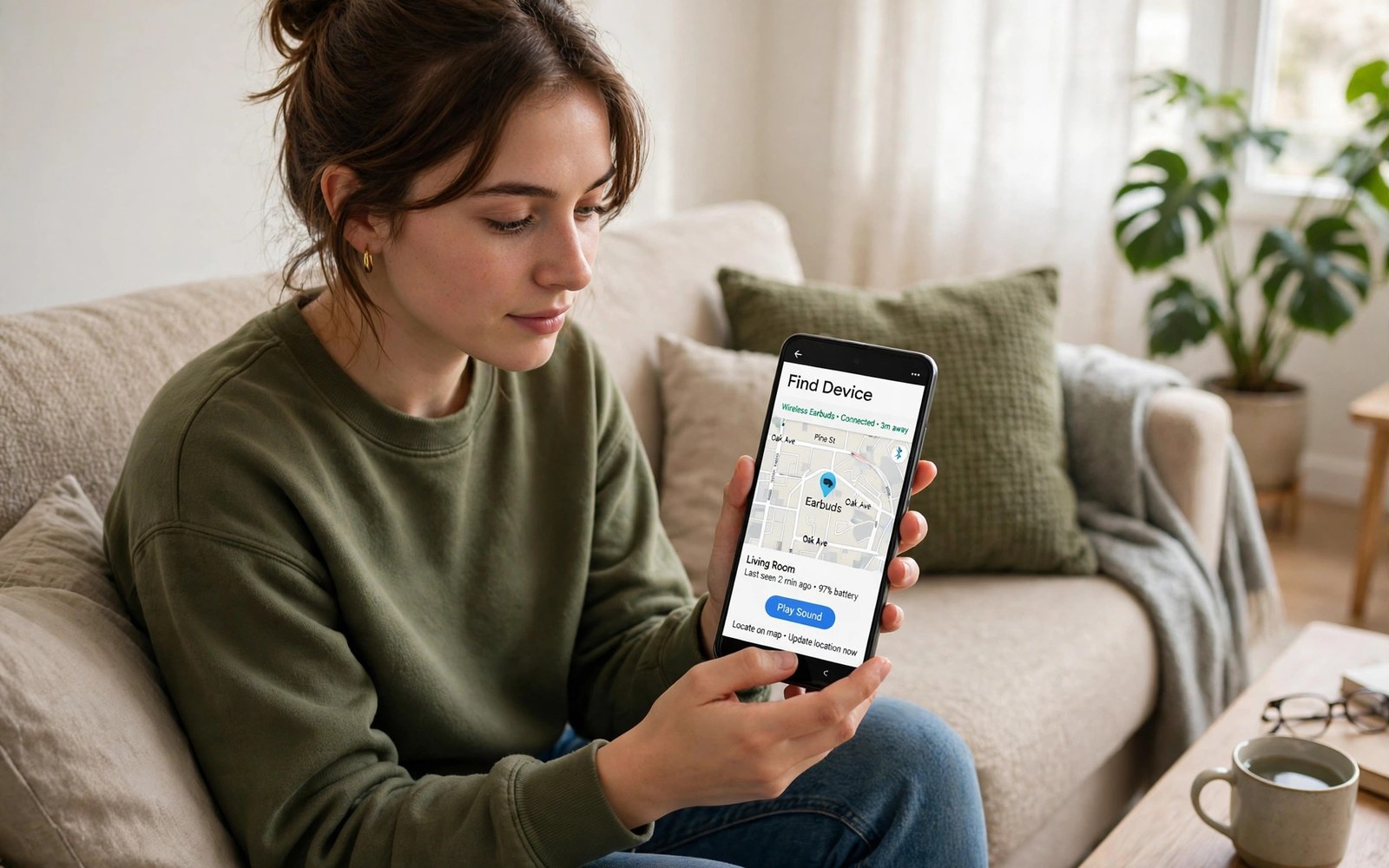
Losing wireless earbuds feels frustrating because they are tiny. Android finding tools can help locate them. The tools show the last known location. They can also ring an earbud that is nearby. This guide shows each method in order.
Finding tools work best when set up before a loss. Location history and device finding need permission in advance. Bluetooth must have connected recently for a location record. This guide covers both preparation and recovery. It also covers cases where tools cannot help.
Start searching quickly after a loss. Earbuds move easily in bags and pockets. Battery drains while they wait unnoticed. A fast search improves the chance of a ring response. This guide gives a calm step by step search plan.
Open the Finding Tool
Open Settings and search for Find Hub or Find My Device. The tool lists devices linked to your account. Tap the earbuds entry to see details. A map shows the last location when available. The location reflects the last Bluetooth connection rather than live tracking.
If earbuds do not appear then check the account on the phone. The earbuds must link to that account during setup. A different account will not show them. Sign in with the setup account when needed. Add earbuds to finding tools before future losses.
Check the Last Known Location
The map pin shows where the phone last connected to the earbuds. That spot may be a café or a gym locker room. Visit that place first when possible. Ask staff whether lost earbuds were handed in. A quick visit beats a blind search at home.
Location accuracy varies with the environment. Indoors the pin may cover a whole building. Outdoors it may narrow to a street section. Use the pin as a starting area rather than an exact spot. Search the area methodically from the pin outward.
adb shell dumpsys bluetooth_manager
# finding tools live in system settings on most phones
Ring the Earbuds Nearby
Tap Ring or Play sound in the finding tool when nearby. The earbuds play a loud tone for a short period. Listen carefully in a quiet room. Move slowly between rooms while the tone plays. The tone helps most when earbuds sit in a bag or sofa cushion.
If only one earbud rings then the other may be out of battery. Ring each earbud separately when the tool allows it. Place the found earbud in the case to stop its tone. Search again for the silent earbud after. A silent earbud may still sit nearby with a dead battery.
Use Proximity and Signal Clues
Some finding tools show a proximity hint as you move. The hint grows stronger near the earbuds. Walk slowly through rooms and watch the hint. Stop when the hint peaks. Search that small area by hand and eye.
Bluetooth range is short through walls and furniture. A weak signal does not mean the earbuds are far away. They may sit inside a closed drawer nearby. Open drawers and bags in the peak area. Check laundry and coat pockets carefully.
Search Common Hiding Spots
Earbuds hide in sofa cushions and under car seats. They slip into bag side pockets and jacket linings. Check gym bags and travel cases thoroughly. Empty each pocket and shake out linings. A systematic search beats random glances.
Check the charging case first in every search. An earbud in the case will not ring loudly. Open the case and look inside both slots. A case left open can drop an earbud unnoticed. Retrace your last use step by step for clues.
Handle a Single Missing Earbud
A single missing earbud needs a focused search. Keep the found earbud in the case. The case preserves battery for the found side. Search the last place you used both earbuds. People often lose one side during a call or workout.
Contact the maker about single earbud replacement. Many brands sell a single replacement earbud. A replacement pairs with the existing case and earbud. Check warranty terms before buying. A replacement costs less than a full new set.
Prevent Future Losses
Enable finding tools and location permission before a loss. Keep earbuds in the case when not in use. Attach the case to a bag with a small clip. A clip stops the case from slipping out of pockets. Develop a habit of checking pockets before laundry.
Name the earbuds clearly in Bluetooth settings. A clear name helps identification in crowded device lists. Update the finding tool after a phone change. A new phone needs the earbuds linked again. Preparation turns a future loss into a short search.
When Finding Tools Cannot Help
Finding tools fail when earbuds never connected to the account. They also fail after a factory reset of the earbuds. A dead battery stops ringing and live hints. The last location remains the best clue in those cases. Search that area thoroughly before giving up.
Check lost property at venues you visited recently. Leave your contact details with staff. Check online lost property groups for the venue. A kind finder may post about found earbuds. Persistence pays off more than repeated app checks.
How Bluetooth Finding Works
Bluetooth finding relies on short range radio signals. The phone remembers where it last saw the earbuds signal. That memory becomes the last location pin. Live tracking requires a current signal. Distance limits live tracking to nearby areas.
Finding networks can extend range through other devices. Nearby phones may relay an anonymous signal. Relayed signals help locate items in cities. Privacy protections anonymise relay data. Networks balance finding power with user privacy.
Finding Earbuds in Public Places
Public losses need quick action before others move items. Return to the last location promptly. Ask venue staff about lost property. Describe the earbuds colour and case clearly. Staff help more with precise descriptions.
Check transport lost property offices for transit losses. Buses and trains hold found items centrally. Report the loss with time and route details. Central offices reunite many items weekly. Persistence across offices improves odds.
Earbuds and Water Damage Searches
Water can silence earbuds and damage batteries. Check near sinks and washing machines after losses. A wet earbud needs drying before charging. Do not charge a wet earbud immediately. Charging wet electronics risks further damage.
Dry a wet earbud gently with a soft cloth. Leave it in a dry ventilated spot. Avoid heat sources for drying. Test only after full drying. Water searches need patience as well as thoroughness.
Keeping Earbuds Charged for Finding
Charged earbuds ring loudly when lost nearby. Dead earbuds cannot ring at all. Keep the case charged as a habit. A charged case recharges earbuds quickly. Finding tools depend on battery more than any setting.
Charge the case weekly even with light use. Cases drain slowly in standby. A forgotten case may die unnoticed. Weekly charging prevents silent losses. Simple charging habits protect finding ability.
Labelling and Personalising Earbuds
Personalised cases help identify earbuds quickly. A coloured case stands out in a bag. A name tag on the case aids return by finders. Finders return labelled items more often. Personalisation turns anonymous tech into owned property.
Engraving earbuds themselves is rarely practical. Focus personalisation on the case instead. A bright case also speeds visual searches. Visual distinctiveness helps in cluttered bags. Small style choices aid recovery.
Insurance and Replacement Options
Some phone insurance plans cover lost accessories. Check policy terms for earbud coverage. A claim may cost less than a full replacement. Document the purchase date and model. Documentation speeds claims considerably.
Manufacturer replacement programs offer single earbuds. Retailers sometimes offer discounted replacements. Compare replacement cost with insurance excess. Choose the cheaper path for your situation. Planning replacements before loss reduces stress.
Finding Earbuds With a Smartwatch
A smartwatch can help locate earbuds when the phone is away. Some watches show finding tools for linked devices. Ring earbuds from the watch when nearby. A watch search suits gym and outdoor losses. The phone need not be in hand for a quick ring.
Keep the watch connected to earbuds through the phone account. Account linking enables cross device finding. Test watch ringing at home before relying on it. A tested watch method saves time during real losses. Wearable finding adds convenience to recovery.
Finding Only the Charging Case
A lost case without earbuds still matters for charging. Cases contain batteries and pairing chips. Finding tools may locate the case separately when supported. Check last location for the case entry. A case entry appears only for supported models.
Without case tracking search the last use area thoroughly. Cases slip into bag pockets and car compartments. Retrace the last charging moment carefully. A case often sits near the last charging outlet. Outlet areas deserve a focused search first.
Lost Earbuds Search Plan
Follow this plan in order for the best chance.
- Open the finding tool and check last location.
- Visit the last location area first.
- Ring the earbuds when you are nearby.
- Follow proximity hints slowly room by room.
- Search cushions pockets bags and car seats.
- Check the charging case and both slots.
This plan moves from digital clues to physical search. It saves time and battery. Start it as soon as you notice a loss.
Bluetooth finding works best on a stable connection. Learn how to use your Android phone as a portable hotspot for related wireless setup skills.
For sharing and display help see how to share large files instantly using Quick Share and how to customize lock screen widgets and notifications.
The steps above follow the approach described in the official developer documentation for Android devices. The documentation covers device finding behaviour and Bluetooth location handling in general terms. Phone brands add their own finding menus on top of that shared system.
Finding lost earbuds starts with the last location pin. Ring them when nearby and follow proximity hints slowly. Search common hiding spots systematically. Prepare finding tools before the next loss. With that plan most losses end in a quick recovery.

