

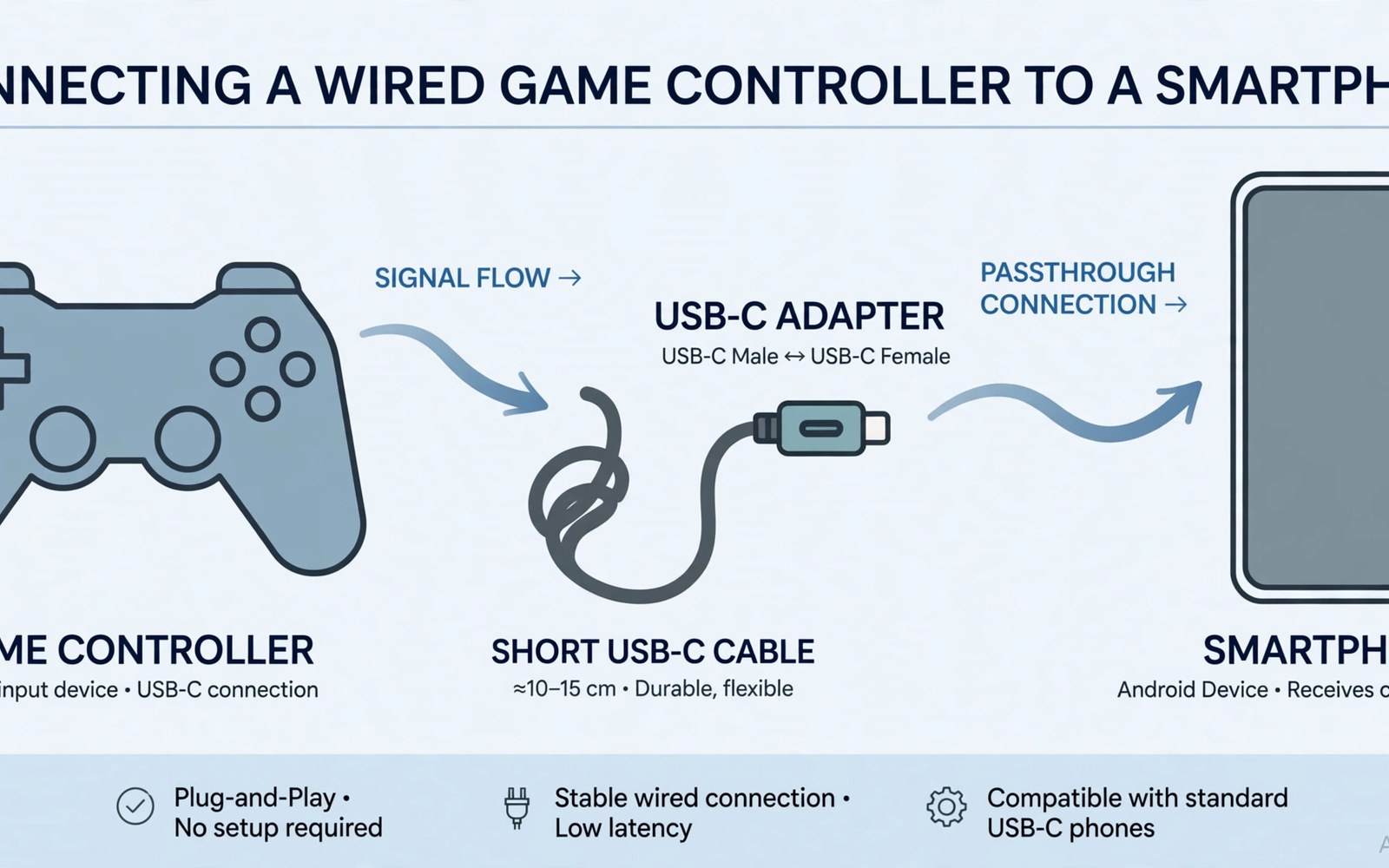
Connect wired USB controller Android OTG setups give you a stable low latency link without Bluetooth pairing. An OTG adapter lets the phone act as a host for the pad. Plug in the adapter and the pad and Android usually recognises it at once. That simplicity appeals to players tired of wireless dropouts.
Success depends on adapter quality and phone support and pad power needs. Some phones limit power through the USB port. Some pads draw more power than the phone supplies. A powered hub solves power limits for hungry pads. Check these factors before you blame a working pad for a failed connection.
This article shows the full wired setup from adapter choice to final test. You will learn how to spot a good OTG adapter. You will learn fixes for common failures. You will also learn when wired play beats wireless for your games.
Choosing the right OTG adapter
Buy an OTG adapter that matches your phone port type exactly. Most modern phones use USB-C ports. Older phones may use micro USB ports with different adapters. A wrong port adapter cannot fit no matter how good its quality. Check your phone port shape before ordering any adapter.
Adapter build quality affects stability more than price suggests. Loose adapters disconnect with small movements during play. Choose adapters with firm plugs and short cables. Short cables reduce strain on the phone port. A stable physical link keeps inputs steady through long sessions.
Step by step wired connection
Connect the OTG adapter to the phone first without the pad attached. Wait a few seconds for Android to enable host mode. Then plug the pad cable into the adapter firmly. Android should show the pad as an input device within seconds. Open a game and test sticks and buttons in practice mode before ranked play.
If the pad stays dark then try another USB port on a hub or another cable. Some pads need more power than a direct phone link supplies. A powered hub feeds the pad from wall power while passing data to the phone. That setup fixes many dark pad cases at once. Keep a powered hub handy if you use console pads often.
Power and compatibility limits
Phone USB ports supply limited power compared with consoles. Large pads with rumble motors may exceed that limit. Rumble features may weaken or stop on low power links. Turning rumble down can help a marginal link stay stable. A powered hub remains the cleanest fix for power hungry pads.
Some older pads use drivers that Android lacks. Most modern console pads use standard input protocols that Android accepts. Very old or unusual pads may fail even with a good adapter. For wireless freedom instead compare USB-C versus Bluetooth controllers and weigh latency against movement freedom.
Testing and daily wired habits
Test every button and stick after each new wired setup. Practice mode reveals dead buttons before ranked matches do. Check trigger range in a racing game for analogue support. Note any buttons that stay dead across games. A dead button in many games signals a compatibility gap rather than a single game bug.
Store the adapter with the pad cable to avoid daily hunts. Coil cables loosely to protect plugs from strain. Unplug the adapter when you finish playing to save phone battery. Host mode can drain power even with no pad attached. Small habits keep wired play hassle free day after day.
Accessories that pair well with this setup
A powered USB hub solves power problems for hungry wired pads at a desk. Console pads with strong rumble draw more power than phones supply. A hub feeds pads from wall power while passing data onward. That setup keeps rumble strong and links stable. Choose a hub with firm ports that resist cable tugs during intense play sessions.
A short firm cable set completes any wired gaming kit for Android. Long cables snag and pull plugs free at key moments. Short cables stay tidy on desks and laps alike. Keep one spare cable in the gaming spot for quick swaps. That spare prevents a single cable failure from ending a planned gaming evening entirely.
Console pads set the comfort benchmark for wired OTG buyers. Their shapes suit long sessions and familiar button layouts. Read about console controllers for Android to compare the main console families. That comparison helps wired buyers pick a pad shape before adapter shopping begins. Comfort first makes wired play enjoyable rather than merely functional.
A weekly routine that keeps everything working
Test every wired button weekly in practice mode to catch dead inputs early. Buttons can fail silently while most inputs still work. A weekly full button check reveals failures before ranked matches do. Note failures promptly for warranty or replacement planning. That routine protects rank progress from hidden hardware faults over time.
Inspect adapters and cables monthly for wear and loose plugs. Worn plugs disconnect during play and frustrate sessions. Replace loose adapters before they fail at a key moment. Coil cables loosely to protect plugs from strain damage. That care extends wired kit life across many gaming seasons and travel days.
Compare budget wireless pads monthly if couch play grows in your routine. Wireless pads free movement for relaxed sessions. The value options are clear in cheap Bluetooth gamepads for players weighing wireless freedom. Monthly comparison keeps wired habits from blocking a better couch setup when needs change over time.
How this plays out in real life
A desk gamer connects a console pad over OTG for ranked shooter nights. The wired link removes wireless doubt during crucial matches. A short cable keeps the desk tidy and the connection firm. Practice mode verifies every button before ranked queues begin. That desk routine prioritises stability over freedom for serious competitive play every night.
A student with an older phone tests OTG support with a borrowed adapter first. The borrowed test proves host mode works before any purchase. That free check prevents wasted money on incompatible gear. The student then buys a quality adapter with confidence. Borrowing before buying remains the smartest habit for uncertain phone compatibility questions.
A retro gamer uses a wired pad for emulated classics on a tablet at home. Wired controls offer authentic button feel for old platformers. The tablet screen shows crisp retro visuals beautifully. That home retro station costs little beyond an adapter and a spare pad. Nostalgia gaming thrives on simple wired setups without wireless complexity or battery worries.
A traveller packs an OTG adapter for hotel gaming sessions on trips. Hotel TVs lack gaming options but phones fill the gap easily. A wired pad plus phone creates a mini console in any room. That travel kit weighs almost nothing in luggage. Hotel evenings become gaming sessions instead of channel surfing boredom for travelling players.
A parent sets up wired controls for children to avoid Bluetooth pairing confusion. Children plug in pads and play without settings menus. That simplicity reduces support calls to parents during play. Wired play also avoids wireless interference from household devices. Simple plug and play suits young players far better than Bluetooth management ever will.
A practical check you can run
You can confirm OTG host mode and pad detection with a short device check. Attach the pad through the adapter and run the checks below on a computer linked to the phone. The output lists USB devices and input nodes.
adb shell dumpsys usb
adb shell dumpsys input
adb shell ls /dev/input/
The commands above are adapted from public platform documentation for Android developer tools. They are included here as a teaching example for checking device behaviour and not as copied product code.
Common mistakes
A common mistake is buying an adapter for the wrong port type. USB-C and micro USB adapters look similar in photos. Check your phone port shape closely before ordering. A wrong adapter wastes delivery time and delays your first wired session.
Another mistake is using a long loose cable that disconnects during play. Long cables snag and pull plugs free at key moments. Use short firm cables for wired gaming. Secure the cable path away from hands and feet during sessions.
A third mistake is skipping the practice test after connecting a wired pad. Some buttons may stay dead while most buttons work fine. Practice mode catches dead inputs safely. Fix or replace gear before ranked matches expose the flaw.
Frequently asked questions
Does every Android phone support OTG controllers?
Most modern Android phones support OTG host mode for standard controllers. Some budget phones limit power or lack full host support. Check your phone specs for OTG support before buying an adapter. A quick test with a borrowed adapter settles doubts fast.
Why does my wired pad light up but not respond?
A lit pad may draw power yet fail data handshake with the phone. Try another cable and another adapter to isolate the fault. Test the pad on a computer to confirm the pad itself works. If it works elsewhere then the adapter or phone link likely causes the failure.
Can I charge my phone while using a wired pad?
Some OTG hubs include a charging port for the phone during play. Direct adapters usually block charging while the pad connects. A powered hub with charging support solves both power needs at once. Check hub specs for simultaneous charging before buying.
Conclusion
Wired OTG play offers a stable and responsive path for Android gamers. Choose the right adapter and test power needs early. Use practice mode to verify every input. Keep cables short and firm for reliable sessions.
Your next step is a quick trial. Borrow or buy a matching OTG adapter and test your favourite pad today. Run a full practice session with every button checked. If the link stays stable then wired play may become your default for competitive games.
Plan your first wired week around adapter tests and button verification daily. Test host mode on day one with a borrowed or new adapter and note power behaviour. Verify every button on day two in practice mode across two different games. Test rumble strength on day three to judge power adequacy for your pad. Try a powered hub on day four if rumble weakens or disconnects appear. Test cable routing on day five for desk comfort and trip safety. Play a full ranked session on day six only after all tests pass cleanly. Review the wired kit on day seven and keep spares ready. A careful week makes wired play a reliable default rather than a fiddly experiment.
Keep a small wired kit bag ready beside your gaming spot for instant sessions. The bag should hold the adapter and a short cable and a spare cable together. That ready bag removes setup friction on busy evenings completely. Check the bag contents monthly and replace worn items promptly. A ready kit turns wired play from a chore into a habit that lasts for years of gaming.

