

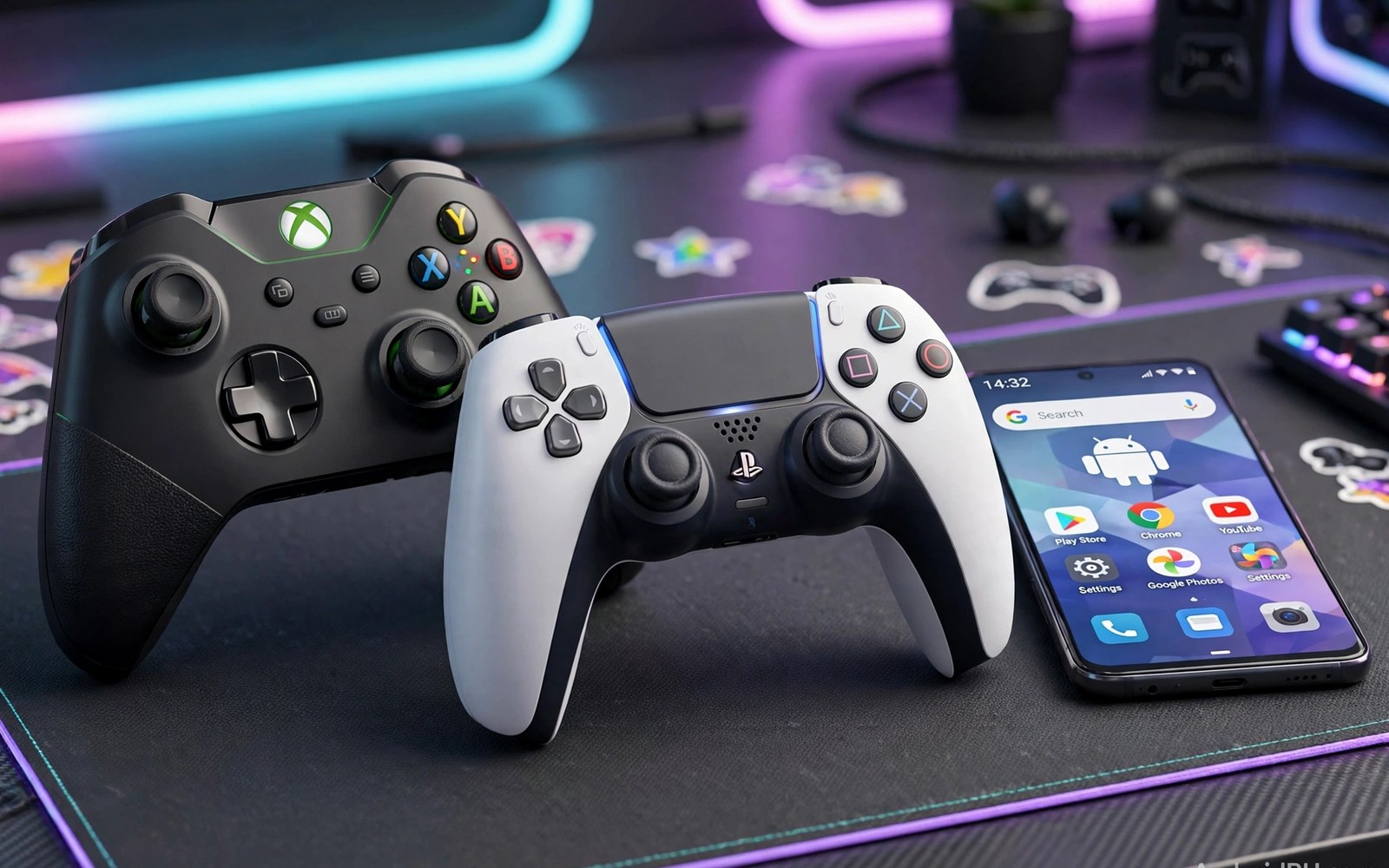
Xbox vs PlayStation controller Android is a choice that shapes every gaming session on your phone. Both pads pair over Bluetooth and both feel familiar in the hand. The differences show up in button layout and battery life and game support. This article compares the two families in plain terms so you can buy once and play without regret.
The Xbox pad uses offset sticks and a sturdy plastic shell that suits long sessions. The PlayStation pad uses symmetrical sticks and a touch pad that some Android games ignore. Neither design is wrong for every player. Your hand size and your favourite genres matter more than brand loyalty. A shooter fan may love one layout while a platform fan prefers the other.
Start with the games you actually play most weeks. Check whether those games show Xbox prompts or PlayStation prompts on screen. Then test comfort with a long session rather than a quick menu tap. Comfort after one hour tells you more than comfort after one minute. The sections below walk through pairing and controls and battery and value in that order.
How each controller pairs with Android
Pairing an Xbox controller with Android takes only a few taps in most cases. Open Bluetooth settings on the phone and hold the pair button on the pad. The phone should list the controller within seconds. If it fails then remove old pairings and try again with the pad close to the phone. A fresh pairing often fixes a stubborn first connection and saves a long troubleshooting session.
Pairing a PlayStation controller follows the same basic pattern with one small twist. Hold the share button and the PlayStation button together until the light bar flashes. The phone then sees the pad as a wireless controller. Some older phones need a second attempt before the pad stays connected. Once paired the pad usually reconnects fast when you power it on near the phone.
Buttons sticks and triggers in real games
Xbox sticks sit at different heights which helps thumb reach during fast aim changes. PlayStation sticks sit level which helps players who switch between movement and camera often. Both pads offer click sticks for sprint and crouch actions. Trigger travel differs too since Xbox triggers feel longer and PlayStation triggers feel firmer. Test both in a racing game and a shooter before you decide since genres expose these differences fast.
Button prompts can confuse new players when a game shows only Xbox labels. A PlayStation pad still sends the same core inputs in most Android games. Your brain must map circle to the on screen B prompt for a short while. Most players adapt within a few sessions and then stop noticing the mismatch. Native support varies by game so check your top three titles before you buy a pad for one specific game.
Battery life and charging habits
Xbox controllers often use removable batteries or a rechargeable pack sold separately. That design lets you swap fresh cells mid session without waiting for a charge. PlayStation controllers use a built in battery charged over USB-C on newer models. Built in power is simpler for daily use but a dead battery ends the session. Keep a short cable nearby and charge between sessions to avoid surprise shutdowns.
Battery life also depends on vibration and speaker use during play. Strong rumble drains power faster on both pads. Lower vibration in game settings if you play for hours each day. Turn the pad off when you pause for a long break. These small habits stretch each charge and keep the pad ready for your next session without fuss.
Which pad suits which player
Choose the Xbox pad if you love shooters and racing games and long play sessions. Its offset sticks and long triggers suit aim and throttle control. Choose the PlayStation pad if you already own one and love its symmetrical feel. Its touch pad adds little on Android but its shape suits smaller hands well. Either pad beats touch controls for games that need precise movement and camera control.
Players who stream games from a console or a cloud service should weigh ecosystem fit too. An Xbox pad feels natural with Xbox cloud games and matching prompts. A PlayStation pad still works for many streamed titles through standard Bluetooth input. For a wired style alternative on the go you can compare direct USB-C controllers and see whether a cable link suits your setup better than Bluetooth.
Accessories that pair well with this setup
A short USB-C cable belongs in every console pad kit for Android play. Bluetooth covers most sessions but a cable rescues dead battery moments fast. Keep the cable in the same pouch as the pad so it never goes missing. A cable rated for data also enables wired play on phones that support it. That backup option turns a dead pad evening into a playable evening with little fuss.
A simple phone stand also improves pad sessions when you play at a desk. The stand holds the phone at eye level while hands hold the pad freely. That posture beats hunching over a flat phone for long sessions. Choose a stand with a stable base that survives small table bumps. A stable stand keeps the screen steady during intense matches and long story chapters alike.
A portable grip can change the whole feel of phone play for travel days. Telescopic grips hold the phone between control halves for a handheld shape. Learn the main options in telescopic pads for phones before choosing between a console pad and a grip. Each shape suits different hands and different travel habits. Try both shapes when a shop offers demo units for hands on comparison.
A weekly routine that keeps everything working
Charge the pad every Sunday evening so the week starts with full power. A weekly charge habit prevents mid match shutdowns during busy weekdays. Check battery level in phone Bluetooth settings during that routine. Replace removable cells at the same time when the pad uses them. That small ritual keeps gaming ready without daily battery anxiety or surprise failures.
Wipe sticks and buttons with a dry cloth once a week to remove dust and skin oils. Dust around stick bases causes drift over months of neglect. A quick wipe takes one minute and extends stick life noticeably. Inspect the USB port for lint during the same routine. Clean ports charge reliably and connect faster than lint filled ports ever will.
Test the Bluetooth link weekly in a calm local game before ranked sessions. A short test reveals lag or dropout problems early. Fix link issues with fresh pairing when tests show trouble. For deeper lag work read about Bluetooth lag fixes and apply the steps that match your symptoms. Weekly tests keep surprises out of important matches and protect rank progress over time.
How this plays out in real life
A commuter who plays cloud games on a train needs a pad that pairs fast and survives bumps. The Xbox pad reconnects quickly after sleep and its offset sticks suit shooter aim on a small screen. A compact phone clip holds the screen above the pad without blocking buttons. Battery swaps with fresh cells cover long commutes without hunting for outlets. That combination turns wasted travel time into satisfying gaming time every weekday morning and evening alike.
A parent sharing one phone with a teenager faces a different choice between console pads. The PlayStation pad already owned for a home console saves money and feels familiar to the teenager. The parent uses the same pad for puzzle games in the evening without learning a new layout. One shared pad with two profiles keeps costs down and avoids drawer clutter. That shared setup works best when both players enjoy the symmetrical stick layout equally.
A ranked shooter player cares most about trigger feel and stick tension during long matches. The Xbox pad offers longer trigger travel that helps throttle style control in driving sections between shooter rounds. A low vibration setting protects aim during precise long range shots. A wired link through a short cable removes wireless doubt on tournament nights. That ranked kit prioritises consistency over novelty in every single match played.
A story game fan who plays in bed needs comfort above competitive specs. A lighter PlayStation pad rests easier on tired hands during late chapters. Soft vibration adds immersion to exploration without shaking aim since combat stays slow. A phone stand on the bedside table holds the screen at a relaxed angle. That cosy setup values immersion and comfort over raw speed for narrative adventures.
A traveller who packs light benefits from choosing one pad for every device on the trip. A Bluetooth console pad pairs with phones and tablets and laptops alike during travel. That versatility removes the need for separate controllers per device. A small pouch protects sticks in crowded bags. One pad for all screens keeps luggage light and gaming ready wherever the trip leads next.
A practical check you can run
You can check whether Android sees your pad correctly with a short device check. Connect the pad and run the checks below on a computer linked to the phone. The output lists input devices and shows whether the pad registers as a game controller.
adb shell dumpsys input
adb shell getevent -l
adb shell dumpsys bluetooth_manager
The commands above are adapted from public platform documentation for Android developer tools. They are included here as a teaching example for checking device behaviour and not as copied product code.
Common mistakes
A common mistake is buying a pad before checking game support for your favourite titles. Some games ignore controllers entirely and force touch input. Others support only certain buttons and leave triggers unmapped. Check support in game settings or community notes before you spend money. A quick check saves a return trip and a disappointing first session.
Another mistake is leaving many old Bluetooth pairings on the phone. Old entries can steal the connection or slow reconnection at game time. Remove pads you no longer use from Bluetooth settings. Keep only the pads you play with each week. A clean pairing list makes every session start faster and with fewer surprises.
A third mistake is judging comfort after only a few minutes in a menu. Menus hide grip fatigue and stick tension problems that appear during intense play. Play a full match or a full race before you judge a pad. Notice thumb strain and palm pressure after thirty minutes. Comfort over time is the only comfort test that matters for regular players.
Frequently asked questions
Can I use both pads with the same Android phone?
Yes you can pair both pads with one phone and switch between them as needed. Android stores each pairing separately so you can power on either pad. Remove a pad from the list if it starts grabbing the connection at the wrong time. Keep the pad you use most at the top of your routine.
Do PlayStation prompts appear in Android games?
Most Android games show Xbox style prompts even when you use a PlayStation pad. The inputs still work since both pads send standard gamepad signals. You must learn the rough mapping for a short while. Some games with native PlayStation support show matching prompts and feel more natural.
Which controller lasts longer on one charge?
Xbox pads with fresh cells can outlast a built in battery during a single long session. PlayStation pads win on convenience since you just plug in a cable to recharge. Real life results depend on vibration strength and speaker use. Lower rumble settings to stretch either pad through longer play.
Conclusion
The best pad is the one that fits your hands and your games and your charging habits. Xbox wins on offset sticks and swappable power. PlayStation wins on a familiar symmetrical shape for existing owners. Both beat touch controls for precise games and both pair easily with modern Android phones.
Pick your top three games and test the pad that matches their prompts and controls. Charge the pad fully and play one full session before you judge comfort. If you want a second opinion on portable play then read about telescopic pads next and compare shapes before your final purchase decision.
Plan your first week with the new pad deliberately rather than judging it in one evening. Play your favourite shooter on day one and a racing title on day two to compare stick feel across genres. Note battery behaviour and comfort after each session in a simple phone note. Adjust vibration and dead zones on day three based on those notes rather than guessing. Invite a friend to try the pad on day four for a second opinion on comfort. Compare notes honestly and decide whether the pad truly suits your hands. Return or exchange the pad within the window if comfort problems persist after a full week. A careful first week prevents years of compromise with the wrong controller choice for daily play.

