

Acer Iconia Tab P11 (2025) Review and Detailed Specs: Key Features and Performance Covered
Some tablets try to do everything and end up doing nothing well. The Acer Iconia Tab P11 (2025) takes the opposite approach. It is an 11 inch tablet built around a simple idea: a large, smooth screen, a battery that lasts through a long day, and a price that stays within reach of students, families, and anyone who wants a second screen for the sofa. This Acer Iconia Tab P11 2025 review looks at the tablet the way a buyer actually uses one, from morning reading to evening video, and weighs what it does well against what it leaves out.
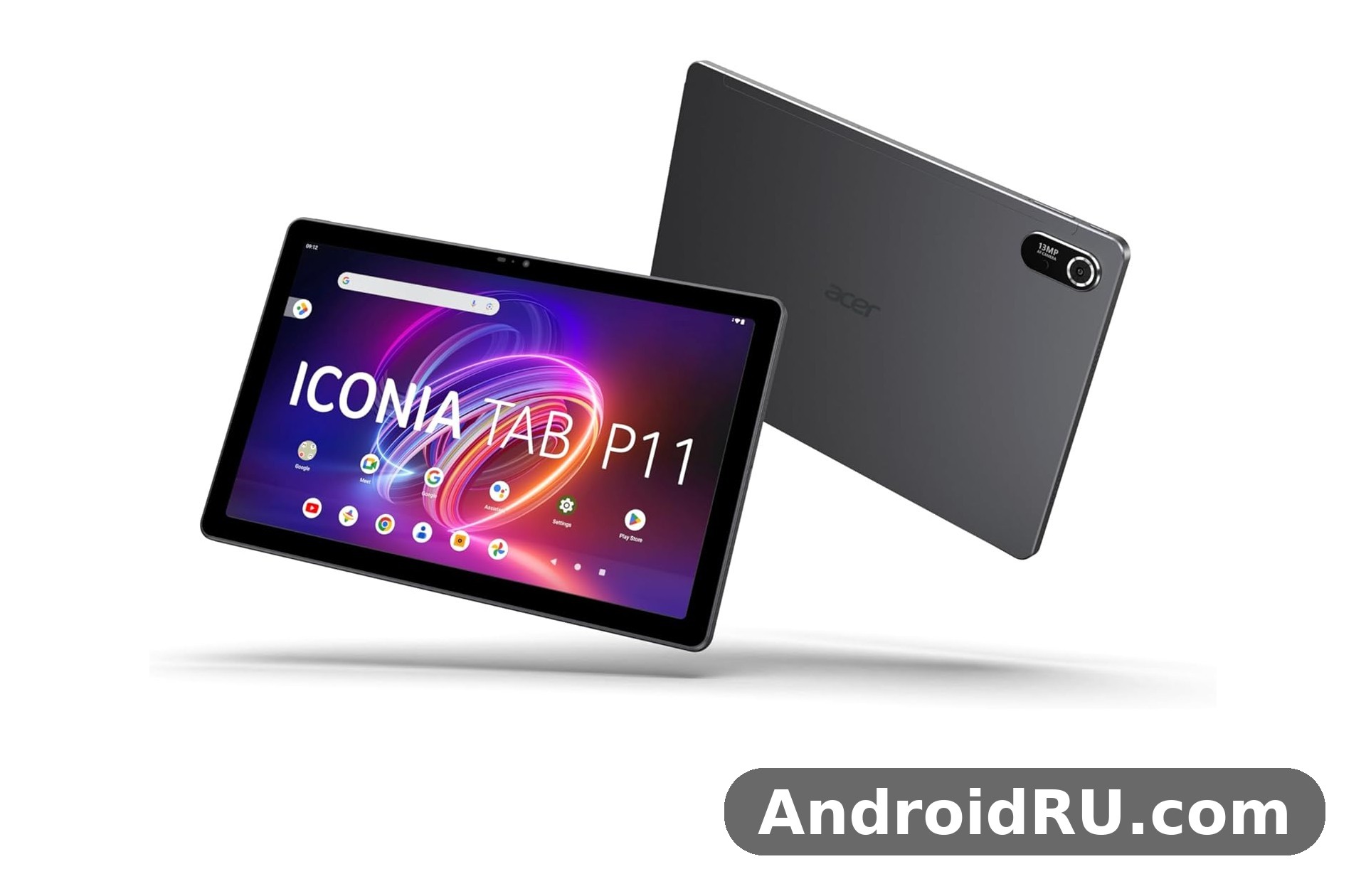
At its core this is a budget tablet with a clear identity. It runs Android 14 on a MediaTek Helio G99 chip, pairs that with up to 8GB of RAM and 256GB of tablet storage, and wraps it all in an aluminium body that weighs 550 grams. The headline numbers are honest rather than flashy: an 11-inch QLED display with a 90Hz refresh rate, a 13MP rear camera, a 5MP front camera, four speakers, and an 8000mAh battery charged at 20W. Nothing here chases flagship territory. Everything here is aimed at everyday use, and that focus is exactly what makes the tablet review worth reading in full before you decide.
Who should read on? If you want a tablet for watching movies, joining video classes, reading, browsing, and light games, this article covers the details that matter. If you want a laptop replacement or a heavy gaming machine, the verdict section near the end will save you time. The Acer Iconia Tab P11 for students and study is a recurring theme here, because that is where this tablet makes the most sense, and the full specifications table further down gives every number in one place so you can compare it with rivals side by side.
Acer Iconia Tab P11 (2025) Design, Build and First Impressions
Pick the tablet up and the first thing you notice is how plain and solid it feels. The front is glass, the frame and back are aluminium alloy, and the finish is a muted grey that hides fingerprints far better than a glossy plastic shell would. This aluminium tablet design is one of the reasons the P11 feels more expensive than its price suggests, even though the bezels around the screen are fairly thick by current standards. Thick bezels are not just a cost decision, though. They give your thumbs somewhere to rest when you hold the tablet in landscape, which matters during long reading sessions and video calls.
The Acer Iconia Tab P11 aluminium body weight 550g figure deserves a pause. At 550 grams and 8.1 mm thick, this is not the lightest 11 inch tablet on the market, and you will feel the difference if you hold it one-handed for a long stretch. In two hands, or propped on a table, or resting on a lap, the weight fades into the background. The dimensions are 265.2 mm wide, 169.8 mm tall, and 8.1 mm thick, so it slips into most laptop sleeves and large bags without a fight. A case helps here, and the Acer Iconia Tab P11 case and cover options section later in this article looks at what to look for when you shop for one.
Build quality has one honest weakness that independent reviewers have pointed out: the aluminium shell can flex and creak slightly under pressure, especially near the centre of the back panel. It is not fragile, and it is not a reason to avoid the tablet, but it is a reminder that this is a budget device. A cover fixes most of it, and it also protects the corners, which are the parts most likely to meet a hard floor. For a family tablet or a student tablet that travels in a backpack, a cover is close to essential rather than optional.
Aluminium Body, Weight and Grip
The grey aluminium back is smooth and cool to the touch, with a single rear camera sitting in a small raised housing in one corner. The tablet is clearly designed to be used in landscape first: the front camera sits on the long edge, the speakers fire from the sides, and the volume and power buttons fall under your right hand when you hold it sideways. In portrait the tablet works fine for reading and browsing, but video, games, and calls all feel more natural in landscape. That landscape-first thinking runs through the whole design, from the speaker placement to the camera position, and it is a sensible choice for a device that will spend most of its life showing video.
Grip is helped by the matte finish, which resists slipping better than polished metal. The tablet does not pick up smudges as fast as a glass-backed device, and a quick wipe brings it back to clean. If you plan to use it in the kitchen or hand it to younger children, a textured cover adds grip and peace of mind. The weight distribution is even, with no heavy corner pulling it to one side, so reading in bed with the tablet resting on your chest is comfortable for a chapter or two before your arms ask for a break.
Ports, Buttons and Headphone Jack
Connectivity on the edges is simple and practical. There is a USB-C port for charging and data, a microSD slot for expanding tablet storage, and a 3.5 mm headphone jack. The Acer Iconia Tab P11 headphone jack location is unusual: it sits right on a corner of the tablet rather than along a flat edge. It works fine once you know where it is, and wired headphones still sound good through it, but the corner placement can feel awkward with a stiff headphone cable. On the plus side, keeping the jack at all is a win. Many tablets in this price range have dropped it, and for students and commuters with wired earphones, that matters.
The power button and volume rocker sit on the top edge in landscape orientation, easy to find by touch. There is no fingerprint sensor anywhere on the tablet, so unlocking relies on a PIN, pattern, password, or face unlock through the front camera. Face unlock on a budget tablet is convenient in good light and less reliable in the dark, so most owners will settle on a PIN. The microSD slot accepts cards up to 512GB according to Acer, which is generous for a device that already offers 256GB in its higher configuration. That combination of built-in capacity plus expansion is one of the quiet strengths of this Iconia Tab.
Acer Iconia Tab P11 11 Inch Display Quality and QLED Screen
The screen is the reason most people will buy this tablet, and Acer knows it. The Acer Iconia Tab P11 11 inch display quality rests on an 11-inch IPS LCD panel with quantum dot colour, marketed as a QLED display, running at 2000 by 1200 pixels in a 16:10 ratio. That resolution works out to roughly 212 pixels per inch, which is sharp enough that text looks clean and video looks detailed at normal viewing distances. Colours are vivid without looking artificial, viewing angles are wide, and the panel handles both bright cartoons and darker drama scenes with reasonable confidence for its class.
The headline feature is the 90Hz refresh rate. The Acer Iconia Tab P11 90Hz refresh rate smoothness shows up most clearly when you scroll through a long article, swipe between home screens, or flick through a photo gallery. Motion looks calmer and more fluid than on a 60Hz panel, and once you have used it for a week, going back to a slower screen feels sluggish. It is not a gaming-grade high refresh panel, and it will not transform demanding games, but for reading, browsing, and menus it makes the whole tablet feel faster than its chip alone would suggest. This 90Hz tablet earns its refresh rate in daily use rather than on a spec sheet.
Brightness is rated at up to 400 nits by Acer, though some independent measurements have come in closer to 300 nits in real-world testing. That gap is worth knowing about. Indoors, the screen is bright and comfortable at around two-thirds brightness. The Acer Iconia Tab P11 screen brightness outdoors is a different story: direct sunlight washes the picture out, and you will want shade or a higher brightness setting to read comfortably outside. For a tablet that will live mostly indoors, on a desk, on a sofa, or in a classroom, the brightness is fine. For regular outdoor use, a brighter and more expensive panel would serve you better.
How the 90Hz Refresh Rate Feels in Daily Use
Refresh rate is one of those features that sounds minor until you live with it. On this tablet display, the 90Hz mode makes scrolling feel like the page is gliding rather than jumping. Web pages, ebooks, and social feeds all benefit, and the effect is strongest in apps with long vertical lists. Video itself is usually recorded at 24 or 30 frames per second, so movies do not gain much from the faster panel, but everything around the video does. Menus open with a smoother animation, and the tablet feels more responsive to touch even when the processor is working at a steady pace.
There is a small battery cost to running the screen at 90Hz all day, since the panel redraws more often. In practice the cost is modest, and most owners will leave the higher refresh rate on and accept it. If you are trying to stretch the last few percent of battery on a long trip, dropping to 60Hz is a simple way to save power. The setting is easy to find in the display menu, and switching back takes seconds.
Brightness, Colour and Reading Comfort
Colour reproduction is a genuine strength of this QLED display. The quantum dot layer helps the panel produce rich reds and greens, and skin tones in video look natural rather than washed out. The 100% NTSC colour gamut figure quoted by Acer is a laboratory number, but the visible result is a screen that makes streaming video look good and photos look lively. For photo viewing and casual editing, the colour is pleasing, though professionals who need exact colour accuracy should still check their work on a calibrated screen.
The Acer Iconia Tab P11 reading ebooks at night use case is well served by this panel. Text stays crisp at low brightness, the large 11-inch area shows a full page comfortably, and the warm display settings in Android 14 let you cut blue light in the evening. A dark mode across the system and apps reduces glare further. The tablet is large for one-handed reading in bed, but propped on a pillow or a stand it makes a fine ereader for long novels and study PDFs alike. Eye comfort settings, a sensible brightness level, and regular breaks matter more than any single screen feature, and this panel gives you the tools to set them up.
Acer Iconia Tab P11 Helio G99 Performance, RAM and Storage
Performance is where honest expectations matter most. The Acer Iconia Tab P11 Helio G99 performance is mid-range and unapologetic about it. The MediaTek Helio G99 is a 6 nm octa-core chip with two Cortex-A76 cores at 2.2 GHz for heavier work and six Cortex-A55 cores at 2.0 GHz for lighter tasks, plus a Mali-G57 MC2 graphics unit. It is a proven chip that has powered many affordable phones and tablets, and it handles the basics with ease: browsing with several tabs open, streaming video, video calls, note-taking, email, and office documents all run smoothly. This tablet performance is best described as calm and steady rather than fast and thrilling.
The Acer Iconia Tab P11 gaming performance test picture is more mixed, and it should be. Light games, puzzle games, casual racing, and older titles run well at sensible settings. Demanding 3D games will run, but you will need to lower graphics settings and accept that frame rates will not match a tablet with a flagship chip. Independent benchmark commentary has described the chip as conservative even when it was new, and that judgement still holds. The tablet does not overheat quickly, and sustained use stays comfortable to hold, which counts for more in daily use than a short burst of peak speed.
Helio G99 in Daily Use and Light Gaming
Day to day, the Helio G99 feels perfectly adequate. Apps open without long waits, switching between a browser, a notes app, and a video player is smooth, and the tablet rarely stutters during ordinary work. The chip pairs well with the 90Hz screen, because the interface stays fluid even when the processor is not being pushed. Heavy multitasking with many apps in memory is where you start to notice the limits, and that is where RAM matters as much as the chip itself. For tablet gaming, the sensible approach is to pick games that suit the hardware, keep graphics at medium, and close background apps before a long session.
Thermal behaviour is calm. The aluminium back spreads heat evenly, and the tablet stays comfortable during long video sessions. Long gaming sessions will warm the upper area slightly, but not to a level that forces you to put it down. There is no fan, no noise, and no aggressive throttling that suddenly drops performance mid-game. What you get is steady, predictable behaviour, which is exactly what a family tablet needs.
Multitasking With Split Screen
The Acer Iconia Tab P11 split screen multitasking tips start with a simple habit: pair apps that belong together. Notes beside a lecture video, a browser beside a document, or a calculator beside a spreadsheet are the combinations that save real time. Android 14 handles split screen well on this 11 inch tablet, and the wide display gives each app enough room to stay usable. Keep the number of background apps modest, and use the recent apps view to clear anything you no longer need. The 8GB RAM model handles two apps plus a floating window far better than the 6GB model, so if multitasking is central to how you work, that upgrade is worth the extra cost.
Gaming Settings That Keep Frame Rates Steady
For tablet gaming on this device, start at medium graphics and medium frame rate, then adjust one setting at a time. Turning shadows down and disabling extra visual effects gives the biggest improvement for the smallest visual cost. Play while the battery is above 20 percent, because low-power behaviour can trim performance when the charge runs low. A stable Wi-Fi connection matters more than raw chip speed for online games, and the Acer Iconia Tab P11 WiFi 5 connectivity speed is adequate for casual online play on a home network, though it will not match a Wi-Fi 6 tablet on a crowded network.
RAM, Storage and microSD Expansion
The Acer Iconia Tab P11 8GB RAM 256GB storage configuration is the one most buyers should aim for. It pairs 8GB of LPDDR4X RAM with 256GB of UFS storage, which gives apps room to stay in memory and leaves plenty of space for video, photos, and documents. The Acer Iconia Tab P11 6GB RAM variant explained simply is this: the same chip and the same screen, with less memory and, in many markets, 128GB of storage instead of 256GB. That variant costs less and still handles everyday tasks, but it will reload apps more often and fill up sooner, so it suits lighter users and younger children better than heavy multitaskers.
The Acer Iconia Tab P11 microSD expansion support is the safety net for both variants. A microSD card of up to 512GB slots into the dedicated tray and takes the pressure off internal storage, which is ideal for downloaded video, photos, and large documents. Use a good-quality card from a known brand, because a slow card will make media loading feel sluggish and can cause stutter in apps that read from it. Keep apps themselves on internal storage where possible, and use the card for media and files. That split keeps the tablet feeling fast while giving you room to grow.
Acer Iconia Tab P11 Battery Life 8000mAh and 20W Charging
Battery life is the second big reason to buy this tablet. The Acer Iconia Tab P11 battery life 8000mAh figure comes from a large 8000mAh cell, and Acer quotes up to 13 hours of video playback from a full charge. Real-world results will vary with brightness, refresh rate, and what you are doing, but the pattern is consistent: this tablet battery lasts through a full day of mixed use, and often into a second day for lighter users. Streaming video for an evening, reading before bed, and a morning of browsing will still leave charge in reserve, which is exactly the behaviour you want from a device that is meant to be picked up and used without thinking about the charger.
Charging is the trade-off. The Acer Iconia Tab P11 20W charging time is unhurried: a full charge from empty takes well over two hours, and the tablet charges at 20W over USB-C with Power Delivery 2.0. There is no faster charging option, and there is no wireless charging. The practical fix is to charge overnight, which suits a tablet far better than a phone. Plug it in before bed, and it is full in the morning. The 8000mAh battery rewards that routine, because you start each day with a full tank and rarely need a midday top-up. If you do need one, even thirty minutes on the charger adds a useful chunk of viewing time.
Power management in Android 14 helps stretch the cell further. Adaptive brightness, battery saver modes, and background limits keep idle drain low, and the tablet sips power in standby. Leave it on a shelf for a few days and it will still have charge when you return, which is not something every budget tablet can claim. For travel, the combination of a big battery and slow charging means one habit matters: charge the night before, and carry the USB-C cable in your bag just in case. The tablet uses a standard USB-C cable, so most modern phone chargers and power banks will work, though a 20W charger will fill it faster than a weak 5W one.
How Long Does the 8000mAh Battery Last in Real Use?
Expect roughly a full day of heavy use, or two days of lighter use, from a single charge. Video streaming at moderate brightness is the most efficient heavy task, and it is where the 13-hour playback claim comes from. Browsing and reading use less power still. Gaming and long video calls draw more, and will cut the total noticeably, but even then the tablet should outlast a typical school or work day. The 90Hz refresh rate costs a little extra power, and maximum brightness costs more, so the longest life comes from 60Hz and a sensible brightness level. Most owners will never need to think about any of this, because the battery is large enough to forgive normal habits.
Acer Iconia Tab P11 Camera Quality 13MP Rear and 5MP Front
Cameras on a tablet are tools, not the main event, and the Acer Iconia Tab P11 camera quality 13MP setup is honest about that. The rear camera is a single 13MP unit with autofocus and an LED flash, capable of 1080p video at 30 frames per second. The front camera is a 5MP unit, also capable of 1080p video, placed on the long edge so it faces you naturally during landscape video calls. Neither camera will replace a phone camera, and neither is meant to. They exist for video calls, quick snaps, and document work, and they do those jobs adequately.
The Acer Iconia Tab P11 document scanning with rear camera use case is where the rear camera earns its keep. Point it at a page, a whiteboard, or a receipt, and the autofocus locks on well enough in good light to produce a readable image. Scanning apps can straighten the page, boost contrast, and save a clean PDF, which makes the tablet genuinely useful for students capturing lecture boards and for anyone digitising paper records. Results are best in bright, even light. In dim rooms the small sensor struggles, noise creeps in, and the LED flash helps only at close range.
Photo quality follows the same pattern. In daylight, the 13MP camera produces sharp, usable photos with decent colour, good enough for sharing and for records. In low light, detail softens and noise appears, and there is no stabilisation to save a shaky shot. The front camera is softer still, and it is best thought of as a video call camera first and a photo camera second. That is a fair trade at this price, because a tablet camera is rarely the reason anyone buys the device.
Rear Camera for Photos and Document Scanning
For best results with the rear camera, shoot in good light, hold the tablet steady with both hands, and tap the screen to focus on the subject. The autofocus is quick in daylight and slower indoors, so give it a moment before you press the shutter. For scanning, use a dedicated scanning app rather than the stock camera: the app will find the page edges, correct the perspective, and produce a far more readable result. Keep the lens clean, since a tablet lens picks up fingerprints fast, and a smudged lens is the most common cause of soft photos on any tablet camera.
Front Camera for Video Calls and Classes
The Acer Iconia Tab P11 video calls 5MP front camera is positioned for landscape calls, which is the right call for a tablet of this size. In a video lesson or a work call, your face sits in the centre of the frame, and the wide screen leaves room to see other participants and shared slides at the same time. Image quality is acceptable in good light: clear enough for the other side to see you, soft enough that you will not want to rely on it for recorded video. A well-lit room, with the light in front of you rather than behind, makes a bigger difference to call quality than any camera setting. The quad speakers help on the other side of the call too, keeping voices clear without headphones.
Full Specifications of the Acer Iconia Tab P11 (2025)
The table below brings every key figure together in one place. Where figures vary by region or variant, the table notes the range, and the notes underneath explain the differences. Check the official product page for your country before buying, because RAM, storage, and bundled accessories can change between markets.
| Feature | Specification |
|---|---|
| Model | Acer Iconia Tab P11 (2025), model P11-11-8113 |
| Announced | November 2025 |
| Released | November 2025 |
| Display | 11.0-inch IPS LCD, QLED quantum dot, 2000 x 1200 pixels, 90Hz, 16:10, rated up to 400 nits |
| Operating system | Android 14 |
| Chipset | MediaTek Helio G99 (6 nm) |
| CPU | Octa-core: 2 x Cortex-A76 at 2.2 GHz + 6 x Cortex-A55 at 2.0 GHz |
| GPU | Mali-G57 MC2 |
| RAM | 6GB or 8GB LPDDR4X, depending on variant |
| Storage | 128GB or 256GB UFS, depending on variant |
| Expandable storage | microSD slot, up to 512GB |
| Rear camera | 13MP, autofocus, LED flash, 1080p video at 30fps |
| Front camera | 5MP, 1080p video |
| Battery | 8000mAh, non-removable, up to 13 hours of video playback |
| Charging | 20W wired charging, USB Power Delivery 2.0, USB-C |
| Dimensions | 265.2 x 169.8 x 8.1 mm |
| Weight | 550 g |
| Build | Glass front, aluminium alloy frame and back |
| Audio | Quad speakers, 3.5 mm headphone jack |
| Connectivity | Wi-Fi 5 dual-band, Bluetooth 5.2, USB-C, microSD slot |
| Cellular | Wi-Fi only model, no SIM or cellular data |
| Sensors | Accelerometer, ambient light sensor |
| Security | No fingerprint sensor; PIN, pattern, password, face unlock |
| Price | About 260 EUR, around 249 pounds in the UK; varies by region and variant |
A few notes on the table are worth reading. First, the 400-nit brightness figure is the rated maximum, and independent measurements have sometimes recorded lower real-world brightness, so treat it as a ceiling rather than a promise. Second, storage and RAM vary by market: some regions sell the 8GB and 256GB combination, others sell 6GB with 128GB, and a few sell mixed combinations, so the Acer Iconia Tab P11 price in 2025 that you see in one country may belong to a different variant in another. Third, the tablet is Wi-Fi only, with no cellular version in the standard range, so it needs a Wi-Fi network or a phone hotspot when you are away from home. Finally, the software update picture is covered in the FAQ below, because it is a question every buyer should ask before committing.
Acer Iconia Tab P11 vs Samsung Galaxy Tab A9 Plus and Rivals
No tablet exists in isolation, and the Acer Iconia Tab P11 vs Samsung Galaxy Tab A9 Plus comparison is the one most buyers will make first. The Samsung rival is the closest match in size and price, and the choice between them comes down to priorities rather than a clear winner. The Acer fights back with its QLED display, its 90Hz refresh rate, its quad speakers, and its large battery, while the Samsung answers with a longer software support window, a more polished ecosystem, and wider accessory availability. Both are good tablets for the money. Neither is the right pick for everyone.
The comparison table below sets the two tablets side by side on the criteria buyers actually compare. Figures are taken from published specifications for the standard Wi-Fi variants, and prices are approximate launch figures that vary by region and by sale.
| Feature | Acer Iconia Tab P11 (2025) | Samsung Galaxy Tab A9 Plus |
|---|---|---|
| Display | 11.0-inch IPS QLED, 2000 x 1200, 90Hz | 11.0-inch LCD, 1920 x 1200, 90Hz |
| Chipset | MediaTek Helio G99 | Qualcomm Snapdragon 695 5G |
| RAM and storage | 6GB or 8GB RAM, 128GB or 256GB storage | 4GB or 8GB RAM, 64GB or 128GB storage |
| Battery | 8000mAh, 20W charging | 7040mAh, 15W charging |
| Rear camera | 13MP with autofocus and flash | 8MP, no flash |
| Front camera | 5MP | 5MP |
| Audio | Quad speakers, 3.5 mm jack | Quad speakers, no headphone jack on most variants |
| Cellular option | Wi-Fi only | 5G variant available |
| Software | Android 14 | Android 13 at launch, upgradable, longer support window |
| Price range | About 260 EUR | Similar budget range, varies by region |
Read the table with your own use in mind. If video and reading matter most, the Acer has the edge on screen colour, battery size, and the headphone jack. The Acer Iconia Tab P11 for watching movies is a strong combination of a vivid QLED panel, four speakers, and a battery that outlasts a long film twice over. If you need mobile data, a longer update window, or a tablet that sits inside the Samsung ecosystem with your phone, the A9 Plus has the stronger case. The Acer Iconia Tab P11 quad speakers sound is genuinely good for the price, with clear dialogue and a wider soundstage than a two-speaker tablet, and that matters every time you watch without headphones.
Beyond Samsung, the wider field includes the Redmi Pad SE and the Amazon Fire Max 11, both of which compete on price. The Redmi Pad SE is lighter and often cheaper, but gives up screen quality and battery size. The Fire Max 11 is a strong media tablet for its price, but its app selection depends on the Amazon app catalogue rather than the full Google Play range, which limits it for school and work use. Readers comparing the wider Acer range will also find the sibling reviews useful: the Acer Iconia X12: Full Review and Specifications covers a larger-screened relative, while the Acer Iconia X14 Review and Full Specifications: Everything You Should Know looks at another member of the same family. For a smaller sibling, the Acer Iconia Tab P10 (2025) vs the Rest: Review and Specifications Compared shows what changes when you step down a size, and the Acer Iconia A16 at a Glance: Review and Detailed Specifications covers the bigger-screened A16. The Is the Acer Super ZX Pro Worth It? Review, Specs and Verdict is a different kind of device entirely, but it shows how Acer balances price and performance across its range.
Who Should Pick the Acer, and Who Should Look Elsewhere?
Pick the Acer if your days are built around video, reading, classes, and browsing, and you want the biggest battery and the most vivid screen for the money. Pick it if you still use wired headphones, if you want a microSD slot, and if you like the idea of a metal tablet that feels solid on a desk. Look elsewhere if you need cellular data, if long software support is your top priority, if you want a stylus in the box, or if heavy 3D gaming is the main job. The Acer Iconia Tab P11 worth buying in 2026 question is answered in the verdict below, but the short version is that it stays a good buy for media and study, and a poor buy for anyone who needs it to be a laptop.
Verdict: Is the Acer Iconia Tab P11 Worth Buying in 2026?
The verdict is a yes with clear conditions. As a media and study tablet, the P11 delivers where it counts: a large and colourful screen, smooth scrolling, a battery that lasts, four speakers, and enough performance for everyday apps. The Acer Iconia Tab P11 Android 14 features include split screen multitasking, a clean interface with little clutter, and the full range of Google apps and services, which makes it easy to set up and easy to live with. For a student, a family, or a casual viewer, that combination is hard to beat at this price.
The conditions matter too. The Helio G99 is not a fast chip by 2026 standards, the cameras are basic, charging is slow, and the software support window is shorter than Samsung offers. The tablet has no fingerprint sensor, no cellular option, and no stylus in the box, and buyers who need any of those should look at a different device. The Acer Iconia Tab P11 keyboard case accessories question comes up often here: keyboards and covers are available from third-party makers, and they turn the tablet into a light typing machine for notes and email, but they do not turn it into a laptop, and the chip will still set the pace. Tablet accessories are worth buying for this device, but buy them for comfort and protection, not to change what the tablet is.
Stepping back, this Acer tablet shows what an Android tablet in this price band should get right. The tablet price sits in budget territory, yet the tablet speakers deliver clear dialogue, the 5MP camera handles calls well enough, and tablet multitasking with split screen stays smooth on the 8GB model. As a USB-C tablet it charges and connects with the same cable most phones use, and the Acer Iconia Tab P11 2000 by 1200 resolution sharpness keeps text crisp across the whole 11-inch panel.
Pros and cons, stated plainly, look like this. On the plus side: a vivid 11-inch QLED display with 90Hz, a large 8000mAh battery, quad speakers, a headphone jack, microSD expansion, and an aluminium body at a budget price. On the minus side: modest Helio G99 performance, basic cameras, slow 20W charging, no fingerprint sensor, no cellular model, and a shorter software support outlook than some rivals. Tablet software support is the one con that grows with time, so factor it into a purchase you expect to keep for three or four years. None of the cons are hidden, and none of them spoil the tablet for its intended audience. They simply draw the line around what this tablet is for.
If you buy one, buy the 8GB RAM and 256GB storage version if your budget allows. It is the configuration that will age best, and it removes the two limits you would otherwise meet first. Set it up on Wi-Fi, sign in, update the tablet software, install the apps you need, add a case and a screen protector, and you have a tablet that will serve for years of video, reading, and study. Check the current price in your region before ordering, since the Acer Iconia Tab P11 price in 2025 varied by market and the street price in 2026 may be lower. This tablet review comes down to a simple judgement: the P11 knows what it is, does it well, and charges a fair price for it.
Frequently Asked Questions About the Acer Iconia Tab P11 (2025)
The questions below are the ones buyers ask most often after reading the specifications. Each answer adds detail that did not fit in the main sections, so read them before you decide.
Is the Acer Iconia Tab P11 (2025) good for students?
Yes, and the Acer Iconia Tab P11 for students and study case is one of its strongest. The large screen shows textbooks and lecture slides clearly, the battery lasts through a school day, split screen lets you take notes beside a video, and the rear camera scans handouts and whiteboards. The 8GB RAM version handles a browser, a notes app, and a video player at once without constant reloading. The limits are the same as for everyone else: no cellular data, so you need Wi-Fi or a hotspot, and no stylus in the box, so handwriting needs a third-party pen if you want it. As a student tablet for reading, research, video lessons, and typed notes, it is a sensible and affordable choice.
Does the Acer Iconia Tab P11 support a stylus and keyboard?
Acer does not bundle a stylus or a keyboard with the standard P11, and it does not advertise an active pen with pressure levels for this model, so do not buy it expecting a pen experience like a premium tablet. Basic capacitive styluses will work for tapping and simple drawing, and third-party Bluetooth keyboards pair over Bluetooth for typing, which covers notes and email well. The Acer Iconia Tab P11 keyboard case accessories sold by third-party makers usually combine a cover with a Bluetooth keyboard, and they are the practical route if you want to type on the tablet. Check compatibility with the P11-11 model before ordering any accessory, and confirm the return policy in case the fit is wrong.
How long does the Acer Iconia Tab P11 battery last on video playback?
Acer quotes up to 13 hours of video playback from the 8000mAh battery, and real-world use comes close to that figure at moderate brightness with the screen at 90Hz or lower. A long film uses only a fraction of the charge, and a full evening of streaming still leaves plenty in reserve. Brighter settings, louder speakers, and background apps will trim the total, while lower brightness and saved video will stretch it. The Acer Iconia Tab P11 20W charging time means a full recharge takes well over two hours, so overnight charging is the routine that works best.
Does the Acer Iconia Tab P11 have cellular or SIM support?
No. The standard Acer Iconia Tab P11 (2025) is a Wi-Fi only tablet with no SIM slot and no cellular data, so it connects through Wi-Fi 5 networks or through a phone hotspot when you are out. The Acer Iconia Tab P11 WiFi 5 connectivity speed is fine for streaming, calls, and browsing on a home network, and dual-band support lets it use both 2.4 GHz and 5 GHz bands. If you need mobile data built into the tablet itself, look at a cellular tablet instead, or budget for a portable hotspot. For home, school, and office use on Wi-Fi, the lack of cellular is rarely a problem.
What is the Acer Iconia Tab P11 software update policy?
Acer has not published a long, detailed update promise for this tablet in the way some phone makers do, and the Acer Iconia Tab P11 software update policy is best described as modest: Android 14 at launch, with security and maintenance updates delivered over the air, but no guarantee of several major Android version upgrades. That is normal for a budget tablet, and it is one of the trade-offs against rivals with longer support windows. Before buying, check the official product page for your region for the latest statement, keep automatic updates on, and install security patches when they arrive. For a tablet bought mainly for media and study, the current software will serve well for years even without a major version jump.
Final Thoughts on the Acer Iconia Tab P11 (2025)
Step back from the specification table and the tablet review becomes simple. This is a tablet that puts its money where you can see it: in the screen, in the battery, and in the speakers. It does not pretend to be a flagship, it does not hide its limits, and it does not charge a flagship price. For watching movies, for study, for reading, and for everyday browsing, it delivers a calm and capable experience that most owners will enjoy from the first day. The Acer Iconia Tab P11 (2025) Review and Detailed Specs: Key Features and Performance Covered set out to answer whether this tablet earns its place in a crowded budget market, and the answer is that it does, for the people it was built for.
Your next step is practical. Compare the 8GB and 256GB version against the 6GB variant in your region, check the current price and the return policy, and read the full specifications table once more with your own use in mind. If video, reading, and study top your list, and you are happy with Wi-Fi only use and overnight charging, this tablet is an easy recommendation. If you need cellular data, a stylus, or heavy gaming power, keep looking. Either way, you now know exactly what the P11 offers, what it leaves out, and who it suits best.

 review: 11-inch 90Hz display, Helio G99 chip, 8GB RAM and 8000mAh battery. Full specs, pros and cons - see if this tablet fits you.)