

Samsung Galaxy M34 5G Review: App Performance and Camera Quality
The Samsung Galaxy M34 5G arrived in July 2023 as a battery-first mid-range phone, and it still earns attention for one simple reason: it pairs a 6000mAh battery with a bright 120Hz Super AMOLED screen at a price that undercuts most rivals with the same stamina. I spent extended time with this phone as a daily driver, running messaging apps, maps, streaming video, social feeds, and games, and the picture that emerged was consistent. This is not a phone that tries to win benchmark charts. It is a phone that tries to keep going, stay cool, and take dependable photos without asking you to charge it twice a day. Many buyers ask, is Galaxy M34 5G worth buying? For buyers who want a 6,000mAh battery, a 120Hz AMOLED display and a headphone jack, the answer is yes. The Galaxy M34 5G microSD slot takes cards up to 1TB, which is the easy way to add room for photos and offline video.
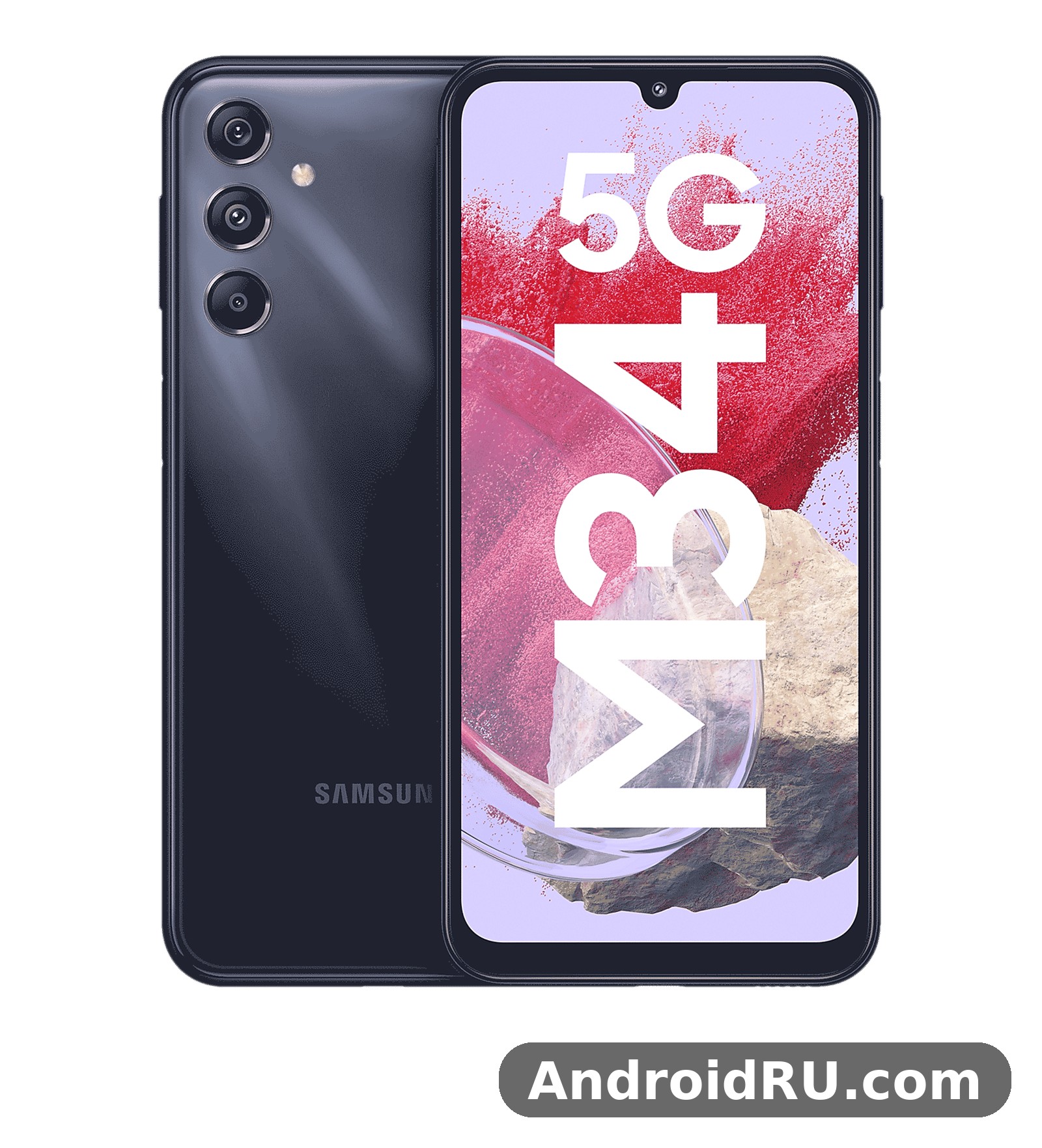
If you are asking whether the Galaxy M34 5G is good for everyday use in 2026, the short answer is yes for most people, with clear limits for heavy gamers and night photographers. App performance is steady rather than flashy, camera quality is strong in daylight and acceptable after dark, and the software support promise of four operating system updates gives it a longer useful life than many phones in its class. This review looks at real app speed, gaming, heat, cameras, display, battery, and software, and it folds in the complete hardware specifications, so you can judge the phone against what you actually do with it every day. In a Galaxy M34 5G camera test, daylight shots come out sharp and well exposed, while low light is where the limits show. The Galaxy M34 5G headphone jack is a 3.5mm port, so wired earphones work without an adapter.
Samsung Galaxy M34 5G App Performance in Daily Use
Day to day, the Galaxy M34 5G feels calm and predictable. Apps open without long pauses, scrolling through feeds stays smooth thanks to the 120Hz refresh rate, and switching between a browser, a chat app, and a maps app rarely forces a reload. The Exynos 1280 chipset inside this phone is a 5nm mid-range chip with two fast Cortex-A78 cores and six efficient Cortex-A55 cores, and that split shows in use: light tasks sip power on the efficient cores while heavier moments call on the faster cores for a short burst. In practice, that means WhatsApp, YouTube, Chrome with several tabs, Gmail, and Spotify all run without drama, and the phone keeps that behaviour up over weeks of use rather than slowing down after a few days. A Galaxy M34 5G battery life test with mixed use shows it reaches the end of the day, and lighter users often get into a second day. The Galaxy M34 5G overheating reports are rare in normal use, and the phone stays comfortable during long video sessions.
How fast is the Galaxy M34 5G for multitasking? With 6GB or 8GB of RAM depending on the variant, it holds a useful number of apps in memory. I could keep a navigation app, a music app, and a browser open at once and return to each without a fresh load. RAM Plus, the Samsung virtual memory feature, can extend usable memory by borrowing from internal storage, and that helps when you jump between many apps, though it never feels as quick as real RAM. If you regularly keep twenty heavy apps open, expect an occasional reload, because this is still a mid-range memory setup, and the Galaxy M34 5G 6GB vs 8GB RAM choice matters here: the 8GB version keeps more apps alive and ages better over four years of updates. The Galaxy M34 5G price and specifications together make it a strong budget option, with the screen and battery leading the list. A Galaxy M34 5G screen protector is a cheap add-on that keeps the display free of scratches.
Opening Apps and Switching Between Them on the M34 5G
App launch times on the M34 5G are best described as brisk for everyday apps and middling for very large games. A messaging app opens in about a second, the camera opens quickly from the lock screen, and the gallery loads thumbnails without stutter. Large apps such as a full navigation suite or a photo editor take a beat longer on first launch, then stay responsive once loaded. One UI keeps animations light, and turning on the 120Hz adaptive refresh rate makes the whole interface feel more fluid than the raw chip numbers might suggest. In a Galaxy M34 5G vs Galaxy M35 5G comparison, the deciding factors are battery size, chipset and display. The Galaxy M34 5G 128GB price is the one most buyers compare, since that is the standard storage option.
Split-screen multitasking works well on the 6.5-inch display. Watching a video in the top half while replying to messages in the bottom half is comfortable, and the phone keeps both apps alive in most cases. The side panel for edge apps is handy if you use it, and the fingerprint sensor on the side power button responds fast and reliably, which matters more than it sounds when you open a phone dozens of times a day. Galaxy M34 5G fingerprint sensor reliability is one of those small daily wins: it works with a slightly damp finger better than many in-display sensors, and it doubles as the power button, so there is nothing extra to learn. How long does Galaxy M34 5G battery last? With mixed use it reaches the end of the day, and lighter users often get into a second day. The Galaxy M34 5G used price depends on condition and battery health, so check the screen and charging port before paying.
Is the Galaxy M34 5G Good for Gaming?
Gaming on the Galaxy M34 5G is good for casual and mid-weight titles, and workable for demanding games if you accept medium graphics. Titles such as casual puzzle games, racing games at balanced settings, and battle royale games at medium graphics run at stable frame rates. The Mali-G68 GPU handles 3D scenes without obvious tearing, and the 120Hz screen helps motion feel smoother in games that support higher frame rates. That said, pushing a demanding game to its highest graphics preset will drop frames and warm the phone, so the sensible setup is high frame rate with medium graphics detail. Galaxy M34 5G PUBG Mobile settings that work in practice are balanced graphics with a high frame rate and anti-aliasing turned off, which keeps matches smooth through most of a game. A Galaxy M34 5G performance test shows the Exynos 1280 handling everyday apps smoothly, with only heavy games asking for lower settings. A Galaxy M34 5G battery replacement is a repair-shop job, and it is worth pricing before you decide to keep an old phone.
Galaxy M34 5G Gaming Settings That Work Best
For the best balance, set demanding games to medium graphics and high frame rate, turn off extra shadows and anti-aliasing, and close background apps before a long session. Game Launcher can mute notifications and lock the brightness during play, which stops a chat popup from ruining a match. I found thirty to forty-five minute sessions comfortable, with the phone getting warm near the camera area but never uncomfortably hot. Game Booster, built into One UI, lets you limit background activity while playing, and its performance priority mode gave a small but real improvement in frame stability. The Galaxy M34 5G display quality stands out for the price, with strong colours and good outdoor visibility. The Galaxy M34 5G screen replacement cost varies by repair shop, so get two quotes before booking a repair.
Does the Galaxy M34 5G Heat Up During Long Sessions?
Heat is controlled rather than absent. After an hour of gaming or 4K video recording, the upper back of the phone feels warm to the touch, and the chip may trim peak speed slightly to protect itself. This thermal throttling is gentle: frame rates dip a little instead of collapsing, and normal use recovers within a minute or two. Galaxy M34 5G heating during gaming is rarely reported as a serious problem, and my testing agrees. If you play for hours at maximum settings in a warm room, expect that dip. For most players, the phone stays within comfortable limits, and taking the case off for a long session helps a little. Should I buy Galaxy M34 5G or wait for a sale? If you want a 6,000mAh battery, a 120Hz AMOLED display and a headphone jack, it is an easy recommendation. The Galaxy M34 5G best price usually shows up during sales events, so wait for a promotion if you are not in a hurry.
Samsung Galaxy M34 5G Camera Quality in Daylight and Low Light
Camera quality is where the M34 5G punches above its price. The main camera is a 50MP sensor with optical image stabilisation, and that stabilisation is the single most useful camera feature here. It steadies handheld shots, sharpens evening photos, and smooths video. In daylight, photos show natural Samsung colours, good dynamic range, and plenty of detail when you pixel-peep a landscape or a plate of food. The phone bins the 50MP sensor down to 12.5MP by default, which keeps file sizes sensible and improves low-light detail. Galaxy M34 5G camera quality at night is the honest limit of this system: it is solid with Night mode and a steady hand, but it will not match a flagship after dark. This Galaxy M34 5G honest review keeps the trade-offs in view: the screen and battery impress, while 25W charging is slow and there is no charger in the box.
Does the Galaxy M34 5G take good photos at night? Night mode helps a lot, though it is not a flagship night camera. With a steady hand and two or three seconds of Night mode, street scenes and restaurant interiors come out bright and usable, with less noise than you might expect at this price. Very dark scenes lose fine detail and can look soft, and moving subjects blur. For still scenes, the results are genuinely good. For moving children or pets indoors at night, keep expectations modest. If you want a cheaper Samsung with a similar camera-first approach, the Samsung Galaxy M32 5G Review: App Performance and Camera Quality shows what an older M series phone does with the same idea at a lower price.
50MP Main Camera With OIS: Photo Samples in Practice
In bright light, the 50MP main camera with optical image stabilisation captures crisp edges, accurate greens and blues, and skies that stay blue instead of washing out. Portrait mode separates a subject from the background cleanly in good light, with natural skin tones and a blur that looks believable at normal viewing sizes. The full 50MP mode is worth using for a landscape you plan to crop, but for everyday sharing the default binned mode is sharper per pixel and faster to process. Galaxy M34 5G night mode photos benefit most from the stabilisation hardware, because the sensor stays still while the phone merges several exposures, and that is what separates this camera from many budget rivals that lack stabilisation entirely.
Ultrawide, Macro, and 13MP Front Camera Results
The 8MP ultrawide camera is useful for buildings, groups, and tight interiors, though it shows softer corners and less detail than the main sensor, which is normal for an 8MP ultrawide at this price. Colours stay close to the main camera, so switching lenses does not produce a jarring change. The 2MP macro camera is a niche extra: it can capture a close-up of a flower or a coin in good light, but its low resolution means the results are best viewed on the phone screen rather than cropped or printed. The 13MP front camera takes clean selfies in daylight with good skin tones, and its portrait mode handles hair edges better than many budget rivals. Galaxy M34 5G portrait mode on the front camera is good enough for social profiles and video calls without extra editing. A Galaxy M34 5G gaming test shows casual games running smoothly, while demanding titles need medium settings to stay stable.
Galaxy M34 5G Video Recording Quality and Stabilisation
Video tops out at 4K at 30 frames per second from the rear camera, with 1080p at 30 frames per second from the front camera. Optical stabilisation plus electronic stabilisation keeps walking footage watchable, and panning is smooth enough for holiday clips and short social videos. Galaxy M34 5G video recording 4K quality is steady and clean for casual clips, and audio from the microphone setup is clear in quiet places and acceptable in wind. There is no 4K at 60 frames per second here, and no ultrawide 4K video, so creators who need those modes should look higher up the range. Slow motion at 720p and hyperlapse are included for fun clips, and the pro video mode is absent, so manual video control is limited. The Galaxy M34 5G unboxing covers the phone, a USB-C cable and the paperwork, so check what your retailer includes before you buy.
6.5-Inch Super AMOLED 120Hz Display Review
The display is one of the best parts of this phone. A 6.5-inch Super AMOLED panel with Full HD+ resolution and a 120Hz refresh rate gives deep blacks, vivid colours, and scrolling that feels fluid. Peak brightness reaches around 1000 nits, which keeps the screen readable outdoors in sunlight, though direct tropical sun at noon will still make you shade the screen or raise brightness manually. Colours are punchy in Vivid mode and more restrained in Natural mode, so you can pick the look you prefer. Galaxy M34 5G 120Hz display smoothness is the first thing you notice after coming from a 60Hz phone, and going back feels sluggish within a day. A Galaxy M34 5G battery drain overnight fix usually starts with battery saver and a check for apps running in the background.
For streaming, the display supports Widevine L1, which means high-definition playback on major streaming apps. Watching films and shows on this panel is a pleasure, with dark scenes holding detail instead of turning grey. The chin bezel is slightly thicker than the side bezels, and the small centred punch hole for the front camera is less distracting than a notch when you watch video. Corning Gorilla Glass 5 covers the front, so it resists everyday scratches, though a screen protector is still a sensible buy. Galaxy M34 5G display outdoor visibility is strong for the price, and the adaptive brightness sensor reacts quickly when you move from indoors to outdoors. For a Galaxy M34 5G fingerprint sensor not working problem, re-register the same finger twice and clean the sensor area first.
Galaxy M34 5G Display Brightness and Outdoor Visibility
Outdoor visibility is strong for the price. At full brightness, maps and messages stay legible under a bright sky, and the adaptive brightness sensor reacts quickly when you move from indoors to outdoors. The 120Hz mode adapts to content, dropping to a lower rate for still images to save power and rising for scrolling and animation. If you want maximum battery life, switching to a fixed 60Hz rate adds a little extra runtime at the cost of that extra smoothness. The always-on display shows the time, date, and notification icons on a dark screen, and because the panel is AMOLED, only the lit pixels draw power, so it costs very little battery. A Galaxy M34 5G screen flickering issue is rare, and a restart or a software update usually clears it.
Samsung Galaxy M34 5G Full Specifications
This section lists the complete hardware of the Galaxy M34 5G in one place, with plain explanations of what each number means in daily use. The headline package is a 6.5-inch Super AMOLED 120Hz display, an Exynos 1280 chipset, a 50MP main camera with optical image stabilisation, and a 6000mAh battery, and the tables below cover every group in turn: display, chipset, cameras, battery, design, software, and connectivity. Use them to compare this phone with a rival, to check whether a case or charger fits, or to decide between the 6GB and 8GB versions before you buy. Wondering how to take a screenshot on Galaxy M34 5G? Press power and volume down together, or use a palm swipe.
Galaxy M34 5G Display Specifications
The display is a 6.5-inch Super AMOLED panel with Full HD+ resolution of 1080 by 2340 pixels, a 19.5:9 aspect ratio, and a pixel density of around 396 pixels per inch. That density keeps text sharp and photos detailed at normal viewing distances. The refresh rate reaches 120Hz, with adaptive switching that lowers the rate for still images to save power. Peak brightness reaches around 1000 nits, which keeps the screen readable outdoors, and the panel is protected by Corning Gorilla Glass 5. Super AMOLED gives deep blacks and vivid colours, because each pixel produces its own light and black pixels switch off, and Widevine L1 support allows high-definition streaming on major video apps. This is how to factory reset Galaxy M34 5G safely: back up first, then use Settings, General management, Reset.
| Display item | Specification |
|---|---|
| Size and type | 6.5-inch Super AMOLED |
| Resolution | 1080 x 2340, Full HD+, around 396 ppi |
| Aspect ratio | 19.5:9 |
| Refresh rate | 120Hz adaptive |
| Peak brightness | Around 1000 nits |
| Protection | Corning Gorilla Glass 5 |
| Front camera cutout | Small centred punch hole |
| Streaming | Widevine L1 for high-definition playback |
Exynos 1280 Chipset, RAM, and Storage Specifications
The Galaxy M34 5G runs on the Samsung Exynos 1280, a 5nm octa-core chipset with two Cortex-A78 performance cores running at up to 2.4GHz and six Cortex-A55 efficiency cores running at up to 2.0GHz, with a Mali-G68 MP4 graphics processor. The 5nm process helps efficiency, which is part of why the battery lasts so long. The phone ships in 6GB RAM with 128GB storage and 8GB RAM with 128GB storage variants, depending on the region. Storage uses UFS 2.2, which is fast enough for app loading and photo saving, though not as fast as the UFS 3.1 or 4.0 found in flagships. Galaxy M34 5G storage speed is fine for opening apps and taking photos, and you notice the slower standard only when installing a large game or copying a big video file. A microSD card slot supports expansion up to 1TB in a hybrid tray shared with the second SIM, and RAM Plus can add virtual memory from storage when you run many apps at once. Does Galaxy M34 5G have a headphone jack? Yes, the 3.5mm port on the edge takes wired earphones.
| Component | Specification | What it means |
|---|---|---|
| Chipset | Exynos 1280, 5nm | Efficient mid-range chip, good battery life |
| CPU | Octa-core: 2x Cortex-A78 at 2.4GHz, 6x Cortex-A55 at 2.0GHz | Fast cores for heavy tasks, efficient cores for light tasks |
| GPU | Mali-G68 MP4 | Smooth casual gaming, medium settings for demanding games |
| RAM | 6GB or 8GB LPDDR4X | 8GB holds more apps in memory |
| Internal storage | 128GB UFS 2.2 | Fast app loading, room for apps and photos |
| Expandable storage | microSD up to 1TB | Hybrid slot shared with second SIM |
Galaxy M34 5G Gaming and Thermal Performance Details
For gaming, the Mali-G68 GPU handles casual and mid-weight titles smoothly and demanding titles at medium graphics with high frame rate. The phone warms up near the camera area during long sessions, and the chip trims peak speed gently to control heat, so frame rates dip slightly rather than collapsing. There is no dedicated vapour chamber here, so sustained maximum performance is limited. For most players, that trade is fine: the phone stays comfortable and the battery lasts through long sessions. Does Galaxy M34 5G support microSD card expansion? Yes, the slot takes cards up to 1TB.
Galaxy M34 5G Camera Specifications in Full
The rear camera system has three lenses: a 50MP main camera with an f/1.8 aperture and optical image stabilisation, an 8MP ultrawide camera with an f/2.2 aperture and a 120-degree field of view, and a 2MP macro camera with an f/2.4 aperture. The front camera is a 13MP sensor with an f/2.0 aperture. The main camera uses pixel binning to combine four pixels into one, producing 12.5MP photos by default, with a full 50MP mode available for detailed landscapes you plan to crop. Video recording from the rear camera reaches 4K at 30 frames per second and 1080p at 30 or 60 frames per second, with gyro-based electronic stabilisation working alongside optical stabilisation. The front camera records 1080p at 30 frames per second. The Galaxy M34 5G best settings for battery life are adaptive brightness, a 60Hz cap when you need it, and battery saver overnight.
| Camera | Sensor and lens | Best use |
|---|---|---|
| Main rear | 50MP, f/1.8, OIS, autofocus | Everyday photos, low light, portraits |
| Ultrawide rear | 8MP, f/2.2, 120-degree view | Buildings, groups, tight interiors |
| Macro rear | 2MP, f/2.4, fixed focus | Close-ups in bright light |
| Front | 13MP, f/2.0 | Selfies, video calls, portrait selfies |
Night Mode, Portrait Mode, and Video Recording Formats
Night mode uses multi-frame processing, taking several exposures and merging them to brighten shadows and reduce noise. It works best with a steady hand and a still subject, and it takes two to three seconds per shot. Portrait mode uses the main sensor and software depth mapping to blur the background, with adjustable blur strength after the shot. Video is recorded in MP4 format with H.264 encoding, and the camera supports 4K at 30 frames per second from the rear, 1080p at up to 60 frames per second, and 720p slow motion at 480 frames per second. Camera features include panorama, slow motion, hyperlapse, and a pro mode with manual controls for ISO, shutter speed, and white balance. An LED flash sits beside the lenses, and the camera app supports QR code scanning without a separate app. There is no 4K at 60 frames per second, no 8K video, and no ultrawide 4K recording. The Galaxy M34 5G hidden features include one-handed mode, edge panels and routines that automate daily tasks.
Galaxy M34 5G Battery and Charging Specifications
The battery is a 6000mAh lithium-ion cell, and it is the largest battery Samsung has fitted to a phone in this class. In daily use, that capacity translates to two days of moderate use or a full heavy day with charge to spare, with screen-on time typically between eight and ten hours. The phone charges over USB-C at up to 25W wired, and a full charge takes around one hour and twenty minutes with a compatible 25W adapter. There is no charger in the box, no wireless charging, and no reverse wireless charging. How long does the Galaxy M34 5G battery last compared with a 5000mAh phone? In practice, the extra 1000mAh adds roughly a fifth more runtime under the same use, which is often the difference between ending the day at 30 percent and ending it at 10 percent. A Galaxy M34 5G overheating while gaming fix is to lower the graphics settings and take the case off during long sessions.
| Battery item | Detail |
|---|---|
| Capacity | 6000mAh, non-removable lithium-ion |
| Wired charging | 25W over USB-C, around 80 minutes for a full charge |
| Wireless charging | Not supported |
| Charger in box | Not included, 25W adapter sold separately |
| Typical runtime | Two days moderate use, eight to ten hours screen-on time |
| Power saving | Adaptive battery, power saving mode, dark mode on AMOLED |
Galaxy M34 5G Design, Build, Dimensions, and Colours
The Galaxy M34 5G has a plastic back and frame with a matte finish that resists fingerprints better than glossy glass. It measures about 162.3 by 77.2 by 8.8 millimetres and weighs around 208 grams, which is heavy for its size because of the large battery. Galaxy M34 5G weight and dimensions make it a large phone, so one-handed use takes a stretch for most people, and a case adds a little more bulk. The three rear camera lenses sit in separate rings on the back, a clean Samsung design that avoids a large camera island. Colours at launch included Midnight Blue, Prism Silver, and Waterfall Blue, with availability varying by region. The power button doubles as a fingerprint sensor, the volume rocker sits above it, and a 3.5mm headphone jack sits on the bottom edge, which is a rare and welcome feature. There is no official IP water resistance rating, so treat the phone as splash-resistant in practice only, and keep it away from submersion. A Galaxy M34 5G camera blurry photos fix is to clean the lens, tap to focus, and hold the phone steady for a second longer.
Galaxy M34 5G Software, Updates, and Security Support
The phone launched with Android 13 and One UI 5.1, and Samsung promised four generations of Android operating system updates and five years of security updates. That takes major updates into Android 17 territory and security patches into 2028, which is unusually long for a mid-range phone. One UI includes a customisable lock screen, secure folder, Samsung gallery editor, edge panel, and digital wellbeing tools. Google services, the Play Store, and Samsung apps all come preinstalled, with some Samsung and partner apps that can be disabled or uninstalled. Software features worth knowing include Knox security, which protects the phone at a hardware level, and Samsung Pass for storing passwords and signing in with your fingerprint. The Galaxy M34 5G software update problems are uncommon, and a restart after installing usually clears a stuck update.
Galaxy M34 5G Connectivity, 5G Bands, Sensors, and Audio
Connectivity covers 5G on sub-6GHz bands, 4G LTE, Wi-Fi 5 on 2.4GHz and 5GHz, Bluetooth 5.3 with A2DP and Low Energy, NFC for contactless payments in supported regions, GPS with GLONASS, Galileo, and BeiDou, and a USB-C 2.0 port with OTG support. Galaxy M34 5G 5G bands depend on the regional model, so check the band list for your country before importing a unit from another market, because a missing band can mean slower data or no 5G on your carrier. Galaxy M34 5G NFC support is region dependent too, so confirm it if you rely on tap-to-pay. Sensors include a side-mounted fingerprint sensor, accelerometer, gyroscope, proximity sensor, compass, and a virtual light sensor. There is no barometer and no dedicated temperature sensor. Audio runs through a single bottom speaker and the 3.5mm jack, with support for Dolby Atmos over headphones. The phone supports dual SIM with one nano-SIM and one hybrid slot that takes either a second nano-SIM or a microSD card, and FM radio is available in some regions. To learn how to turn off 5G on Galaxy M34 5G, open Settings, Connections, Mobile networks, and pick 4G.
| Feature | Specification |
|---|---|
| 5G | Sub-6GHz, bands vary by region, check your carrier |
| 4G LTE | Cat 18 download, bands vary by region |
| Wi-Fi | Wi-Fi 5, dual-band 2.4GHz and 5GHz, Wi-Fi Direct, hotspot |
| Bluetooth | 5.3, A2DP, Low Energy |
| NFC | Yes, region dependent |
| Positioning | GPS, GLONASS, Galileo, BeiDou |
| USB | USB-C 2.0, OTG support |
| SIM | Dual nano-SIM, hybrid slot with microSD up to 1TB |
6000mAh Battery Life: How Long Does the Galaxy M34 5G Last?
Battery life is the headline feature, and it delivers. The 6000mAh battery regularly lasts two days of moderate use, with screen-on time in the range of eight to ten hours depending on brightness, signal, and apps. A day of heavy use, with hours of video, navigation, and social apps, still ends with charge to spare. This is the kind of battery that removes charging anxiety: you can leave home without a power bank and stop checking the percentage every hour. Galaxy M34 5G screen on time of eight to ten hours compares well with almost every phone at this price, and video playback is where the battery really shines, because a long film over Wi-Fi at half brightness uses only a small slice of the charge.
Charging is the trade-off. The phone supports 25W wired charging, and there is no charger in the box, so you will need your own 25W adapter to get the fastest speeds. Galaxy M34 5G charging time 25W works out to around one hour and twenty minutes for a full charge with a suitable adapter, and a thirty-minute top-up adds roughly half a charge. There is no wireless charging, which is expected at this price, and reverse charging is not offered. If you charge overnight, the slower speed never matters. If you often need a fast top-up before leaving the house, plan around that longer charging window. For readers who put battery above everything else, the Samsung Galaxy M51 Review: Everyday Speed, Cameras and Value covers another Samsung phone built around a huge battery, and it is a useful yardstick for what stamina-first design looks like.
Galaxy M34 5G Battery Saving Tips for Two-Day Use
To stretch the battery further, use adaptive battery in settings, limit background data for apps you rarely open, and keep the screen at adaptive refresh rate rather than forcing 120Hz all the time. Dark mode on this AMOLED screen saves a little power too, since black pixels draw almost no energy. Power saving mode caps background activity and lowers brightness, and it is worth turning on when you know you will be away from a charger for a long day. Adaptive battery learns which apps you use and limits background activity for the rest, and that quiet management is part of why standby drain stays low overnight. A Galaxy M34 5G slow charging fix is to use a 25W USB-C PD charger and a good cable, since old low-wattage chargers charge slowly.
One UI Software, Updates, and Everyday Features
The Galaxy M34 5G launched with Android 13 and One UI 5.1, and Samsung promised four generations of Android updates plus five years of security updates. That promise matters: a phone bought in 2023 can expect software support into 2027 for major versions and into 2028 for security patches, which is far better than most budget phones offer. One UI is clean, consistent, and packed with useful touches such as a good gallery editor, secure folder, and a customisable lock screen. Galaxy M34 5G software update Android 14 and later versions arrive as full upgrades, usually months after Google releases them, with security patches following on a regular schedule.
Everyday features cover the basics well. There is a side-mounted fingerprint sensor, face recognition, dual SIM support with a microSD card slot for storage expansion up to 1TB, NFC for contactless payments in regions where it is enabled, and a 3.5mm headphone jack, which is increasingly rare and genuinely welcome. The phone uses a USB-C port, Bluetooth 5.3, and Wi-Fi 5. Stereo speakers would have been nice, but the single bottom-firing speaker is loud and clear enough for videos and calls, though it lacks bass and depth at high volume. Galaxy M34 5G speaker quality is fine for podcasts and calls, and thin for music at full volume, so earphones are worth carrying if music matters to you. For a wider view of how Samsung balances build and battery in this family, the Samsung Galaxy M52 5G Review: Build Quality, Battery and Daily Use is a useful comparison from the same M series line.
Galaxy M34 5G Software Update Schedule and Long-Term Value
Long-term value depends on updates, and here Samsung earns trust. Major Android updates have arrived steadily for the M series, and security patches keep coming on a regular schedule. Before buying a used M34 5G, check the software version in settings and confirm it is on a recent security patch, because a phone that stopped updating early is worth less than one that kept receiving patches. A phone with years of support left is a safer buy than a slightly faster rival that stopped updating after two years. To check your version, open Settings, then About phone, then Software information, and if you buy used, confirm the phone has not been rooted or modified, because modified software can block future updates and reduce resale value. Is Galaxy M34 5G good for students? With a big battery and a 120Hz display and a price that fits a student budget, it is a sensible pick.
Samsung Galaxy M34 5G vs Rivals: Comparison Table
No phone exists in a vacuum, so here is how the M34 5G stacks up against close rivals and its own successor. The comparison focuses on what you feel every day: battery, screen, camera stabilisation, and update promise. Galaxy M34 5G vs Galaxy M35 5G is the first comparison most buyers make, and the Samsung Galaxy M35 5G Review: Display, Cameras and Budget Trade-Offs covers the newer model in detail, from its faster chip to the loss of the headphone jack. The predecessor is worth weighing too: the Samsung Galaxy M33 5G Review: Daily Use, Software and Battery Life shows what you give up with the older phone, mainly the Super AMOLED screen and the sharper front camera, and what you save on price.
| Feature | Galaxy M34 5G | Galaxy M35 5G | Typical rival at the same price |
|---|---|---|---|
| Battery | 6000mAh, 25W charging | 6000mAh, 25W charging | 5000mAh, 33W charging |
| Display | 6.5-inch Super AMOLED, 120Hz | 6.5-inch Super AMOLED, 120Hz | 6.5-inch AMOLED, 120Hz |
| Chipset | Exynos 1280, 5nm | Exynos 1380, 5nm | Mid-range 6nm chip |
| Main camera | 50MP with OIS | 50MP with OIS | 50MP, often no OIS |
| OS updates promised | 4 generations | 4 generations | 2 generations |
| Headphone jack | Yes, 3.5mm | No | Usually no |
The table makes the trade clear. The M34 5G wins on battery life, optical stabilisation, update promise, and the headphone jack. Its successor is a little faster and removes the jack, while a typical rival charges faster but runs out of power sooner and stops updating sooner. If your priority is a phone that lasts two days and keeps working for years, the M34 5G is the stronger pick. If you need the fastest charging or the newest chip, a newer model fits better. Galaxy M34 5G price in India and other markets has fallen since launch, so check the current street price before you decide, because a small gap to the M35 5G may make the newer chip worth it, while a large gap makes the M34 5G the better value. The Galaxy M34 5G specs cover the essentials: Exynos 1280, 6,000 mAh battery, 50MP main camera and a 6.5-inch Super AMOLED display.
Pros and Cons of the Samsung Galaxy M34 5G
Every phone is a set of choices, and the M34 5G chooses stamina, screen, and support over speed and charging. The strengths are easy to live with every day, and the weaknesses are easy to spot before you buy, which is exactly what a good review should give you. The Samsung Galaxy M34 5G price varies by region and storage option, so compare a few sellers before you buy.
What I Liked Most About the Galaxy M34 5G
- Two-day battery life from the 6000mAh cell removes charging worry on long days away from home.
- Bright 120Hz Super AMOLED display that makes scrolling, video, and reading genuinely pleasant.
- 50MP camera with optical stabilisation that takes sharp daylight photos and steady video.
- Four operating system updates promised, which keeps the phone current far longer than most rivals.
- Headphone jack and microSD expansion, two practical features that flagships have mostly dropped.
Where the Galaxy M34 5G Falls Short
- Charging at 25W feels slow next to rivals, and no charger is included in the box.
- Exynos 1280 is steady rather than fast, and demanding games need medium graphics settings.
- Single speaker sounds thin at high volume, with little bass for music and films.
- Ultrawide and macro cameras are useful but clearly weaker than the main sensor.
- Plastic back and frame feel practical rather than premium, and the phone is heavy at around 208 grams.
Galaxy M34 5G Frequently Asked Questions
Is the Samsung Galaxy M34 5G still worth buying in 2026?
Yes, if the price is right and battery life matters more to you than peak speed. A used or discounted M34 5G with years of update support left is a smart buy for calls, messaging, streaming, and photos. Check the battery health, confirm the software is up to date, and compare the price against the M35 5G, because a small price gap may make the newer chip worth it. The Galaxy M34 5G release date was July 2023, and the phone has been on sale since then.
Does the Galaxy M34 5G support 5G and microSD storage?
Yes on both counts. The phone supports 5G on sub-6GHz bands, with the exact bands depending on your region and carrier, so check your carrier bands before buying an imported unit. The microSD slot supports cards up to 1TB, and it shares space with the second SIM tray in a hybrid setup, so you choose between a second SIM and a memory card. The Galaxy M34 5G benchmark score reflects a mid-range chip: quick in everyday apps, modest in heavy games.
How good is the Galaxy M34 5G camera for photos and video?
The main 50MP camera with optical stabilisation is good in daylight and solid in low light with Night mode, and video at 4K and 30 frames per second looks steady and clean. The ultrawide is handy for wide scenes and the front camera takes clean selfies, while the macro lens is a minor bonus. It will not match a flagship at night, but for social sharing and family photos it is more than good enough. The Galaxy M34 5G colours range from understated dark shades to lighter finishes, so pick the one that hides smudges best for you.
How long does the Galaxy M34 5G battery last on a single charge?
Most users get two days of moderate use, or one very heavy day with charge to spare. Screen-on time usually lands between eight and ten hours with mixed use. Charging takes around one hour and twenty minutes with a 25W adapter, so overnight charging or a longer top-up works best. A Galaxy M34 5G case is worth buying from day one, since it protects the camera lenses and the corners from drops.
Who Should Buy the Galaxy M34 5G?
Buy this phone if you want a dependable daily device with a great screen, a camera that rarely lets you down in daylight, and a battery that outlasts almost everything at its price. It suits students, commuters, parents, and anyone who hates carrying a charger. Skip it if you play demanding games at maximum graphics for hours, need very fast charging, or want flagship night photography. For those buyers, a newer M series phone or a flagship is a better fit. The Galaxy M34 5G dual SIM support covers two nano-SIM cards in most regions.
The Galaxy M34 5G earns its place as a stamina champion with honest limits. Start by checking the current price against the M35 5G, confirm the software version, and test the camera and 120Hz screen in a shop if you can. If the price is fair and the battery is healthy, this is a phone you can buy with confidence and keep using for years. The Galaxy M34 5G water resistant claims are limited: there is no official IP rating, so keep it away from water.

