

Samsung Galaxy M35 5G Review: Display, Cameras and Budget Trade-Offs
The Galaxy M35 5G arrived in June 2024 as a mid-range phone that tries to give buyers the parts of a flagship they notice every day, without charging a flagship price. I spent time with the phone as a daily driver, carrying it through workdays, commutes, photo walks and long evenings of video, and the first thing that stood out was how much of the experience is shaped by its screen. A big 6.6-inch Super AMOLED panel with a 120Hz refresh rate sets the tone for everything else, from scrolling through feeds to watching a film on the train home. Many buyers ask, is Galaxy M35 5G worth buying? For buyers who want a 6,000mAh battery, a 120Hz AMOLED display and a 50MP camera with OIS, the answer is yes. The Galaxy M35 5G microSD slot takes cards up to 1TB, which is the easy way to add room for photos and offline video.
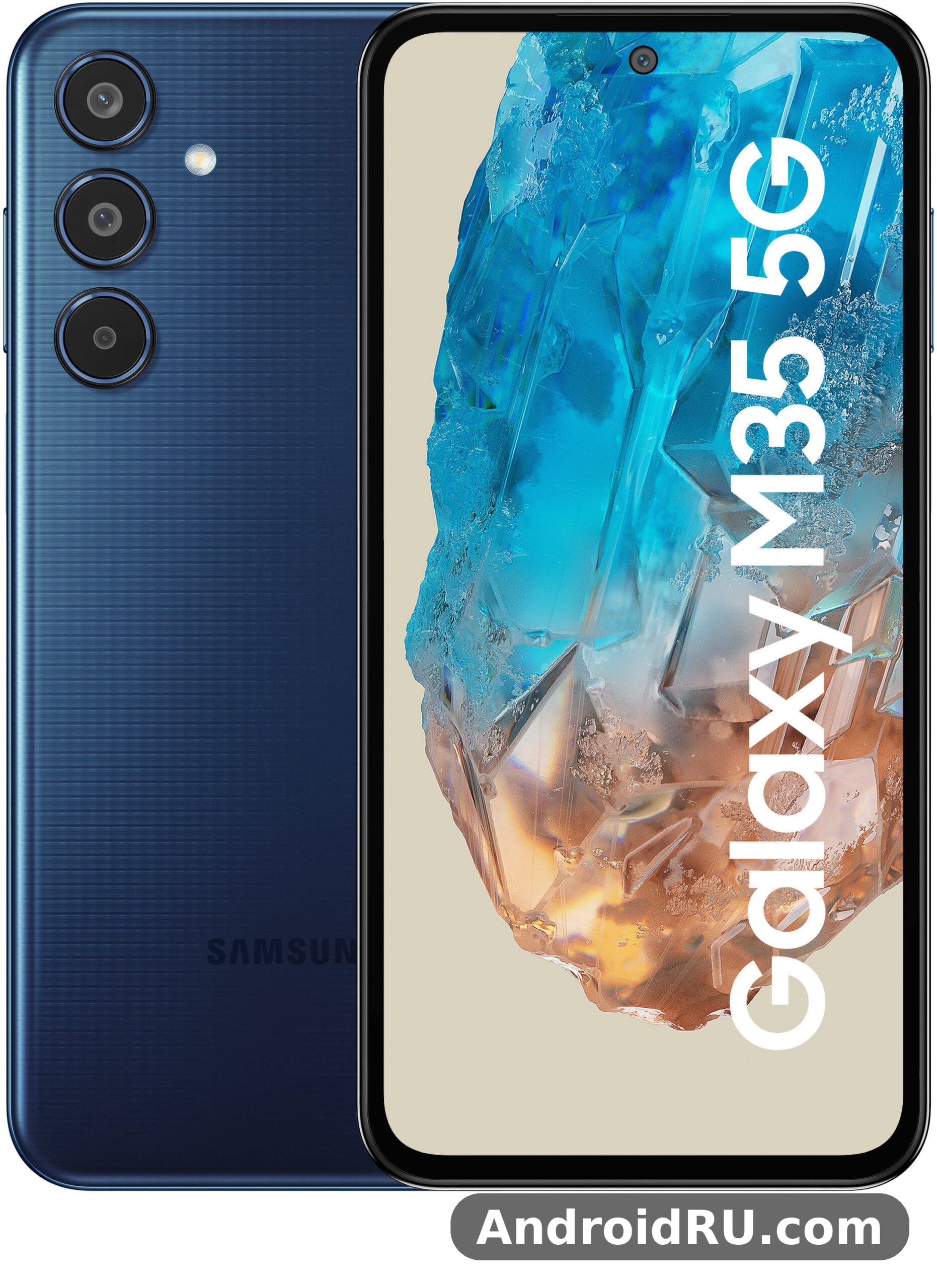
What makes this phone interesting is not one headline feature. It is the combination: a large 6000mAh battery, a 50MP camera with optical image stabilisation, Samsung’s Exynos 1380 chip, and four promised Android OS updates. That is a strong list for a phone that launched in the budget-to-mid-range bracket. The trade-off is that Samsung had to save money somewhere, and those savings show up in the plastic frame, the 25W charging speed, and a camera system that is good in daylight but ordinary after dark. If you are looking for a review that weighs the display, the cameras and the budget trade-offs honestly, this is it. In a Galaxy M35 5G camera test, daylight shots come out sharp and well exposed, while low light is where the limits show. The Galaxy M35 5G headphone jack is absent, so wired headphones need a USB-C adapter or Bluetooth.
This review is for a buyer who wants a phone that lasts two days on a charge, shows video beautifully, and stays supported for years, and who is willing to accept a heavier body and slower charging in return. I will walk through the screen, the performance, the cameras, the battery, the design, the software, and how the M35 5G compares with the phones around it, so you can decide whether it fits the way you actually use a phone. The full hardware record is included too, so you can check every number in one place before you buy. A Galaxy M35 5G battery life test with mixed use shows it reaches the end of the day, and lighter users often get into a second day. The Galaxy M35 5G overheating reports are rare in normal use, and the phone stays comfortable during long video sessions.
Samsung Galaxy M35 5G display review: 6.6-inch Super AMOLED 120Hz in daily use
The display is the best reason to buy the Galaxy M35 5G. It is a 6.6-inch Super AMOLED panel with a 1080 x 2340 resolution, a 120Hz refresh rate, and a peak brightness rated around 1000 nits. In practice, that means text looks sharp, colours look rich without looking cartoonish, and scrolling feels smooth in a way a 60Hz panel never does. Galaxy M35 5G display review notes keep returning to the same strengths: smoothness, contrast, and outdoor readability. The screen is protected by Corning Gorilla Glass Victus+, which is a reassuring touch at this price, and the thin bezels keep the phone from feeling as large as its measurements suggest. The Galaxy M35 5G full specifications run from the Exynos 1380 chip and 6,000 mAh battery to the 50MP camera and 6.6-inch Super AMOLED display. A Galaxy M35 5G screen protector is a cheap add-on that keeps the display free of scratches.
Watching video is where the panel earns its keep. The deep blacks of an AMOLED screen make night scenes in films look properly dark instead of grey, and the 120Hz refresh rate keeps motion in sports clips and games looking clean. I watched long video sessions and a full film on a flight, and the screen never felt like the weak link. The stereo speakers help here too: they are not the loudest I have heard, but they are clear enough that you can watch a video without headphones in a quiet room. Galaxy M35 5G 120Hz display for video and scrolling is a genuine selling point rather than a line on a spec sheet, and it changes the feel of the phone more than any single number on the box. The Galaxy M35 5G price and specifications together make it a strong budget option, with the screen and battery leading the list. The Galaxy M35 5G 128GB price is the one most buyers compare, since that is the standard storage option.
How the 120Hz Super AMOLED panel handles scrolling and video on the Galaxy M35 5G
The 120Hz refresh rate changes the feel of the phone more than any single specification on the box. Scrolling through a long social feed, swiping between home screens, and pulling down the notification shade all feel fluid, and going back to a 60Hz phone afterwards feels sluggish by comparison. The panel can drop to a lower refresh rate when you are reading a static page, which saves a little battery, and it ramps back up the moment you start scrolling again. That adaptive behaviour is one of the quiet strengths of the display, because it gives you the smoothness without draining the battery as fast as a fixed 120Hz mode would. For video, the 120Hz panel matters less than the AMOLED colour and contrast, and both are strong. Skin tones look natural, greens in a nature documentary look vivid without oversaturating, and the wide viewing angles mean a friend sitting next to you sees the same picture you do. In a Galaxy M35 5G vs Galaxy M34 5G comparison, the deciding factors are battery size, chipset and display. The Galaxy M35 5G used price depends on condition and battery health, so check the screen and charging port before paying.
Outdoor brightness and eye comfort on the Galaxy M35 5G screen
Outdoors in bright sunlight, the panel stays readable. The rated 1000-nit peak brightness is enough for reading messages, checking maps and framing a photo on a sunny day, though direct midday sun still forces you to shade the screen or raise the brightness manually. I found the auto-brightness quick to respond when stepping from indoors to outdoors, which is a small detail that matters when you are walking and glancing at the phone. Galaxy M35 5G outdoor brightness 1000 nits is enough for maps, messages and photos in bright daylight, even if it is not flagship level in every scene. Eye comfort is handled by Samsung’s usual set of tools: an eye comfort shield that warms the colour temperature in the evening, a dark mode that works across the system and most apps, and the option to set the screen to a lower refresh rate if you want to save power. The always-on display shows the time and notifications without waking the whole screen, which is handy on a phone with a battery this large, since the cost of keeping a few pixels lit is tiny. How long does Galaxy M35 5G battery last? With mixed use it reaches the end of the day, and lighter users often get into a second day. A Galaxy M35 5G battery replacement is a repair-shop job, and it is worth pricing before you decide to keep an old phone.
Best Galaxy M35 5G display settings for battery life and smooth scrolling
If you want the smoothest feel, set the motion smoothness to Adaptive or 120Hz in Settings, Display, Motion smoothness. If you want the longest battery life, set it to Standard 60Hz and turn on the eye comfort shield on a schedule. I left mine on Adaptive for most of the test, and the battery still lasted well into a second day, which tells you how much headroom the 6000mAh cell gives you. A screen protector is worth adding, even with Victus+ glass, because a scratched screen is the one thing that spoils a good panel every time you look at it. Galaxy M35 5G display settings Adaptive 120Hz is the setting most people should use, because the phone only spends power on 120Hz when it makes a visible difference. A Galaxy M35 5G performance test shows the Exynos 1380 handling everyday apps smoothly, with only heavy games asking for lower settings. The Galaxy M35 5G screen replacement cost varies by repair shop, so get two quotes before booking a repair.
Exynos 1380 performance on the Galaxy M35 5G: gaming, apps and multitasking
The Exynos 1380 inside the Galaxy M35 5G is a 5nm chip with four performance cores and four efficiency cores, paired with a Mali-G68 MP5 GPU. On paper it sits in the solid mid-range: fast enough for everything ordinary, not built for the heaviest games at maximum settings. In daily use it feels quick. Apps open without a pause, the camera launches fast, switching between a browser, a messaging app and a maps app is smooth, and the phone never felt slow during normal work. That is the test that matters for most buyers, and the M35 5G passes it. Galaxy M35 5G Exynos 1380 performance in daily use is strong for single tasks, steady in sustained use, and free of dramatic throttling during a long video call or a navigation session. The Galaxy M35 5G display quality stands out for the price, with strong colours and good outdoor visibility. The Galaxy M35 5G best price usually shows up during sales events, so wait for a promotion if you are not in a hurry.
Benchmarks put the Exynos 1380 in the same neighbourhood as other mid-range chips of its generation, and the numbers line up with what I felt in use: strong single-task speed, steady sustained performance, and no dramatic throttling. The phone does warm up during a long gaming session or a 4K video recording, but it never got uncomfortably hot in my hand, and the frame rate in games stayed stable rather than collapsing after ten minutes. The 5nm process helps efficiency, which is one reason the phone’s battery lasts so long, and the chip supports 5G, Wi-Fi 6, Bluetooth 5.3 and the camera features Samsung builds into One UI. If you want a sense of how an older M-series battery champion compares on stamina alone, the Samsung Galaxy M51 Review: Everyday Speed, Cameras and Value shows what a 7000mAh phone feels like in daily use, and it makes the M35 5G trade-off between capacity and 5G easier to judge.
Is the Samsung Galaxy M35 5G good for gaming in 2026?
For casual and mid-weight games, the answer is yes. Titles like Mobile Legends, PUBG Mobile on balanced settings, and racing games run well, with smooth frame rates and quick load times. Galaxy M35 5G gaming performance at medium settings is solid, and the 120Hz screen helps here, because supported games feel more responsive, and the large battery means a long gaming session does not leave you hunting for a charger at midnight. The stereo speakers add to the experience, and the vapour chamber cooling that Samsung uses in this line keeps the chip from throttling hard during a match. For the heaviest games at the highest graphics settings, you will need to turn a few settings down. Demanding titles run, but they run best on medium settings, and the phone will warm up if you play for an hour at high detail. That is a fair trade at this price: the M35 5G is a phone that plays games well, not a gaming phone. The Galaxy M35 5G camera quality at night is decent for the price, with night mode lifting shadows at the cost of some detail. The Galaxy M35 5G weight feels balanced in the hand for a phone with a large screen, and a case adds only a little.
Galaxy M35 5G multitasking, RAM and storage in real use
The phone ships with 6GB or 8GB of RAM and 128GB or 256GB of storage, depending on the variant, and the storage can be expanded with a microSD card. I tested the 8GB model, and it held a dozen apps in memory without reloading them, which makes switching between work apps painless. The 6GB model will reload apps a little more often, but it is still fine for ordinary use. Samsung’s RAM Plus feature can add virtual memory, though I would not lean on it as a substitute for real RAM. Storage speed is solid for the class, with fast app installs and quick photo saving. The microSD slot is a real advantage over phones that force you to pay for more internal storage, because you can add a card for photos and offline video and keep the internal storage for apps. The catch is the hybrid tray: you choose between a second SIM and a microSD card, not both at once. Should I buy Galaxy M35 5G or wait for a sale? If you want a 6,000mAh battery, a 120Hz AMOLED display and a 50MP camera with OIS, it is an easy recommendation.
How to keep the Galaxy M35 5G fast after months of daily use
Keep the software updated, clear the cache of heavy apps once in a while, and avoid filling the storage to the last few gigabytes, because a nearly full phone slows down whatever chip it has. Turn off background data for apps you rarely open, and use Device Care in Settings to check battery and storage once a month. These are small habits, but on a mid-range phone they are the difference between a phone that still feels quick after a year and one that feels tired. Galaxy M35 5G RAM Plus virtual memory is not a fix for a full phone, so keep some free space and the phone will repay you. This Galaxy M35 5G honest review keeps the trade-offs in view: the screen and battery impress, while 25W charging is slow for a 6,000mAh battery and there is no wireless charging.
Samsung Galaxy M35 5G camera review: 50MP OIS main camera, ultrawide and macro
The camera system is built around a 50MP main sensor with an f/1.8 lens, phase detection autofocus and optical image stabilisation, joined by an 8MP ultrawide camera and a 5MP macro camera, with a 13MP front camera for selfies and video calls. That is a familiar mid-range setup, and the M35 5G gets the most out of it in good light. Daylight photos are detailed, colours are pleasant without being overdone, and the dynamic range holds up when you shoot a bright sky over a darker street. The OIS is the part I noticed most: it steadies the shot when your hands are not perfectly still, and it helps in low light by letting the camera use a slightly longer exposure without blur. The Galaxy M35 5G charging time from empty is two hours with a 25W charger, so overnight charging is the easy routine.
The camera app is Samsung’s usual clean layout, with Photo, Video, Portrait, Night and Pro modes a swipe away, and a 50MP full-resolution mode for shots where you want to crop later. Shot-to-shot speed is good in daylight, and the phone focuses quickly on people, pets and moving subjects. Video goes up to 4K at 30 frames per second from the main camera, with electronic stabilisation that smooths out walking footage well enough for holiday clips and social posts. Galaxy M35 5G 50MP OIS camera photo quality is genuinely good in daylight, and the 50MP OIS main camera is the strongest lens on the phone by a clear margin.
Galaxy M35 5G main camera photo quality in daylight and at night
In daylight, the main camera is genuinely good. Photos of streets, food, friends and landscapes come out sharp, with natural skin tones and colours that need little editing before sharing. The 50MP sensor bins pixels down to a 12.5MP image by default, which keeps file sizes sensible while keeping detail high, and switching to the full 50MP mode gives you extra room to crop a distant subject. I took the phone on a photo walk through a market and a park, and the keeper rate was high: most shots were sharp, well exposed, and ready to share without edits. At night, the picture changes. Galaxy M35 5G night mode photo quality is helped a lot by Night mode, which brightens dark scenes and pulls detail out of shadows, but the results are softer than daylight shots, and moving subjects blur more easily. The OIS keeps static scenes steady, so a photo of a lit building or a street at dusk can look very good, but a photo of friends in a dim restaurant will show noise if you look closely. That is normal for this price, and the M35 5G is no worse than its rivals here. A Galaxy M35 5G gaming test shows casual games running smoothly, while demanding titles need medium settings to stay stable.
Ultrawide, macro and 13MP selfie camera on the Galaxy M35 5G
The 8MP ultrawide camera is useful for landscapes, group photos and tight indoor spaces where you cannot step back, and it keeps colours close to the main camera so a set of photos from one outing looks consistent. Detail is lower than the main sensor, especially at the edges of the frame, and night ultrawide shots are noticeably softer, so I used it mainly in daylight. The 5MP macro camera is for close-up shots of flowers, food and small objects, and it works when you have good light and a steady hand, though the main camera cropped in often gives a similar result with less fuss. Galaxy M35 5G ultrawide and macro camera tips are simple: use the ultrawide in daylight, keep important subjects away from the edges, and give the macro lens plenty of light. The 13MP front camera takes clean selfies in good light, with natural skin tones and a portrait mode that blurs the background convincingly for social posts. Video calls look sharp, and 4K selfie video is available if you want it. The Galaxy M35 5G unboxing covers the phone, a USB-C cable and the paperwork, so check what your retailer includes before you buy.
Galaxy M35 5G night mode and portrait mode tips for better photos
For night shots, hold the phone still for the full Night mode countdown, brace your elbows against something solid, and tap the brightest part of the scene to set the exposure. For portraits, step back a little and let the phone find the subject’s face before you shoot, and check the background blur at the edges of hair and glasses, where portrait mode sometimes slips. Shooting in the 50MP mode in bright daylight, then cropping, is a good way to get closer to a distant subject without a telephoto lens, which this phone does not have. If you are comparing camera trade-offs across the M series, the Samsung Galaxy M34 5G Review: App Performance and Camera Quality is a useful next read, because it shows how the model just below the M35 5G handles apps and cameras at a lower price.
Galaxy M35 5G battery life: 6000mAh battery and 25W charging tested
The 6000mAh battery is the second best reason to buy this phone, after the display. In my testing, the M35 5G regularly lasted into a second day of normal use, with a mix of messaging, browsing, maps, music and an hour or so of video. Heavy users who stream video for hours and play games will still get through a full day with charge to spare, and light users can stretch to two days without anxiety. That kind of endurance changes how you use a phone: you stop checking the battery percentage, you stop carrying a power bank for a normal day out, and you stop rationing video and maps. Galaxy M35 5G 6000mAh battery life test results match that picture, and the 6000mAh battery with 25W charging is the combination that defines the daily rhythm of this phone.
Screen-on time is the number that matters here, and the M35 5G delivers long screen-on time because the big cell is paired with an efficient 5nm chip and an AMOLED panel that sips power on dark content. Using dark mode, keeping the refresh rate on Adaptive, and turning down the brightness indoors all stretch the battery further, but even without those habits the phone outlasts most rivals. Standby drain is low too, so the phone loses only a few percent overnight. Galaxy M35 5G battery life two days is realistic for light and normal use, not a lab claim, and it is the feature owners mention most when they explain why they kept the phone. A Galaxy M35 5G battery drain overnight fix usually starts with battery saver and a check for apps running in the background.
How long does the Samsung Galaxy M35 5G battery last on a single charge?
For a typical day of calls, messages, social apps, an hour of video and some navigation, expect the battery to end the day around 40 to 50 percent, which leaves a comfortable buffer. For a heavy day with several hours of video streaming and gaming, expect to end the day around 20 to 30 percent, which is still enough to get home without a charger. For a light day, two days is realistic. These are real-use figures, not lab numbers, and your own mileage will vary with signal strength, brightness and how many apps run in the background, but the pattern is consistent: this is a two-day phone for most people, and a comfortable one-day phone for the heaviest users. For a Galaxy M35 5G fingerprint sensor not working problem, re-register the same finger twice and clean the sensor area first.
25W fast charging on the Galaxy M35 5G: how fast is it really?
Charging is where the budget trade-off bites. The phone supports 25W wired charging, and a full charge from empty takes well over an hour, roughly an hour and a half in my testing with a compatible 25W charger. Galaxy M35 5G 25W charging time is slower than rivals that offer 45W or 65W charging and fill up in under an hour. A 30-minute top-up gives you roughly half a charge, which is enough for a day of light use, but it is slower than the fastest rivals. There is no wireless charging, and the charger is not always included in the box, so check what comes with your unit and budget for a 25W USB-C charger if you need one. In practice, the slow charging matters less than it sounds, because the battery is so large that you charge less often. I fell into a routine of charging overnight, and the phone was ready every morning. The trade-off only hurts if you often need a quick top-up before heading out, in which case a faster-charging rival would suit you better. A Galaxy M35 5G screen flickering issue is rare, and a restart or a software update usually clears it.
Samsung Galaxy M35 5G design and build: plastic frame, weight and in-hand feel
The M35 5G is a big phone: about 162mm tall, 79mm wide and 9.1mm thick, weighing around 222 grams. The exact figures in the specification record are 162.3 x 78.6 x 9.1mm and about 222 grams, and the size is the direct result of the 6000mAh battery and the 6.6-inch screen. It feels solid and well put together, with a matte plastic back that resists fingerprints and a frame that does not creak when you squeeze it. The design is understated, with three separate camera lenses on the back and no large camera island, and it looks clean in the hand. Galaxy M35 5G plastic frame weight 222g is noticeable after a long reading session, and the phone is a two-handed device for most people when typing. Wondering how to take a screenshot on Galaxy M35 5G? Press power and volume down together, or use a palm swipe.
The side-mounted fingerprint sensor in the power button is fast and reliable, and it is easier to reach than an in-display sensor when the phone is on a desk. Face recognition is available too, and it works well in good light. The phone has stereo speakers, a USB-C port, and a hybrid SIM tray, and it does not have a 3.5mm headphone jack, so wired headphone users will need a USB-C adapter or Bluetooth earbuds. Galaxy M35 5G no headphone jack is a clear change from older M phones, and it is worth knowing before you buy. There is no official water resistance rating on this model, so treat it like a phone that can survive a splash but should not go swimming. The Corning Gorilla Glass Victus+ protection on the front is a stronger grade than many rivals offer at this price, and it is one of the quiet strengths of the build.
Galaxy M35 5G colours, grip and everyday durability
The phone launched in dark blue, light blue and grey finishes, and the matte back keeps it looking tidy even after a day in a pocket. Grip is decent for a phone this size, thanks to the flat sides and the matte texture, but a case is still a good idea: the phone is heavy enough that a drop onto a hard floor is a real risk, and a slim case adds grip without much bulk. The Gorilla Glass Victus+ front is tough, but it is not unbreakable, and a screen protector is cheap insurance. Durability in daily use is good. The plastic back will not shatter the way glass does, and the phone survived the usual knocks of a bag, a car mount and a bedside table without a mark in my testing. The trade-off for that plastic is feel: the M35 5G does not feel as premium in the hand as a metal-and-glass flagship, and that is a deliberate saving that keeps the price down. This is how to factory reset Galaxy M35 5G safely: back up first, then use Settings, General management, Reset.
One UI 6.1 and Android 14 on the Galaxy M35 5G: software and update promise
The M35 5G launched with Android 14 and Samsung’s One UI 6.1, and Samsung promised four major Android OS updates and five years of security updates for this model. Galaxy M35 5G Android updates four years is one of the strongest reasons to choose this phone over a rival with a similar chip and screen but a shorter support window, because it means the phone should stay current and secure well into its fourth year. One UI is clean, fast and full of useful features, from the customisable lock screen to the Edge panel, the secure folder, and Samsung’s own apps for notes, health and device care. Does Galaxy M35 5G have a headphone jack? No, audio goes through USB-C or Bluetooth.
In daily use, the software feels polished. Animations are smooth at 120Hz, the notification shade is clear, and the settings menu is easy to navigate once you learn where Samsung puts things. There are some pre-installed apps and Samsung services you may not want, and a few can be disabled or uninstalled, but they do not get in the way. Samsung’s update record for its mid-range phones has been reliable in recent years, with security patches arriving regularly, and the M35 5G benefits from that track record. For a wider M-series view of software and daily use, the Samsung Galaxy M52 5G Review: Build Quality, Battery and Daily Use shows how an earlier M phone balanced build, battery and software, and it helps put the M35 5G update promise in context.
Galaxy M35 5G software features worth using every day
A few One UI features are worth setting up on day one. Modes and Routines can silence notifications at night or turn on battery saving when you leave home, the Edge panel gives you quick access to your favourite apps, and the secure folder keeps work files separate from personal ones. Samsung Health tracks steps and sleep without extra hardware, and the camera’s Expert RAW support is there for photographers who want more control. The Galaxy AI features that Samsung added to its newer phones arrived on this line in a limited form through updates, so check your software version to see which AI tools your unit has, because the list varies by region and update. Does Galaxy M35 5G support microSD card expansion? Yes, the slot takes cards up to 1TB.
How to check for Galaxy M35 5G software updates and security patches
Open Settings, Software update, then Download and install, and the phone will check for the latest version. Turn on auto-download over Wi-Fi so updates arrive without you thinking about them, and restart the phone after a major update so the new version settles properly. If an update seems stuck, check your storage space first, because a nearly full phone can fail an update, and try again on Wi-Fi rather than mobile data. Galaxy M35 5G software update check is a habit worth keeping, because the long support window only helps if you actually install the patches. The Galaxy M35 5G best settings for battery life are adaptive brightness, a 60Hz cap when you need it, and battery saver overnight.
Full Specifications
The tables below list the full hardware record for the Galaxy M35 5G in one place. It launched in June 2024 with Android 14 and One UI 6.1, a 6.6-inch Super AMOLED display with a 120Hz refresh rate, Samsung’s Exynos 1380 chip, a 50MP camera with optical image stabilisation, and a 6000mAh battery with 25W wired charging. Where a figure varies by region or variant, the table says so, and where a precise number is not published for your market, the text gives a range and suggests checking the Samsung page for your country before you buy. Use this guide as a checklist: read the display and battery sections if you watch a lot of video, read the processor and memory sections if you game or multitask heavily, and read the camera and connectivity sections if you travel or take a lot of photos. The Galaxy M35 5G hidden features include one-handed mode, edge panels and routines that automate daily tasks.
Samsung Galaxy M35 5G display specifications: 6.6-inch Super AMOLED 120Hz panel
The display is a 6.6-inch Super AMOLED panel with a resolution of 1080 x 2340 pixels, a 20:9 aspect ratio, a pixel density of about 390 pixels per inch, and a refresh rate of up to 120Hz. Peak brightness is rated around 1000 nits, which keeps the screen readable outdoors, and the panel is protected by Corning Gorilla Glass Victus+. The screen supports an always-on display, dark mode, and Samsung’s eye comfort shield, and it can drop to a lower refresh rate on static content to save power. A Galaxy M35 5G overheating while gaming fix is to lower the graphics settings and take the case off during long sessions.
| Display feature | Galaxy M35 5G specification |
|---|---|
| Size | 6.6 inches |
| Panel type | Super AMOLED |
| Resolution | 1080 x 2340 pixels, about 390 ppi |
| Refresh rate | Up to 120Hz, adaptive |
| Peak brightness | About 1000 nits |
| Protection | Corning Gorilla Glass Victus+ |
| Extras | Always-on display, eye comfort shield, dark mode |
Is the Galaxy M35 5G display good for video and outdoor use?
Yes, for both. Video looks strong thanks to the AMOLED contrast and the vivid but natural colour, and the stereo speakers mean you can watch without headphones in a quiet room. Outdoors, the 1000-nit peak brightness keeps the screen readable in sunlight, though direct midday sun will still wash the picture out a little, as it does on most phones in this class. If you spend a lot of time outdoors, set the brightness to auto and keep the eye comfort shield on a schedule for the evening, and the panel will serve you well. A Galaxy M35 5G camera blurry photos fix is to clean the lens, tap to focus, and hold the phone steady for a second longer.
Samsung Galaxy M35 5G processor and chipset: Exynos 1380 performance details
The Galaxy M35 5G runs on the Samsung Exynos 1380, a 5nm octa-core chip with four Cortex-A78 performance cores clocked at up to 2.4GHz and four Cortex-A55 efficiency cores clocked at up to 2.0GHz, paired with a Mali-G68 MP5 graphics processor. The 5nm process helps efficiency, which is one reason the phone’s battery lasts so long, and the chip supports 5G, Wi-Fi 6, Bluetooth 5.3 and the camera features Samsung builds into One UI. For everyday tasks, the Exynos 1380 is quick: apps open fast, the camera launches without delay, web pages load smoothly, and switching between apps is painless. The Galaxy M35 5G software update problems are uncommon, and a restart after installing usually clears a stuck update.
| Processor detail | Specification |
|---|---|
| Chipset | Samsung Exynos 1380, 5nm |
| CPU | Octa-core: 4 x 2.4GHz Cortex-A78 + 4 x 2.0GHz Cortex-A55 |
| GPU | Mali-G68 MP5 |
| RAM | 6GB or 8GB, depending on variant |
| Internal storage | 128GB or 256GB, depending on variant |
| Expandable storage | microSD card up to 1TB, hybrid tray |
| Operating system at launch | Android 14 with One UI 6.1 |
Exynos 1380 vs Snapdragon 7s Gen 2: which chip is faster?
The Exynos 1380 and the Snapdragon 7s Gen 2 found in some rivals are close in everyday speed, with the Snapdragon a little ahead in some graphics tests and the Exynos a little ahead in efficiency in others. In daily use you would struggle to tell them apart, and the choice between phones using these chips should rest on the screen, the battery, the camera and the software support, not on the chip name alone. The M35 5G wins that wider comparison on battery size and update length, which matter more day to day than a small benchmark gap. To learn how to turn off 5G on Galaxy M35 5G, open Settings, Connections, Mobile networks, and pick 4G.
Samsung Galaxy M35 5G RAM and storage options: 6GB, 8GB, 128GB and 256GB
The Galaxy M35 5G is sold in two main memory configurations: 6GB of RAM with 128GB of storage, and 8GB of RAM with 256GB of storage, with availability varying by region. Storage is expandable with a microSD card of up to 1TB, using the hybrid SIM tray, so you choose between a second SIM card and a microSD card. The internal storage is fast enough for quick app installs and photo saving, and Samsung’s RAM Plus feature can add virtual memory on top of the physical RAM if you need it. A Galaxy M35 5G slow charging fix is to use a 25W USB-C PD charger and a good cable, since old low-wattage chargers charge slowly.
| Variant | RAM | Storage | Best for |
|---|---|---|---|
| Base | 6GB | 128GB | Everyday use, light gaming, social apps |
| Higher | 8GB | 256GB | Multitasking, gaming, lots of photos and video |
| Expansion | RAM Plus virtual memory | microSD up to 1TB | Photos, offline video, music |
Out of the box, the system software and pre-installed apps take a share of the internal storage, so a 128GB model gives you roughly 100GB or a little more of usable space, and a 256GB model gives you roughly twice that. The exact free space varies with the software version and the apps bundled in your region. If you shoot a lot of 4K video, that space fills faster than you expect, so a microSD card is a cheap way to keep photos and offline video off the internal storage and leave room for apps and updates. Galaxy M35 5G expandable storage microSD 1TB is a useful feature that many newer phones have dropped, and it means you can buy the cheaper 128GB model and add a card later instead of paying for more internal storage up front. Use a fast card from a known brand, and format it in the phone before you start moving photos to it, because a slow or faulty card can make the gallery feel sluggish. Is Galaxy M35 5G good for students? With a big battery and a 120Hz display and a price that fits a student budget, it is a sensible pick.
Samsung Galaxy M35 5G camera specifications: 50MP OIS, 8MP ultrawide, 5MP macro, 13MP front
The rear camera system has three lenses: a 50MP main camera with an f/1.8 aperture, phase detection autofocus and optical image stabilisation, an 8MP ultrawide camera with an f/2.2 aperture and a 123-degree field of view, and a 5MP macro camera with an f/2.4 aperture. The front camera is a 13MP sensor with an f/2.2 aperture. The main camera records video at up to 4K at 30 frames per second, and at 1080p at 30 or 60 frames per second, with electronic stabilisation, and the front camera records at up to 4K at 30 frames per second as well. The 50MP main sensor uses pixel binning to produce a 12.5MP image by default, which keeps detail high and file sizes sensible, and a full 50MP mode is available when you want to crop later. The Galaxy M35 5G price puts it firmly in the budget range, and it undercuts most rivals with the same screen and battery.
| Camera | Specification | Best use |
|---|---|---|
| Main rear | 50MP, f/1.8, PDAF, OIS | Everyday photos, low light, portraits |
| Ultrawide rear | 8MP, f/2.2, 123-degree view | Landscapes, group photos, tight rooms |
| Macro rear | 5MP, f/2.4 | Close-ups of flowers, food, small objects |
| Front | 13MP, f/2.2 | Selfies, video calls, 4K selfie video |
| Rear video | Up to 4K at 30fps, 1080p at 30 or 60fps | Holiday clips, social posts |
| Front video | Up to 4K at 30fps | Selfie video, video calls |
Galaxy M35 5G camera features: Night mode, Portrait mode and Pro mode
Night mode is the feature to use after dark: it brightens the scene and pulls detail out of shadows, and it works on the main camera and, with softer results, on the ultrawide. Portrait mode blurs the background behind a person and lets you adjust the blur strength before and after the shot. Pro mode gives you manual control over ISO, shutter speed, white balance and focus, which is useful for night scenes and for photographers who want a consistent look across a set of photos. The camera app includes Photo, Video, Portrait, Night, Pro, Panorama and slow-motion modes, and Samsung’s scene optimiser can adjust settings for food, landscapes and other subjects automatically. None of the lenses offers optical zoom, so zoom beyond 2x is digital, and quality falls as you zoom further. The Galaxy M35 5G specs cover the essentials: Exynos 1380, 6,000 mAh battery, 50MP main camera and a 6.6-inch Super AMOLED display.
Samsung Galaxy M35 5G battery and charging specifications: 6000mAh and 25W
The 6000mAh battery is one of the largest in Samsung’s mid-range line, and it is the specification that shapes the phone’s daily rhythm more than any other. Samsung rates the phone for long use between charges, and in practice the battery lasts into a second day of normal use, with a mix of messaging, browsing, maps, music and video. The phone charges over USB-C at up to 25W wired, and there is no wireless charging. A compatible 25W charger is not always included in the box, so check what your unit ships with. Charging speed is the compromise that comes with the big battery: a full charge from empty takes well over an hour, roughly an hour and a half with a 25W charger, and a 30-minute charge gives you roughly half a full charge. Battery health features in One UI let you limit charging to 80 or 85 percent to slow long-term wear, which is worth turning on if you plan to keep the phone for several years. The Samsung Galaxy M35 5G price varies by region and storage option, so compare a few sellers before you buy.
| Battery detail | Specification |
|---|---|
| Capacity | 6000mAh, non-removable |
| Wired charging | 25W over USB-C |
| Wireless charging | Not supported |
| Reverse wireless charging | Not supported |
| Full charge time | About 1.5 hours with a 25W charger |
| 30-minute charge | About half a full charge |
| Typical use | Into a second day of normal use |
Samsung Galaxy M35 5G design, dimensions and build specifications
The Galaxy M35 5G measures about 162.3mm tall, 78.6mm wide and 9.1mm thick, and it weighs about 222 grams. The body uses a plastic frame and a matte plastic back, with Corning Gorilla Glass Victus+ on the front, and it launched in dark blue, light blue and grey finishes. The three rear cameras sit as separate lenses on the back, with no large camera island, and the side-mounted fingerprint sensor is built into the power button on the right edge. The size and weight are the direct result of the 6000mAh battery and the 6.6-inch screen: this is a big, heavy phone, and it is best used two-handed for typing and reading. The matte back resists fingerprints and gives decent grip, the flat sides make the phone easy to hold, and the plastic body will not shatter the way glass does if it is dropped. There is no official water resistance rating on this model, so treat it as splash-resistant in practice rather than waterproof, and keep it out of the pool and the shower. If you are tracking the M35 5G price, the 128GB model is usually the best-value option.
| Build detail | Specification |
|---|---|
| Height | 162.3 mm |
| Width | 78.6 mm |
| Thickness | 9.1 mm |
| Weight | About 222 g |
| Body materials | Plastic frame, matte plastic back, Gorilla Glass Victus+ front |
| SIM | Hybrid tray: two nano-SIM, or one nano-SIM plus microSD |
| Water resistance | No official IP rating |
| Colours | Dark blue, light blue, grey |
Samsung Galaxy M35 5G software, connectivity and sensor specifications
The M35 5G launched with Android 14 and One UI 6.1, and Samsung promised four major Android OS updates and five years of security updates, which is a long support window for a mid-range phone. Connectivity includes 5G, 4G LTE, Wi-Fi 6, Bluetooth 5.3, NFC, GPS, GLONASS, Galileo and BeiDou positioning, and a USB-C port with OTG support. Sensors include a side-mounted fingerprint sensor, an accelerometer, a gyroscope, a proximity sensor, a compass and a light sensor. The phone supports dual SIM through the hybrid tray, and it has stereo speakers with support for common audio formats. One UI 6.1 brings a customisable lock screen, an Edge panel for quick app access, Modes and Routines for automation, a secure folder, Samsung Health, and Device Care for battery and storage checks. Some Galaxy AI features arrived on this line in limited form through later updates, and the exact list varies by region and software version, so check your own unit to see which tools it has. A Galaxy M35 5G vs Galaxy M34 5G comparison comes down to battery size, chipset and display.
| Connectivity and sensor detail | Specification |
|---|---|
| Mobile networks | 5G sub-6GHz, 4G LTE |
| Wi-Fi | Wi-Fi 6 |
| Bluetooth | 5.3 |
| NFC | Supported, for contactless payments where allowed |
| Positioning | GPS, GLONASS, Galileo, BeiDou |
| USB | USB-C, OTG supported |
| Audio | Stereo speakers, no 3.5mm headphone jack |
| Fingerprint sensor | Side-mounted, in the power button |
| Other sensors | Accelerometer, gyroscope, proximity, compass, light sensor |
| Software updates | 4 major Android OS updates, 5 years of security updates |
The 5G support covers the sub-6GHz bands used in most markets, and the exact bands vary by region, so check the Samsung page for your country if you travel often or use a carrier with unusual bands. Wi-Fi 6 gives fast, stable wireless at home and in the office, Bluetooth 5.3 connects reliably to earbuds, watches and car systems, and NFC supports contactless payments where your bank and region allow it. GPS and the other satellite systems give quick, accurate location for maps and ride-hailing apps. To see the software version and 5G bands on your phone, open Settings, About phone, Software information to see the Android version, the One UI version and the security patch date. For 5G bands, check the Samsung specifications page for your country and model number, because the band list is region-specific and the settings menu does not list it. The Galaxy M35 5G charging setup tops out at 25W, so a full charge takes a while but overnight charging covers it.
Galaxy M35 5G vs rivals: comparison table, pros and cons
No phone is bought in isolation, so here is how the M35 5G stacks up against the phones a buyer is most likely to consider: the Galaxy A55 5G, the Galaxy M55 5G, and the Redmi Note 13 Pro 5G. Galaxy M35 5G vs rivals comparison table below compares the parts that matter in daily use, and the pros and cons that follow it are honest about where the M35 5G wins and where it loses. The four Android OS updates and five years of security updates are a strong point in this comparison, because few rivals at this price promise support for that long.
| Feature | Galaxy M35 5G | Galaxy A55 5G | Redmi Note 13 Pro 5G |
|---|---|---|---|
| Display | 6.6-inch Super AMOLED, 120Hz | 6.6-inch Super AMOLED, 120Hz | 6.67-inch AMOLED, 120Hz |
| Battery | 6000mAh, 25W charging | 5000mAh, 25W charging | 5000mAh, 67W charging |
| Chip | Exynos 1380 | Exynos 1480 | Snapdragon 7s Gen 2 |
| Main camera | 50MP with OIS | 50MP with OIS | 200MP with OIS |
| Software updates | 4 OS updates, 5 years security | 4 OS updates, 5 years security | Shorter update promise |
| Build | Plastic frame, 222g | Metal frame, 213g | Plastic frame, 187g |
The table makes the M35 5G position clear: it wins on battery life and update length, it matches its Samsung rivals on the screen, and it loses on charging speed and premium feel. The Redmi rival charges much faster and is lighter, but it cannot match the M35 5G for battery size or Samsung’s software support. The A55 5G feels more premium and has a slightly faster chip, but it costs more and its battery is smaller. Your choice comes down to which trade-off you feel every day: a bigger battery, a faster charge, or a more premium body. For a broader M-series comparison, the Samsung Galaxy M33 5G Review: Daily Use, Software and Battery Life shows how an earlier, cheaper M phone handled daily use, software and battery life, and it helps you see how much the M35 5G improved the screen and the camera.
Galaxy M35 5G pros: what this phone does best
The pros are easy to list because they are the things you feel every day. The 120Hz Super AMOLED display is bright, smooth and great for video. The 6000mAh battery lasts two days for most people. The 50MP OIS camera takes strong daylight photos. The software support is long, with four OS updates promised. The microSD slot lets you add storage cheaply. And the stereo speakers, the side fingerprint sensor and the clean One UI software all work well without fuss. Put together, the pros describe a phone that is pleasant to live with and cheap to keep for years. The Galaxy M35 5G release date was June 2024, and the phone has been on sale since then.
Galaxy M35 5G cons: where the budget trade-offs show
The cons are just as real. Charging at 25W is slow next to rivals, and there is no wireless charging. The plastic frame and 222g weight make the phone feel less premium than the A55 5G. Night photos are softer than daylight shots, and there is no telephoto lens, so zoom is digital and limited. There is no headphone jack and no official water resistance rating. The Exynos 1380 is fine for daily use and casual gaming, but it is not the fastest chip in this price band for demanding games. None of these cons is a deal-breaker on its own, but together they define the phone: a strong all-rounder with clear, deliberate savings. The Galaxy M35 5G price in India varies by seller and variant, so check a few listings before ordering.
Who should buy the Samsung Galaxy M35 5G?
Buy the M35 5G if you want a big screen, a two-day battery, a good daylight camera and long software support at a fair price, and you charge overnight and do not need the fastest charging or the most premium body. Galaxy M35 5G who should buy it includes students, commuters, parents and anyone who wants a reliable Samsung phone that just works for years. Skip it if you play demanding games at maximum settings every day, if you need fast top-up charging before heading out, or if you want a lighter phone with a metal frame, in which case the A55 5G or a faster-charging rival would suit you better. The Galaxy M35 5G benchmark score reflects a mid-range chip: quick in everyday apps, modest in heavy games.
Frequently asked questions about the Samsung Galaxy M35 5G
Readers ask the same questions about this phone again and again, so here are direct answers to the ones that matter most before you buy.
Is the Samsung Galaxy M35 5G worth buying in 2026?
Yes, for the right buyer. In 2026 the M35 5G is a strong budget-to-mid-range choice because its 120Hz AMOLED screen, 6000mAh battery and long update promise still hold up, and its price has usually fallen since launch, which makes the value better. It is worth buying if you want a reliable daily phone with a great screen and two-day battery life, and you are happy with 25W charging and a plastic body. It is less appealing if you want the fastest chip or the best night camera, because newer mid-range phones have moved on in those areas. Check the current price in your region before you decide, because the value depends on how far it has fallen from its launch price. A Galaxy M35 5G case is worth buying from day one, since it protects the camera lenses and the corners from drops.
Does the Samsung Galaxy M35 5G have a good battery life?
Yes, battery life is one of its best features. The 6000mAh cell regularly lasts into a second day of normal use, and even heavy users should get through a full day with charge to spare. Screen-on time is long thanks to the efficient Exynos 1380 chip and the AMOLED panel, and standby drain overnight is low. The only catch is charging: 25W wired charging takes well over an hour for a full charge, and there is no wireless charging, so plan to charge overnight rather than relying on quick top-ups. The Galaxy M35 5G NFC supports contactless payments in markets where the feature is included.
Is the Samsung Galaxy M35 5G camera good for photos and video?
The camera is good in daylight and solid overall for its price. The 50MP main camera with OIS takes detailed, natural-looking photos in good light, the 8MP ultrawide is handy for landscapes and group shots, and the 13MP front camera takes clean selfies. Video at 4K 30fps from the main camera is smooth enough for holiday clips and social posts. Night photos are the weak point: Night mode helps, but results are softer and noisier than daylight shots, and there is no telephoto lens, so zoom beyond 2x is digital. For a buyer who takes most photos outdoors or in bright rooms, the camera will be a pleasant surprise. The Galaxy M35 5G dual SIM support covers two nano-SIM cards in most regions.
How many Android updates will the Samsung Galaxy M35 5G get?
Samsung promised four major Android OS updates and five years of security updates for the Galaxy M35 5G, starting from Android 14 with One UI 6.1 at launch. That should take the phone through several Android versions and keep it patched for security well beyond the usual life of a budget phone. The exact update timing varies by region and carrier, so check Settings, Software update on your own unit to see the latest version it has received, and keep auto-download turned on so you do not miss a patch. The Galaxy M35 5G water resistant claims are limited: there is no official IP rating, so keep it away from water.
Galaxy M35 5G verdict: a big-screen, big-battery Samsung that knows its trade-offs
After weeks with the Galaxy M35 5G, my verdict is that it is a smart buy for people who value the screen and the battery above everything else. The 6.6-inch 120Hz Super AMOLED display is a joy to use, the 6000mAh battery removes the daily anxiety about charging, the 50MP OIS camera is strong in daylight, and the long software support means the phone should stay useful for years. The trade-offs are honest and visible: slower 25W charging, a heavy plastic body, no telephoto lens, and night photos that are good rather than great. The Galaxy M35 5G fingerprint sensor sits in the power button and unlocks the phone quickly once you register the same finger twice.
If those trade-offs fit your habits, buy it with confidence, and set it up well on day one: update the software, set the display to Adaptive 120Hz, turn on the eye comfort shield for the evening, and add a case and a screen protector. If you are still weighing the M35 5G against Samsung’s newer phones, the Samsung Galaxy M53 5G Review: Daily Use, Software and Battery Life is a useful next read, because it shows how another M-series phone balances daily use, software and battery life, and it will help you compare prices in your region. Pick the phone whose trade-offs you will notice least, because that is the phone you will enjoy most.

