

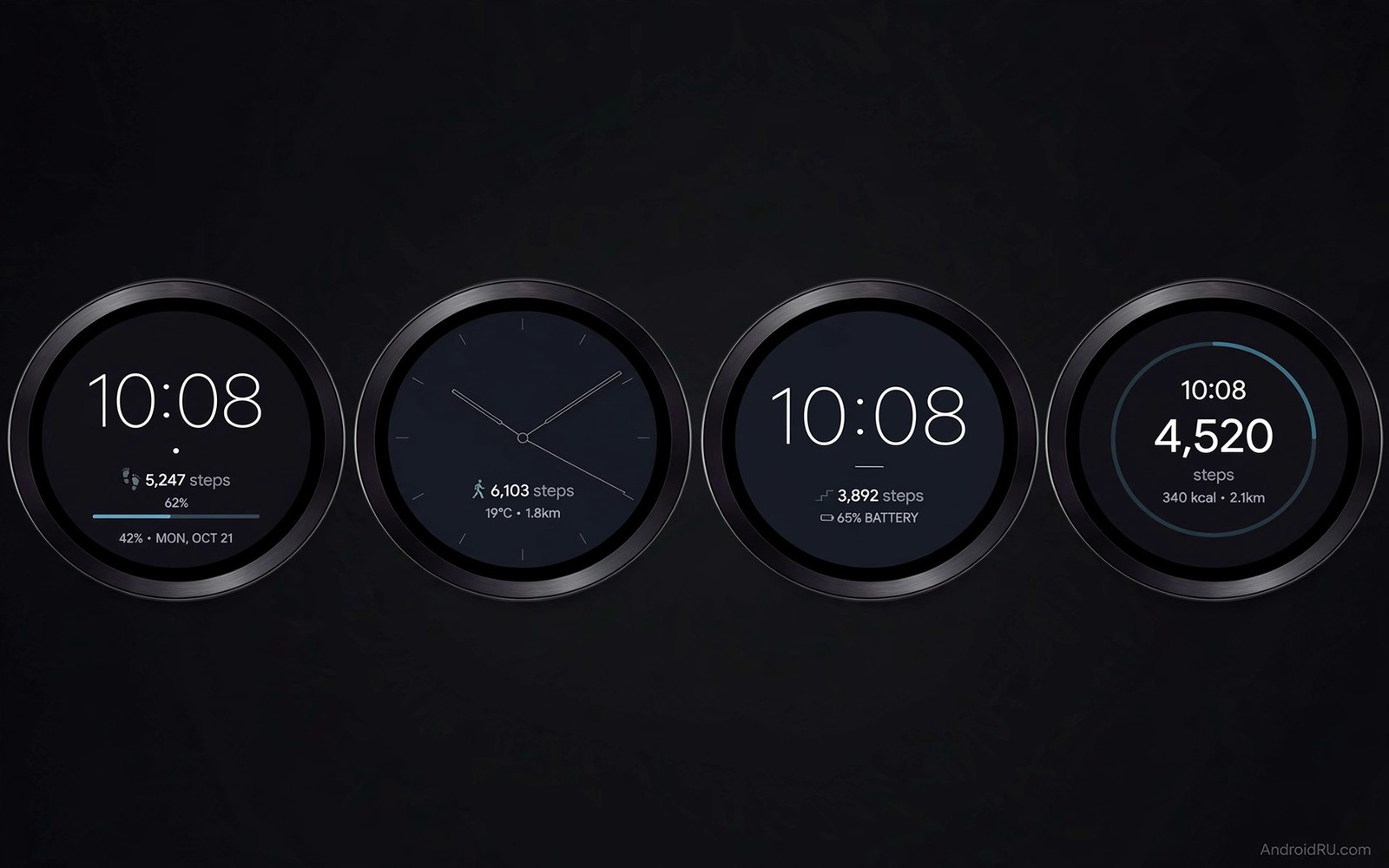
A watch face can drain a smartwatch faster than any app because it stays on screen all day. A bright animated face forces the display and the processor to work nonstop. A simple dark face with few complications lets the watch rest between glances. The difference can stretch battery life from a single day to several days on the same watch. Choosing the right face is therefore one of the easiest battery upgrades available.
Battery friendly faces share a few traits that are easy to spot. They use dark backgrounds and limited colours and they avoid constant animation. They show only the complications you actually check such as time and steps and weather. They dim cleanly in ambient mode instead of redrawing a full bright face. Those traits reduce display power which is the largest drain on most watches.
This guide covers seven faces that balance looks and longevity for daily wear. Each face suits a different style from minimal to classic to sporty. Test one face for two full days before you judge it because the first day includes setup and syncing. For wider watch battery ideas see Wear OS power saving tweaks for longer battery alongside the faces below. A patient test gives a fair result.
A battery friendly face also helps a watch that tracks workouts during the day. A face that rests between glances leaves more power for GPS and heart sensing during exercise. That balance matters for runners who need the watch alive at the end of a long run. A heavy face can steal the power that a workout needs most. Choose the face with the whole day in mind rather than the morning alone.
Why Watch Faces Drain Battery So Fast
A watch display uses power every time it lights pixels and every time it updates information. An animated face updates many times per second even when you are not looking at it. A face with live weather and heart rate and steps forces sensors and radios to refresh often. Each refresh costs a small amount of power and those costs add up across sixteen waking hours. A static face with a slow refresh rate avoids most of that cost.
Ambient mode changes the picture but it does not erase the cost of a heavy face. A good ambient face shows a simplified version with fewer colours and fewer elements. A poor ambient face keeps almost the full design and only dims it slightly. Check the ambient preview before you install a face because that preview shows what the watch will display most of the time. A face that looks calm in ambient mode usually lasts longest.
Minimal And Classic Faces For Longest Life
Minimal faces use a dark background and thin hands or digits and almost no extra data. They look clean on a round watch and they read well in sunlight and in darkness. Classic faces add Roman numerals or simple indices without animation. Both styles keep pixel use low on OLED screens because black pixels stay off. That single trait gives OLED watches a large advantage with dark faces.
# Watch face battery profile
watch_face_style = dark_minimal
complications = time_and_steps
ambient_mode = simplified
second_hand = tick_not_sweep
brightness = automatic
The snippet above is an original example written for this guide. It shows generic settings that you can adapt to your own device. It does not copy code from any outside source.
Choose a minimal face with one or two complications at most for workdays. Steps and date cover most daily needs without constant sensor updates. Remove a heart rate complication if you do not check it hourly because continuous heart tracking costs power. You can still open the health app manually when you want a reading. The face stays simple and the watch stays alive into the evening.
Sport And Utility Faces Without The Drain
Sport faces can stay efficient when they show data only on demand rather than live all day. A good sport face shows time large and steps small and hides detailed training data behind a tap. It updates workout data during a workout and returns to a calm state afterwards. That behaviour gives you sport style without sport level drain during office hours. Check the face settings for a workout mode toggle before you commit to it.
Utility faces with weather and calendar can work if they refresh on a schedule rather than continuously. Set weather to update every hour instead of every few minutes. Calendar data changes rarely so it costs little once synced. Avoid a face that shows live second hands with smooth sweep animation because that animation never rests. A ticking second hand that moves once per second is far cheaper and still looks precise.
Tune Always-On And Brightness For Extra Days
Always-on display is the setting that decides whether a good face actually saves power. Turn always-on on only with a face that has a true low power ambient design. If your favourite face lacks a good ambient design then turn always-on off and raise to wake instead. Raise to wake shows the full face only when you lift your wrist. That trade often adds a full day of use on its own.
Brightness also matters more than most owners expect. Automatic brightness adapts to the room and it prevents a bright face from burning power indoors. Manual maximum brightness looks striking but it drains the watch fast in normal light. Set brightness to automatic and check the result for two days. Readers who track sleep on a watch can pair these settings with Wear OS sleep tracking and health sync to keep night tracking reliable while saving power. A dimmer calm face at night also helps sleep.
Compare Faces Over A Full Week
A single day test can mislead because weather and notifications and workouts vary daily. Wear one face for a full week and note the battery level at the same time each evening. That week of notes reveals a true average that a single day hides. A face that wins by a small margin on one day may lose across a week. Patience gives a fair winner.
Keep other settings stable during a face comparison so the face is the only variable. Use the same brightness mode and the same always-on setting for each face. Avoid changing workout habits during the test week. If a setting changes then note it beside the battery reading. A controlled test is worth more than a fast test.
Share your findings with a simple note of face name and average evening battery level. That note helps you return to the best face after trying a new one for fun. It also helps a friend with the same watch model choose wisely. A personal battery log is a small habit with lasting value. Keep it in the same notes app as your other watch settings.
Balance Style And Battery For Special Days
Special occasions deserve a brighter face even if it costs battery. A wedding or a presentation may call for a classic face with rich details. Wear that face for the event and switch back to a minimal face afterwards. That switch takes seconds and it gives you style when it matters and battery when it does not. A watch can serve both moods without compromise.
A camera shutter face shows how a watch can serve a second role beyond time. The guide for Wear OS watches as remote camera shutters explains a use where a bright preview matters more than battery. Use that bright face only for the photo session. Return to a dark minimal face for normal wear after the session ends.
Create a routine that swaps faces automatically for bedtime and for morning. A very dark face at night saves power and disturbs sleep less. A clear minimal face in the morning shows time and weather at a glance. Automating that swap removes daily manual changes. The watch then adapts to your day without you thinking about it.
Common Mistakes
The most common mistake is judging a face after a few hours on its first day. Setup and syncing and app updates all drain power on day one and they hide the true cost of the face. Give each face two full days before you compare it with another. Another mistake is keeping every complication active because each one looks useful in isolation. Together they force constant updates that drain the watch by afternoon. A third mistake is pairing a bright animated face with always-on display and then blaming the watch hardware. Battery gains matter most when health data still arrives reliably and how Wear OS watches sync health data explains that link.
People also forget that a watch face from an unknown maker can run hidden background code. Stick to faces from trusted makers with clear update histories. Check battery usage in watch settings after a face change to confirm the face is not an outlier. Do not chase a face that promises a week of battery on a watch rated for two days because the claim usually hides a disabled sensor or a broken complication. Honest faces deliver steady gains without disabling core features.
Owners also install a face and then forget that its complications keep updating in the background. A steps complication is cheap while a live weather complication updates often. Check complication refresh settings inside the face app. Set weather to hourly and heart rate to manual when battery matters most. Those two tweaks often add hours to a day.
Frequently Asked Questions
Do dark watch faces really save battery on every watch?
Dark faces save the most power on OLED watches because black pixels stay off. On LCD watches the backlight stays on regardless of colour so the saving is smaller. Dark faces still help on LCD watches by reducing processor work for complex graphics. Check your watch display type before you expect a large gain from colour alone.
Should I turn off always-on display completely?
Turn it off if your face lacks a clean ambient design or if you need maximum battery for a long day. Keep it on with a simple dark face if you value a glanceable watch. Raise to wake is a good middle path because it shows the face only when you lift your wrist. Test both modes for two days each and keep the one that fits your routine.
Why does a new face drain battery on the first day?
The first day includes installation and syncing and often a watch update in the background. Those tasks cost power that has nothing to do with the face design. The face may also download weather or health data for the first time. Judge the face from the second full day onward for a fair comparison.
Conclusion
Install one dark minimal face today and set brightness to automatic. Turn on its simplified ambient mode and remove every complication except time and steps. Wear it for two full days and note the battery level each evening. If the watch lasts clearly longer then keep that face as your daily default and save brighter faces for special occasions.
After a week with a new face compare evening battery levels across the whole week rather than a single day. A face that wins across a week deserves to stay as your daily default. Save brighter faces for events and return to the dark minimal face afterwards. That habit gives you style when it matters and battery when it does not. A week of notes is the fairest test you can run.

