

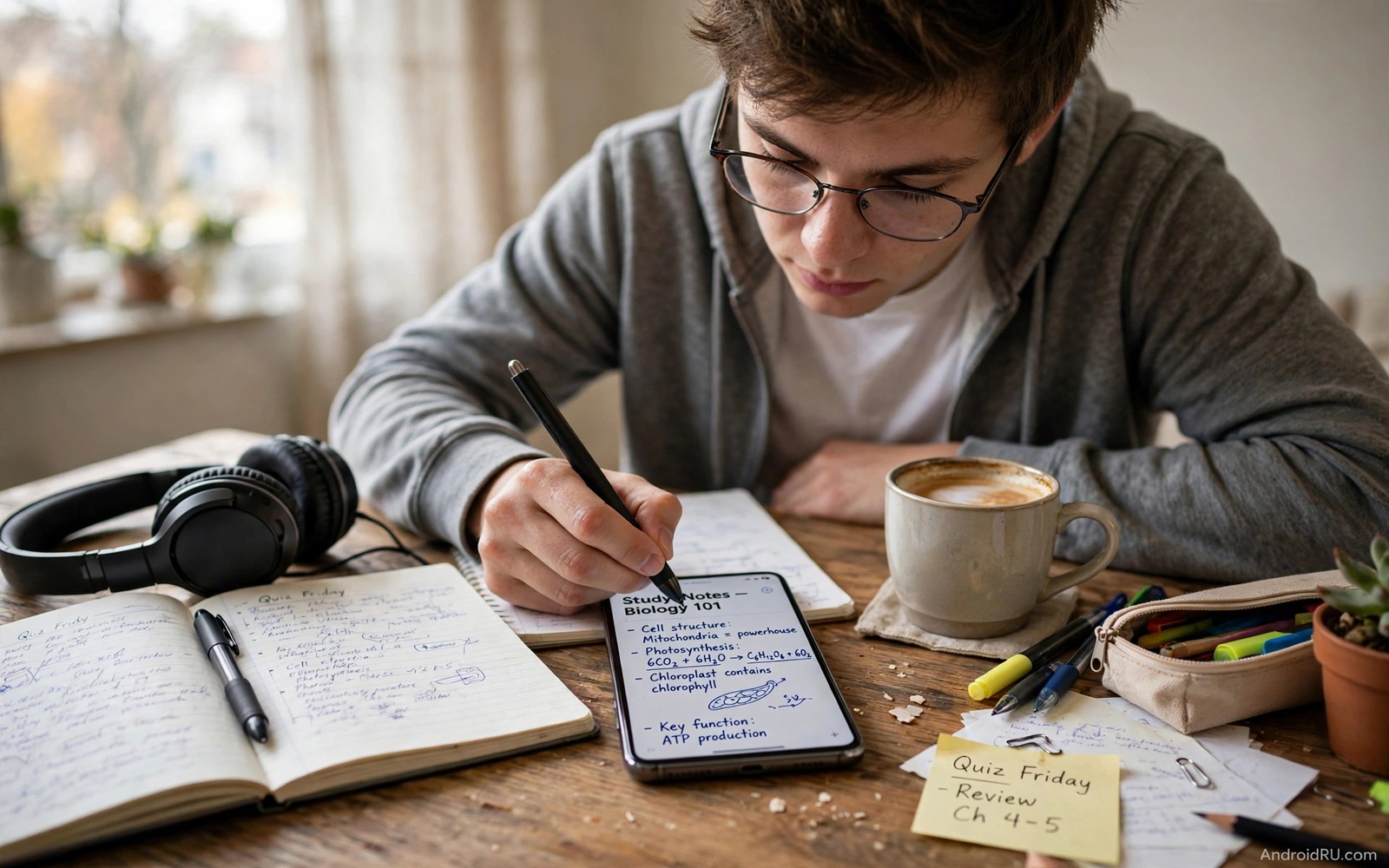
7 Accessories Every Student Needs for Smartphone Note Taking
Your phone is already in your pocket during every lecture, so it makes sense to ask it to do more than hold your timetable and your messages. With the right gear it can catch a fast diagram, hold a reading position for an hour, and keep a clean set of notes you can actually revise from later. Without that gear, the same phone becomes a cramped screen, a sore neck, and a pile of half-finished notes you never open again.
The difference is rarely the phone itself. A mid-range phone from the last few years has enough speed, storage, and screen quality for serious study work. What it lacks is a way to write comfortably, a way to sit still at a useful angle, a way to hear a quiet lecturer, and a way to stay alive until the last class of the day. Each accessory in this guide fixes one of those gaps, and each one earned its place by passing a simple test: it had to help in a real class within the first week, survive a crowded backpack, and cost less than the study time it saves.
This guide is for students who take notes on a phone because it is the device they always have, not because they want a second laptop. You will find seven named accessories, what each one does, who it suits, where it falls short, and a verdict for each. You will also find a setup routine, a one-week test plan, and the mistakes that turn a useful kit into a drawer full of gadgets.
How to choose phone note-taking gear that survives student life
Start with the friction, not with a shopping list. If your handwriting on glass feels slow and slippery, a stylus matters more than anything else in this guide. If your neck aches after twenty minutes of reading, a stand matters more. If you cannot hear the lecturer on a recording, audio gear matters more. Fix the one problem that costs you the most time first, then add the next accessory only when a real need shows up. That order keeps your bag light and your spending honest.
Every accessory below passed three tests before it made the list. First, it had to help in a real class or a real study session within the first week of use, not in a demo or a review video. Second, it had to survive a backpack, a crowded bus, and a timetable that leaves no time for careful packing. Third, it had to cost less than the value of the time it saves across one term. Anything that failed one of those tests stayed out, even when it looked clever in a shop window.
Budget shapes every choice here. Most of the accessories below cost less than a week of campus lunches, and the whole kit can be built one piece at a time across a term. Buy one item, test it in three real classes, and only then buy the next. A slow build also teaches you which tools you actually reach for. A lean kit you carry every day beats a full kit that stays at home because it is heavy, fragile, or simply not useful for your subjects.
Think about your subjects, too. A biology student who sketches cell diagrams every week needs a different kit from a law student who types long summaries. A language student who replays recorded speech needs different audio gear from a maths student who photographs whiteboards. The list below covers the common ground, and the notes under each item will help you decide which pieces fit your own timetable.
The 7 accessories that earn a place in a student bag
These seven items work as a set, but you do not need all seven on day one. Read each verdict, pick the one that fixes your biggest friction, and build from there. Prices vary by brand and region, so check the current price before you buy, and look for a return window of at least a week so you can test the item in real classes.
1. Fine-tip passive stylus for handwriting and diagrams
A fine-tip passive stylus is the cheapest way to turn a phone screen into a writing surface. It needs no battery, no pairing, and no app of its own. You pick it up, open your note app, and write. The fine tip gives you control for small handwriting and for labelling diagrams, which is exactly where a fingertip fails. For short notes, quick sketches, and margin annotations, a passive stylus is all most students need.
Test it the way you will actually use it. Write a full paragraph of lecture notes at your normal speed, then draw a simple flow diagram with arrows and labels. Watch for a tip that skips on fast strokes or lags on curves. A stylus that feels fine for a slow doodle can feel wrong for fast handwriting, and that difference only shows up in a real paragraph. Keep a spare tip in your bag, because a worn tip can scratch a screen layer and spoil the writing feel for the rest of the term.
- Pros: no charging or pairing, very low price, works with any note app, and light enough to forget in a pocket.
- Pros: fine tip suits small handwriting and diagram labels better than a fingertip or a broad rubber tip.
- Cons: no pressure sensitivity, so line width stays the same, and a cheap tip can wear out fast.
- Cons: easy to lose, and it cannot rest your palm on the screen the way an active pen can on some phones.
Verdict: buy this first if handwriting is your main way of taking notes. It is the lowest-risk accessory in this guide, and if you write by hand for hours every day, it will tell you quickly whether an active pen with pressure support is worth the extra money later.
2. Matte screen layer for paper-like writing and less glare
A matte screen layer changes the feel of writing on glass. It adds a paper-like friction that stops the stylus from sliding, which steadies handwriting and makes long sessions less tiring. It also cuts glare in bright classrooms, where reflections can hide small text and force you to tilt the phone at awkward angles. Together with a stylus, it turns a small screen into a surface that feels closer to a notebook.
There is a trade-off to accept. A matte layer can soften screen sharpness slightly, so photos and videos look a little less crisp. For most students that trade is worth it, because reading and writing matter more than watching video on the same screen. Clean the layer with a dry cloth, replace it when the surface turns rough, and do not pair it with a thick glass protector, which adds distance between the tip and the screen and reduces accuracy.
- Pros: steadier handwriting, far less glare in bright rooms, and very cheap to replace.
- Pros: protects the screen from light scratches during daily bag life.
- Cons: slightly softer image sharpness, and a worn layer feels rough under the stylus.
- Cons: fitting it without dust or bubbles takes patience the first time.
Verdict: buy this with the stylus, not after it. The two work as a pair, and a stylus on bare glass is the reason many students give up on handwriting after a week.
3. Folding phone stand for hands-free reading and lectures
A folding stand holds your phone at eye level and frees both hands for a notebook, a textbook, or a keyboard. That posture matters during long study sessions and video lectures, because looking down at a flat phone for an hour strains your neck and tempts you to pick the phone up every few minutes. A good stand folds flat, weighs very little, and fits a bag pocket you already have.
Stability is the feature that matters most. Look for a wide base and a tilt range that works on a desk, a library table, and a lecture hall flip-down shelf. A wobbly stand is worse than no stand at all, because every shift of the phone breaks your focus. Test it with your phone in its case, since a case changes the weight and the grip, and check that the charging cable still fits while the phone sits in the stand.
Stand height that keeps your neck neutral
Set the stand so the top third of the screen sits near eye level when you sit upright. If you find yourself tilting your head down, raise the stand or raise your chair. A small change in angle pays off across a two-hour revision session, and it is the kind of detail you only notice once the ache starts.
- Pros: better posture, both hands free, and works for video lectures, reading, and recipe-style lab instructions.
- Pros: folds flat, costs little, and needs no battery or app.
- Cons: useless on a crowded bus or a lap, and a cheap hinge can loosen after a term of daily folding.
- Cons: adds one more item to pack, and the wrong angle can reflect ceiling lights onto the screen.
Verdict: buy this first if you read or watch lectures on your phone for more than an hour a day. It is the accessory most students underestimate and the one they miss most once they have used it for a week.
4. Compact Bluetooth keyboard for fast typing and summaries
A compact Bluetooth keyboard turns a phone into a fast typing station for essays, summaries, and revision notes. Typing on glass is fine for short answers, but it slows down badly on anything longer than a paragraph. A real keyboard lets you type headings as the lecturer speaks and fill in details later, which gives your notes a clean structure that is easy to revise from.
Key size is the detail that decides whether a keyboard helps or frustrates you. A folding keyboard fits a bag easily, but tiny keys cause errors and slow you down. A full-size compact keyboard with a case may be better for long writing days, even though it takes more space. Pair the keyboard once at home, test it in a quiet room for lag or missed keys, and keep it charged. Carry a short cable for a quick top-up between classes, and learn the keyboard shortcut for switching between your note app and your browser, because that switch is where most time is lost.
Key size to check before you buy
Type a full paragraph on the keyboard before you commit, not just a few words. If your fingers feel cramped after one paragraph, they will feel worse after an hour. A keyboard that forces you to slow down and correct errors is slower than typing on the phone screen, so the trial paragraph is the only test that matters.
- Pros: much faster than typing on glass for long text, and pairs with the stand for a small desk setup.
- Pros: works with any note app, and a good battery lasts days of classes.
- Cons: adds weight and bulk to the bag, and needs charging and occasional re-pairing.
- Cons: noisy keys can disturb a quiet library, and tiny folding keys cause typing errors.
Verdict: buy this if you type summaries, essays, or long revision notes on your phone. Skip it if your notes are mostly handwriting and diagrams, and spend the money on a better stylus instead.
5. Sealed earbuds for lectures, revision, and noisy libraries
Clear audio matters for recorded lectures and for language study, and the seal of the earbud matters more than the brand on the box. A pair of earbuds with a good seal blocks library noise and lets you hear soft speech without turning the volume up. That matters during revision, when you replay a lecture at low volume, and during language practice, when a single unclear syllable changes the meaning.
Test earbuds in a noisy room, not only in a quiet shop. Real study spaces have fans, chatter, and chairs scraping on floors, and a good pair must handle that noise. Try the different tip sizes in the box, because the wrong size breaks the seal and lets noise in. A pair that fits well stays comfortable for a full lecture, while a pair that hurts after twenty minutes will end up at the bottom of your bag.
- Pros: blocks background noise, makes soft speech clear, and doubles for music and calls between classes.
- Pros: small, light, and easy to carry every day without thinking about it.
- Cons: easy to lose, and a poor fit ruins both comfort and sound.
- Cons: batteries need charging, and cheap pairs can drop the connection during a long recording.
Verdict: buy this if you replay lectures or study with audio for more than a few hours a week. Try the fit before you commit, and keep the spare tips in your pouch so a lost tip does not end a study day.
6. Lapel microphone for clear voice notes and presentations
A small lapel microphone improves your own voice recordings for presentations, group work, and spoken revision notes. The microphone built into a phone picks up room echo and background noise, which makes your voice sound distant. A lapel mic clips near your collar and records your voice close and clear, which makes a real difference when you listen back to a practice presentation or share a recording with a study group.
Check the connector before you buy. Some phones need a USB-C microphone, others work with a 3.5 mm jack through an adapter, and a few need a small wireless receiver. Record a one-minute test in a normal room, then listen back with earbuds. If your voice sounds close and the room noise sits in the background, the mic is doing its job. Keep the cable or receiver in the same pouch as the mic so the parts stay together.
- Pros: much clearer voice recordings, cheap for the quality gain, and tiny enough to carry daily.
- Pros: helps group work, presentations, and spoken revision notes alike.
- Cons: another cable or receiver to manage, and a loose clip can rub against clothing and add noise.
- Cons: needs the right connector for your phone, and wireless models need charging.
Verdict: buy this if you record your own voice often, whether for presentations, language practice, or spoken notes. Skip it if you only listen to lectures, and put the money toward better earbuds instead.
7. Compact power bank with a short cable for study days
Power is the quiet study killer, because a dead phone ends a note session no matter how good the rest of your kit is. A compact power bank with a short cable fits a bag pocket and gives a full charge during a break, and the bank you actually carry beats the heavy bank that stays at home. Choose a bank you can carry daily, not the biggest one in the shop, and pick a short cable that reduces tangles and fits a lecture desk without trailing across the floor.
Charge the bank with your phone each night so both start the day full. A bank with a clear charge indicator helps, because guessing the remaining power is how students get caught out at 4 p.m. Keep the bank in an easy-to-reach pocket so you can plug in during a break without emptying your bag, and carry a small cable organiser so the cable does not tangle with the stylus and the earbuds.
Cable length that fits a lecture desk
A cable of about 30 cm is long enough to reach from a bag pocket to a phone on a stand, and short enough to stay out of the way. A long cable looks convenient at home and becomes a tangle in a crowded lecture hall, so measure the distance you actually need and buy the shortest cable that covers it.
- Pros: keeps notes alive through a full day of classes, and a short cable stays tidy in a bag.
- Pros: cheap insurance against a dead phone, and useful for the keyboard and earbuds too.
- Cons: adds weight, needs its own nightly charging habit, and a poor-quality bank can charge slowly.
- Cons: cheap cables fray at the ends and can fail without warning during a lecture.
Verdict: buy this if your phone regularly drops below 20 percent before your last class. It is the least exciting item on this list and the one that saves the most study days across a term.
Setting up your phone as a lecture capture station
The kit works best when you set a simple routine before the lecture starts. Place the phone on the stand, open your note app, and check the battery before the lecturer begins. Thirty seconds of setup saves ten minutes of fumbling later, and it means your first notes land while the introduction is still fresh.
A desk layout that works in a crowded lecture hall
Put the stand at the back of your desk space so the phone does not block your notebook, and keep the keyboard in front of it where your hands rest naturally. If the desk is small, skip the keyboard for that class and use the stylus instead. A layout that fits the desk you actually have beats a perfect layout that only works at home.
Pairing the keyboard once so it connects every time
Pair the keyboard at home, then test it by turning Bluetooth off and on again to confirm it reconnects without a menu visit. If it asks you to pair again, remove the device from your Bluetooth list and pair it fresh. A keyboard that connects in seconds is one you will use; a keyboard that needs five minutes of troubleshooting is one you will leave in your bag.
Audio gear for lectures you can actually hear later
Recordings are only useful if you can hear them a week later. That means thinking about audio before the lecture, not after. Check that your earbuds are charged, that the recording app has storage space, and that the phone is close enough to the speaker to catch soft speech.
Sealed earbuds for noisy libraries and revision
During revision, sealed earbuds let you replay a lecture at low volume without library noise breaking your focus. Try each tip size until the seal feels snug but not painful, and keep the spare tips in your pouch. A good seal also means you can listen at a lower volume, which is kinder to your hearing across a long term.
A lapel microphone for your own voice recordings
For practice presentations and spoken notes, clip the mic near your collar and record a short test before the real take. Speak at your normal pace and listen back with earbuds. If your voice sounds close and clear, the setup is right. Keep the mic and its cable or receiver in one pouch so the parts stay together.
Power and storage that keep a full term of notes safe
Notes are only safe when they exist in two places and the phone holding them has charge. That means a power habit and a backup habit, both boring, both worth more than any single accessory on this list.
A compact power bank you will actually carry
Carry the bank daily and charge it each night with your phone. A daily backup habit protects your notes even better than a power bank protects your battery: copy the day’s notes to cloud storage each evening, so a lost or broken phone never means lost work. Set a reminder for the end of your study day until the habit sticks.
Moving lecture files off a full phone
Photos of whiteboards and long recordings fill a phone fast. Move large files to a small flash drive with a phone adapter once a week, or let your cloud backup handle it overnight on Wi-Fi. A phone with free space records the next lecture without warnings, and a tidy folder per subject makes revision far faster than searching a camera roll.
Mistakes that waste student money on phone accessories
The most common mistake is buying the full set before knowing your study style. A fast typist may never need an expensive stylus, and a student who sketches diagrams may never need a large keyboard. Buy one accessory at a time and test it in real classes. Another mistake is choosing style over durability: a pretty stand with a weak hinge will break after a month of daily use, and a cheap keyboard with tiny keys will slow your typing and frustrate revision. A third mistake is ignoring backup and power until a crisis hits. Notes stored only on one phone are one drop away from loss, so set a backup reminder and charge the bank each night.
A one-week test plan for each new accessory
Test each new accessory in three real classes before you decide to keep it. On day one, note the friction it is meant to fix. After three classes, ask whether it helped every day, helped once, or never helped at all. Keep it only if it helped every day. If it helped once, try it for one more week. If it never helped, return it and try a different fix for the same problem. Review your kit at the end of each term and remove anything you have not used in two weeks, because student needs change with subjects and timetables, and a kit that evolves with your study stays useful and light.
Frequently asked questions about phone note-taking for students
Do I need an active stylus for phone notes?
Most students do not. A passive stylus with a fine tip handles short notes, headings, and diagrams well. An active stylus helps for long handwriting sessions and pressure-sensitive drawing, but it costs more and needs charging and pairing. Start with a passive stylus and upgrade only if you write by hand for hours each day, and test both types in a shop with a full paragraph, not just a signature.
Can a phone replace a laptop for student notes?
A phone can handle capture and revision well with a stand and a keyboard, but it struggles with long essays and complex documents that need a large screen. Use the phone for lecture capture, short summaries, and photos of whiteboards, and use a laptop or a library computer for long writing and formatting. That split plays to the strength of each device and keeps your workflow fast.
How do I keep study accessories organised in a bag?
Use a small pouch for the stylus and cables and a separate pocket for the stand, and keep the power bank in an easy-to-reach pocket so you can charge during breaks. Empty the bag once a week and return each item to its pocket. That five-minute reset saves search time on busy mornings and keeps small items from drifting to the bottom of the bag.
Your next step: fix the biggest friction first
Seven well-chosen accessories can turn a phone into a serious study tool, but the kit only works if you start with the right item. Pick your single biggest study friction tonight and buy only the accessory that fixes it. Test it in three real classes. If it helps every day, keep it and add the next item from this guide. If it does not help, return it and try a different solution for the same friction. A small kit that you carry and use every day will always beat a full kit that stays in a drawer.

