

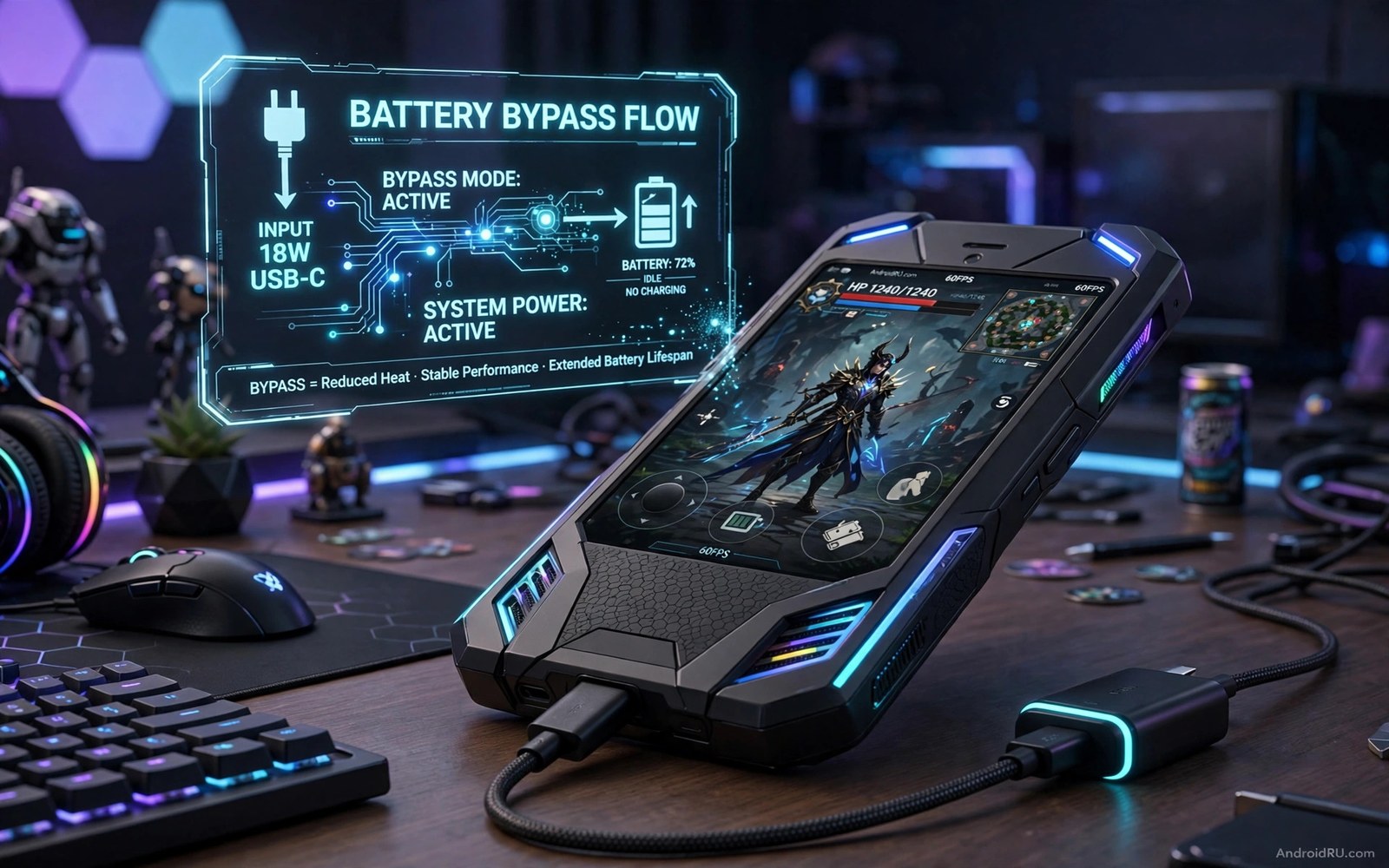
Playing while charging feels convenient. The battery drains fast during a game and the charger keeps it alive. That convenience has a hidden cost. Charging and draining at the same time creates heat inside the battery. Heat ages the battery and shortens its life over months. A phone that once lasted a full day may start dying by evening.
Bypass charging solves the core problem in a clever way. Power from the charger goes straight to the phone circuits. The battery sits idle instead of charging and draining at once. The phone still runs at full power. The battery avoids the harsh cycle that wears it out. Heat drops because one major heat source leaves the chain.
Not every phone offers bypass charging by name. Some gaming phones include it as a setting. Some makers call it charge limit or battery care or gaming charge mode. The idea is the same even when the name differs. Check your phone settings for a gaming charge option before you buy extra hardware. For heat context read why thermal throttling kills gaming FPS because heat links battery wear and frame drops together.
How bypass charging actually works
A normal charge cycle pushes energy into battery cells while the game pulls energy out. The battery acts as a buffer in the middle. That buffer work creates heat and chemical stress. A bypass path routes charger power around the battery to the main board. The battery stays at its current level and rests during play.
Bypass mode usually starts only when the battery is above a set level. Many phones start bypass at eighty percent or higher. That rule protects the battery from a deep drain during play. If the charger cannot supply enough power then the battery will help for short bursts. That fallback is normal and safe. It only becomes a problem when the charger is far too weak for the game.
Bypass charging does not mean unlimited power. A weak charger may still let the battery drain slowly during a heavy game. Use a charger that matches or exceeds the phone power demand. A gaming phone manual often lists the recommended charger wattage for bypass play. Follow that recommendation rather than using the smallest charger in a drawer.
Turn on bypass mode on a supported phone
Open the game space or game mode app on your phone. Look for a charge setting inside the game profile. The option may sit under battery or power or advanced settings. Turn it on for your main game first. Test it in one session before you enable it for every game.
Start the session with a high battery level. Plug in the charger and launch the game from the game space app. Watch the battery level during the first ten minutes. A working bypass mode should hold the level steady rather than climbing fast. A level that climbs fast means normal charging is still active. Check the setting again and restart the game if needed.
Use a cable and charger that stay cool during play. A hot cable wastes power and adds heat near the port. A quality cable with a firm fit works best. Avoid a loose cable that disconnects during a match. A disconnect can switch the phone back to battery power without warning.
Check battery status during a bypass session
Android reports battery status through system files and debug commands. The snippet below reads basic battery status and power supply details. It does not change any charging setting. It only shows whether the battery is charging or holding steady at that moment.
adb shell dumpsys battery
cat /sys/class/power_supply/battery/status
cat /sys/class/power_supply/battery/capacity
cat /sys/class/power_supply/battery/health
The code above was written for this guide as a short battery status example. Run the first command from a computer with the debug bridge. Run the other lines from a terminal app with permission to read those files. Compare the status before play and during bypass play to confirm the mode is active.
What to do when your phone lacks bypass mode
Use a charge limit as a partial alternative. Many phones let you cap charging at eighty percent. A capped battery avoids the hottest top range during play. Start gaming at eighty percent with the charger plugged in. The phone will still cycle some energy but the stress is lower than a full charge cycle.
Play in shorter sessions with breaks for cooling. A thirty minute session with a five minute break beats a two hour hot marathon for battery health. Let the phone cool in open air during the break. Do not charge during the break if the phone is already hot. A cool phone charges more safely than a hot phone.
Consider a phone cooler or a fan for long sessions without bypass support. Cooling does not replace bypass charging. It does reduce the heat that ages the battery. Pair cooling with a charge limit for the best result on a phone without a true bypass option. For more cooling ideas read cheap thermal cooling hacks for hot gaming phones before your next long session.
Build a battery friendly gaming routine
A battery friendly routine starts before the first match. Charge the phone to a high level during the day. Start gaming sessions unplugged when the battery allows it. Plug in only for long sessions and use bypass mode when available. That order reduces harsh cycles across a week.
Schedule long sessions with cooling breaks built in. A thirty minute session followed by a five minute break protects both frames and battery. Use the break to stretch and let the phone cool. A phone that cools between sessions ages slower than a phone that stays hot for hours.
Track battery health monthly with a simple note. Record the maximum capacity estimate if your phone shows it. Record how long a full charge lasts in normal use. A slow decline over months is normal. A sudden drop after a hot gaming month signals a habit to change.
Choose chargers by quality rather than by lowest price. A cheap charger can deliver unstable power and extra heat. A quality charger with a firm cable fit protects the port and the battery. Replace a cable that feels loose or hot during use. A good cable costs little and protects a lot.
Teach the routine to anyone who games on the same phone. A shared phone needs shared battery habits. Agree on bypass mode and charge limits together. Shared habits keep battery health stable for every user. A routine that only one person follows will fail.
Protect battery health across seasons
Summer heat accelerates battery wear during gaming sessions. A phone that games well in winter may throttle fast in a hot summer room. Lower graphics one step during the hottest months to protect the battery. A small seasonal adjustment preserves capacity for the cooler months. That habit extends total battery life noticeably over two years.
Winter cold also affects battery performance in a different way. A cold battery delivers less power during a heavy game. A phone left in a cold car may drop frames until it warms up. Warm the phone indoors before a long session in winter. A room temperature phone performs far better than a freezing phone.
Track battery capacity at the start of each season. A simple note with the estimated capacity and typical play time works well. A steady decline is normal and expected over time. A sudden seasonal drop points to a habit that needs fixing. Seasonal notes turn vague battery anxiety into clear evidence.
Common mistakes
The biggest mistake is assuming bypass mode works with any charger. A weak charger cannot power a heavy game alone. The battery will drain anyway and heat will return. Match the charger to the game demand first.
- Players start bypass play at a low battery level and then wonder why the level still drops.
- Players use a hot loose cable and then blame bypass mode for a disconnect.
- Players enable bypass for every game without testing it in one game first.
- Players ignore a rising battery level and miss that normal charging is still active.
- Players game for hours without a break and then call bypass mode useless for heat.
Another mistake is treating bypass charging as a licence to ignore heat completely. Bypass removes one heat source. Graphics and screen and room temperature still create heat. Cooling and sane graphics settings still matter during bypass play.
FAQ
Does bypass charging extend battery life?
Yes it can extend battery life by reducing harsh charge cycles during gaming. The gain depends on how often you game while plugged in. A player who games plugged in daily will see a larger gain than a player who rarely charges during play. Bypass mode helps most when combined with a charge limit.
Bypass charging reduces harsh cycles by resting the battery during play. The gain grows with how often you game while plugged in. Daily plugged gaming benefits most from bypass mode. Occasional plugged gaming benefits less but still gains some protection.
Can bypass charging damage the charging port?
Normal bypass use does not damage the port by itself. A loose or low quality cable can wear the port over time. Use a firm quality cable and avoid pulling the cable during play. A cable strain relief or a right angle connector can reduce port stress.
A quality cable protects the charging port from wear over time. A loose cable can wobble and stress the port contacts. A firm cable with strain relief reduces that stress. Replace damaged cables promptly before port damage grows.
Why does my battery level still drop in bypass mode?
A heavy game can demand more power than the charger supplies. The battery then helps for short bursts and the level drops slowly. Use a stronger charger in that case. If the level drops fast then check the charger wattage and the cable quality first. For GPU help that lowers power demand read five developer tweaks for maximum GPU gaming power and lower the heaviest graphics option.
A heavy game can demand more power than a weak charger supplies. The battery then helps during peaks and the level drops slowly. Use a stronger charger that matches the game demand. Lower the heaviest graphics option when a stronger charger is unavailable.
Conclusion
Bypass charging removes the worst part of gaming while plugged in. The battery rests while the charger powers the game directly. Heat drops and battery life lasts longer over months. A supported phone with a strong charger gives the cleanest result. A charge limit and cooling help phones without true bypass support.
Your concrete next step is to check your game space app for a charge option tonight. Start one session at eighty percent or higher with a strong charger. Watch the battery level for ten minutes. Keep bypass mode on only if the level holds steady during that test.

