

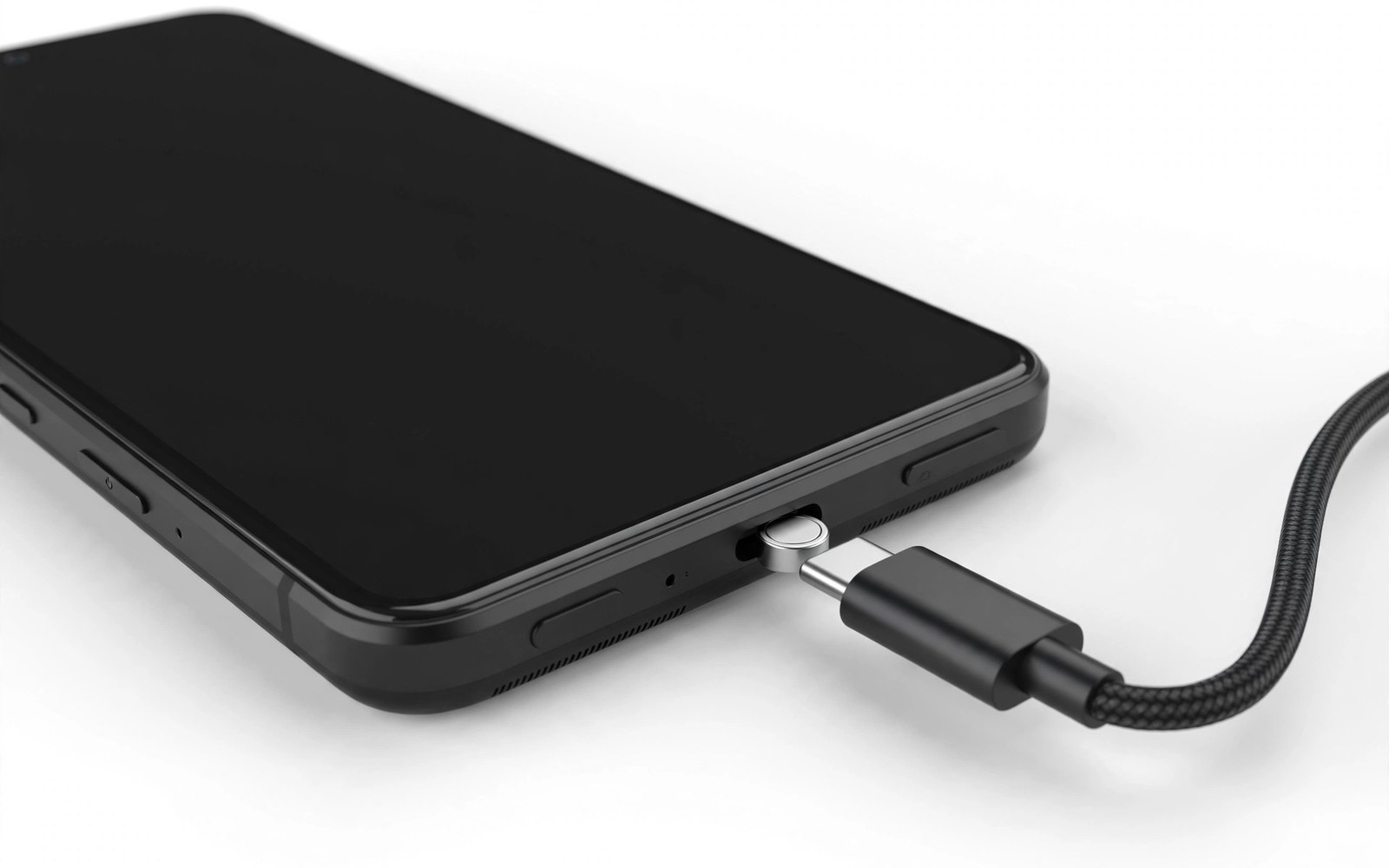
A charging port fails slowly long before it stops working completely. Each plug and unplug drags a metal connector across tiny contacts inside the phone. Dust collects in the opening and the cable starts to sit at a slight angle. One day the phone charges only when the cable is held in one exact position. That moment feels sudden but the damage built up over hundreds of small movements. A magnetic cable changes that daily motion in a simple way. A small tip stays inside the port and the main cable snaps to that tip from outside. The port no longer takes the full force of every connection. This guide explains how that trick works and how to use it without creating new problems.
The tip itself is a short metal plug shaped to match the phone charging socket. You push it in once and you leave it there for daily use. The outer cable carries a magnet at its end and it finds the tip with a light pull. When someone trips over the cable the magnet separates instead of yanking the phone off a table. That breakaway action protects the port and it also protects the phone from a hard fall. Many users notice the benefit most at night when they connect a cable in the dark. They no longer need to force a plug into a small opening by feel. The magnet guides the cable into place and the connection feels smooth rather than tight.
This trick is not a cure for a port that is already broken. A loose socket or a bent contact still needs repair by a skilled technician. A magnetic tip can stop further wear on a healthy port and it can make charging more convenient in a busy home. It works best when the tip fits snugly and the cable matches the power needs of the phone. If you already struggle with a cable that drops out then fixing a loose charging cable covers the cleaning and fit checks to try first. A clean port gives a magnetic tip a better seat and a steadier charge. For cables that fray near the plug then stopping cable fraying explains how strain relief keeps the outer cable alive longer. Wireless charging can also reduce port use and wireless charging heat control shows how to keep that option safe for the battery.
How A Magnetic Tip Protects The Port
A normal cable transfers every tug directly into the phone socket. A child pulling the cable or a cable caught on a bag strap can twist the plug inside the port. The contacts inside the socket are thin and they bend after repeated side pressure. A magnetic connection breaks that chain of force at the magnet rather than inside the phone. The tip remains in place while the outer cable pulls away cleanly. This separation matters most in cars and on desks where cables get snagged often. The phone stays put and the port avoids a sudden sideways load that could crack a solder joint.
The tip also blocks dust and pocket lint from entering the open socket. Lint is a common reason why a normal plug stops seating fully. A tip that stays in place leaves less room for debris to pack around the contacts. You should still clean around the tip from time to time because dust can gather at its outer edge. A soft brush and a short burst of air work better than a sharp metal tool. Never push a needle into the port because a short circuit can damage the phone. With light care the tip keeps the socket cleaner than an open port that travels in a pocket all day.
Choosing A Magnetic Cable That Actually Charges Fast
Not every magnetic cable delivers the same power. Some cheap cables limit current to a low level and the phone charges slowly even with a strong charger. Check the rated current and the supported charging standard before you buy. A cable rated for five amps can support many fast charging phones while a cable rated for two amps may cap speed on a demanding device. Data transfer is another point to check because some magnetic cables carry power only and cannot move files. If you sync photos or flash files over a cable then choose a cable that clearly states data support. A power only cable is fine for a bedside charger but it will frustrate you at a desk.
Magnet strength needs a balance between hold and safety. A weak magnet drops off when the phone moves and the charge stops without warning. A very strong magnet can feel hard to remove and it may pull the tip out with the cable. Look for a design where the tip has a small groove or a shaped end that locks lightly into the socket. Test the connection on a table before you rely on it in a car. Plug the cable in and lift the phone gently by the cable for a second to see if the hold feels firm. If the cable drops at the smallest movement then try another brand rather than forcing the tip deeper into the port.
Setting Up The Tip Without Damaging Your Phone
Start with a clean and dry port and a phone that is switched off or at least not charging. Inspect the tip for rough edges or loose metal before you insert it. Push the tip straight in with light finger pressure until it sits flush with the phone edge. Do not hammer it or twist it while pushing because a twisted tip can scrape the inner contacts. Once the tip is seated then bring the magnetic cable near it and let the magnet pull the two parts together. The cable should connect without a push. If you must press hard then the tip may be upside down or the wrong shape for your phone model.
Case fit is a detail that many buyers overlook. A thick case can leave the tip recessed too far for the magnet to reach well. Some tips ship with a longer neck for use with cases while others sit best on a bare phone. Test the magnetic hold with the case on before you keep the tip in place for weeks. If the hold is weak then try a case with a wider charging cutout or a tip designed for cased phones. Remove the tip with a gentle straight pull when you need a normal cable for data or for a repair shop. Keep the small tip in a safe place because it is easy to lose in a drawer.
Check The Charging Connection With Simple Commands
A quick check on a computer can confirm that the phone still reports a stable charging state through the magnetic cable. Run these battery checks on a computer that already trusts the phone. They read the charging state without changing any setting on the device. Run them while the magnetic cable is connected and note whether the phone reports itself as powered by cable. A stable result across several plug cycles suggests that the tip is seated well and the magnet is holding firmly.
adb shell dumpsys battery
adb shell dumpsys usb
Attribution: This code sample is an original example written for this article. It shows standard diagnostic commands that help a reader verify a charging connection. It does not change device settings and it does not come from any outside guide.
If the output changes each time you move the cable then the tip may be loose or the magnet may be too weak. Try reseating the tip and cleaning its outer face with a dry cloth. A thin film of dust on the magnet face can weaken the hold and cause brief charging drops. If the phone only charges at a slow rate then test the same charger with a normal cable. That comparison tells you whether the limit comes from the magnetic cable or from the charger itself. Keep notes on which cable and charger pair gives the fastest stable result for your phone.
Test the new setup over a full week before you judge it. Charge at home and in the car and at a desk to see how the magnet behaves in each place. Note any time the cable drops when you move the phone. A single drop may mean a dusty magnet face. Repeated drops in one place may mean a weak magnet or a case that blocks the connection. A week of notes gives a clear picture and it stops you from blaming the charger for a cable problem. Keep the old normal cable in a drawer during that week so you can compare speed and heat directly.
Common Mistakes
One common mistake is leaving a damaged tip in the port for months without inspection. A tip with a cracked shell or a bent pin can scratch contacts each time it shifts. Remove the tip once a month and look at it under good light. Another mistake is buying the cheapest cable without checking its current rating. A slow cable can make a good charger look faulty and it can leave a phone half charged overnight. A third mistake is using a magnetic tip in water or dust without checking its seal. The tip does not make a phone waterproof and a wet magnet face can corrode. Dry the tip fully after any splash and test the charge before a long trip.
Some users also forget that a magnetic tip can interfere with a tight case or a card holder on the back of the phone. A metal plate for a car mount can sit near the charging area on some designs and it can confuse the magnet alignment. Keep magnetic accessories apart when you test a new setup. If the cable connects at an angle then reposition the phone rather than bending the cable to force a straight line. A cable that rests at a natural angle will last longer and the port will face less strain over time.
Frequently Asked Questions
Will a magnetic tip damage my phone battery?
A magnetic tip does not change how the battery charges when the cable meets the rated current for your phone. Battery wear comes mainly from heat and from long periods at very high charge. A quality cable that delivers stable power is safer than a frayed normal cable that drops in and out. Check heat during the first few charges and stop using a cable that makes the phone unusually warm.
Can I transfer files through a magnetic cable?
Some magnetic cables support data and some support power only. The product description must state data support clearly before you buy for file transfers. A power only cable will charge the phone but a computer may not detect the device at all. Keep one normal cable for transfers if your magnetic cable is power only.
Is a magnetic tip safe to leave in the phone all day?
A well made tip is safe to leave in place during normal daily use. Remove it for swimming and for any repair work and inspect it regularly for damage. If the tip feels loose or wobbles then remove it and replace it. A loose tip can cause intermittent charging and it can wear the socket faster than a normal cable.
Conclusion
A magnetic cable is a small change that can save a charging port from years of daily wear. The tip stays in place and the magnet takes the force of each connection instead of the socket. Choose a cable with a clear current rating and data support if you need it. Test the hold with your case on and clean the magnet face from time to time. Avoid damaged tips and avoid cables that charge slowly or heat the phone. Your concrete next step is simple. Tonight order a rated magnetic cable and test it for one week on your main charger while you watch for stable charging and a firm magnetic hold.

