

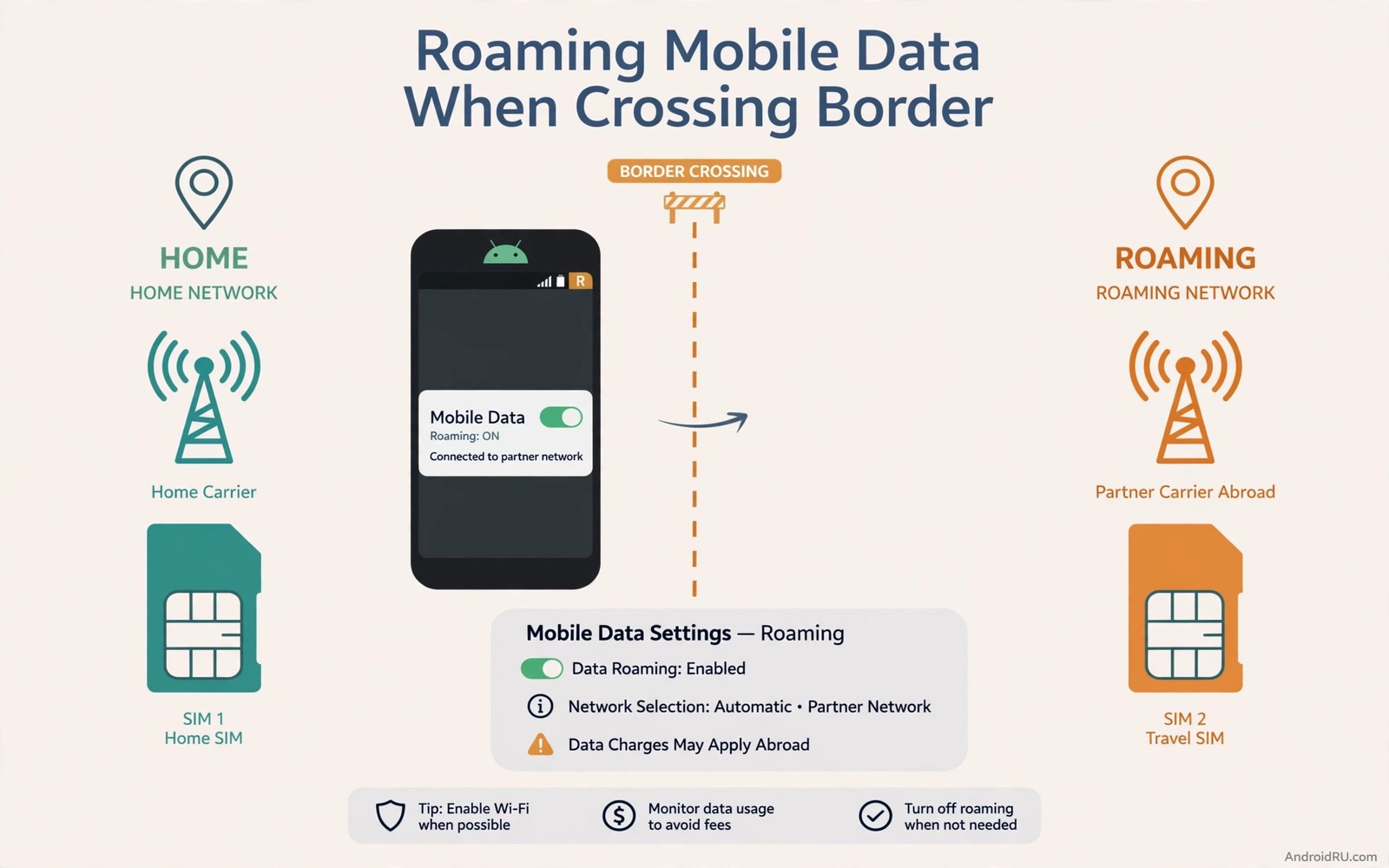
Crossing a border can break mobile data even when calls still work. A phone may stay on a home network that no longer serves the area. It may also join a partner network without the right APN or roaming setting. Data that worked at home can fail a few kilometres across a border. A few checks can restore data fast without a shop visit.
Roaming involves a home carrier and a visited carrier. Your phone must register on the visited network. It must also use the correct data settings for that network. A missing roaming toggle or a wrong APN can block data while calls pass. A stale network registration can also trap the phone on a dead link.
Check roaming and network selection first
Open Mobile Network settings and check Data Roaming. Turn data roaming on if your plan allows it. A roaming toggle off blocks data abroad by design. Check roaming charges before turning it on for a long trip. A short test with roaming on can confirm whether the toggle was the fault.
Set network selection to automatic for a first test. Automatic selection lets the phone find a partner network. A manual selection to a home network abroad can fail. Automatic selection usually finds the strongest partner. Switch to manual only if automatic picks a very expensive partner.
Toggle airplane mode for ten seconds after crossing a border. A fresh registration can move the phone to a local partner tower. Wait for full signal before testing data. A fresh registration often fixes a border data fault at once. Do not toggle repeatedly because each search takes time.
Fix APN and data settings abroad
Check APN settings against your home carrier guidance for roaming. A roaming APN may differ from a home APN on some plans. Reset APN to default if settings look edited. A default APN restores carrier recommended values. Test data after an APN reset.
Check preferred network type abroad. A phone set to 5G only may find no 5G partner network. A phone set to automatic can fall back to LTE. Set preferred type to automatic or LTE preferred for travel. A fallback mode gives data a better chance abroad.
Check for a carrier profile update after landing. A profile update can add partner network details. Install updates on Wi-Fi when possible. A profile update can fix a border fault without a settings change. Test data after the update.
Use a local SIM or travel pack
A local SIM can be cheaper and more reliable than roaming. Buy a local SIM at an airport or a local shop when possible. Set the local SIM as the data SIM in dual SIM settings. Keep the home SIM for calls and messages. A local data SIM avoids roaming charges and APN issues.
A travel data pack from your home carrier is another option. A pack gives a set allowance abroad at a known price. Activate the pack before departure when possible. Check the pack start date and allowance. A pack that starts late can leave a gap in coverage.
An eSIM can offer a local data plan without a physical SIM swap. Check whether your phone supports eSIM and whether the destination offers eSIM plans. Install an eSIM on Wi-Fi before departure. Set the eSIM as the data SIM after landing. An eSIM avoids a shop visit at the destination.
Data limits protect a travel allowance. The guide to setting strict app meter limits shows how to cap wasteful apps abroad. A capped phone leaves allowance for maps and messaging. Set limits before departure for a travel SIM or pack.
Fix data that works for some apps only
Data that works for messaging but not browsing points to an APN or DNS issue. Check APN first for a browsing fault. A messaging app may use a different path that still works. A browser test reveals a general data fault. A messaging only fault narrows the cause.
Check for a VPN that blocks data abroad. A VPN server in a blocked region can fail abroad. Turn the VPN off for a test. A VPN off test reveals whether the VPN is the fault. Choose a VPN server near your location after the test.
Check private DNS settings abroad. A custom DNS server may fail on a partner network. Set private DNS to automatic for a test. A DNS fault can look like a total data failure. A working automatic DNS setting proves the DNS cause.
adb shell dumpsys telephony.registry | grep -i -m 5 "mServiceState"
adb shell settings get global data_roaming
This snippet uses standard Android telephony diagnostics and is shared as a learning example for roaming checks. Service state output can show registration after a border crossing. A roaming setting read may be absent on some builds.
Plan border crossings in advance
Download offline maps before a border crossing. Offline maps work without mobile data. A downloaded map keeps navigation working during a data outage. Download maps for both sides of the border. A prepared map reduces stress during a fault.
Save important addresses and hotel details offline too. A saved hotel address helps a taxi driver without data. A saved emergency number helps in a crisis. Offline preparation covers the gap until data returns. A prepared traveller can function without data for hours.
Note the partner networks for your destination before departure. A carrier coverage page can list partners. A known partner list helps manual selection if automatic fails. A manual partner choice can rescue data when automatic picks a poor network. A short note of partners is useful at a border.
Tethering abroad needs extra care. The guide to speeding up cellular tethering covers tethering speed and limits. A tethered laptop abroad can burn a travel allowance fast. Set a laptop as metered before tethering abroad. A metered laptop protects a travel pack.
Handle border data for a family trip
A family trip multiplies border data problems. Each phone needs its own roaming check. Check roaming toggles for every family phone before departure. A single unchecked phone can fail while others work. A family check takes minutes and it prevents a border argument.
Share a local SIM plan for children phones when possible. A local SIM for each child phone gives predictable data. A shared hotspot from one parent phone can also work. A hotspot host phone needs a generous allowance. Choose the method that fits the family budget.
Agree on data rules for a family trip. Pause video streaming on roaming data. Use Wi-Fi at hotels for large downloads. A family rule protects a shared travel allowance. A rule agreed before departure avoids a mid trip bill shock.
Recover data after a border fault
A border fault can persist even after a correct setting change. Restart the phone after an APN change abroad. A restart clears a stale data session. Test data with a simple web page after restart. A simple page test proves recovery fast.
Contact home carrier support from abroad if data stays dead after a restart. Support can check roaming provisioning remotely. Mention the visited network name and the APN you used. A support check can fix a provisioning fault that settings cannot. Keep the support number saved offline before departure.
Check border data for a work trip
A work trip across a border needs data reliability for email and messaging. Check roaming and APN settings the day before departure. A day before check leaves time to contact support if needed. A last minute check at the border leaves no time for a fix. Early preparation is a work trip habit.
Test data at the border town before an important meeting. A test in the border town reveals a fault early. A fault found early can be fixed before a client meeting. A fault found during a meeting is far more costly. A border town test is a professional precaution.
Save the home carrier support number in contacts before a work trip. A saved number works even when data fails. A support call from abroad can fix a provisioning fault fast. A saved number avoids a web search without data.
Note the visited network name at the border town in a message to yourself. A noted network name helps support diagnose a fault later. A message note survives even if the phone restarts. A clear network note speeds up any support call.
Check whether your travel pack includes tethering before sharing data abroad. A pack without tethering can block laptop sharing. A pack check before departure avoids a surprise at a work session. A tethering pack suits a laptop user abroad.
Test a short tether session in the border town before a long work session. A short test reveals tethering limits early. A short test also confirms the travel pack allowance for tethering.
A short tether test abroad protects a travel allowance from an unnoticed laptop update.
A border town data test recorded in a message gives support a clear starting point later.
Common mistakes
One mistake is leaving data roaming off and blaming the visited network. A roaming toggle off blocks data by design. Another mistake is keeping a manual home network selection abroad. A manual home selection cannot register abroad.
Another mistake is ignoring APN settings after a SIM change. A new SIM may need a different APN. People also forget to download offline maps before a crossing. Offline maps cover a data outage gracefully.
Frequently asked questions
Will turning roaming on cost a lot at once?
Roaming charges depend on your plan and destination. A short test uses little data. Check your plan roaming rates before a long session. A travel pack can cap costs for a longer trip.
Why do calls work but data fails abroad?
Calls and data use different network paths and settings. A data APN fault can block data while calls pass. A roaming toggle off can also block data alone. Check APN and roaming toggle for a calls only fault.
Should I use a local SIM for a short trip?
A local SIM suits a trip of several days or more. A short trip may suit a travel pack better. Compare local SIM cost with pack cost and hassle. A pack avoids a SIM swap for a short visit.
Conclusion
Turn data roaming on if your plan allows it and set network selection to automatic. Toggle airplane mode for a fresh registration and check APN if data still fails. Download offline maps before the next crossing. Your concrete next step is to check your roaming toggle and APN settings today before your next trip. For weak signal help read fixing weak 5G signal next.

