

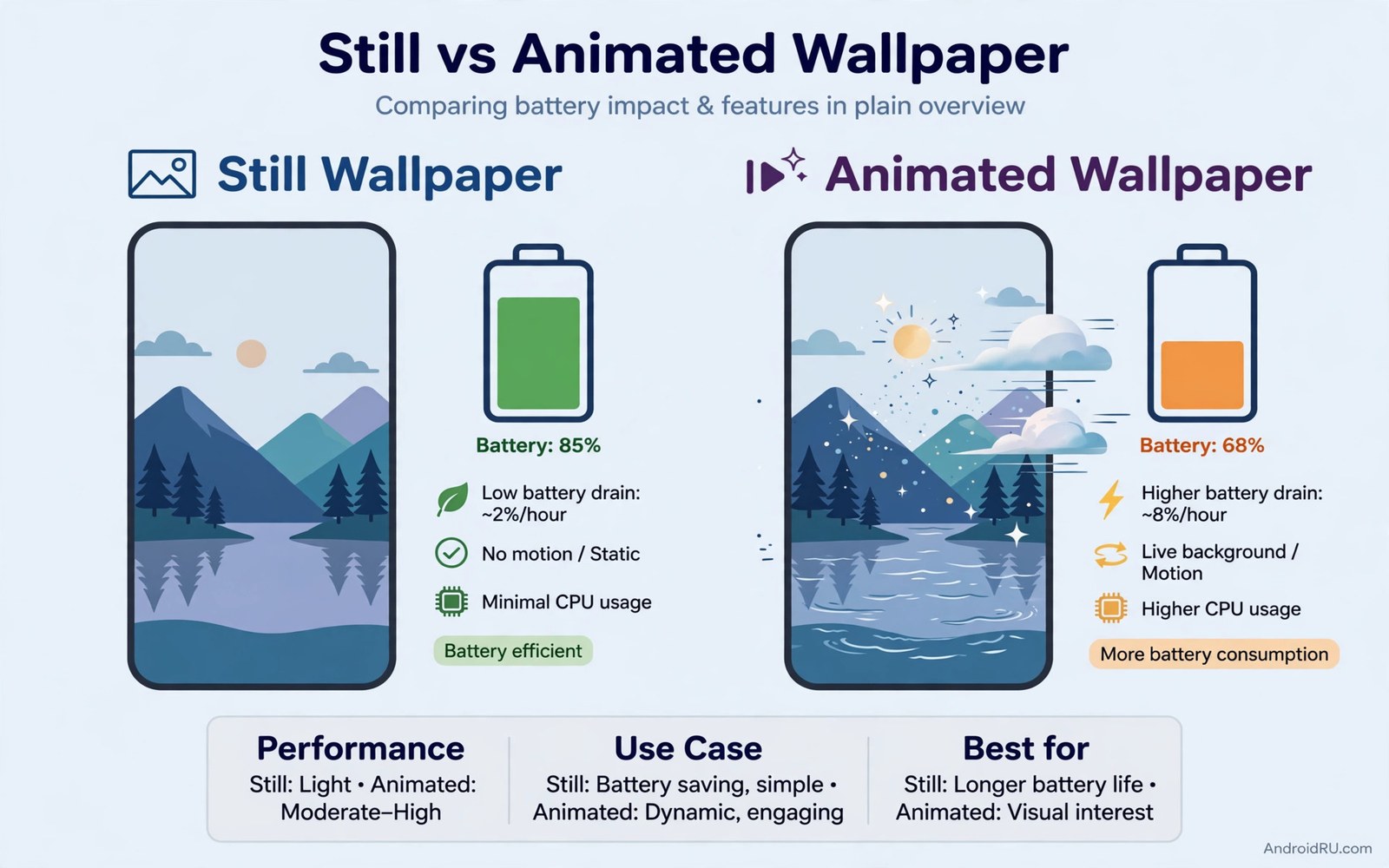
Live wallpapers carry a bad reputation for battery drain. Early animated wallpapers ran constantly and heated phones and emptied batteries by lunch. Modern live wallpapers can behave very differently when they move gently and pause wisely.
The five wallpapers in this guide share strict efficiency rules. They animate only on the home screen and pause when another app opens. They use slow motion and limited colors. They never track location continuously or stream video.
Judge each wallpaper by a full day battery test rather than a first impression. A wallpaper that looks stunning for ten minutes and costs ten percent battery has failed. A wallpaper that looks calm and costs one percent has succeeded.
Wallpaper one and two: slow nature and soft gradient
The first wallpaper shows slow drifting clouds over a calm landscape. Clouds move so gently that you notice the change only when you glance twice. The second wallpaper shows a soft gradient that shifts hue slowly through the day from morning blue to evening amber.
Both wallpapers use large flat color areas that cost little processing power. Flat areas render cheaply compared with detailed particle scenes. That rendering difference is why these two stay efficient while flashier options drain power.
Nature calm pairs with the minimalist approach in a minimalist aesthetic setup where the wallpaper breathes instead of shouting. Let the wallpaper set a mood and let the icons do the work.
Wallpaper three and four: geometric flow and night sky
The third wallpaper shows slow geometric shapes that drift and rotate at a lazy pace. Shapes move in straight paths with no physics simulation. The fourth wallpaper shows a night sky with stars that twinkle rarely and a moon that stays fixed.
Both options pause completely when the screen locks or when an app opens. Pausing is the single biggest battery saver for any live wallpaper. Check the wallpaper settings for a pause option and reject any wallpaper that lacks it.
Geometric calm connects to color theming in Material You color tweaks because slow shapes let the system palette stay stable. A stable palette keeps the whole interface coherent.
Wallpaper five: subtle water ripple
The fifth wallpaper shows a still water surface that ripples only when you touch the screen. Touch driven motion is the most efficient kind because it animates on demand and rests the rest of the time. It also feels interactive in a way passive motion never does.
Set the ripple strength to low so a tap creates a gentle ring rather than a dramatic wave. A gentle ring suits a calm home screen. A dramatic wave suits a demo and distracts during daily use.
Touch ripples work beautifully with a clean layout like a flagship style layout where the wallpaper stays visible between few icons. Empty space lets the ripple show without clutter.
Test battery impact honestly
Test one wallpaper for a full day with normal use and note the battery percentage at bedtime. Test the next wallpaper the following day under similar use. Compare bedtime percentages rather than hourly drops because daily patterns vary.
If a wallpaper costs more than three percent extra in a day then it fails this guide standard. Remove it and try the next option. Your phone should look alive without making you carry a charger everywhere.
Keep the winner for a month before shopping again. Wallpaper novelty fades fast and battery cost lasts all day. A calm winner that you forget is moving is the best live wallpaper of all.
Live wallpaper efficiency checklist
Check every wallpaper against this list before you keep it. A wallpaper must pass all lines. One failure means the wallpaper does not belong in the efficient set.
animates_only_on_home = yes
pauses_when_app_opens = yes
pauses_when_locked = yes
motion_speed = slow
particle_count = low
location_tracking = no
daily_extra_cost = max 3 percent
The checklist above was written for this guide as a pass or fail test for live wallpapers. It is not code to run. Apply it during your full day battery test for each wallpaper.
Pair live wallpaper with dark mode wisely
Dark mode changes how a live wallpaper reads. A bright animated wallpaper fights dark mode because the system expects dark surfaces. A dim animated wallpaper complements dark mode beautifully.
Choose wallpapers with a dark base color if you use dark mode permanently. The wallpaper and the system theme then share a mood. Light wallpapers under dark mode create a jarring frame around every app.
Schedule dark mode to follow sunset if your phone offers it. The wallpaper should shift tone with the schedule too. A gradient wallpaper that warms in the evening matches that rhythm naturally.
Test wallpaper visibility with dark mode on and off at noon. Some wallpapers look great in one mode and washed out in the other. Pick a wallpaper that survives both modes if you switch often.
Keep one still dark wallpaper as a fallback for low battery days. Switch to it when battery drops below twenty percent. The fallback saves power while keeping the dark aesthetic intact.
Live wallpaper myths that refuse to die
The myth that all live wallpapers destroy battery persists because early versions truly did. Those early wallpapers animated at full frame rate with no pause rules. Modern efficient wallpapers behave like a different category entirely. Judging modern options by early failures is like judging modern phones by early battery life. Test current options on their own merits with a full day measurement.
Another myth claims live wallpapers always slow the launcher. That claim confuses wallpaper rendering with launcher rendering. The launcher draws icons and widgets while the wallpaper engine draws the background separately. A slow launcher usually suffers from widgets or feeds rather than wallpaper. Disable widgets first when diagnosing launcher lag before blaming the wallpaper.
A third myth says live wallpapers damage OLED screens faster than still images. The opposite is often true because gentle motion prevents static image retention. A still bright image left on screen for hours poses more retention risk than a slowly moving scene. Motion distributes pixel wear across the panel instead of concentrating it in one bright area.
Some users believe live wallpapers require flagship hardware. Budget phones from recent years handle slow flat animations easily because those animations use simple shapes and limited colors. Particle heavy scenes are the exception that truly needs stronger hardware. Choose flat slow designs for budget phones and the hardware myth disappears.
The final myth says live wallpapers are only for decoration. Touch responsive wallpapers add real interaction value because a tap creates a ripple that confirms touch registration. That feedback helps users with reduced sensation confirm that the screen registered their touch. Decoration plus feedback is a functional combination worth keeping.
Live wallpapers for seasonal moods
Seasonal wallpaper changes refresh a phone without any hardware cost. Spring calls for light green gradients and soft floral motion. Summer suits bright ocean scenes with gentle wave animation. Autumn favors warm amber leaves drifting slowly. Winter suits calm snowfall with slow falling flakes. Rotating wallpapers by season keeps the phone feeling current all year.
Seasonal changes should stay within the efficiency rules that make live wallpapers sustainable. A winter snowfall wallpaper with thousands of flakes will drain battery faster than a sparse snowfall with dozens. Choose seasonal scenes with limited moving elements and slow speeds. Seasonal beauty does not require particle density to feel seasonal.
Holiday wallpapers deserve short runs rather than permanent placement. A festive wallpaper delights for a week and distracts after a month. Set a calendar reminder to change holiday wallpapers back to a neutral scene after the holiday ends. That reminder prevents festive clutter from lingering into ordinary weeks.
Seasonal wallpapers can support mood and routine in subtle ways. A morning themed wallpaper encourages earlier rising during dark winters. A calm evening wallpaper supports winding down before sleep. Match wallpaper brightness to the time of day rather than only to the season for the strongest routine support.
Children enjoy seasonal wallpapers more than adults because novelty delights them strongly. A child phone with seasonal wallpapers becomes a conversation piece at school. Keep seasonal choices age appropriate and battery efficient for child phones. A child who loves the wallpaper will protect battery by closing apps to keep it running longer.
Finally archive favorite seasonal wallpapers in a dedicated folder with season names. An archive lets you return to last year spring favorite without searching again. Yearly reuse builds tradition around wallpaper choices. Tradition turns a simple customization into a small annual ritual that marks time passing pleasantly.
Common mistakes
Live wallpaper choices fail in familiar ways. Avoid these.
- Choosing a particle heavy wallpaper that renders constantly at full speed.
- Keeping a wallpaper that never pauses when apps open or the screen locks.
- Picking a video wallpaper that streams content instead of animating locally.
- Judging battery impact after ten minutes instead of a full day.
- Stacking a live wallpaper with three animated widgets that update constantly.
Frequently asked questions
Do live wallpapers always drain battery?
No because modern efficient wallpapers pause often and animate slowly. The drain reputation comes from early wallpapers that animated constantly. Test each wallpaper for a day to know its real cost.
Are live wallpapers safe for OLED screens?
Yes when motion is slow and elements move or pause regularly. Static bright elements pose more burn in risk than gentle motion. Avoid a live wallpaper with a fixed bright logo.
Can I use a live wallpaper on the lock screen too?
You can but it doubles the animation cost because the lock screen shows often. Keep the live wallpaper on the home screen only and use a still image for the lock screen.
Conclusion
Five efficient live wallpapers now stand before you from slow clouds to touch ripples. Each one proves that motion and battery life can coexist when motion stays slow and pauses stay strict.
Your concrete next step is to install the slow gradient wallpaper tonight and check your bedtime battery percentage tomorrow. Keep it if the extra cost stays under three percent.

