

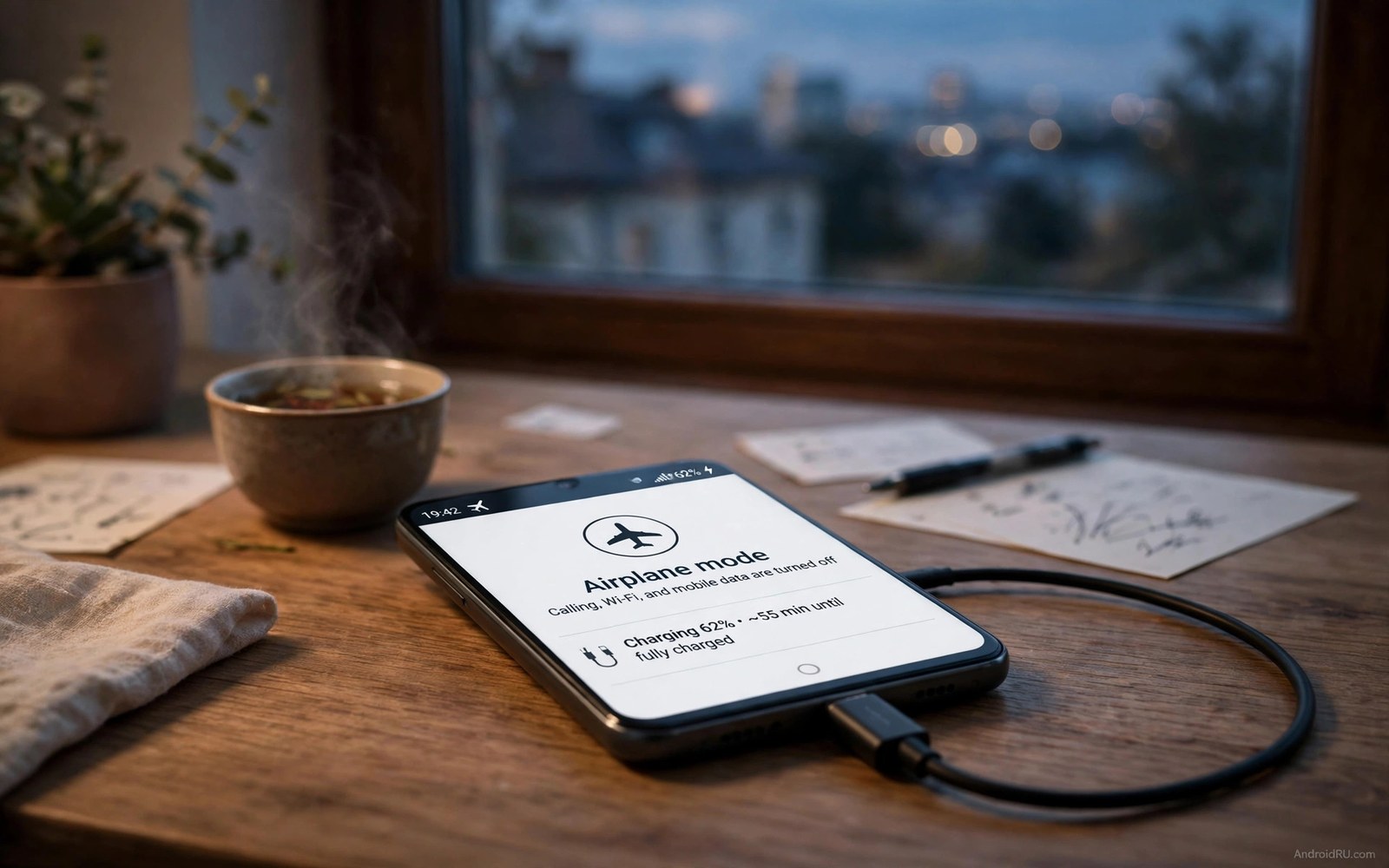
Why Airplane Mode Is the Ultimate Emergency Charging Hack
Your battery sits at 8 percent. You have fifteen minutes before you must leave for a flight, a meeting, or a long drive. A normal charge in that time may add only a little power, because the phone keeps spending power while it charges. Airplane mode changes the maths. It switches off the radios that drain power in the background, so the charger feeds the battery instead of fighting the drain. The phone charges faster, and the gain is real. It is not magic. It is simple subtraction, and once you understand the subtraction, you can use it at exactly the right moment.
I first noticed the effect on a slow hotel charger with one bar of signal. The phone barely moved for ten minutes, then I switched on airplane mode and turned the screen off, and the percentage started climbing at a pace I could actually see. The charger had not changed. The cable had not changed. The only change was that the phone stopped searching for a tower, syncing email, and scanning for networks. That quiet phone kept almost everything the charger gave it.
This article explains why airplane mode helps so much in an emergency, how much faster charging can be in practice, when the trade is worth it, what you lose while the radios are off, and what to do when you cannot go offline at all. The hack is simple. Using it wisely is the skill, and the skill starts with understanding that charging speed is net charging speed.
Why Charging Speed Is Net Speed, Not Charger Speed
Think of charging as filling a bucket with a leak. The charger pours power in. The phone leaks power out through the screen, the radios, and background apps. The battery keeps only the difference between what comes in and what leaks out. A fast charger pours quickly. A slow charger pours slowly. The leak decides how fast the bucket actually fills. A phone with a bright screen and weak signal leaks fast. A phone in airplane mode with a dark screen leaks almost nothing. The same charger fills the second phone far faster, because the leak is gone.
That idea explains why two people can use the same charger and get different results. One person leaves the screen on, streams video, and lets apps sync in the background. The other turns the screen off and lets the phone rest. The second person is not using a better charger. They are using a smaller leak. Airplane mode is the fastest way to shrink that leak, because it switches off several power-hungry radios at once, in a single tap.
Which radios cost the most while your phone charges
The mobile radio is usually the biggest drain during charging, especially on weak signal. A phone with one bar transmits at high power to hold the tower link, and it keeps searching when the link drops. Wi-Fi is next: it scans for networks, stays connected, and syncs data in the background. Bluetooth listens for devices and stays ready for headphones and watches. Location services may update position for apps that ask for it. Each radio uses power even when you are not actively using it, and together they can consume a large share of a standard charger output.
A fast charger overwhelms the leak more easily, because its output is far larger than the drain. A standard 5-watt or 10-watt charger struggles against the same leak, because the drain is a bigger fraction of what it delivers. That is why airplane mode feels most dramatic on a slow charger or a weak signal. The charger did not get stronger. The drain got smaller, and the net gain jumped.
Background apps add a second leak that airplane mode stops
Email, chat, and social apps sync while the phone charges. Each sync wakes the processor and the radio, downloads new content, and updates the screen if notifications arrive. A phone that syncs every few minutes never truly rests during charging. Airplane mode stops those syncs because no network is available, so the processor sleeps and the battery receives nearly the full charger output. That quiet charging is the core of the hack, and it works even when the screen is off and the phone looks idle.
The effect is easy to feel on an older phone or a phone with many apps installed. A fresh phone with few apps leaks less. A busy phone with dozens of syncing apps leaks far more. If your phone feels warm while it charges, that warmth is a clue: radios and background work are turning charger power into heat instead of stored charge. Airplane mode cools that process down at the same time as it speeds it up.
How to see the leak on your own phone before you test the hack
Open the battery settings on your phone and look at the battery use list for the past day. Note which apps and system items used the most power, and look for mobile network, Wi-Fi, and screen near the top. Then plug in, leave the phone alone for ten minutes, and note the percentage gain. Repeat the same ten minutes the next day in airplane mode with the screen off, and compare the two numbers. Your own pair of numbers is more useful than any general claim, because it reflects your charger, your signal, and your apps.
How Much Faster Is Airplane Mode in Practice
The honest answer is that the gain depends on your charger, your signal, and your screen. With a slow charger, the gain is largest in percentage terms. A slow charger may add only a little net power when the phone drains heavily, and airplane mode can nearly double the net gain in that case, because the drain was eating half the input. With a fast charger, the gain is smaller in percentage terms, because the fast charger already overwhelms the leak, but it still adds a useful margin, often a few extra percentage points in a fifteen-minute window.
Weak signal makes the gain larger. A phone on weak signal drain drains heavily while charging, because its radio transmits at high power to hold the tower link. Airplane mode removes that heavy drain entirely, so the gain in a weak signal area can be dramatic. A phone that barely charged on weak signal may charge well in airplane mode. Strong signal areas show a smaller gain, because the radio drain was already modest, and the remaining gain comes mainly from stopping syncs and scans.
The gain with a slow charger, a fast charger, and weak signal
Picture three charging sessions of fifteen minutes. On a slow charger with weak signal, airplane mode can turn a frustrating trickle into a usable top-up, and the relative gain can be roughly a third to nearly double the normal net gain, depending on how heavy the drain was. On a fast charger with strong signal, the gain is smaller, often around a tenth to a fifth extra in the same window, because the charger was already winning. On a fast charger with weak signal, the gain sits between those two cases: the charger is strong, but the radio drain was also strong, so removing it still matters.
Those are ranges, not promises, because no two phones leak the same amount. A phone with a bright screen on, video playing, and a weak signal may gain far more from airplane mode than a phone already resting with the screen off. The point is not the exact number. The point is that the gain is largest exactly when you need it most: a slow charger, a weak signal, and a low battery.
Screen use matters as much as radios during an emergency charge
A screen left on at full brightness leaks heavily, and it can cancel much of the airplane mode gain on its own. Airplane mode plus a dark screen gives the fastest possible charge. Airplane mode plus a bright screen playing video gives a much smaller gain. The hack works best as a pair: turn on airplane mode and turn off the screen, then let the phone rest for the full charging window. Fifteen quiet minutes beat thirty distracted minutes, and watching the percentage rise is a waste of the gain you are trying to capture.
That pairing is the reason the emergency routine in this article insists on a dark screen. It is tempting to keep scrolling while the phone charges, and that scrolling is the leak you are trying to close. Put the phone face down on a hard surface, leave it alone, and let the charger do its work without competition from the display.
What a fifteen-minute test looks like on a typical phone
Note the battery level, turn on airplane mode, turn the screen off, plug in, and wait fifteen minutes without touching the phone. Note the level again. Then repeat the same test on another day without airplane mode, with the same charger and a similar starting level. The difference between the two fifteen-minute gains is your personal airplane mode gain. On my own phone, the airplane mode window added several extra percentage points on a slow charger, and fewer on a fast charger, which matches the pattern above. Your numbers will differ, and that is fine, because the decision is about your phone, not an average.
| Charging situation | Normal drain | Airplane mode gain |
|---|---|---|
| Slow charger, weak signal | High, radio at full power | Largest, often a third to nearly double the net gain |
| Slow charger, strong signal | Moderate, sync and scans | Large, a clear extra margin in 15 minutes |
| Fast charger, weak signal | High, but charger is strong | Useful, a noticeable extra margin |
| Fast charger, strong signal | Low to moderate | Smallest, still real, a few extra points |
| Any charger, screen on and streaming | Very high, screen dominates | Small until the screen goes dark |
When Airplane Mode Is Worth the Trade
Airplane mode is worth it when you need charge urgently and can miss calls for a short time. Fifteen minutes before a flight is a perfect case. Thirty minutes before a long meeting is another. A road trip stop with a short charging window is a third. In each case, the missed calls last only a short time, and the extra charge lasts for hours of use afterwards. That trade favours airplane mode strongly, because a short offline window buys a long online window later.
Airplane mode is also worth it when the battery is critically low. A phone at 5 percent needs every watt for the battery, and radios at that level risk a shutdown during an important task. Airplane mode plus charging gives the fastest path back to a safe level. Reach 20 percent first, then turn the radios back on if you must. That staged approach protects the phone and restores contact quickly, instead of letting the phone die while it tries to stay connected.
Short windows before a flight, a meeting, or a long drive
The best airplane mode windows are short, planned, and tied to a departure time. You know when you need to leave, you know how long you can stay offline, and you know what the charge is for. A fifteen-minute window before a flight is easy to explain to anyone waiting for a reply: you will be offline for fifteen minutes, then back. A thirty-minute window before a meeting gives the phone a real top-up without asking anyone to wait long. A fuel stop on a road trip is the same idea: the car charges the phone while you stretch your legs, and the phone is quiet for the whole stop.
Tell people you will be offline when the wait matters. A short message before you switch on airplane mode prevents worry. Say you will reply in fifteen minutes, and most contacts accept a short delay gladly. A missed emergency call is the real risk, so weigh that risk honestly. If you expect an urgent call, do not use airplane mode. Use a fast charger and a dark screen instead. Safety beats speed when a call truly cannot wait.
When the battery is critically low and every watt counts
At 5 percent, the phone is close to shutting down, and every watt matters twice: once for the charge, and once for keeping the phone alive long enough to receive it. Radios at that level are a luxury the phone cannot afford. Switch them off, charge to 20 percent, and only then restore contact. That 20 percent mark is a useful staging point, because it gives you a buffer for a call, a map, or a ticket, without giving up the fastest part of the charge.
If you are waiting for a specific call at a low battery, the staged approach still helps. Charge in airplane mode for ten minutes, turn the radios back on, check for the call, and if nothing has arrived, switch airplane mode back on for another ten minutes. That on-off rhythm is less elegant than a single window, but it balances urgency against contact, and it still captures most of the charging gain.
What You Lose While Airplane Mode Is On
Airplane mode stops all calls and messages and mobile data. It also stops Wi-Fi and Bluetooth by default on most phones. You can turn Wi-Fi back on manually while staying in airplane mode, and that option keeps Wi-Fi messages flowing while the mobile radio stays off. It is a useful middle path when Wi-Fi is available. Mobile calls still wait, but chat over Wi-Fi continues, and that middle path suits a hotel room or an office with trusted Wi-Fi.
Messages sent to you during airplane mode arrive when you switch the radios back on. They do not vanish. They queue on the server and deliver in a burst. That burst can feel overwhelming after a long offline period, which is why short windows matter. A fifteen-minute burst is manageable. An all-day burst is not. Keep airplane mode charging windows short, and the catch-up stays small.
Calls, messages, and mobile data pause, and Wi-Fi can return
The pause is total for the mobile radio, and partial for the rest if you choose. After enabling airplane mode, open the quick settings panel and tap Wi-Fi to turn it back on. The phone will join a known network, and messaging apps that work over Wi-Fi will start delivering again. Bluetooth can also be turned back on the same way, for headphones or a watch, though keeping it off during the emergency window gives the maximum gain. For that comparison, see the real battery impact of leaving Bluetooth on and keep Bluetooth off during the emergency window anyway, because every small leak removed adds to the net charge.
That Wi-Fi middle path is the best compromise when you need some contact during charging. It saves the mobile radio drain, which is usually the largest, while keeping chat alive. It does not save calls, so use it only when calls can wait for fifteen minutes. If calls cannot wait, skip airplane mode entirely and use the alternatives in the next section.
Alarms, timers, offline music, and maps still work
Alarms still work in airplane mode, because the clock does not need a network. Timers and offline music also work, and maps you already saved for offline use work without a live link. Offline content is your friend during an airplane mode charge, so save what you need before you switch the mode on. That preparation removes most of the inconvenience. You can still listen, navigate, and wake on time, even while the radios are off, as long as the content is already on the phone.
That offline readiness is worth building into a travel habit. Save a map before a trip, save a playlist before a flight, and set the alarm before the charge. Those three small steps mean the offline window costs you almost nothing, and the charging gain comes free. A phone that is prepared for offline use is a phone that can afford to go offline when it matters.
Emergency Airplane Charging in 15 Minutes
This routine is the practical heart of the article. It takes fifteen minutes, uses only built-in toggles and a charger you already own, and it gives you a number you can compare with a normal charge. Try it once, write down the result, and you will know whether the hack matters for your phone, your charger, and your signal area. No new app is needed, and no setting needs to stay changed after the window ends.
- Note the battery level before you start, and write it down with the time.
- Turn on airplane mode from the quick settings panel, and confirm the airplane icon appears in the status bar.
- Turn the screen brightness down, then turn the screen off fully. Do not leave a video or a game running in the background.
- Plug in the charger and place the phone on a hard, cool surface, not under bedding or in direct sun.
- Wait fifteen minutes without touching the phone. Do not wake the screen to check the percentage.
- Note the battery level after fifteen minutes, and work out the gain for that window.
- Turn airplane mode off when you are done, and check that calls and messages return normally.
Compare that fifteen-minute gain with a normal fifteen-minute charge on another day, using the same charger and a similar starting level. If the airplane mode gain is clearly larger, the hack is worth using whenever you face a short window and a low battery. If the gain is small, your charger is probably fast and your signal is probably strong, and the hack is a backup rather than a daily tool. Either result is useful, because it tells you when to reach for airplane mode and when to skip it.
Set a timer so you do not forget to turn airplane mode off
The most common mistake after an emergency charge is forgetting to turn airplane mode off. Missed calls then pile up for hours, and the charging gain is not worth that silence. Set a timer for fifteen minutes before you start, or set a second phone alarm if you have one. Check the status bar icon when you pick up the phone, and make that glance a habit. A quick look prevents a long silent period, and it costs nothing.
Alternatives When You Cannot Go Offline
Some days, going offline is not an option. You are waiting for a call, you are on call for work, or a family member needs to reach you. The alternatives below approach airplane mode gains while keeping calls alive. The gain is smaller, but the safety is higher, and that trade is the right one when contact cannot wait.
Turn off mobile data manually when you must stay reachable for calls. Calls still arrive, and data sync stops. That single toggle removes much of the background drain. Turn off Wi-Fi scanning and Bluetooth too, lower the brightness, and close heavy apps. Those steps together approach airplane mode gains while keeping the phone reachable, and they are worth doing even when you do use airplane mode, because they close the leaks that airplane mode alone does not touch.
Stay reachable for calls while cutting data, scans, and brightness
Open quick settings and switch off mobile data, then switch off Bluetooth and Wi-Fi scanning if you are not using them. Lower the brightness to the lowest comfortable level, or switch on the dark mode and a dark wallpaper to reduce display power. Close games, video apps, and navigation apps that keep the processor busy. Each step is small, and together they remove a large share of the drain that airplane mode would have removed in one tap. The phone stays reachable, and the charger still gains ground.
Use a fast charger when you cannot go offline, because a fast charger overwhelms normal drain more easily and adds net power quickly even with the radios on. For the long-term trade of that choice, see the fast charger wear picture and pair the fast charge with a dark screen for the best result. Do not play games or stream video during that fast charge, because heavy use during charging cancels much of the fast charger advantage. A quiet fast charge beats a busy fast charge every time.
Charge opportunistically across the day to avoid emergencies
Emergency hacks matter less when routine top-ups keep the battery healthy. A ten-minute top-up at lunch prevents a critical evening low. A car charger on a commute adds steady charge. A portable battery in a bag rescues a bad day. Those small top-ups are the real habit that prevents rescues, and airplane mode charging is the rescue tool you use when the habit slips. A daily routine that includes top-ups plus airplane rescue windows is covered in the daily battery optimization checklist for power users, and it is worth reading once and following for a week to see how much calmer your battery life becomes.
Airplane Mode, Heat, and Long-Term Battery Health
Radios create heat as well as drain. A phone searching on weak signal heats up during charging, and that heat adds to charging heat. Airplane mode removes radio heat at once, so the phone charges cooler as well as faster. Cooler charging also protects long-term battery health, because heat is one of the main factors that ages a battery. The hack therefore helps twice: it speeds the charge, and it cools the charge.
Heat from the screen also matters. A dark screen during airplane mode charging keeps the phone coolest. A phone charging in a cool, ventilated spot cools best of all. Avoid charging under bedding or in a hot car during an emergency top-up, because heat slows charging on many phones: the system protects the battery by throttling charging speed. A cool phone charges at full speed longer. A hot phone throttles charging speed to defend itself, and that throttling can erase the gain you were trying to capture.
Keep the phone cool and ventilated during an emergency top-up
Place the phone on a hard surface with air around it, away from direct sun and away from a hot car dashboard. Remove a thick case if the phone feels warm, because a case traps heat during charging. If the phone is already hot when you plug it in, let it cool for a few minutes before you start the fifteen-minute window. Those small choices keep the charging speed high for the whole window, instead of letting heat throttle it halfway through.
Common Mistakes That Cancel the Gain
Many users turn on airplane mode but keep the screen on watching videos. The screen leak then cancels much of the gain, and the fifteen minutes pass with little extra charge. Turn the screen off during the emergency window, and treat the window as a rest for the phone as well as a charge. Another mistake is using airplane mode all day to save battery. All-day offline misses calls and messages for hours, and airplane mode is a short rescue tool, not a lifestyle. Use it for fifteen or thirty minutes, then return to normal use with a healthier battery.
A final mistake is expecting airplane mode to fix a bad charger. A damaged cable or a weak charger still limits speed, because airplane mode removes drain but it cannot add charger power. Replace a faulty cable first, then airplane mode can work at full effect. Check the cable by trying a different one with the same phone and charger: if the charge jumps, the cable was the problem, not the phone.
Frequently Asked Questions About Airplane Mode Charging
Does airplane mode really charge faster?
Yes, because charging speed is net speed. Airplane mode removes radio and sync drain during charging, so the charger output goes mostly into the battery. The gain is largest with slow chargers and weak signal, and smaller but still real with fast chargers. The effect is easy to test yourself with the fifteen-minute routine above, and your own numbers are the best proof.
Can I use Wi-Fi while in airplane mode?
Yes, on most phones you can turn Wi-Fi back on manually after enabling airplane mode. The mobile radio stays off, and Wi-Fi messages then continue while mobile calls wait. That middle path suits charging near trusted Wi-Fi, and it keeps some contact while still saving mobile radio power. Turn Bluetooth back on the same way if you need headphones, though keeping it off gives the maximum gain.
Will airplane mode damage my battery?
Airplane mode does not damage a battery. It reduces drain and heat during charging, and both effects help battery health. The mode itself changes only radios. It does not change charging voltage or current limits, so use it freely for short emergency windows. Long-term battery wear comes mainly from heat, high charge levels held for hours, and very fast charging over many months, not from a fifteen-minute offline window.
Why did my phone barely charge in airplane mode?
The usual cause is a bright screen left on, a damaged cable, or a very weak charger. Check the screen first, then the cable, then the charger, and repeat the test with the screen fully off. If the phone is hot, let it cool and charge in a ventilated spot, because heat throttling can also limit the gain. If none of those fixes help, the charger or cable is the limit, and airplane mode cannot add power that the charger never delivers.
Test the Hack Today With a Fifteen-Minute Window
Airplane mode is the ultimate emergency charging hack because it attacks the leak, not the charger. Radios and sync drain power while you charge, and airplane mode stops that drain, so the battery keeps nearly the full charger output. The gain is largest with slow chargers and weak signal, and the cost is a short offline window. Short windows are worth it when charge is urgent, and the Wi-Fi middle path softens the cost when you need some contact.
Your concrete next step is to test it today. Next time your battery falls below 15 percent, turn on airplane mode, turn off the screen, and charge for fifteen minutes without touching the phone. Note the gain, compare it with a normal fifteen-minute charge, and use that number to decide when the hack is worth it for your routine. Set a timer so you remember to turn airplane mode off, and keep the habit for flights, meetings, and low-battery days when fifteen quiet minutes can buy hours of use.

