

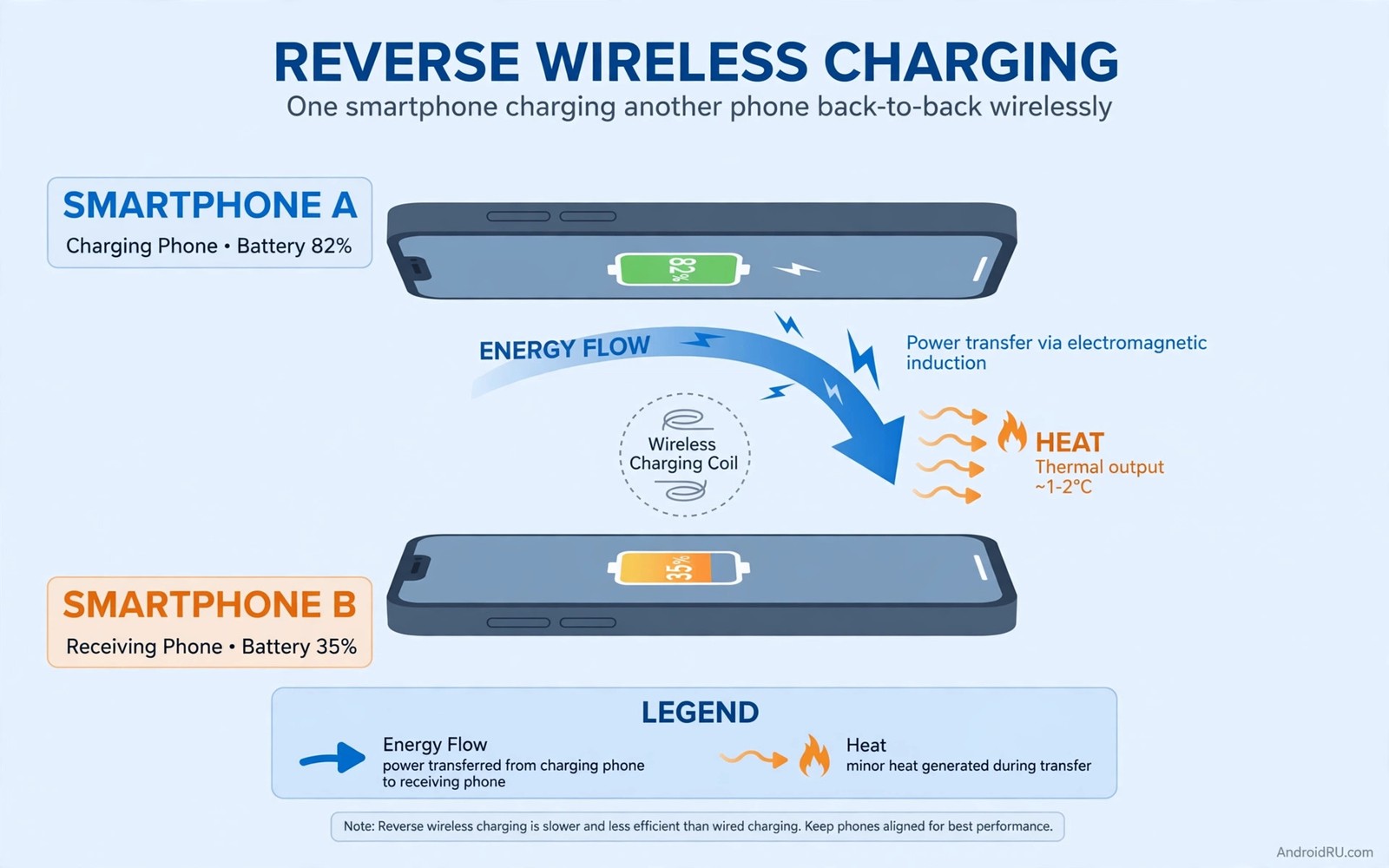
Reverse wireless charging sounds generous. Your phone shares power with earbuds or a watch. It rescues a friend phone at dinner. That generosity has a hidden cost. The host phone pays more than the guest receives. Wireless transfer loses energy as heat. The host battery discharges faster than the guest charges. The host also heats up during transfer. Heat plus deep discharge stresses the host cell. Occasional rescue use is fine. Daily sharing is costly. This guide quantifies that cost. It shows when reverse charging is worth it. It shows when a cable or a power bank is smarter.
How reverse charging works and why it loses energy
Reverse charging turns the phone coil into a transmitter. The phone battery sends current to its coil. The coil creates a magnetic field. The guest device coil converts that field back into current. Each conversion loses energy. The gap between devices loses more. Total efficiency often sits near 50 to 60 percent. That means the host gives up roughly twice what the guest gains. A guest gaining 10 percent may cost the host 20 percent. The missing energy becomes heat in both devices. The host heats more because it also powers its own systems during transfer. That heat is the main aging factor. Efficiency loss is the second factor. Together they make reverse charging expensive per percent delivered.
Alignment worsens the loss. Two phones back to back rarely align perfectly. A watch or earbuds case aligns better on a dedicated spot. A phone on a phone often sits off-center. Off-center transfer drops efficiency further. It may drop below 40 percent. The host then gives up far more for a small guest gain. Heat rises with misalignment. The system may slow transfer to control heat. Slow transfer extends the time both devices stay warm. Longer warm time adds more wear. A cable transfer avoids most of this loss. Wired efficiency sits near 90 percent. A power bank transfer also uses a cable. It keeps the host battery untouched. Those alternatives matter for frequent sharing.
The heat and cycle cost to the host
Reverse charging heats the host in two ways. Discharge itself generates heat. Wireless transmission generates additional heat. The host battery experiences both at once. Temperature may rise several degrees during a session. A session long enough to charge earbuds fully may keep the host warm for 30 minutes. That warm period ages the cell. It also reduces efficiency further. A warm cell delivers less usable energy. The host may lose extra percent to heat alone. Deep discharge adds another cost. Sharing until the host falls below 20 percent pushes it into the stress zone. Low charge plus heat is the worst combination. It accelerates wear more than either factor alone.
Cycle cost follows the same logic. A reverse session consumes host cycles without host benefit. The host owner gains no screen time from that energy. It simply transfers it inefficiently. Frequent sharing therefore adds cycles faster. A phone shared daily may add an extra partial cycle per day. Over a year that adds hundreds of cycles. Hundreds of cycles translate into measurable capacity loss. A phone used normally for two years may behave like a three year phone. That hidden aging is why reverse charging is called secret degradation. The guest benefits visibly. The host pays invisibly over months.
When reverse charging is still worth it
Emergencies justify the cost. A dead watch before a run is an emergency. Dead earbuds before a flight are an emergency. A friend phone dying during navigation is an emergency. In those moments the convenience outweighs the wear. One session does not ruin a battery. The damage comes from routine use. Use reverse charging as a rescue tool. Do not use it as a daily charger for earbuds. Charge earbuds from a wall charger at home. Charge a watch from its own cable overnight. Reserve reverse charging for moments away from other power. That reservation keeps the cost rare. Rare costs do not affect long term health meaningfully.
Short top-ups are better than long sessions. A five minute top-up to get earbuds through a call is efficient in human terms. It costs the host little. A full charge of a guest phone is inefficient. It costs the host a lot. It also takes a long time due to low power output. Reverse charging typically delivers only 5 watts or less. A guest phone may need hours for a full charge. Hours of heat for a small gain is poor value. Use reverse charging for minutes not hours. Set a mental limit. Stop when the guest reaches enough to function. Do not aim for full. Enough is the goal in an emergency. Full is the goal at a wall charger.
Smarter alternatives for regular sharing
A small power bank beats reverse charging for regular sharing. A power bank delivers power by cable efficiently. It keeps the host battery untouched. It also charges faster. A 10000mAh bank costs little. It fits in a pocket. It charges earbuds many times. It charges a phone partially in an emergency. Carrying a bank removes the need for daily reverse sharing. It also protects the host phone from heat. That protection alone justifies the bank. Think of a bank as a dedicated sharing battery. It takes the wear so your phone does not have to. That separation is smart engineering. Use the right battery for the job.
A cable between phones is another alternative when both support it. Wired reverse charging through USB is far more efficient than wireless. It still drains the host. It wastes less as heat. It charges faster. Use a short USB cable for phone to phone sharing when possible. That method still costs host cycles. It costs fewer cycles per guest percent. It also avoids alignment loss. Keep a short cable in your bag for that purpose. It weighs almost nothing. It saves host health over time. Wireless reverse charging is convenient. Wired reverse charging is efficient. Choose efficiency when you have a cable handy.
Charge accessories at home as a habit. Place earbuds on their charger each night. Place a watch on its charger each night. That routine prevents daytime emergencies. It removes the temptation to share from a phone. Home charging is efficient and cool. It uses wall power. It does not touch phone cycles. A nightly accessory routine is a small habit. It pays by preserving phone health. It also ensures accessories are ready each morning. Prevention beats rescue. A charged accessory never needs a host rescue.
Protect the host if you must share
Start sharing from a high host charge. A host at 80 percent handles a top-up better than a host at 30 percent. Avoid sharing below 40 percent host charge. Below that point the host enters stress territory quickly. Stop sharing if the host feels hot. Heat is a warning. Move devices to a cool surface. Remove cases if they trap heat. Align devices carefully. Center the guest on the host coil spot. Check that charging actually starts. A misaligned pair may show charging but transfer poorly. Reposition until transfer is steady. A steady transfer wastes less heat. It also finishes sooner. Shorter warm time means less wear.
Do not use the host heavily during sharing. Gaming or navigation during reverse charging adds load and heat. The host already handles discharge and transmission. Adding a game pushes temperature higher. Let the host idle during sharing. Put it down and wait. That patience reduces total heat. It also lets you notice overheating early. A host left idle cools faster after sharing ends. A host used heavily stays warm longer. Idle sharing is the gentlest form. It still costs cycles. It costs fewer heat related losses. Gentle sharing is the best bad option when no alternative exists.
Compare reverse charging with normal wireless charging risks to see the pattern. Normal wireless charging already adds heat. Reverse charging adds heat plus inefficiency plus host discharge. You can review that baseline in what science says about wireless charging and battery health. You can also review long term tricks to keep batteries alive for five years. Reverse charging contradicts those longevity habits when used daily. It fits them only as a rare emergency tool. That framing helps decisions. Emergency yes. Daily no.
A reverse charging cost log
Log a reverse session once to see the cost. Note host start and end percent. Note guest start and end percent. Note time and temperature feel. A typical result surprises owners. The host may drop 18 percent while the guest gains 9 percent. That ratio shows inefficiency clearly. A second session with better alignment may improve the ratio slightly. It will not reach cable efficiency. Data makes the cost concrete. Concrete costs change habits faster than warnings. Log one session. Decide your personal limit from that log. A limit like no sharing below 50 percent host charge is a good rule. A limit like max ten minutes per session is also good.
Reverse charging session log
Host start: 82%  Host end: 64%  Host loss: 18%
Guest start: 12%  Guest end: 21%  Guest gain: 9%
Time: 35 min  Host feel: warm
Reading: host paid double what guest gained
The log above follows a simple session tracking pattern used by many Android power users to judge reverse charging without any paid tool. It records only start and end percents. It records time and warmth. It reveals efficiency directly. A 2 to 1 ratio is typical for phone to phone wireless sharing. A better ratio may appear with a small accessory guest. A worse ratio may appear with poor alignment. Use the log to set limits. Do not rely on feeling. Feeling underestimates the cost because the guest gain looks satisfying. Numbers show the host price.
Common mistakes
Many owners use reverse charging daily for earbuds. Daily use adds cycles and heat routinely. Many owners share until the host dies. That deep discharge plus heat is the worst outcome. Many owners share while gaming on the host. That adds load to an already warm phone. Many owners ignore misalignment. A poorly aligned pair wastes most energy as heat. Many owners think reverse charging is free because no cable is involved. Energy always comes from somewhere. Here it comes from host health. Many owners charge a guest phone fully via reverse charging. Full guest charges take hours and cost the host dearly. Use reverse charging for top-ups only.
Another mistake is leaving reverse charging on unnecessarily. Some phones keep the transmitter active after the guest is removed. That standby transmitter wastes power. Turn off reverse charging when done. Check settings after a session. Ensure the feature is off. A transmitter left on can drain overnight. That drain adds to the session cost. Also avoid power bank habits that damage the charging port as a replacement without care. A bank is better than reverse charging. A bank still needs a good cable and a clean port. Care for both tools. Use the bank correctly and it protects the host fully.
FAQ
Does reverse wireless charging damage my phone? Occasional use causes negligible wear. Daily use adds heat and cycles that accelerate aging. Treat it as an emergency tool not a daily charger.
Why does my phone lose more than the other device gains? Wireless transfer loses roughly half the energy as heat. Alignment loss increases that waste. The host pays double for the guest gain in typical phone to phone sharing.
Should I turn off reverse charging after use? Yes. Ensure the transmitter is off when done. A transmitter left active wastes power. It may also heat the phone in a pocket or bag.
Conclusion
Reverse wireless charging degrades the host through heat and inefficiency. The host pays about double what the guest gains. Occasional emergency use is fine. Daily sharing accelerates aging. Charge accessories at home nightly. Carry a small power bank for regular sharing. Use a cable for phone to phone transfer when possible. If you must share wirelessly then start above 50 percent host charge. Limit the session to a top-up. Turn the feature off when done. Log one session this week and let the numbers set your personal limit.

