

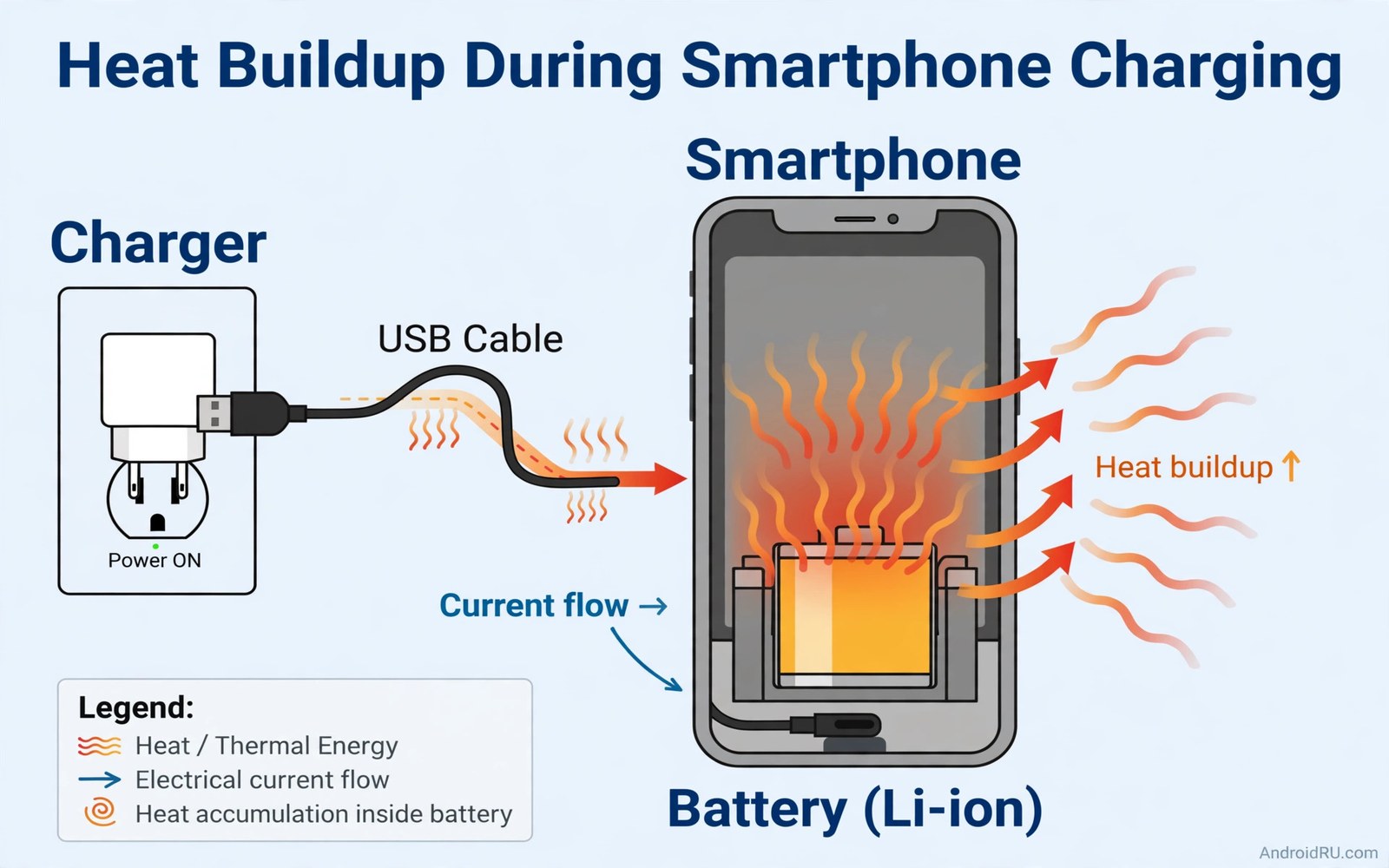
A phone that feels warm on the charger is normal. A phone that feels hot is a warning. Many users assume the charger is at fault. Sometimes it is. More often the heat comes from several hidden sources working together. Fast charging adds heat. Background apps add heat. A thick case traps heat. A weak signal forces the radio to work harder while charging. Each source alone may feel modest. Together they can make a phone uncomfortably hot.
Heat during charging matters for two reasons. First it makes the phone throttle charging speed to protect itself. A hot phone charges slower than a cool phone after the first phase. Second it ages the battery faster over months. A battery held hot during daily charging loses capacity sooner. Understanding the hidden heat sources lets you remove them one by one. The phone then charges cooler and faster and lasts longer.
This article names the hidden heat sources in order of impact. You will learn how to tell normal warmth from dangerous heat. You will learn simple fixes for each source. You will also learn when heat signals a safety problem that needs repair. Most hot charging cases have a fix you can apply today without any purchase.
Normal Warmth Versus Dangerous Heat
A phone may feel slightly warm during fast charging. That warmth comes from current flowing into the battery. It is expected during the fast phase. The phone should cool as charging slows near full. A phone that stays hot after reaching full charge needs attention. A phone too hot to hold comfortably needs attention at once. Unplug it and let it cool before you use it again.
Watch for heat plus other symptoms. A screen that lifts or a back panel that bulges beside heat is urgent. A battery that drains very fast after a hot charge is also a warning. A charger or cable that feels hotter than the phone may be faulty. Heat in the cable alone points at the cable not the phone. Heat across the whole phone points at combined sources inside the phone. Note where the heat sits before you blame any single part.
Use your hand as a rough gauge. Warm means you notice it but it feels comfortable. Hot means you want to put the phone down. Very hot means you cannot hold it comfortably at all. Warm during fast charging is fine. Hot during slow charging is not fine. Very hot at any time needs an immediate unplug and cool down. Trust that simple gauge over any app temperature reading that you do not understand.
Hidden Heat Source One: Fast Charging Current
Fast charging pushes high current into the battery. High current creates heat through resistance inside the cells. The faster the charge the more heat per minute. Dual cell designs split the current to reduce heat per cell. Cooling systems help too. But the fast phase still creates the most heat in the whole charging cycle. That heat is the price of speed.
The charge curve limits heat near full charge. The phone slows charging as the battery fills. That slowdown is deliberate protection. A phone that stays hot near full may have a fault or a heat trap. Check the case and the surface first. A thick case traps heat against the body. A soft bed traps heat underneath. Move the phone to a hard cool surface and remove the case for a test charge. A clear temperature drop confirms a heat trap.
Slow charging creates far less heat. A standard charger may feel barely warm during a full charge. That cool profile is why slow charging suits overnight use so well. Use fast charging when you need speed. Use slow charging when time allows. The heat difference between the two is large enough to matter for battery health over a year. For the year long wear picture see how fast chargers wear batteries over 12 months because heat is the main driver of that wear.
Hidden Heat Source Two: Background Work During Charging
Many phones charge while apps sync and update in the background. Each sync wakes the processor. Updates download and install. Backups run when the phone charges and connects to Wi-Fi. All of that work creates heat on top of charging heat. A phone that backs up photos during charging will feel warmer than a phone that rests. The backup is useful but its heat adds to the total.
Check what runs during charging on your phone. Open battery usage after a hot charge and look for high background apps. A backup app or a social app with heavy background time is a likely contributor. Pause large backups during a hot charge. Let them run on a cool slow charge instead. Schedule app updates for times when the phone is not already hot. Small scheduling changes remove a hidden heat layer.
Games and video during charging are the worst background heat. A game uses the processor and graphics chip at full load. Charging adds heat on top. The combined heat can trigger throttling quickly. Pause heavy tasks during charging when you can. A short break lets the phone charge cool and fast. Resume play after charging ends. That break pattern protects both performance and battery health.
Hidden Heat Source Three: Weak Signal And Radio Heat
A phone charging in a weak signal area works its radio hard at the same time. The radio transmits at high power to hold a distant tower link. That radio heat joins charging heat inside the body. A phone charging near a window with strong signal stays cooler than the same phone charging in a basement. Signal strength therefore affects charging temperature directly. Many users never connect those two facts.
Test the signal effect with a simple comparison. Charge once in your weakest spot and note the warmth. Charge once near a strong signal spot and note the warmth again. Keep charger and case the same for both tests. A clear difference confirms radio heat as a contributor. Airplane mode during charging removes radio heat entirely. It also speeds charging as explained in why airplane mode helps emergency charging because the same radio drain creates both heat and slow net charging.
Wi-Fi can also add heat when it struggles. A weak Wi-Fi link forces retries and higher power. A phone switching between Wi-Fi and mobile data heats more than a phone on a stable link. Turn off Wi-Fi when its signal is very weak during charging. Let the phone rest on a stable link or on airplane mode. Stability cools the radio and the phone together.
Hidden Heat Source Four: Case And Surface Traps
Cases protect phones but they also insulate them. A thick rugged case traps heat against the back panel. A leather wallet case traps even more. The phone cannot shed heat to the air through a thick insulator. Charging heat then builds inside the case. Removing the case during charging often drops temperature noticeably. Test it once with your own case. A clear drop means the case is part of the problem.
Surfaces matter just as much. A bed or sofa traps heat underneath the phone. A blanket over a charging phone traps heat on all sides. A hard table allows air to carry heat away. A metal stand can even help by conducting heat away from the body. Charge on a hard ventilated surface whenever you can. Never charge under bedding. That habit alone prevents many hot charging cases.
Sunlight is an obvious but often missed trap. A phone charging on a car dashboard in sun heats from both charging and sunlight. The combined heat can push the phone to shutdown. Move charging out of direct sun always. A shaded cool spot charges faster because the phone does not throttle to defend itself. Sun plus charging is one of the worst combinations for battery health.
Hidden Heat Source Five: Faulty Charger Cable Or Port
A damaged cable can heat up at the plug or along its length. Frayed wires increase resistance. Higher resistance creates heat at the damage point. A cable that feels hot near the plug needs replacement at once. Do not keep using a hot cable to save money. A new certified cable costs little. A damaged cable risks the phone and the charger together.
A dirty charging port can also create heat. Lint and dust in the port cause a poor connection. A poor connection arcs slightly and heats the port area. Clean the port gently with a dry wooden or plastic tool. Never use metal tools inside the port. Never use liquid cleaners near the port. Liquid damage creates far worse problems than dust. For safe port care see the warning about liquid cleaners near charging ports and follow its dry cleaning guidance only.
A faulty charger brick can overheat too. A brick that feels very hot or smells odd needs replacement. Use a certified brick for your phone model. Avoid no brand bricks with no safety marks. A good brick stays warm at most during fast charging. A bad brick can damage the phone through unstable voltage. Replace any brick that worries you without delay.
Hot charging diagnosis
1. Unplug if phone is too hot to hold
2. Note where heat sits: phone cable or brick
3. Remove case and charge on hard surface
4. Try a slow charger for comparison
5. Try airplane mode during charging
6. Try a strong signal spot for comparison
7. Inspect cable for fraying and heat
8. Clean port gently with dry tool only
The diagnosis above was written for this article as a plain summary of the heat checks. It uses only touch and built-in settings and a spare cable when available. Work through it in order. Each step removes one heat source. The remaining heat after all steps points at a deeper fault that needs repair.
Common mistakes
Many users blame the charger alone for hot charging. The charger is only one heat source. Background work and weak signal and case traps often contribute more. Check all sources before you buy a new charger. A new charger will not fix a heat trap case.
Another mistake is charging under bedding or in direct sun. Both traps prevent heat from escaping. The phone then throttles and ages faster. Charge on a hard shaded surface always. That single habit prevents a large share of hot charging cases.
Some users keep playing games during fast charging for hours. That pattern stacks gaming heat on charging heat. Pause heavy tasks during charging. A short break cools the phone and speeds the charge. The game will still be there after the break.
A final mistake is ignoring a hot cable or port. A hot cable signals damage. A dirty port signals a poor connection. Both need prompt action. Replace a hot cable at once. Clean a dirty port gently and dry. Ignoring either risks worse damage over time.
FAQ
Is it normal for a phone to feel warm while charging?
Slight warmth during fast charging is normal. The phone should cool as charging slows near full. Heat that makes the phone uncomfortable to hold is not normal. Unplug a very hot phone and let it cool. Then work through the heat sources in this article.
Does removing the case really help charging heat?
Removing a thick case often helps noticeably. Cases insulate the back panel and trap heat. A bare phone sheds heat to the air faster. Test a charge with and without your case. A clear temperature drop confirms your case traps heat during charging.
When should hot charging worry me enough to seek repair?
Seek repair when heat comes with swelling or rapid drain or shutdowns. Seek repair when a good cable and cool surface still leave the phone very hot. Seek repair at once for any swelling or odd smell. Those signs point at a battery or hardware fault beyond simple heat traps.
Conclusion
Hot charging rarely has a single hidden cause. Fast current creates heat. Background work adds heat. Weak signal adds radio heat. Cases and soft surfaces trap heat. Damaged cables and dirty ports add local heat. Each source can be tested and removed with simple steps. A cool phone charges faster and ages slower. A hot phone throttles and wears out sooner.
Your concrete next step is to run a test charge today. Remove the case and charge on a hard shaded surface with a slow charger. Note how warm the phone feels after thirty minutes. If it stays merely warm then you found your heat trap. If it still gets very hot then inspect the cable and port and seek repair advice.

